
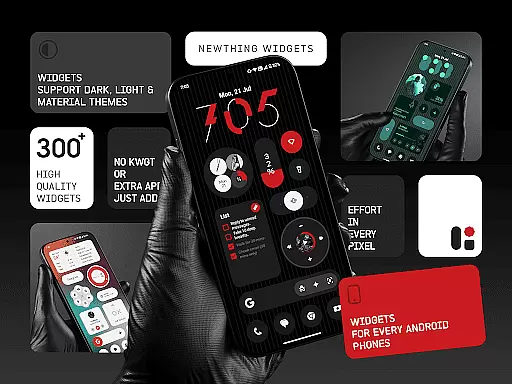
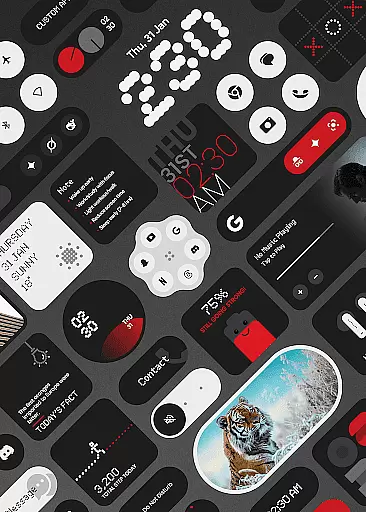
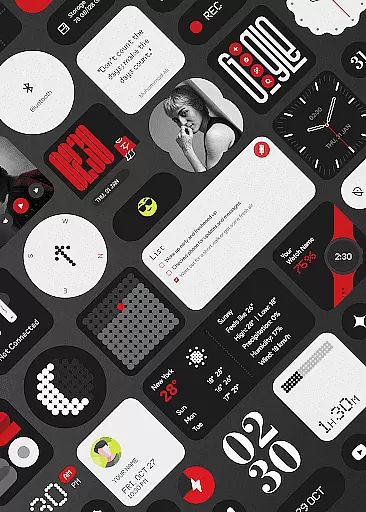
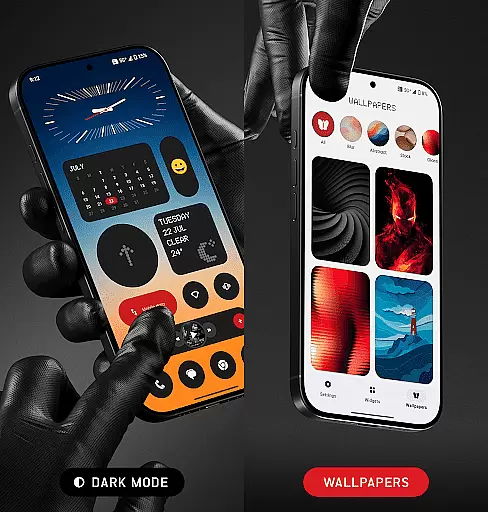
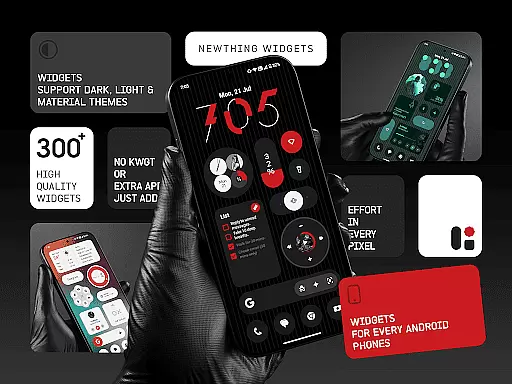
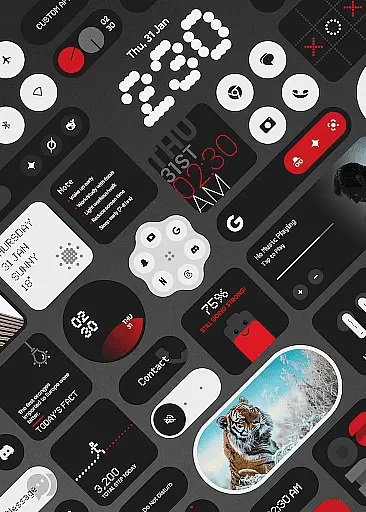
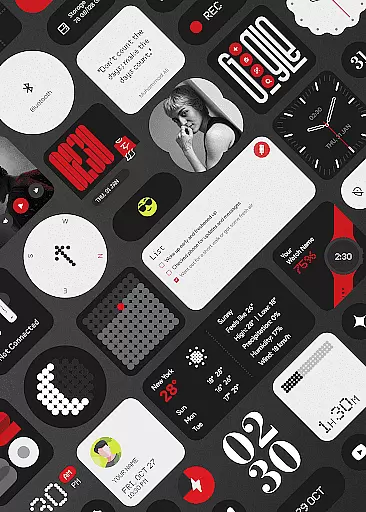
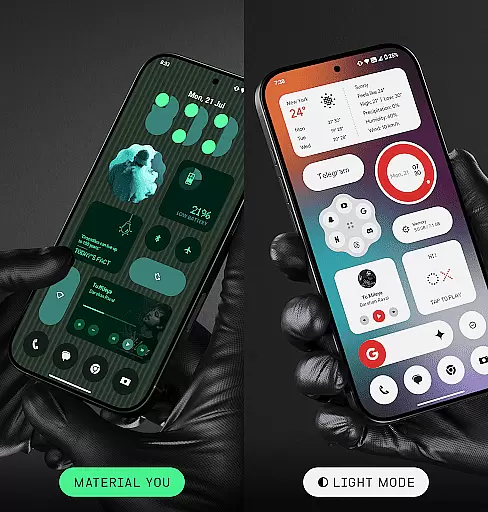
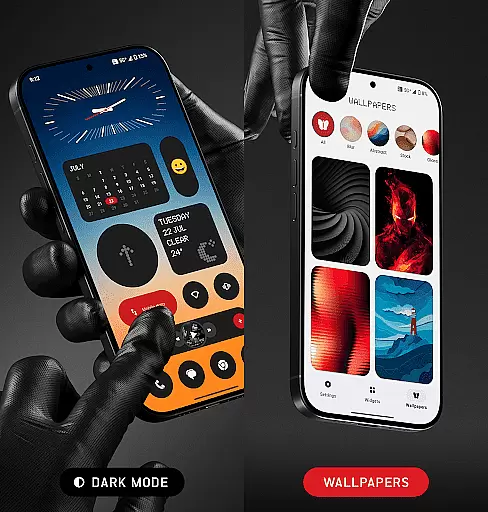
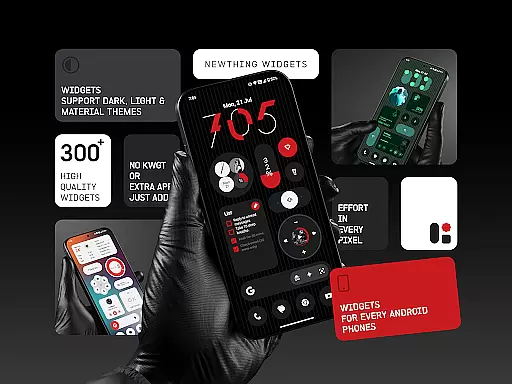
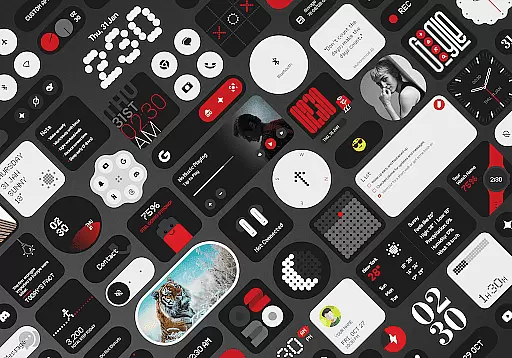
NewThing Widgets Pro is a comprehensive widget solution for Android devices, offering over 300 beautifully designed widgets that enhance your home screen. These include functional widgets like Clocks, Weather, and Battery monitors, as well as aesthetic additions such as Quotes & Facts and Theme-Matching Wallpapers.
The app stands out with its seamless integration of Material You design, ensuring widgets adapt to your device's theme. With regular updates and no need for additional apps, it provides an optimized, battery-friendly experience while delivering both style and utility.
NewThing Widgets Pro boasts an impressive range of features that cater to customization enthusiasts. The app includes a diverse selection of widgets from practical tools like Quick Settings and Pedometer to visually appealing ones like Compass and Google-related widgets.
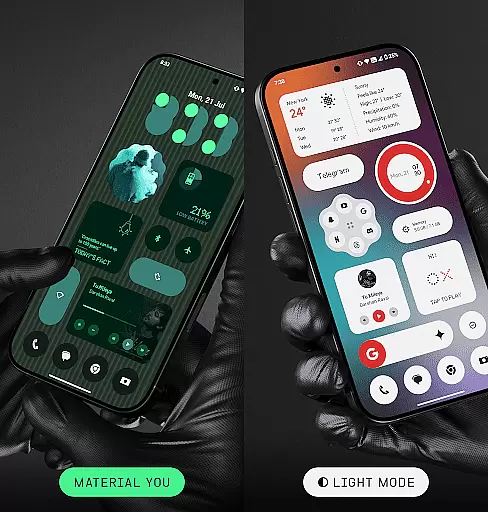
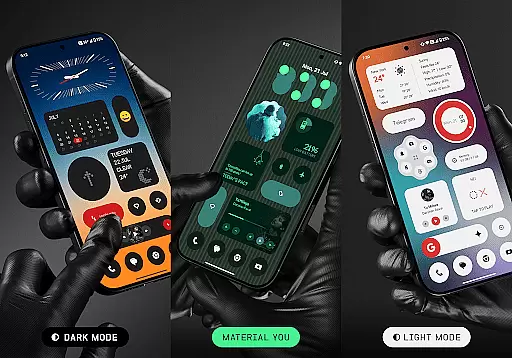
One of the key highlights is its support for dark mode, light mode, and Material You mode, allowing users to personalize their experience. The widgets are not only visually stunning but also optimized for performance, ensuring smooth operation without excessive battery drain.
Regular updates introduce new widgets, keeping the content fresh and engaging. Users can enjoy timely weather updates, precise photo rotations, and accurate calendar notifications thanks to the USE_EXACT_ALARM permission, which ensures real-time functionality.
NewThing Widgets Pro offers an extensive range of customization options that allow users to personalize their home screens like never before. With over 300 widgets available, the app covers a wide array of categories including Clocks, Weather, Games, and more.
The beauty of this application lies in its diversity. Users can choose from a multitude of widget types, each designed with a focus on both aesthetics and functionality. Whether you're looking for a visually pleasing clock or an interactive weather display, NewThing Widgets Pro has something for everyone.
Moreover, the app supports various display modes such as dark mode, light mode, and Material You mode, ensuring that your widgets will always match your device's theme. This level of customization empowers users to create a home screen that not only looks good but also enhances their daily workflow.
Theme compatibility is at the heart of NewThing Widgets Pro's design philosophy. The app seamlessly integrates with Androidu2019s Material You, allowing widgets to automatically adapt to your systemu2019s color scheme.
This feature ensures that all widgets are visually cohesive with the rest of your device interface. By supporting dark mode, light mode, and dynamic theming, NewThing Widgets Pro guarantees a consistent look and feel across your home screen.
Furthermore, regular updates bring new widgets and features that maintain this high standard of theme integration. Users can enjoy peace of mind knowing that their personalized home screen will remain stylish and functional, regardless of future system updates or changes in personal preferences.
User-friendly interface
Extensive widget variety
Optimized performance
Regular feature updates
Material You support
Premium version required
Limited iOS compatibility
Foreground service needed
Occasional update delays
Advanced settings may overwhelm beginners

Classic analogue watch face. For wear os devices.
 4.60
4.60
Customizable flower power digital watch face for Wear OS watches.
4.00
Themes - Widget & Wallpaper: Customize home screen, icon changer w unique themes
4.30
Ultimate Gallery Lock App - Hide Pictures, Videos and Lock Apps Instantly!
4.60
Customize glowing edges, wallpapers, and caller screen with EdgeAura.
3.50 4.50
4.50 4.50
4.50
300+ widgets inspired by Material You and Material 3 expressive design.
4.60
Create unique, fun emojis with Funny Emoji Maker! Unlimited creativity!
4.00
Gun Chase - Let the chase begin.
4.80
Nothing Icon pack with more than 3750+ highly crafted icons.
4.70
Ninja Turtles Cowabunga SE watch face for Wear OS
4.50
Aesthetic Widgets, HD Wallpapers, Themes in Mico Widget for Home and Lock Screen
4.50
Fingerprint Lock Screen & Live Animations with 4K Wallpapers as Live Wallpaper
4.40
Transform your device in a game console
4.40
The definitive Icon pack maker and editor
4.30
Unleash Your Creativity and Connect with Loved Ones with Lockscreen Drawing!
4.20
Adaptive Dot Style IconPack with Light & Dark Theme.
3.70
Prank your friends with realistic broken screen and cracked HD effects!
4.1


User Reviews