
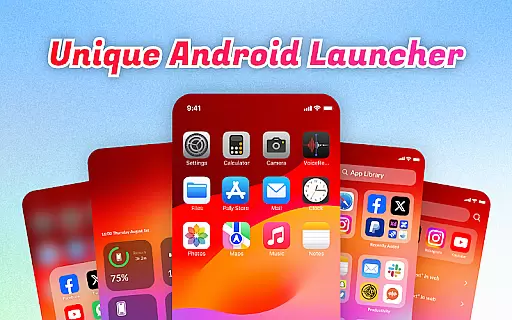
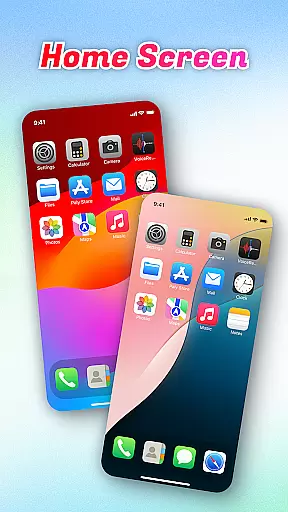
OS Launcher Theme is a personalization app designed to enhance your smartphone experience through an intuitive and feature-rich interface. This app offers a unique combination of organization tools, convenience features, and system monitoring capabilities.
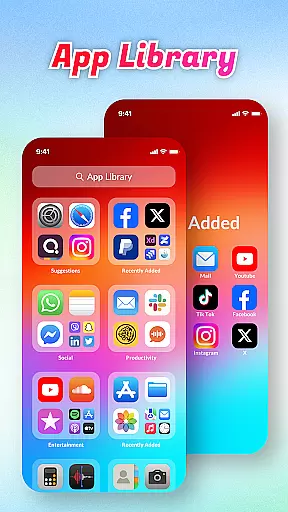
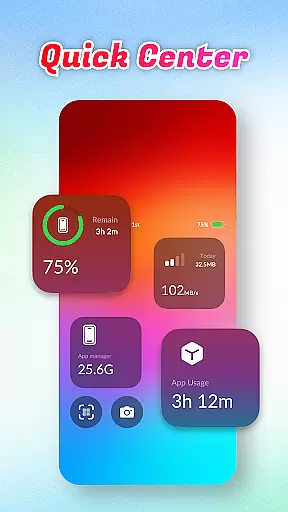
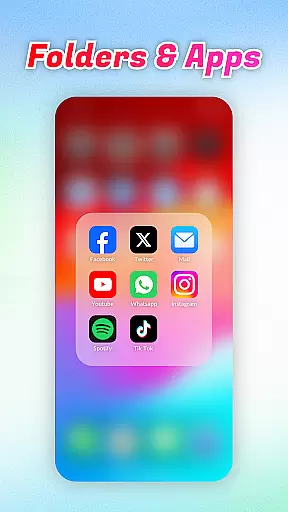
At its core, the app provides an intelligent App Library that automatically sorts applications into categories, eliminating clutter and streamlining your home screen. The Quick Center feature gives you instant access to essential functions like flashlight and settings through simple swipe gestures. With built-in utilities such as QR Scanner and comprehensive system monitors for battery and data usage, this launcher theme transforms your device into a more efficient tool.
Ideal for users who value both aesthetics and functionality, OS Launcher Theme is particularly useful in professional settings where quick access to information and tools can significantly boost productivity. The app's ability to help manage storage space and monitor system resources makes it a valuable asset for maintaining an organized and optimized mobile workspace.
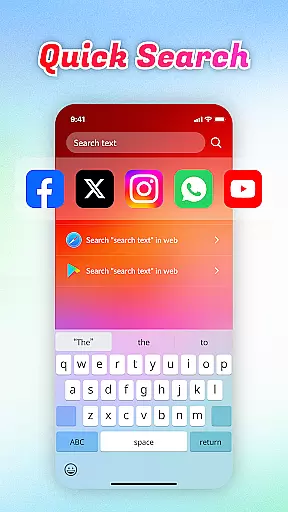
The OS Launcher Theme stands out with its diverse set of features designed to improve daily smartphone interactions. The Quick Search functionality enables users to find apps or web content rapidly using keyword search, while the built-in QR Scanner eliminates the need for separate scanning applications.
System monitoring tools include detailed Battery Info, providing insights into charging status and battery health. The Data Usage tracker helps prevent overage charges by giving users clear visibility into their data consumption patterns. These features work together to create a more informed and controlled user experience.
One of the most valuable aspects of OS Launcher Theme is its App Manager, which allows users to identify and manage applications consuming excessive storage space. When combined with the App Library's organizational capabilities, this creates a powerful system for maintaining an efficient and clutter-free device. Each feature is implemented with user convenience in mind, ensuring that these tools are both accessible and effective in enhancing overall device performance.
OS Launcher Theme offers a wide array of customization options that allow users to tailor their device's appearance and functionality according to their preferences.
The App Library feature automatically sorts apps into categories, reducing clutter and personalizing the way you access your applications. With Quick Center, users can customize shortcuts for convenience, putting frequently used settings just a swipe away.
Quick Search adds another layer of personalization by enabling users to swiftly locate apps or web content using keyword searches, adapting the launcher to individual usage patterns.
Built-in tools like the QR Scanner, Battery Info, Data Usage monitor, and App Manager provide practical functions that users can customize to manage their device efficiently, ensuring a personalized and optimized mobile experience.
Theme compatibility is at the core of OS Launcher Theme, ensuring that visual and functional modifications seamlessly integrate with your device.
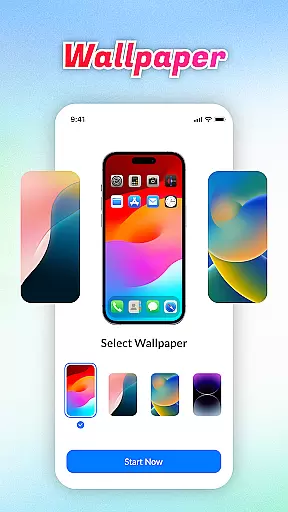
This launcher supports various themes which means you can change the entire look of your device without worrying about inconsistencies or performance issues. The uniformity in design elements across different sections of the user interface guarantees a cohesive aesthetic.
Moreover, features such as Quick Center and Quick Search are designed to work harmoniously within any chosen theme, maintaining ease of use while preserving the visual identity selected by the user.
By providing stable and compatible theme options, OS Launcher Theme ensures that every customization not only looks good but also functions smoothly, enhancing both the appearance and usability of your device.
User-friendly interface
Comprehensive system tools
Efficient app organization
Quick access features
Built-in utilities
Limited customization options
Potential battery drain
Occasional system conflicts
Learning curve for new users
Storage requirements

Glass style colourful icons with a One UI look and feel
 4.60
4.60
Make your phone look simple & luxury, like iDevice
4.60
Sparkle your screen with Glitter Wallpapers For Girls and Cute Backgrounds!
4.80
Ultimate widget creator. Design custom widgets for a truly unique home screen!
3.90
The definitive Icon pack maker and editor
4.30
Want to make your phone more special than ever?
4.60
Romantic Kiss Stickers App. Start romantic messaging now!
4.30
Choose your keyboard with RGB colors effect, themes, fonts, emojis.
4.60
300+ Stunning and well-designed widgets inspired by NOTHING.
4.70
Customizable screen pets that play, climb, and keep you company.
4.50
Themes - Widget & Wallpaper: Customize home screen, icon changer w unique themes
4.30
Wear Os Watch Face - Seasonal - Animated Snow Effect - 9 Animals
4.20
Organize and manage your photos and videos effortlessly with Photo Gallery
4.20
Customizable flower power digital watch face for Wear OS watches.
4.00
Realistic animated snow on your wrist, with 10 images landscapes to choose from
4.00
Design your screen with unique, vibrant clocks
3.80 3.50
3.50
Adorable pets roam and play right on your phone screen!
3.30
Prank your friends with realistic broken screen and cracked HD effects!
4.5


User Reviews