
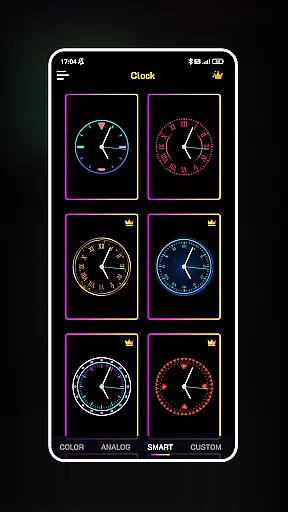
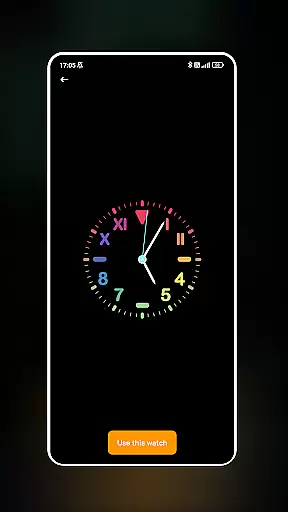
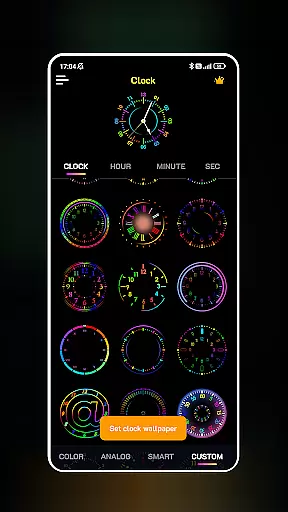
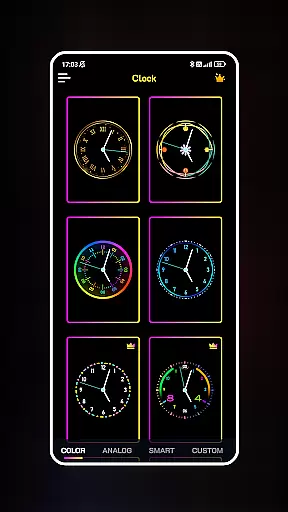
Neon Clock Wallpaper is a dynamic personalization app that allows users to design and customize unique clock wallpapers for both home screens and lock screens. The app offers diverse pre-made templates alongside creative customization options, enabling users to express their individual styles through vibrant neon effects and adjustable features like colors, sizes, and styles.
This app is ideal for users who want to enhance their device's aesthetics with visually striking and personalized timepieces. Whether you're looking to create a subtle clock or an eye-catching neon design, Neon Clock Wallpaper provides the tools to make your screen stand out while maintaining functionality.
Neon Clock Wallpaper stands out with its robust feature set tailored for creativity and personalization. Users can choose from a wide array of pre-designed clock templates, each offering unique designs and color schemes to suit various preferences. For those seeking more control, the app allows complete customization by letting users build clocks from scratch using adjustable components.
The app’s neon effects are a highlight, providing dazzling visuals that bring each clock design to life. Additionally, the ability to set these creations as both wallpaper and lock screen ensures seamless integration into daily device usage. These features collectively offer a powerful toolset for crafting personalized and functional screen designs.
Customization is at the heart of Neon Clock Wallpaper, allowing users to express their unique style through diverse clock designs. The app offers a wide array of pre-made templates that cater to different tastes, ensuring that everyone can find something that resonates with their personal aesthetic.
Beyond the ready-made options, users have the freedom to create custom clocks from scratch. This involves selecting individual components and adjusting colors, sizes, and styles, which provides an almost limitless potential for personalization. Whether you prefer minimalist designs or vibrant neon effects, the app accommodates all preferences.
The ability to customize extends to functionality as well. Users can set their uniquely designed clocks as both wallpaper and lock screen, ensuring that their personalized creation is always on display. This feature not only enhances visual appeal but also maintains practicality by keeping the clock visible at all times.
By offering such extensive customization options, Neon Clock Wallpaper empowers users to transform their devices into true reflections of their personality. This level of personalization ensures that each user's experience with the app is distinct and meaningful.
Theme compatibility is a crucial aspect of Neon Clock Wallpaper, ensuring that the clocks you create will work seamlessly across different devices and operating systems. The app has been carefully designed to maintain visual consistency regardless of where it's displayed, whether on home screens or lock screens.
The developers have paid special attention to how these custom clocks interact with various device themes. Whether your phone is set to light mode or dark mode, the neon effects and color schemes adapt accordingly, preserving the intended visual impact of your design.
This compatibility extends beyond just basic functionality. The app ensures that all elements, from minute details to overall layout, remain crisp and clear on any screen resolution. This attention to detail guarantees that your custom clock will look equally impressive on both older and newer devices.
By prioritizing theme compatibility, Neon Clock Wallpaper delivers a consistent and reliable user experience. This means that regardless of future device upgrades or changes in system settings, your personalized clock will continue to function perfectly and maintain its visual appeal.
User-friendly interface
Vibrant neon effects
Customizable templates
Wallpaper and lock screen support
Wide design variety
Limited free options
High battery usage
Occasional glitches
Ads in free version
Complex for beginners

Make your phone look simple & luxury, like iDevice
 4.60
4.60
A launcher for Samsung Good Lock and Good Guardians modules without ads
4.70
Bring adorable pets to life on your screen. Playful, interactive and full of fun
4.60
100+ Stylish Fonts, Emojis, Symbols keyboard for Instagram & TikTok!
4.80
Nothing Icon pack with more than 3750+ highly crafted icons.
4.70
Color phone with cool effects for call screen, flash alert & ringtones music
4.50
Your go to Weather App & Home Screen. Get your weather at a swipe of a finger!
3.80
Crystal-clear, square icon provides a sleek and sophisticated visual upgrade
4.00
Struggling to find apps? Use this app to locate and open any app on your phone!
2.20
One 8 icons glass color version
4.80
300+ Beautifully crafted widgets inspired by OneUI.
4.60
Vibrant Adaptive Icons with Material You and Enhanced Monet Colors.
4.50
3D, live, and moving wallpapers & themes in 4K and HD for your device.
4.50
Adult video chat, dating, making friends, random matching
4.20
Unique Fonts, typefaces and stylish text. Fonts for Instagram, Whatsapp & others
4.20
Organize and manage your photos and videos effortlessly with Photo Gallery
4.20 3.50
3.50
Adorable pets roam and play right on your phone screen!
3.30
Capture moments that pass like a storm, second by second.
4.1


User Reviews