
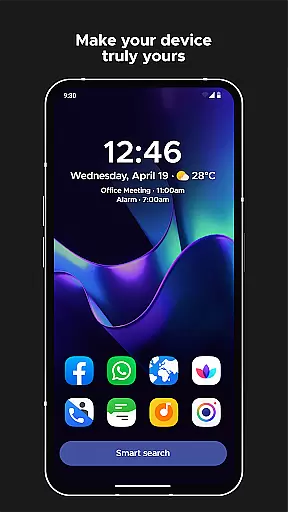
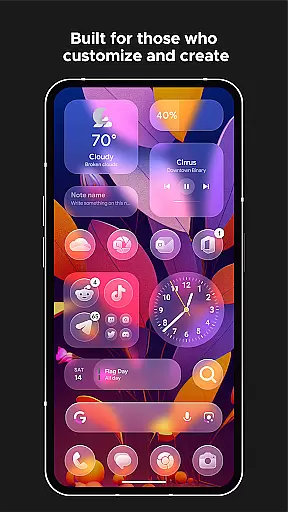
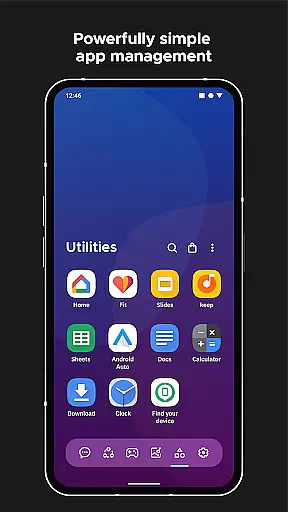
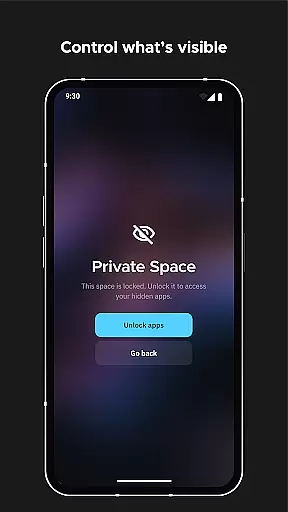
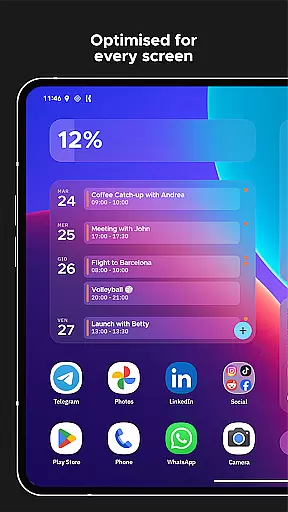
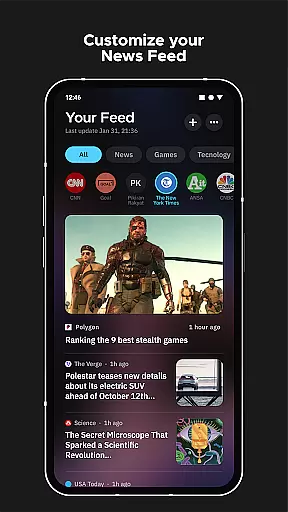
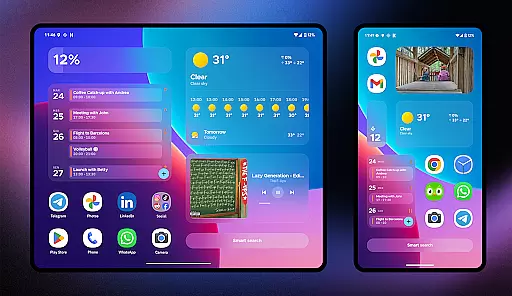
Smart Launcher 6 is a cutting-edge home screen replacement app designed to enhance the Android experience. It introduces an innovative interface that automatically organizes apps into categories, saving users time and effort. The app also features an ambient theme engine that adapts to your wallpaper, ensuring a visually cohesive experience.
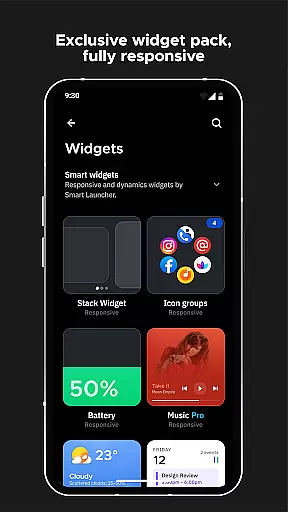
With its user-centric design, Smart Launcher prioritizes ease of use with one-handed navigation and responsive built-in widgets. The powerful search bar facilitates quick access to apps, contacts, and even web searches. Customization options are virtually limitless, allowing users to personalize colors and fonts. Advanced features like adaptive icons, gestures, and on-screen notifications further elevate the user experience.
This launcher is ideal for users seeking efficiency and personalization in their daily mobile interactions. Whether you're looking to streamline your workflow or simply want a more beautiful home screen, Smart Launcher 6 delivers both functionality and style.
Smart Launcher 6 distinguishes itself through its automatic app sorting feature, which intelligently categorizes applications without requiring manual intervention. This functionality, similar to Apple's App Library, optimizes app management and saves valuable time. The ambient theme system dynamically adjusts color schemes based on your selected wallpaper, creating a harmonious visual experience.
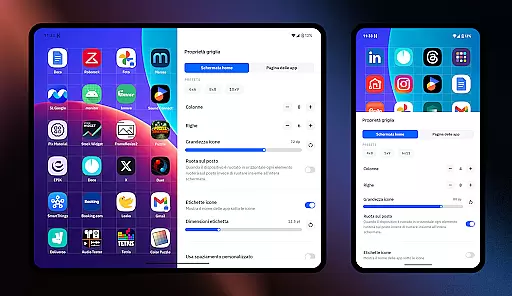
The launcher's customization capabilities are extensive, allowing modification of every UI element's color and font selection from Google Fonts. Its smart search functionality extends beyond basic app finding, enabling web searches and calculations directly from the home screen. The implementation of adaptive icons ensures consistent aesthetics across all devices, regardless of Android version.
Advanced usability features include gesture controls for navigation, ultra-immersive mode for maximizing screen real estate, and app protection through PIN security. The integrated wallpaper picker offers diverse image sources while maintaining backup functionality for current wallpapers. These comprehensive features create a personalized yet efficient home screen experience.
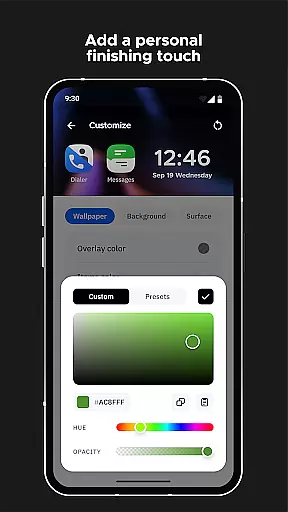
Smart Launcher 6 offers an extensive range of customization options that allow users to tailor their home screen to their personal preferences. This includes the ability to modify every single color within the theme, unlocking infinite possibilities for color combinations.
In addition to color customization, users can also change fonts on the home screen. With access to thousands of fonts from Google Fonts, personalizing the look and feel of your device has never been easier or more comprehensive.
The launcher supports adaptive icons, which means not only customizable shapes but also larger and more visually appealing icons. This feature ensures a consistent and modern appearance across all apps, regardless of the original icon design.
Furthermore, Smart Launcher provides responsive built-in widgets and allows for gestures and hotkeys configuration, enhancing both aesthetics and functionality. These features collectively ensure that each user's experience is unique and optimized for their individual needs.
Theme compatibility in Smart Launcher 6 ensures a seamless integration with the latest Android APIs, providing users with a future-proof and visually cohesive home screen experience. The launcher automatically adjusts its theme colors to match your wallpaper, creating an ambient theme that enhances visual harmony.
This dynamic theming extends to adaptive icons, which are fully supported and available for any Android device. The result is a unified and polished look that adapts to user preferences while maintaining high standards of design consistency.
Moreover, Smart Launcher's commitment to compatibility is demonstrated through its support for thousands of fonts from Google Fonts. Users can select fonts that best suit their style, knowing they will display correctly across different devices and screen sizes.
With regular updates and a community-driven approach, Smart Launcher continues to evolve, ensuring ongoing compatibility with new devices and Android versions. This dedication to compatibility makes it a reliable choice for users seeking a personalized yet stable home screen solution.
Automatic app organization
Extensive customization options
Powerful search functionality
Adaptive icon support
Gesture-based navigation
Requires accessibility permissions
Some features need premium version
Occasional stability issues
Steep learning curve
Performance impact on older devices

Fingerprint Lock Screen & Live Animations with 4K Wallpapers as Live Wallpaper
 4.40
4.40
Make your phone look simple & luxury, like iDevice
4.60
Ultimate widget creator. Design custom widgets for a truly unique home screen!
3.90 4.50
4.50 4.10
4.10
Color phone with cool effects for call screen, flash alert & ringtones music
4.50
Adorable pets roam and play right on your phone screen!
3.30
One 8 icons glass color version
4.80
Struggling to find apps? Use this app to locate and open any app on your phone!
2.20
Dark icon pack based on One 8
4.80
100+ Stylish Fonts, Emojis, Symbols keyboard for Instagram & TikTok!
4.80
Customizable Glass widgets. Over 360+ stunning widgets and more!
4.70
400+ Beautifully crafted widgets inspired by NOTHING.
4.70
Try creating your own keyboard with "Keyboard theme for android" app now!
4.50
Customizable screen pets that play, climb, and keep you company.
4.50
Themes - Widget & Wallpaper: Customize home screen, icon changer w unique themes
4.30
Adaptive Dot Style IconPack with Light & Dark Theme.
3.70 3.50
3.50
⭐ OneUI inspired Fluffy Icon Pack – Soft. Stylish. Standout. ⭐
4.5


User Reviews