
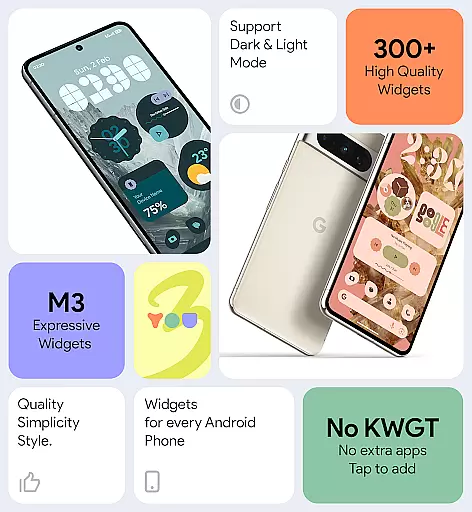
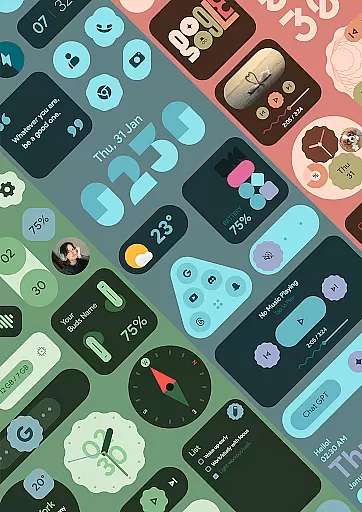
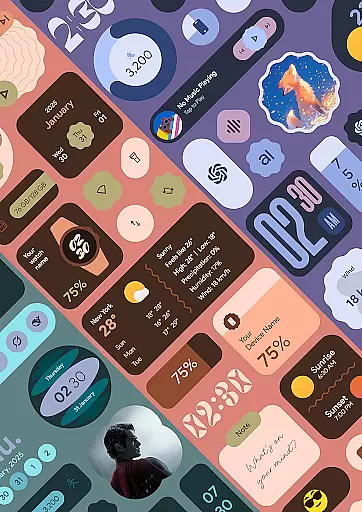
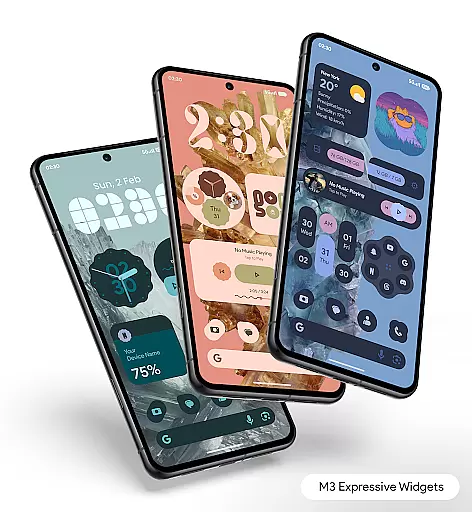
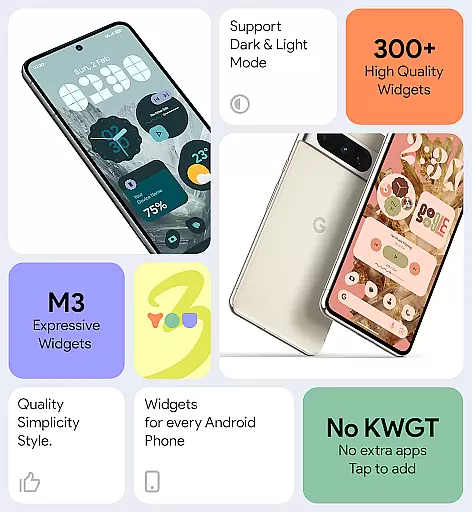
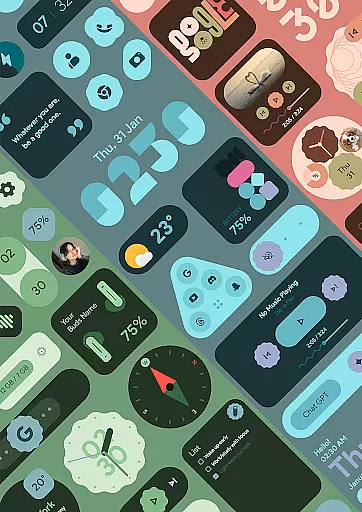
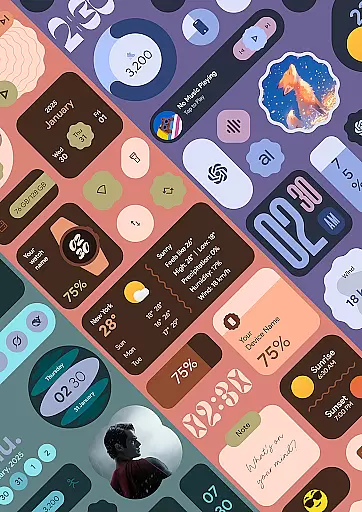
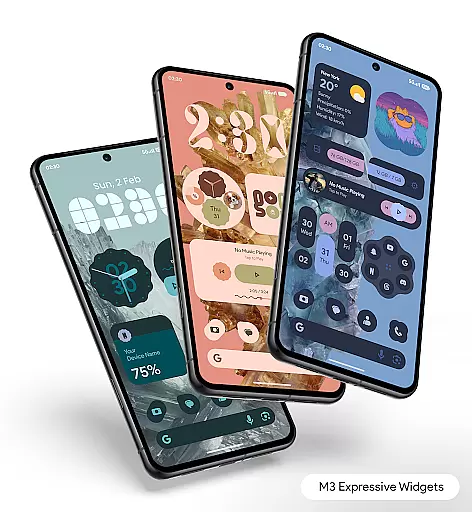
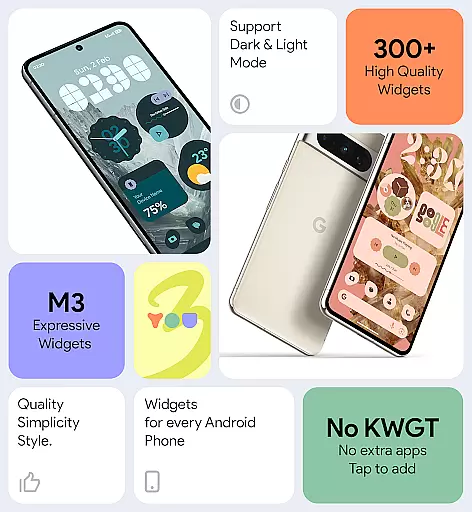

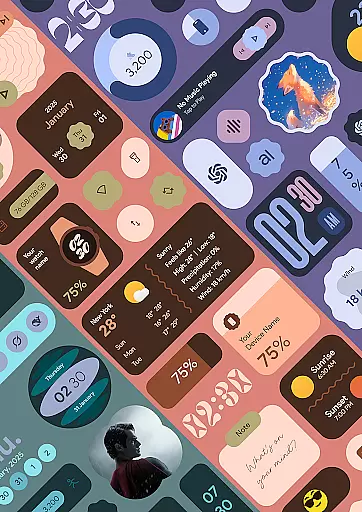
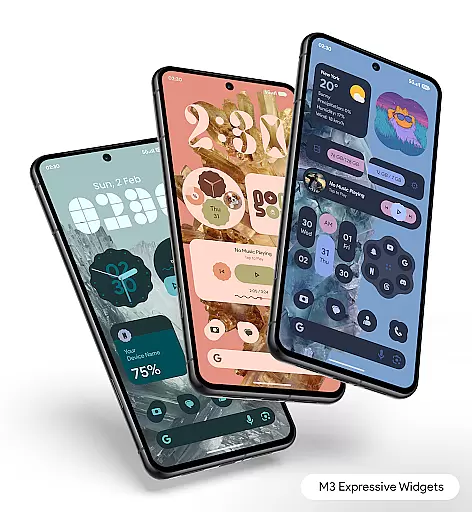
Material You Widgets is a versatile personalization app that brings over 300 beautifully designed widgets to your Android device. These widgets cover a wide range of functionalities including clocks, weather updates, games, quick settings, photos, and more. The app seamlessly integrates with the Material You design language, ensuring that all widgets dynamically adapt to your chosen system theme.
One of the standout features is its ability to function without requiring additional apps like KWGT. Users can enjoy customizable shapes for app icons, quick settings, and photo widgets, while also benefiting from battery-efficient performance. Regular updates ensure that users receive new widgets and features, keeping their home screens fresh and functional.
This app is perfect for users who want to enhance their device's aesthetics while maintaining practical utility. Whether you're looking to create a personalized weather dashboard or showcase your favorite photos, Material You Widgets offers both style and substance in one comprehensive package.
Material You Widgets stands out with its extensive feature set tailored for Android users seeking customization. The app provides over 300 unique widgets, each designed with the sleek and modern Material You aesthetic. These widgets include clocks, weather displays, games, quick settings panels, photo frames, compasses, pedometers, and even motivational quotes, offering something for every user.
A key innovation is the dynamic shape functionality, which allows users to alter the appearance of app icons, quick settings, and photo widgets to suit their preferences. Additionally, the app includes 300+ theme-matching wallpapers, ensuring a cohesive look across your device. Its optimization for performance ensures smooth operation without excessive battery drain.
The app also utilizes exact alarms and foreground services to deliver timely updates for time-sensitive widgets like weather and calendar events. This attention to detail guarantees that users receive accurate information exactly when needed, making Material You Widgets not just visually appealing but also highly functional.
Customization is at the heart of Material You Widgets, offering users an extensive range of options to personalize their home screens. With over 300 beautifully designed widgets, this application supports a seamless experience that caters to various user preferences and needs.
The app provides a diverse selection of widget types including Clocks, Weather, Games, Quick Settings, Photos, and more. Each widget is crafted not only to serve a functional purpose but also to enhance the aesthetic appeal of your device's home screen. The inclusion of dynamic shapes for Apps, Quick Settings, and Photos adds another layer of personal expression.
Users benefit from the ability to instantly match widgets with their device theme thanks to the Material You design philosophy. This feature ensures that all widgets are visually cohesive with the overall look and feel of the device, providing a unified and harmonious user interface.
Ultimately, Material You Widgets empowers users to create a personalized and functional home screen environment. Whether you're looking to optimize your daily tasks or simply express your unique style, the customization options available ensure that your device truly feels like your own.
Theme compatibility is a standout feature of Material You Widgets, ensuring that all widgets seamlessly integrate with the user's chosen device theme. This application leverages the Material You design language to provide a consistent and visually pleasing experience across the board.
By matching widgets with the system's theme, users enjoy a cohesive look that enhances the overall aesthetics of their home screen. This automatic adaptation applies to all 300+ widgets, maintaining visual harmony regardless of the deviceu2019s current color scheme or design settings.
In addition to theme matching, the app offers 300+ wallpapers that perfectly blend with the widgets. This combination allows users to create a home screen that is not only functional but also visually stunning, making daily interactions with the device more enjoyable.
The attention to theme compatibility underscores the app's commitment to delivering a polished and professional user experience. Users can rest assured that their widgets will always look great and remain in sync with their device's evolving appearance.
Wide widget variety
Dynamic theming
Battery efficient
Regular updates
User-friendly
Premium only
Limited iOS support
Occasional bugs
Large app size
Complex settings

Beautiful realistic hybrid watch face with numerous customization options.
 4.50
4.50
Shimeji adds cute animated characters to your screen, lively and fun.
4.70
The definitive Icon pack maker and editor
4.30
100+ Stylish Fonts, Emojis, Symbols keyboard for Instagram & TikTok!
4.80 4.50
4.50
Organize and manage your photos and videos effortlessly with Photo Gallery
4.20
Design your screen with unique, vibrant clocks
3.80
Icons made of colorful linear lines
4.60
Customize phone with anime themes, 3D icons, aesthetic widgets & wallpapers
4.80
Nothing Icon pack with more than 3750+ highly crafted icons.
4.70
Vertically oriented rectangular icons
4.70
Bring adorable pets to life on your screen. Playful, interactive and full of fun
4.60
Want to make your phone more special than ever?
4.60 4.50
4.50
App Icon Changer & Shortcut Creator. Customize your icons without any watermarks
4.30
Unleash Your Creativity and Connect with Loved Ones with Lockscreen Drawing!
4.20 4.10
4.10
Adaptive Dot Style IconPack with Light & Dark Theme.
3.70
Custom edge gestures for volume control, brightness, apps, and shortcuts.
4.5


User Reviews