
Now Playing History for Pixel is an essential tool for music enthusiasts who want to preserve their listening journey. This app automatically captures and saves every song identified by your Google Pixel's "Now Playing" feature, creating a permanent archive of your life's soundtrack. With detailed album art and comprehensive metadata, it transforms fleeting music moments into lasting memories.
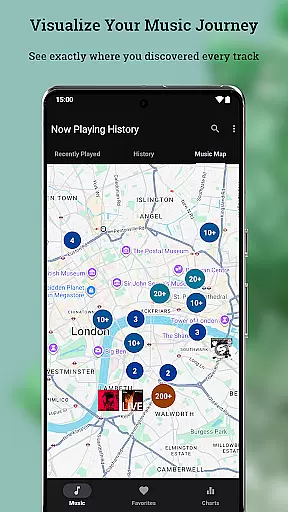
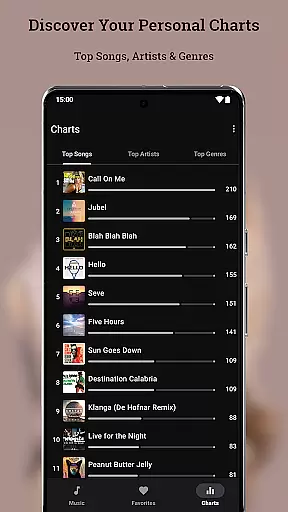
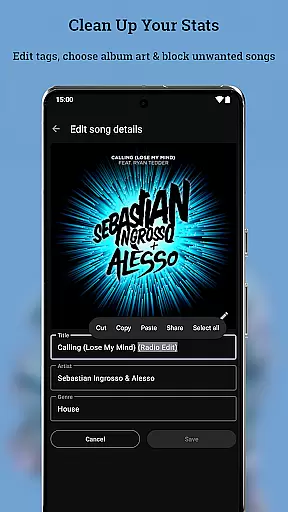
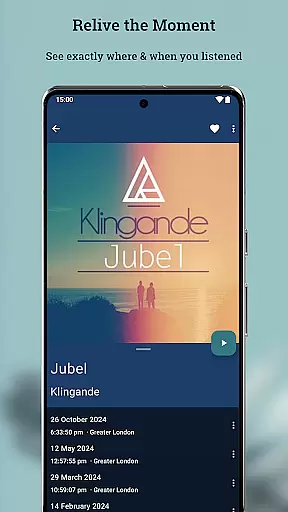
The application offers advanced features like Music Map, which lets you relive memories by showing where you were when you heard specific songs. It also provides personal charts that display your top artists, songs, and genres. The built-in editor allows you to correct any misidentified tracks and select preferred album art. Designed with privacy in mind, all data is stored locally on your device, ensuring complete control over your music history.
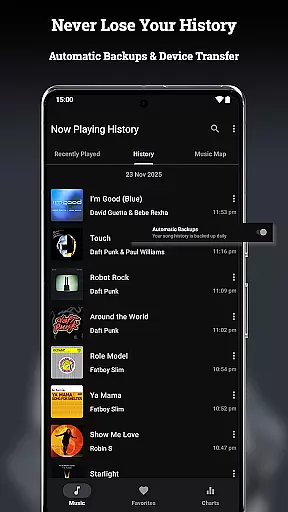
Now Playing History stands out with its robust backup and restore functionality, allowing seamless transfer of your music database across devices. The app's Music Map feature adds a geographical dimension to your listening history, enabling you to explore location-based clusters of discovered songs. Its powerful personal chart system gives you insights into your listening habits through detailed analytics of your top tracks and artists.
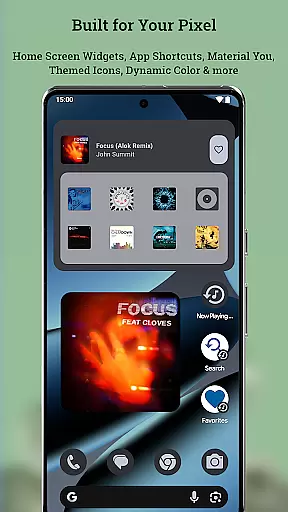
Performance-wise, the app is optimized for speed and efficiency. Smart caching ensures instant loading of your history and charts while maintaining minimal battery usage (less than 1%). Optional location permissions enhance the Music Map feature without compromising your privacy. The app integrates perfectly with Pixel devices, supporting Material You theming, themed icons, and various display modes.
Additional functionalities include an advanced duplicate detection system, pause detection, and comprehensive search capabilities. Users can maintain clean statistics by blocking unwanted theme songs from their charts. The app also supports optional file permissions for backup purposes and offers widgets, app shortcuts, and predictive back navigation for enhanced usability.
Now Playing History for Pixel offers an impressive music library that is built from the songs detected by Google's 'Now Playing' feature. This app captures every track your device recognizes, creating a comprehensive and personalized archive of your listening history.
The app ensures copyright authenticity by logging only the music identified by Google's detection system. It does not independently recognize or store music but relies on the accurate identification provided by Google's technology to maintain a legitimate and respectful approach towards copyright.
Users benefit from this meticulous logging as they can relive their musical journey with confidence in the legality and accuracy of their archives. The app provides large detailed album art, enhancing the experience of revisiting one's favorite tunes.
With features like Metadata & Album Art Editor, users have control over their data, allowing them to correct any inaccuracies and manage their personal charts effectively. This guarantees that your music library remains both extensive and authentic while reflecting your true listening habits.
While Now Playing History for Pixel focuses primarily on cataloging detected songs, it indirectly supports audio quality options through its integration with Google's 'Now Playing' feature. The app itself does not play music but serves as a repository for high-quality album art and metadata associated with each track.
Although the application doesn't directly handle audio files, it enhances the user's ability to curate a high-fidelity music collection by ensuring every logged song is paired with crisp album artwork and precise metadata. This attention to detail complements the superior sound quality one might expect from their original sources.
By offering advanced features such as editing song details and selecting from multiple album art options, Now Playing History empowers users to refine their music archives. These capabilities ensure that listeners can enjoy an enriched auditory experience when they access the actual tracks through other platforms or devices.
Moreover, the app's commitment to privacy-first principles means that all enhancements to audio-related content are stored locally on the device, reinforcing both data security and the integrity of the useru2019s personal music library without compromising on quality options.
Automatic song logging
Detailed personal charts
Robust backup system
Privacy-focused design
Seamless Pixel integration
No pre-existing history import
Dependent on Now Playing
Limited to Pixel devices
Optional features need permissions
Third-party application

Pay Once, no monthly payment
 4.60
4.60
Powerful beat maker & DJ mixer to remix tracks, make music, & perform DJ mix
3.70
Walkout Song DJ is the most intuitive app to manage your sports music.
4.70
Enhance the sound quality of your devices, listen to what you want
4.50
Bass Booster Pro takes auto-equalizing to the next level!
4.30
Learn to play the piano using falling notes!
3.80
Make songs with AI! Any genre, custom lyric, song generator for music creation!
4.80
Versatile MP3 recorder with auto-backup to Dropbox and Google Drive
4.10
Responsive piano with great sounds, graphics, and songs
4.80
Ultimate Sonos Controller
4.70
Offline Music Player&MP3 Player with themes, equalizer, lyrics, music play mode
4.60
A synth that really lets you shape your sounds!
4.50
Powerful 10-Band equalizer pro with sound booster improves Android audio quality
4.30
A High-Precision Audio Spectrum Analysis App
4.20
Offline and always ad-free - stream in the highest quality available.
4.10
Sheet music reader, piano & music note player. Play music score & learn to read.
3.90
The Cubase remote control app
3.60
Make music anywhere. Turn your device into an instrument.
4.5
Music Streaming suite for Ampache, Nextcloud Music and compatible backends.
4.3


User Reviews