
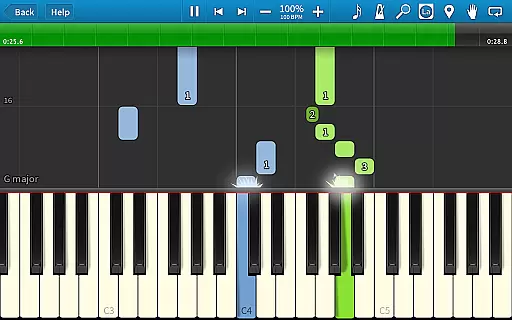
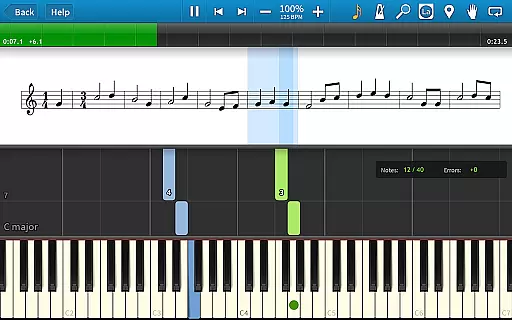
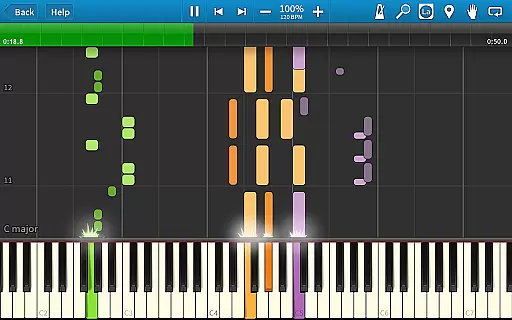
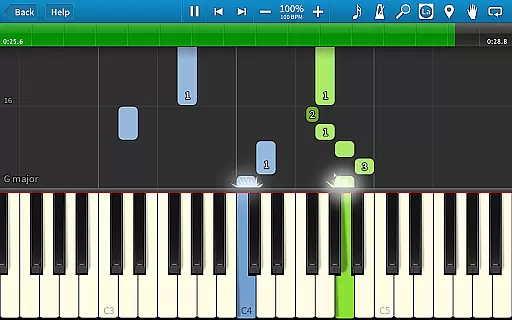
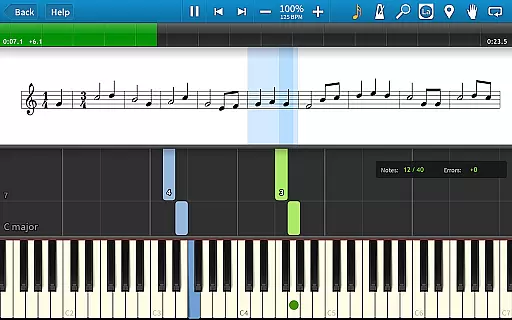
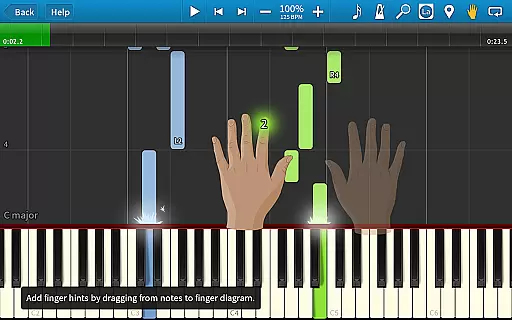
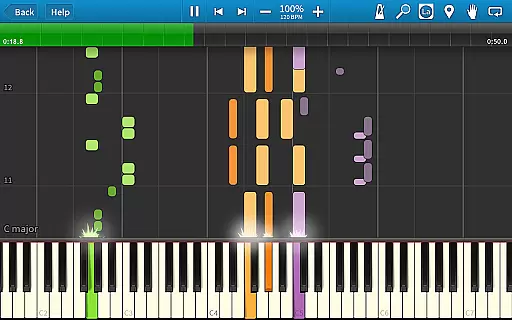
Synthesia is an innovative music learning application designed to help users play the piano immediately, even without prior knowledge of reading sheet music. The app offers a unique interactive experience by allowing users to connect their digital keyboard and follow falling note blocks or traditional sheet music on the screen.
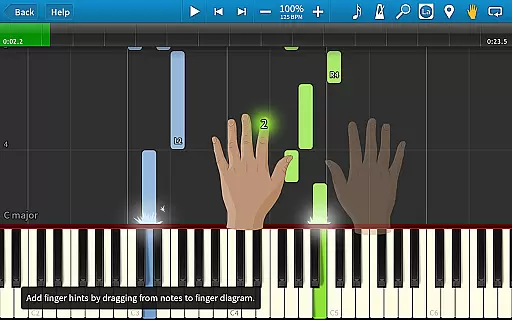
With features like Melody Practice mode that waits for correct notes, compatibility with lighted keyboards, and integrated finger-position hints, Synthesia makes learning both fun and effective. Whether you're a beginner or an experienced musician, this app provides valuable tools such as loops, bookmarks, and a built-in metronome to enhance practice sessions.
The free version includes over 20 songs, while the premium unlock offers access to 150+ included songs and any MIDI file. With its user-friendly interface and comprehensive learning aids, Synthesia is perfect for anyone looking to learn piano in an engaging way.
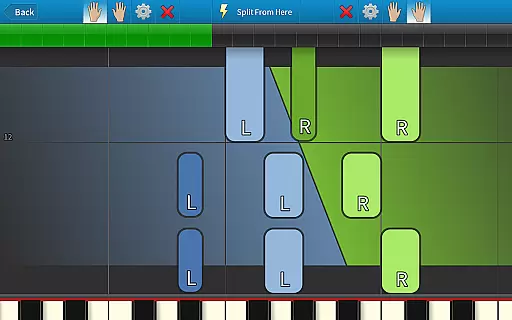
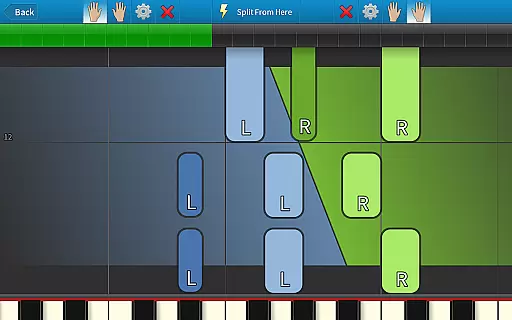
Synthesia stands out with its versatile feature set tailored for music learners. One of its key features is the ability to practice melodies where the app waits until you hit the correct note, ensuring proper learning progression. It supports playing with each hand separately or together, catering to different skill levels.
The app's compatibility with digital pianos and lighted keyboards enhances the interactive experience. Users can choose between viewing traditional sheet music, falling note blocks, or both, offering flexibility in learning styles. Additionally, Synthesia provides helpful hints for every song, guiding users on correct finger placement.
Other notable features include a multi-track recorder for creating custom songs, a built-in metronome for rhythm training, and options like loops and bookmarks for efficient practice. These features collectively create a robust platform for mastering the piano at your own pace.
Synthesia offers an extensive music library that caters to users of all skill levels. With over 150 included songs, the app provides a rich selection of MIDI compositions that range from classical pieces to contemporary hits.
The app ensures copyright authenticity by allowing users to play any MIDI song ever created, which means musicians can access a vast repository of public domain and user-created content. This approach not only respects intellectual property rights but also encourages community contributions.
Users benefit from the ability to explore diverse musical genres and styles without worrying about copyright infringement. The inclusion of original compositions and the capability to record their own songs further enhance the creative freedom within the app.
This comprehensive music library is a core feature of Synthesia, supporting both learning and entertainment while fostering a safe environment for musical exploration.
Audio quality in Synthesia is designed to provide an immersive and realistic musical experience. The app supports various audio settings that allow users to customize their sound output according to their preferences and equipment capabilities.
Whether using the built-in sounds or connecting a digital keyboard, Synthesia delivers high-quality audio that captures the nuances of each note. Users can choose between different instrument sounds and adjust parameters such as reverb and dynamics to suit their playing style.
The app's compatibility with lighted keyboards and its support for both traditional sheet music and falling note blocks ensure that the audio feedback is always in sync with visual cues. This synchronization enhances the overall performance and learning experience.
By offering flexible audio quality options, Synthesia empowers musicians to achieve the best possible sound, making practice sessions more enjoyable and productive.
User-friendly interface
Interactive learning tools
Compatibility with MIDI devices
Flexible learning modes
Comprehensive practice aids
Limited free content
Requires external keyboard
Premium unlock cost
No advanced theory lessons
Occasional performance issues

Over 100 million tracks available for high quality streaming and download
 4.60
4.60
Control your MIDI USB or Bluetooth devices in app and avoid some trampling
3.30
Time Trainer: accurate metronome w tools to help you develop your internal time!
4.20
Walkout Song DJ is the most intuitive app to manage your sports music.
4.70
USB audio recording and playback finally possible on Android 3.1 or higher!
3.90
A sleek, no-frills player designed for true music lovers.
4.20
The original SP-1200 experience on your iPad
4.20
Versatile MP3 recorder with auto-backup to Dropbox and Google Drive
4.10
Sing, record, and create music together — enhanced by smart voice tools.
4.00
Full-featured, High-Quality Groovebox Workstation, perfect for Live Performance!
4.80
Most Advanced AI Song Generator and Music Creator. Rap, Pop, Rock, Gospel & more
4.70
Simple & Intuitive Metronome
4.70
Pay Once, no monthly payment
4.60
The best music and audio player, with beautiful UI, music search and equalizer.
4.60
Offline Music Player&MP3 Player with themes, equalizer, lyrics, music play mode
4.60
Equalizer, Bass Booster and Volume Booster (Eq & Bass) improve sound quality
4.30
Enjoy singing any song, no matter how high or low it is
4.30
Learn and play 2M+ music tabs & chords on guitar, ukulele, bass, and more
4.30
No wifi music app. Mp3 offline. Tuner radio, young radio music. Music downloader
4.20


User Reviews