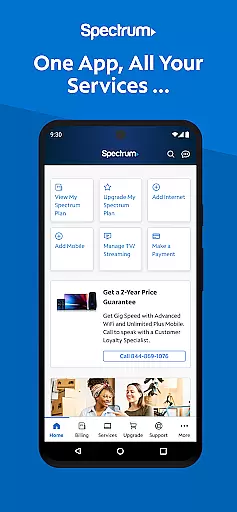
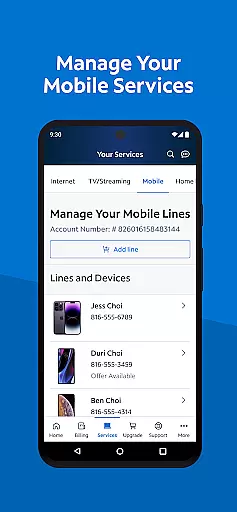
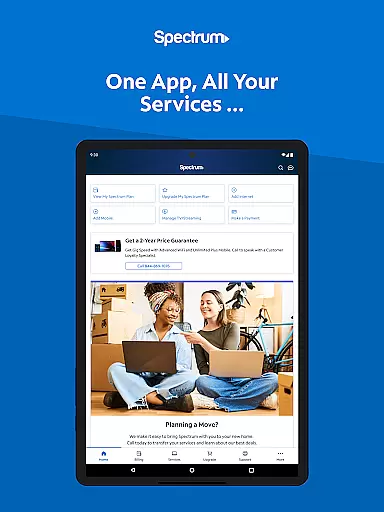
My Spectrum is a comprehensive service management app designed for residential customers of Spectrum. This all-in-one tool allows users to manage their Spectrum Mobile, Internet, TV, and Home Phone services effortlessly. With features like bill payment, data usage tracking, and outage notifications, the app ensures you stay connected and informed at all times.
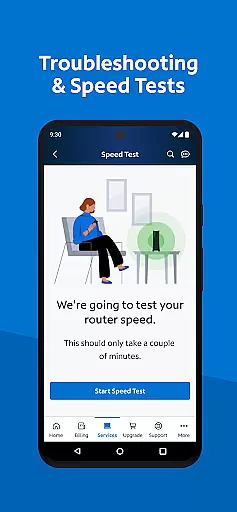
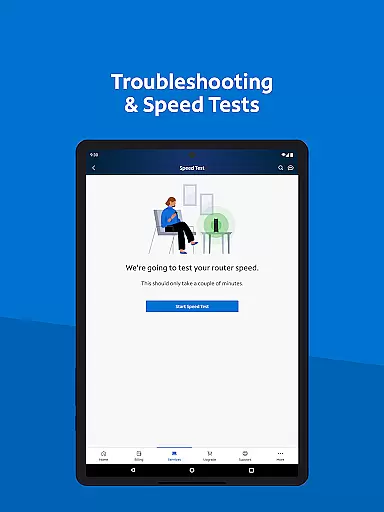
The app also offers advanced functionalities such as dual Speed Test for troubleshooting internet connections, language preferences toggle between English and Spanish, and easy access to customer support through in-app chat. Whether you need to schedule one-time payments, activate new mobile lines, or explore streaming services, My Spectrum provides a seamless experience tailored to your needs.
One notable use case is its ability to self-install devices like modems and routers without needing an appointment, saving time and enhancing convenience. By consolidating various services into a single platform, My Spectrum empowers users to take control of their digital lifestyle efficiently.
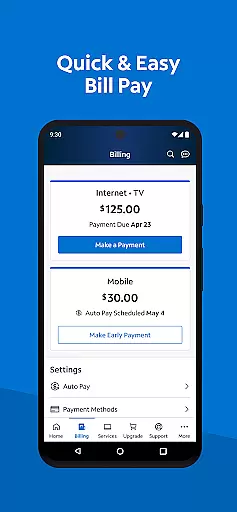
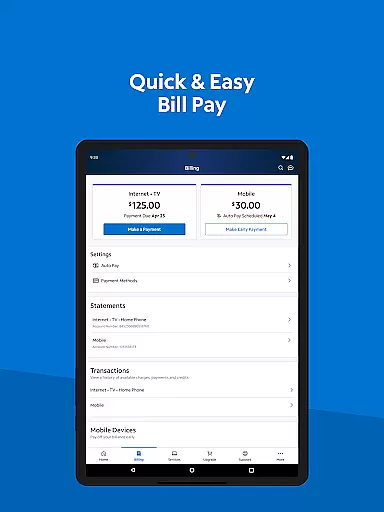
My Spectrum stands out with its rich array of features designed to simplify service management. The app allows users to pay bills for multiple services including Spectrum Mobile, Internet, TV, and Home Phone. It supports Auto Pay enrollment, scheduled one-time payments, paperless billing, and easy access to previous billing statements.
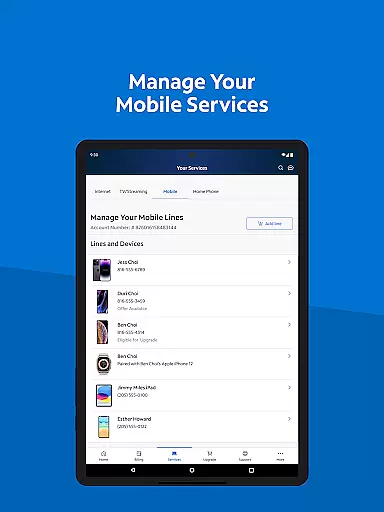
For mobile services, users can check data usage, manage plans, and activate new lines directly from the app. The app keeps users informed with notifications on billing, equipment status, activations, and outages. Additionally, it offers tools like the dual Speed Test for troubleshooting WiFi issues and finding nearby Spectrum Stores.
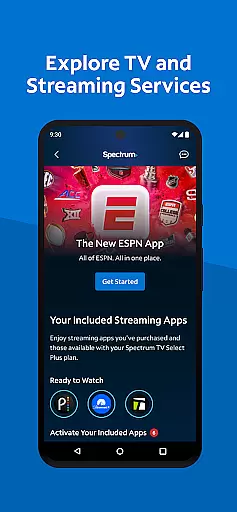
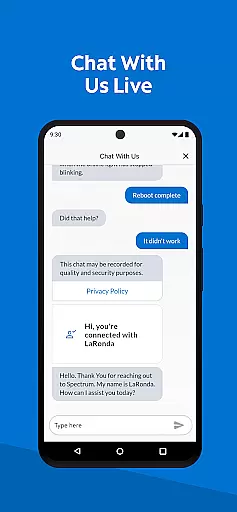
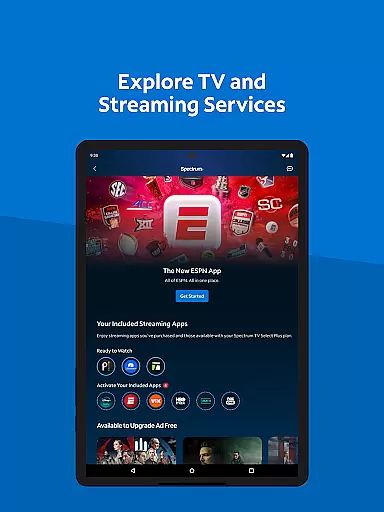
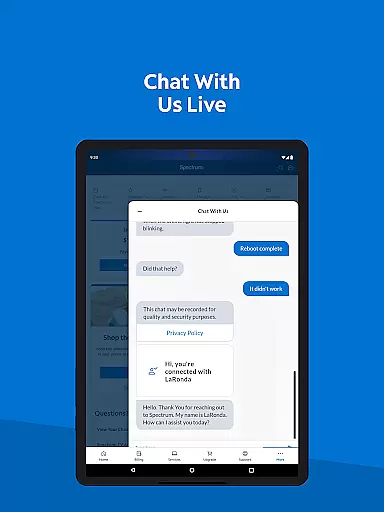
TV and streaming services are not left out, as users can view channel lineups, manage streaming subscriptions, and customize their viewing experience with premium add-ons. Customer support is robust, featuring live chat, technician tracking, and a redesigned support section for quick answers. These features collectively enhance user convenience and satisfaction.
When it comes to managing your Spectrum services, the My Spectrum App excels in providing accurate and effective core functionalities. This app consolidates all essential service management features into one place, ensuring that users can effortlessly handle their Spectrum Mobile, Internet, TV, and Home Phone accounts.
The app's payment system is a prime example of its functional precision. Users can pay bills, enroll in Auto Pay to avoid missing due dates, schedule one-time payments, opt for paperless billing, and access past statements with ease. These features are implemented with meticulous attention to detail, guaranteeing that every transaction is processed correctly and efficiently.
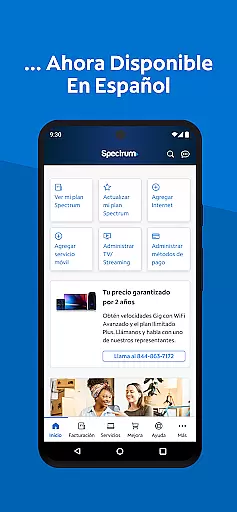
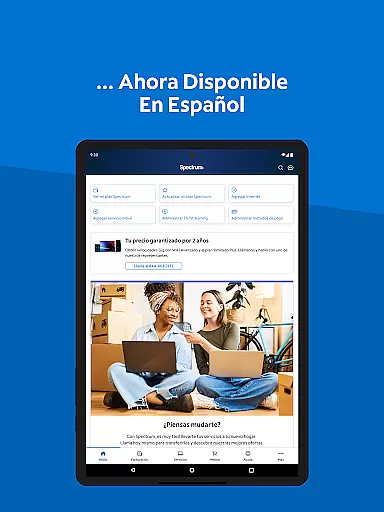
For those who require mobile service management, the app offers tools to monitor data usage, manage plans, and activate new lines. Additionally, users can switch the appu2019s language between English and Spanish, making it accessible to a broader audience. The ability to receive notifications about billing, equipment, activations, and outages directly on the home screen further enhances user awareness and control.
Ultimately, the My Spectrum App provides significant value by streamlining complex processes into intuitive actions. Whether it's through advanced WiFi management, simplified support options, or comprehensive TV and streaming services, users benefit from an application designed to deliver reliable and efficient service management.
The My Spectrum App stands out for its commitment to interface simplicity and intuitiveness, ensuring that users of all technical backgrounds can navigate and utilize its features with minimal effort. The design philosophy centers around creating a seamless experience that allows residential customers to manage their Spectrum accounts effortlessly.
Upon opening the app, users are greeted with a clean and organized layout. Essential functions such as bill payment, mobile service management, and outage notifications are easily accessible from the home screen. This strategic placement of features ensures that users can quickly find and use the tools they need without unnecessary complexity or clutter.
Moreover, the app includes enhanced support features like in-app chat with live customer service and a newly designed support section for quick answers. These elements are integrated smoothly into the interface, maintaining the app's intuitive feel while providing robust assistance options. The inclusion of visual aids and clear instructions further simplifies tasks such as self-installing modems or routers.
By prioritizing an intuitive user interface, the My Spectrum App not only meets but exceeds user expectations. Its straightforward navigation and well-organized features empower users to take full advantage of their Spectrum services, resulting in a more satisfying and efficient management experience.
User-friendly interface
Comprehensive service management
Advanced troubleshooting tools
In-app customer support
Multilingual support
Limited to Spectrum customers
Occasional bugs reported
Requires stable internet
No offline functionality
Some features need subscription

A powerful, easy-to-use flight computer on your phone or tablet!
 3.80
3.80
Just one-tap to easy translate in any language after calls within seconds.
4.20
FV File Manager Pro, Fast and powerful file manager for Android
4.60
Unlock your Essential Key. Create custom shortcuts to your favorite apps!
4.0
Forza Tuning Calculator App for Forza Horizon 5, Motorsport and Earlier Titles
4.40
Best leveling tool for your Android device. Hang paintings like a pro.
4.90
Signal Strength, Mobile, Wifi, Speed Test, Bad Signals, Cellular, 5G, LTE, 4G
4.20
Automate everything from settings to photos, SMS to speech. ADC2 prize winner.
4.10
Introducing Smart Printer, your ultimate destination for printing solutions!
4.00
Connect wirelessly to your computer to watch movies, browse the web, play games
5.00
The one-and-only remote control for PC, Mac, and Linux
4.70
Just swipe the edge to do something!
4.40
Use your phone as a webcam on your computer over WiFi or USB.
4.40
VESC Tool can monitor and configure VESC-compatible devices over BLE and Wifi
4.20
Effortlessly run ADB commands directly on your device without a PC.
4.20
A simple app to back up and restore SMS & MMS messages and call logs.
4.10
Unleash gamepad precision for ultimate mobile gaming dominance.
3.90
Fun lie-detection pranks for friends and parties.
3.80
A recovery soft,it features photo recovery, video recovery, file recovery.
3.40


User Reviews