
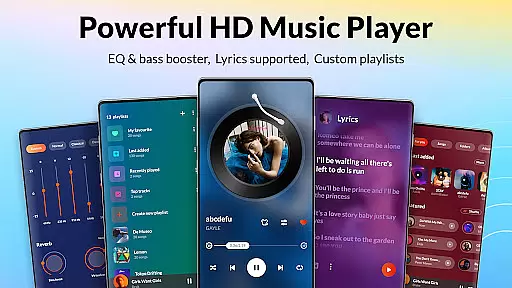
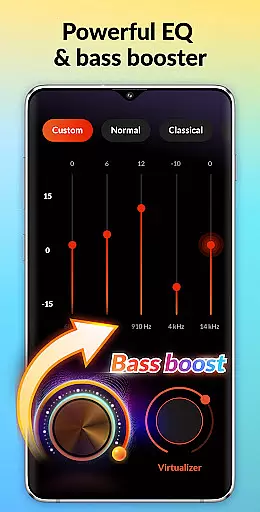
DDMusic is a feature-rich offline music player designed for Android users who value both functionality and aesthetics. This powerful audio player supports all major formats including MP3, WAV, FLAC, AAC, and more, ensuring compatibility across devices. The built-in equalizer with multiple presets like classical, jazz, and rock enhances your listening experience while offering personalized sound adjustments through bass boost and reverb effects.
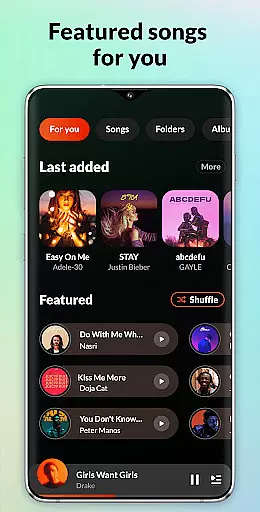
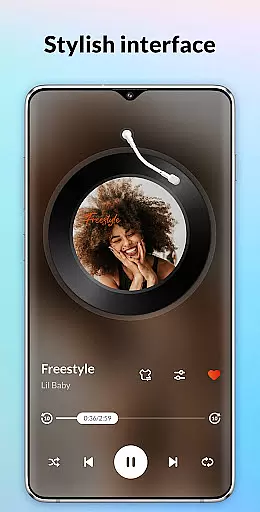
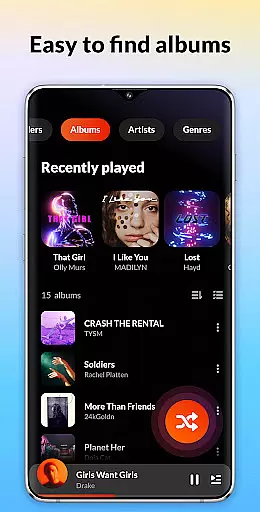
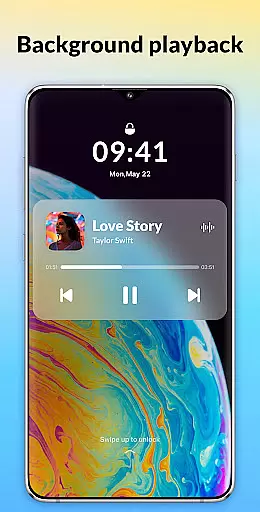
Beyond its core playback capabilities, DDMusic provides an intelligent music library management system that tracks your listening habits and organizes songs into smart playlists such as Recently Played, Most Played, and Featured. Its stylish user interface combines simplicity with advanced features like tag editing, lock screen controls, and customizable playback options. Whether you're commuting or relaxing at home, this app delivers high-quality audio performance with convenience.
DDMusic distinguishes itself through a combination of robust functionality and user-friendly design. One standout feature is the deep scan capability, which automatically refreshes your music library and filters tracks by duration and size. This ensures seamless organization of local files by playlists, folders, albums, artists, and genres. Additionally, the app allows users to back up and restore playlists, providing peace of mind for those managing extensive collections.
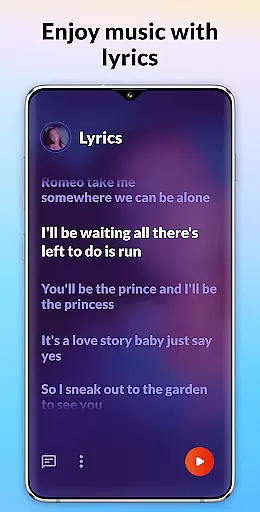
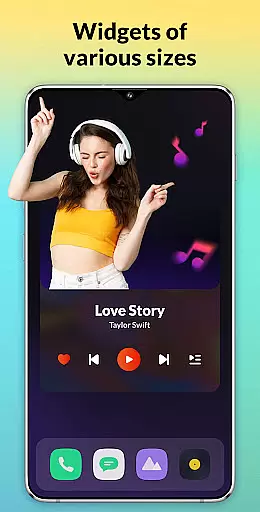
The app also includes practical tools like a sleep timer, customizable playback modes (shuffle, loop, repeat), and support for lyrics display. Advanced functionalities such as a tag editor enable users to modify song details and album covers effortlessly. With Bluetooth and wired headphone compatibility, along with widget-based playback controls, DDMusic caters to diverse usage scenarios while maintaining a stylish and intuitive interface.
DDMusic offers an extensive music library that supports all popular audio formats including MP3, WAV, FLAC, AAC, 3GP, and OGC. This ensures users have the freedom to upload and play tracks from their personal collections without format restrictions.
The application's deep scan feature automatically refreshes the music library, indexing files by playlists, folders, albums, artists, and genres. This meticulous organization not only simplifies navigation but also enhances user experience by making music management intuitive and efficient.
With its reliable offline playback capability, DDMusic guarantees uninterrupted access to your music library without concerns over copyright issues or internet connectivity. Users can enjoy their favorite tunes anytime, anywhere, with complete peace of mind regarding content legality.
Featuring a powerful built-in equalizer, DDMusic provides an array of amazing presets such as classical, folk, jazz, and rock, elevating the listening experience with just one click. The equalizer allows for detailed sound adjustments, including bass boosting and various reverb effects, catering to individual musical tastes.
In addition to customizable audio settings, the player supports high-quality audio formats like FLAC and WAV, ensuring crystal-clear playback. Whether you're an audiophile or a casual listener, DDMusic delivers top-notch sound quality that meets diverse preferences.
Moreover, the app includes a tag editor function, enabling users to modify song details and album covers. This level of control over metadata not only maintains library accuracy but also enhances the overall audio experience through personalized touches.
Supports all major audio formats
Powerful built-in equalizer
Intuitive user interface
Smart playlist management
Offline playback capability
No cloud streaming option
Limited social sharing
Ads in free version
Occasional bugs
Large app size

Over 100 million tracks available for high quality streaming and download
 4.60
4.60
Background pads for your band
3.80
Enhance the sound quality of your devices, listen to what you want
4.50
Permanently backup Now Playing. Maps, filters & listening stats.
4.00
Record, Mix & Master with all n-Track effects, 64-bit audio and Stem Separation.
4.70
Learn to play the piano using falling notes!
3.80
A sleek, no-frills player designed for true music lovers.
4.20
Turn your Android phone into a professional audio analyser with up to 120 bands.
4.00
Play KORG’s revolutionary touch-based instrument on a variety of devices.
4.40
JBL PartyBox APP works with 110/310/710/120/320/520/Encore/Encore 2/Encore Ess 2
4.80
Make songs with AI! Any genre, custom lyric, song generator for music creation!
4.80
A complete sound package for the sound engineer or enthusiast
4.60
Save hundreds of dollars for a physical strobe tuner and instead use this app.
4.50
Advanced 10-Band Audio Graphic Equalizer Sound Booster Pro
4.30
No wifi music app. Mp3 offline. Tuner radio, young radio music. Music downloader
4.20
Smart piano keyboard, Classical to Pop, Real-time multiplayer connection!
4.20
Offline Tunes, Unlimited Vibes
3.90
Simple mp3 and mp4 player with advanced features.
3.40
Make music anywhere. Turn your device into an instrument.
4.2


User Reviews