

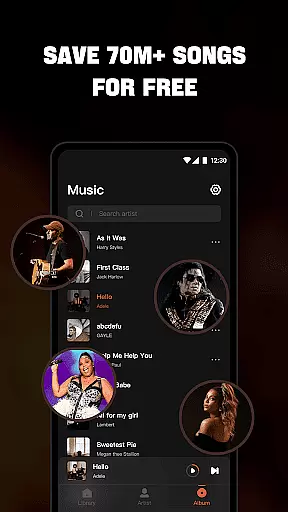

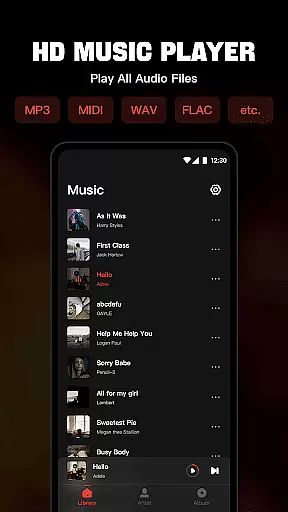
Mixtube is a versatile offline music player that allows you to enjoy all your favorite songs anytime, anywhere. This app supports various audio formats including MP3, MIDI, WAV, FLAC, AAC, and APE, providing high-quality playback for every music file you own.
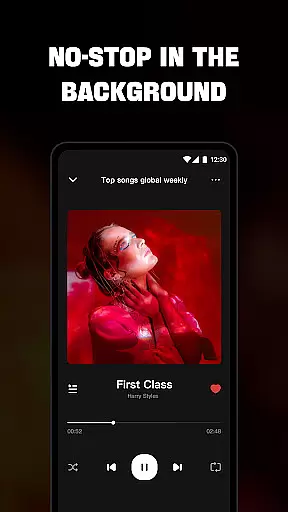
With its built-in top-quality equalizer, Mixtube enhances your listening experience by allowing you to customize sound settings. Whether you're multitasking or simply relaxing, the app ensures uninterrupted background play, making it perfect for work, study, or household chores.
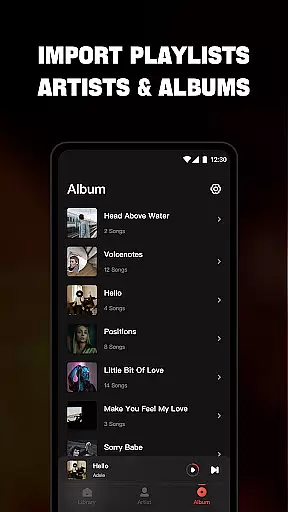
The app's user-friendly interface lets you organize and access your music library effortlessly through categories like songs, artists, albums, folders, and playlists. You can also create custom playlists, control playback from the lock screen, and use widgets for quick access. Mixtube offers an ad-free premium version for uninterrupted music enjoyment.
Mixtube stands out with its comprehensive support for all major audio formats, ensuring no song is left behind. The integrated equalizer provides multiple presets and custom settings, allowing users to fine-tune their audio experience according to personal preferences.
One of the key features is its robust offline functionality. Unlike streaming services, Mixtube doesn't require internet connectivity, making it ideal for travelers or areas with poor network coverage. The app maintains high-quality audio playback even without an active connection.
Additional notable features include lock screen controls, notification bar playback management, and customizable widgets. Users can create personalized playlists, mark favorite tracks, and organize their music library through various viewing options. The premium version removes ads and offers enhanced functionality for uninterrupted music enjoyment.
Offline Music Player offers an extensive music library that supports all major audio formats including MP3, MIDI, WAV, FLAC, AAC, and APE. This ensures that users can enjoy a wide variety of music without worrying about format compatibility.
The app emphasizes copyright authenticity by allowing users to import their legally acquired music and audio files. This approach respects intellectual property rights while providing a seamless playback experience.
With the ability to organize music by songs, artists, albums, folders, and playlists, users can easily manage their personal music collections. The app's offline functionality ensures that your music is always available, even without an internet connection.
By focusing on user-owned content, Mixtube Music provides peace of mind regarding licensing and copyright issues. Users can enjoy their favorite tracks knowing they are complying with legal requirements.
The application features a built-in top-quality equalizer that elevates the sound listening experience to the next level. Users can customize their audio settings to suit different genres and personal preferences, ensuring optimal sound quality for every track.
Supporting high-quality playback for all compatible formats, the MP3 player delivers crystal-clear sound reproduction. Whether you're listening to compressed MP3 files or lossless FLAC tracks, the audio remains rich and detailed.
Additional features like lock screen controls and notification bar playback enhance the listening experience while maintaining audio quality. The widget support provides quick access to essential audio controls without compromising sound fidelity.
While offering premium features through subscription, including ad-free playback, the core audio quality remains consistently high across both free and paid versions. This ensures all users can enjoy excellent sound regardless of their subscription status.
User-friendly interface
High-quality audio playback
Extensive format support
Customizable equalizer
Offline functionality
No online music streaming
Premium version costs
Limited free trial
Subscription auto-renewal
iTunes account required

Formerly known as Spotistats! View your top tracks, artists, albums and more!
 4.40
4.40
The Skullcandy App Experience
3.20
Offline and always ad-free - stream in the highest quality available.
4.10
The Cubase remote control app
3.60
Performance-Synthesizer & Multi-Track-Sequencer, polyphonic + multi timbral!
4.70
Full-featured, High-Quality Groovebox Workstation, perfect for Live Performance!
4.80
Remove ads permanently from Music Visualizer
4.4
Visualize the guitar fretboard, master scales & play through changes like a pro!
4.50
Turn your Android phone into a professional audio analyser with up to 120 bands.
4.00
Listen radio AM / FM Stations. Live AM / FM Radio App Station. Radio Com.
4.70
Offline Music Player&MP3 Player with themes, equalizer, lyrics, music play mode
4.60
Guzheng Master supports many playing techniques as an acoustic Guzheng
4.50
Play KORG’s revolutionary touch-based instrument on a variety of devices.
4.40
Enjoy singing any song, no matter how high or low it is
4.30
A High-Precision Audio Spectrum Analysis App
4.20
Sheet music reader, piano & music note player. Play music score & learn to read.
3.90
Slow music down without changing pitch.
3.70
Control your MIDI USB or Bluetooth devices in app and avoid some trampling
3.30
Music Streaming suite for Ampache, Nextcloud Music and compatible backends.
4.0


User Reviews