
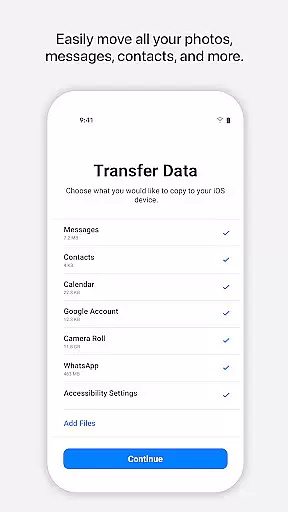
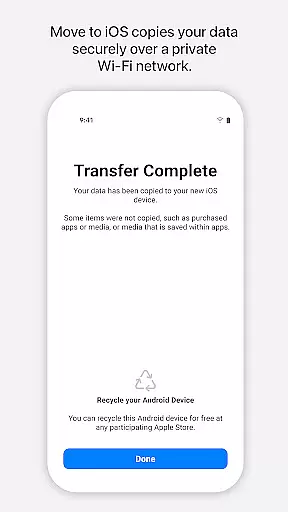
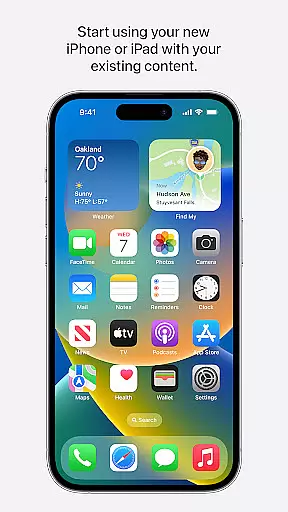
Move to iOS is a powerful migration tool designed to simplify the transition from Android to iPhone or iPad. This application enables users to transfer all essential data seamlessly and securely, including contacts, photos, videos, message history, and even WhatsApp content. The app creates a private Wi-Fi network between devices, ensuring that your information is transferred without the need for third-party storage solutions.
In addition to personal data, Move to iOS also migrates apps, mail accounts, calendars, and call logs, placing everything in the appropriate locations on your new Apple device. By maintaining an easy-to-use interface and requiring minimal user intervention, this tool ensures that switching to iOS feels intuitive and hassle-free. Whether you're upgrading your smartphone or switching platforms, Move to iOS provides a comprehensive solution that saves time and effort.
One of the standout features of Move to iOS is its ability to automatically and securely transfer a wide range of content types. From personal media like camera photos and videos to functional data such as call logs and message history, the app covers nearly every aspect of your digital life. It also supports the migration of WhatsApp conversations, preserving both text and multimedia messages.
The app establishes a direct Wi-Fi connection between your Android device and new iPhone or iPad, eliminating the need for cables or external storage. A security code ensures that only your devices are involved in the transfer process. Optional permissions allow for additional customization, enabling users to choose which types of data they wish to migrate, such as SMS, music, or calendar events. With these capabilities, Move to iOS offers a flexible yet secure way to switch platforms.
Move to iOS is designed with precision to ensure the seamless transfer of data from Android devices to iOS. The app's core functionality revolves around its ability to migrate a wide array of content, including contacts, message history, photos, and even WhatsApp data, with remarkable accuracy.
The effectiveness of Move to iOS is highlighted by its secure transfer process. By creating a private Wi-Fi network between devices, it ensures that all personal information is transferred safely without the need for an internet connection, thus maintaining user privacy and data integrity during the migration process.
Users benefit from the app's straightforward approach, which requires minimal interaction. Once the initial setup is complete, the app takes care of the rest, allowing users to relax while their content is being moved. This hands-off process provides peace of mind, knowing that their digital life is being transported without the risk of data loss or unauthorized access.
The interface of Move to iOS reflects simplicity and ease of use, making the transition to an iPhone or iPad less daunting for newcomers. With clear instructions and a clean layout, the app guides users through each step of the migration process without overwhelming them with technical jargon or complex settings.
Intuitiveness is at the heart of Move to iOS's design. It automatically detects nearby Android devices and prompts users to enter a security code to initiate the data transfer. This intuitive pairing process eliminates confusion and potential connectivity issues, ensuring a smooth start to the migration journey.
Moreover, the app's focus on user-centric design means that optional permissions are just thatu2014optional. Users can choose which data they wish to transfer without the app imposing any restrictions, offering flexibility and control over their migration experience. This approach not only simplifies the interface but also empowers users to customize their transition to iOS according to their preferences.
User-friendly interface
Secure data transfer
Comprehensive content migration
Private Wi-Fi network
Optional app permissions
Limited to Apple devices
Requires stable Wi-Fi
Optional features may lack
No cloud backup option
Dependent on device proximity

 4.50
4.50 4.50
4.50
pdf merge, word to pdf, jpg to pdf, edit pdf, convert to pdf and much more!
4.20
A recovery soft,it features photo recovery, video recovery, file recovery.
3.40
Best leveling tool for your Android device. Hang paintings like a pro.
4.90
Fast Video Downloader, Movie Downloader, Torrent Downloader & Adblock Browser
4.70
Create your own custom widget with endless possibilities
3.90
A clean app.
4.50
fast and easy mp3 music downloader
4.80
Navigate with Ease and Style
4.90
Monitor car performance in real time and troubleshoot malfunctions.
4.80
Small and simple app to Verify Root Access and BusyBox Install!
4.70
Connect instantly to a fast, encrypted VPN with one tap
4.60
Head tracking for PC sim games such as MSFS 2024 or Elite:Dangerous. No headset!
4.50
The Ultimate Bluetooth Keyboard & Mouse. Securely control your PC, Mac, and more
4.50
App that Recover your pictures, videos or files after you delete them.
4.20
VESC Tool can monitor and configure VESC-compatible devices over BLE and Wifi
4.20
Effortlessly run ADB commands directly on your device without a PC.
4.20
Automate everything from settings to photos, SMS to speech. ADC2 prize winner.
4.10


User Reviews