


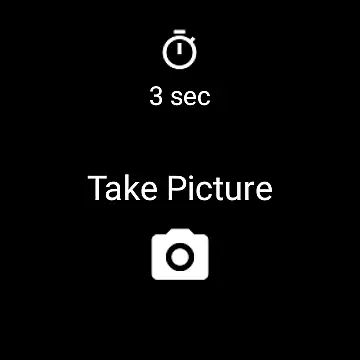
Camera Remote Watch is a smart photography app that allows users to remotely control their phone's camera shutter directly from a smartwatch. This innovative solution enables hands-free picture taking, making it perfect for group photos, selfies, or capturing moments in challenging angles without physically interacting with the phone.
The app ensures seamless synchronization between the phone and the watch, storing captured images in the phone's gallery while also providing a preview on the watch itself. Compatible with Wear OS devices, Camera Remote Watch offers a reliable and convenient way to enhance your photography experience by eliminating the need to touch your phone during shoots.
One of the standout features of Camera Remote Watch is its ability to trigger the phone's camera shutter directly from the smartwatch interface. This functionality provides users with the convenience of capturing photos without needing to physically interact with their phones, which is particularly useful in situations where touching the phone might cause blurriness or misalignment.
In addition to remote capture, the app displays a copy of the taken photo on the smartwatch screen, allowing users to quickly review the image and decide if another shot is necessary. The app works seamlessly with Wear OS smartwatches and supports various Android devices, although compatibility may vary with phones not officially supported by Android. With its user-friendly design and practical approach to mobile photography, Camera Remote Watch is an essential tool for anyone looking to expand their creative possibilities.
Real-time capture and preview functionality is essential for ensuring that every photo taken meets the user's expectations without delay. Camera Remote Watch excels in this area by allowing users to remotely control their phone's camera from a smartwatch, providing instant feedback on the shot taken.
This application facilitates real-time image capture by enabling users to trigger the camera shutter directly from their watch. Once the picture is taken, it is immediately stored in the phoneu2019s gallery, while a copy is sent to the watch for review. This seamless process ensures that users can quickly assess the quality of their photos right from their wrist.
The ability to preview photos on the smartwatch display adds an extra layer of convenience. Users can easily determine whether the captured image is satisfactory or if another attempt is needed, all without needing to handle the phone. This feature significantly enhances the photography experience, especially in situations where handling the phone might be inconvenient or disruptive.
While Camera Remote Watch does not explicitly market itself as having AI beauty and enhancement features, its practical applications offer a natural form of enhancement through thoughtful design. The app allows users to adjust the camera view on their phone before taking a picture, ensuring optimal framing and composition.
By offering a direct viewfinder experience via the smartwatch, users can fine-tune their shots with precision. This setup indirectly supports the creation of aesthetically pleasing images by empowering users to make real-time adjustments based on what they see on their watch screen. Such control contributes to more naturally beautiful photographs without relying on post-processing.
Additionally, the immediate feedback loop provided by viewing photos on the watch shortly after capture encourages iterative improvement. Users can experiment with different angles and settings, learning what works best for their aesthetic preferences. This hands-on approach fosters a deeper understanding of photographic principles, leading to consistently better results over time.
Hands-free operation
Instant photo preview
Wide device compatibility
Easy-to-use interface
Enhances photography creativity
Limited to compatible devices
Slower photo downloads
Dependent on stable connection
No advanced editing tools
Potential sync issues

Cut and paste photo editor & eraser to customize photos easy and swap faces fun
 4.50
4.50
Photo editor: AI filters, photo enhancer, pic collage maker, AI art generator.
4.80
AI photo editor with hair editor, retouch tools, hair color changer & filters!
4.50
Be your best in every shot! Fix, edit and retouch your face in selfies & photos.
3.70
Create amazing frames with up to five photos. Rounded corners, effects and more!
3.60
AI Photo Editor with 100+ Filters, Effects! Remove BG, Retouch & Photo Enhancer.
4.80
Enhance, retouch & create your story - Share the moment with Photoshop Express.
4.60
Turn photos into cartoons & avatars! - Photo Editor, Cartoon Face!
3.90
Pro version: AR sun/moon tracker for any date. Tool for photographers & planners
4.90
Create funny photos and videos with the popular Time Warp Scan filter.
4.90
Photo Exif Editor allows to view, add and modify EXIF data of multiple photos
4.50
Create AI photos & videos with Enhancer; restore, fix, beautify, enhance photos
4.50
Use AI Video Generator to turn your words to ai generated videos.
4.50
Effortlessly organize, view and share your photos & videos with Gallery app!
4.40
A reflected light meter with spot metering and incident light metering.
4.40
Professional camera app that brings DSLR manual photography controls to Android.
4.20
Pet Camera
3.70
Application for remote controlling DSLR
3.00
Raw Image Viewer. Gallery with support of raw images (.cr3, .cr2, .nef, .raf).
2.00


User Reviews