
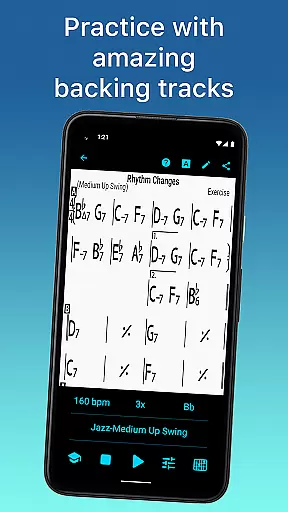
iReal Pro is a comprehensive music practice tool designed for musicians of all skill levels. This app simulates a realistic band accompaniment, allowing users to practice with high-quality piano, bass, and drum accompaniments. It also features an extensive library of chord charts that can be edited, printed, and shared, making it an essential resource for both practice and performance.
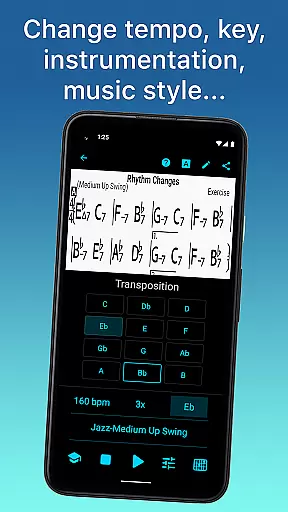
One of the standout features of iReal Pro is its versatility. Users can choose from 51 included accompaniment styles, ranging from Swing to Latin, and personalize each style with various instrument sounds. The app supports transposition to any key, includes exercises for common chord progressions, and offers advanced practice settings such as automatic tempo increase. With these tools, musicians can tailor their practice sessions to fit their specific needs and goals.
Whether you're a student, teacher, or professional musician, iReal Pro provides significant value by offering a portable backup band and a vast repository of musical resources. Used by top music schools like Berklee College of Music, this app ensures that musicians have everything they need to master their art conveniently and effectively.
iReal Pro stands out due to its rich feature set tailored specifically for musicians. One of its core functionalities is the ability to simulate a real-sounding band, complete with accompaniments from piano, bass, and drums. Users can select from 51 different accompaniment styles, including Swing, Ballad, and Bossa Nova, and further customize these styles with a variety of instrument sounds such as Fender Rhodes, acoustic guitars, and vibraphone.
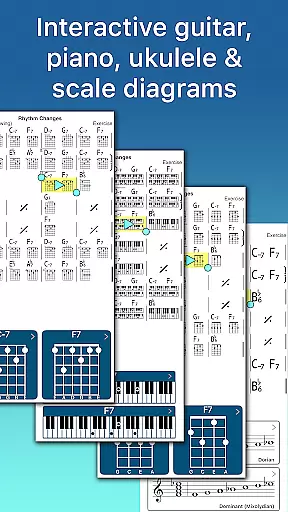
The app also excels in its chart creation and management capabilities. Musicians can create, edit, print, and share chord charts, which can be downloaded from the forums or crafted using the built-in editor. These charts support guitar, ukulele tabs, and piano fingerings, providing a comprehensive reference for practice and performance. Additionally, the app allows users to loop sections of a chart for focused practice and transpose charts to any key, enhancing its utility for musicians at all levels.
Sharing and exporting options further extend the app's functionality. Users can share individual charts or entire playlists with other iReal Pro users via email or export them as PDFs and MusicXML files. Audio exports are available in WAV, AAC, and MIDI formats, ensuring that your music can follow you wherever you go. These features collectively make iReal Pro an indispensable tool for musicians seeking to improve their skills efficiently and effectively.
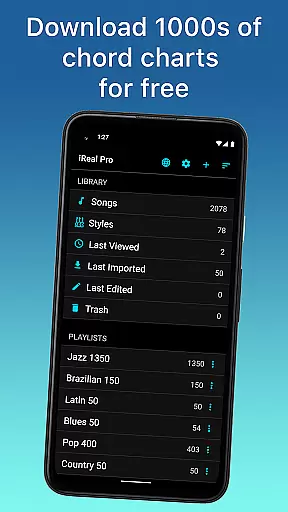
Having a comprehensive music library is essential for any musician looking to practice and improve their skills. iReal Pro boasts an extensive collection of songs that can be easily downloaded from the forums, providing users with thousands of options to choose from. This vast library ensures that musicians of all genres and preferences can find relevant material to work with.
In addition to its size, the app places a strong emphasis on copyright authenticity. All the content available through iReal Pro is properly licensed, giving users peace of mind as they download and use chord charts for their favorite songs. The legitimacy of the content means that musicians can focus on their practice without worrying about legal issues or the accuracy of the material.
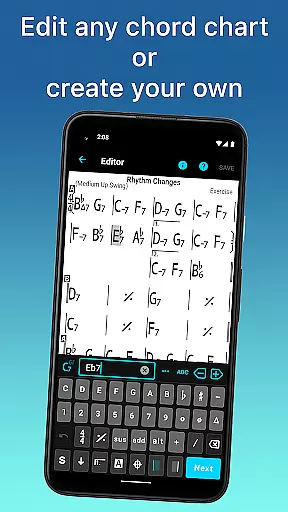
The app also allows musicians to create and edit their own songs using the built-in editor. This feature not only expands the library but also gives users the ability to personalize their music collection. By having control over their content, users can ensure that their library remains unique and tailored to their specific needs.
Furthermore, iReal Pro enables sharing and exporting of music in various formats such as PDF, MusicXML, WAV, AAC, and MIDI. This flexibility supports musicians in managing their repertoire and integrating with other tools and platforms, reinforcing the importance of having a versatile and authentic music library at their disposal.
Audio quality is paramount when it comes to practicing with accompaniment, and iReal Pro offers a variety of options to cater to discerning musicians. With the ability to personalize each accompaniment style, users can select from an array of sounds including piano, Fender Rhodes, acoustic and electric guitars, basses, drums, vibraphone, organ, and more. This personalization ensures that the audio output closely matches the user's desired tone and style.
Moreover, the app provides high-quality audio playback for both practice and recording purposes. Musicians can record themselves playing or singing along with the accompaniment, capturing their performance with clarity and precision. This functionality is crucial for self-assessment and progress tracking, allowing artists to hear every nuance of their sound.
iReal Pro also includes advanced settings for improving one's skills, such as automatic tempo increase and key transposition. These features contribute to a dynamic practice environment where audio feedback is immediate and conducive to learning. Users can take advantage of these tools to refine their technique and adapt to different musical contexts.
Finally, the app supports exporting audio in multiple formats like WAV, AAC, and MIDI, which maintains the integrity of the original recordings. Whether sharing performances with peers or backing up their work, musicians can rely on iReal Pro to deliver professional-grade audio quality across all their endeavors.
User-friendly interface
Extensive style options
Advanced practice settings
Comprehensive sharing capabilities
High-quality sound library
Some styles require in-app purchases
Interface may overwhelm beginners
Limited free song downloads
No video tutorials included
Occasional syncing issues

Your HD audio recorder on the go for music, meetings, ambience, animal sounds…
 4.30
4.30
Tune in to the greatest hits on UK Radio | The home of Capital, Smooth & Heart.
4.90
A synth that really lets you shape your sounds!
4.50
DJ Music Mixer - DJ Remix: remix songs, make beat music & record mix of DJ.
4.40
Powerful beat maker & DJ mixer to remix tracks, make music, & perform DJ mix
3.70
USB audio recording and playback finally possible on Android 3.1 or higher!
3.90
Recording studio w/ 10k beats, pro vocal FX and a network of 20M rappers & fans!
4.60
Versatile MP3 recorder with auto-backup to Dropbox and Google Drive
4.10
MilkDrop for Android TV
3.00
Full-featured, High-Quality Groovebox Workstation, perfect for Live Performance!
4.80
JBL PartyBox APP works with 110/310/710/120/320/520/Encore/Encore 2/Encore Ess 2
4.80
Your song collections with lyrics and chords on Android smartphones and tablets.
4.80
Responsive piano with great sounds, graphics, and songs
4.80
Offline Music Player&MP3 Player with themes, equalizer, lyrics, music play mode
4.60
Guzheng Master supports many playing techniques as an acoustic Guzheng
4.50
Powerful 10-Band equalizer pro with sound booster improves Android audio quality
4.30
Offline and always ad-free - stream in the highest quality available.
4.10
Learn to play the piano using falling notes!
3.80
The iconic iOS metronome app is now on Android.
3.70


User Reviews