
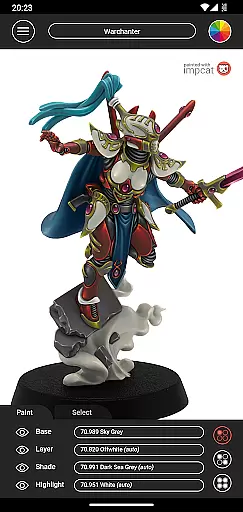
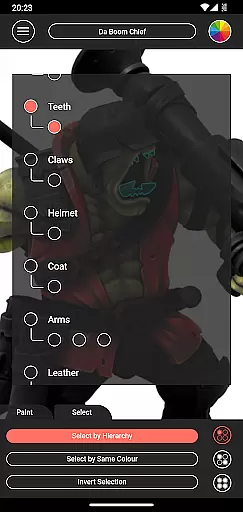
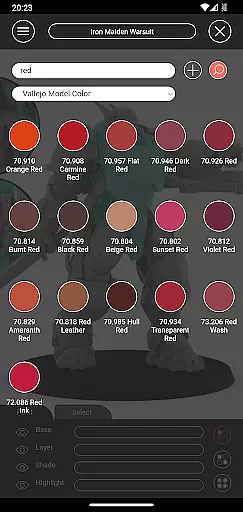
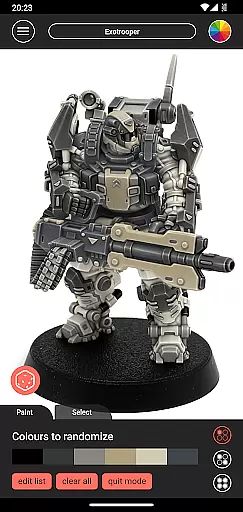
Impcat is an innovative simulator designed for hobbyists and professional miniature painters alike, offering a photorealistic painting experience on gaming and tabletop miniatures. This app allows users to experiment with different color combinations and techniques without the need for physical paint.
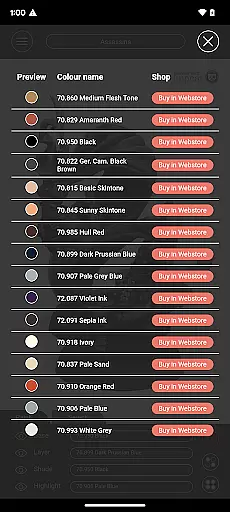
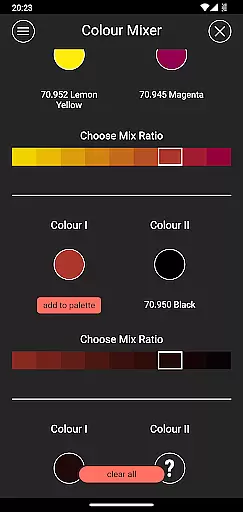
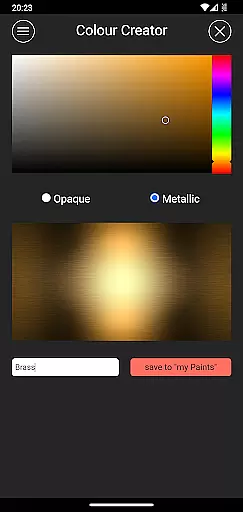
The application provides a comprehensive set of features including predefined color palettes from renowned manufacturers like Vallejo, a four-step painting process simulation (base coloring, layering, shading, and highlighting), and various tools such as complement recommendation mode, shopping list generator, color mixer, and creator tool. These functionalities make it an indispensable tool for planning and visualizing miniature painting projects.
Whether you're a seasoned painter looking to pre-visualize your work or a beginner wanting to learn the ropes of miniature painting, impcat offers a versatile platform that caters to all skill levels. Its realistic simulations and extensive customization options ensure that users can achieve high-quality results while honing their skills in a risk-free digital environment.
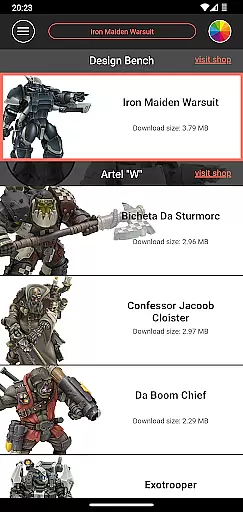
Impcat stands out with its rich feature set tailored specifically for miniature painting enthusiasts. The app includes six built-in miniatures provided by Artel "W", along with a vast selection of color palettes featuring 308 colors from Vallejo Model Color and Vallejo Game Color ranges.
One of the key highlights is the complement recommendation mode, which intelligently suggests harmonizing layer, shade, and highlight paints based on the selected base color. Users can further customize these recommendations to suit their preferences. Additionally, the app supports access to free downloadable content (DLCs) for miniatures and color palettes, ensuring that users always have fresh content to explore.
Other notable features include a photorealistic paint simulation engine, a shopping list generator linking directly to manufacturer websites, a color mixer tool for creating custom shades through multiple steps, a color creator tool for saving personalized colors, and a randomizer tool for spontaneous color distribution across models. Together, these tools provide a comprehensive and immersive painting experience.
Customization is at the heart of impcat, allowing users to explore a vast array of miniature painting possibilities. With six built-in miniatures and over 300 color options from Vallejo Model Color and Vallejo Game Color, the app provides an extensive palette for creativity.
In addition to the predefined colors, impcat offers tools like the color mixer and creator, enabling users to experiment with unique shades and hues. This flexibility ensures that whether you're a novice or a seasoned painter, there's always something new to discover and apply to your models.
The complement recommendation mode further enhances customization by suggesting harmonizing colors for layering, shading, and highlighting. Users can accept these suggestions or tweak them to fit their personal style, making each creation truly one-of-a-kind.
While impcat focuses on photorealistic painting simulations, its theme compatibility extends to various gaming and tabletop miniature styles. The app supports multiple miniature templates and color palettes, ensuring that users can find themes that resonate with their preferred aesthetics.
Users benefit from regular updates and additional downloadable content (DLCs) that introduce new themes without any extra cost. These updates keep the app fresh and engaging, offering continuous value to its users.
By providing a seamless integration of different themes and ensuring all features work harmoniously across various styles, impcat guarantees a consistent and enjoyable user experience. This dedication to compatibility makes it an indispensable tool for miniature enthusiasts.
User-friendly interface
Extensive color library
Realistic paint simulation
Free DLC updates
Comprehensive toolset
Limited initial miniatures
No real-time collaboration
Advanced features require learning
Occasional performance lags
Dependent on third-party content

Ultra realistic high quality analog watch face for Wear OS.
 4.60
4.60
A launcher for Samsung Good Lock and Good Guardians modules without ads
4.70
Gun Chase - Let the chase begin.
4.80
Dark icon pack based on One 8
4.80
Your go to Weather App & Home Screen. Get your weather at a swipe of a finger!
3.80
Handcrafted pixel art icons, widgets & wallpapers
4.60
Struggling to find apps? Use this app to locate and open any app on your phone!
2.20
Modern Glass Icon Pack with glossy icons, clean minimal theme & aesthetic style
4.0
Create unique, fun emojis with Funny Emoji Maker! Unlimited creativity!
4.00
Sparkle your screen with Glitter Wallpapers For Girls and Cute Backgrounds!
4.80
A retro cartoon style watch face and a punch right in the face of the copyright
4.60
Unique Android Launcher
4.60
Ultimate Gallery Lock App - Hide Pictures, Videos and Lock Apps Instantly!
4.60
Embrace the Night. Unleash the power of darkness with Raven Dark Icon Pack
4.60
300+ widgets inspired by Material You and Material 3 expressive design.
4.60
Ninja Turtles Cowabunga SE watch face for Wear OS
4.50 4.50
4.50
Launcher OS™ Pro without ads help make your phone simple and pretty
4.30
Realistic animated snow on your wrist, with 10 images landscapes to choose from
4.00


User Reviews