
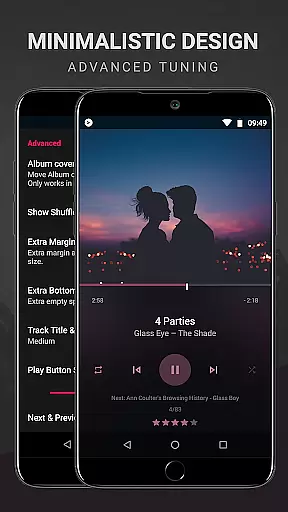
BlackPlayer EX is a premium music player designed for audiophiles who demand both quality and customization. This advanced application removes ads while offering an extensive suite of features to enhance the listening experience.
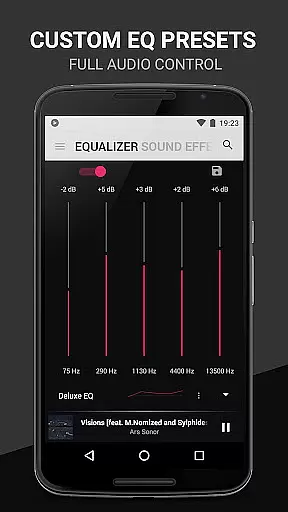
Users can personalize their interface with various themes, fonts, and color options. The app supports standard audio formats like MP3, FLAC, and WAV, while providing superior playback controls including gapless playback and customizable equalizer settings. With Chromecast support and advanced library management tools, BlackPlayer EX delivers a comprehensive solution for managing and enjoying your digital music collection.
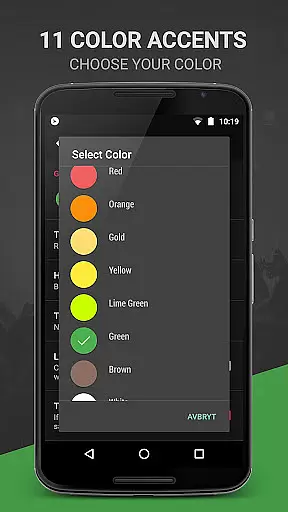
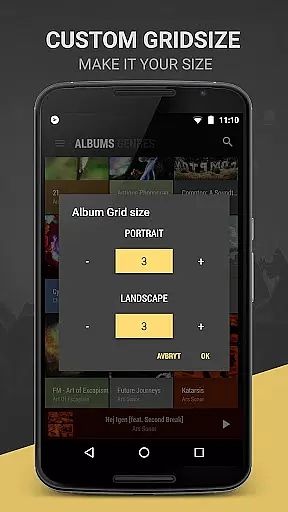
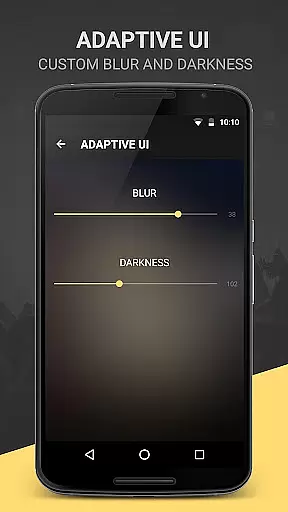
BlackPlayer EX stands out with its impressive array of customization options. Users can choose from multiple themes including a light theme, select from 11 color accents, and pick among 8 extra Now Playing themes. The app allows complete control over library pages, enabling users to add, remove, and sort their music as they see fit.
Advanced playback features include crossfading, bass boost, and virtualizer effects. Listeners can also enjoy unique functions like the Zap feature which plays 5-second snippets of tracks, and a visualizer with customizable settings. With additional widgets, lockscreen controls, and notification customizations, BlackPlayer EX provides a versatile and personalized listening experience.
BlackPlayer EX offers an extensive music library that supports various formats including MP3, FLAC, and WAV files, ensuring users can access a wide range of audio content. The application focuses on copyright authenticity by allowing users to play locally stored music files, thus respecting the legal ownership of music tracks.
The customization options within BlackPlayer EX extend to organizing and managing one's music collection. Users can group music by year and composers, blacklist folders and tracks, and manually search and set artist images, enhancing the personalization and authenticity of their music library.
With features like Zap, which allows for quick discovery of music through playing random tracks for 5 seconds each, users can explore their collection in a dynamic way. This not only enriches the user experience but also ensures that all played tracks are legally owned by the user, maintaining copyright integrity.
Audio quality is paramount in BlackPlayer EX, providing users with a premium listening experience. The app includes a built-in equalizer, bass boost, virtualizer, and left/right sound balance, allowing listeners to fine-tune their audio settings according to their preferences and equipment capabilities.
In addition to standard audio controls, BlackPlayer EX supports gapless playback, ensuring uninterrupted audio flow between tracksu2014a feature particularly appreciated by audiophiles and those who enjoy live or classical music albums. This attention to detail highlights the app's commitment to delivering high-quality sound reproduction.
For those seeking further personalization, BlackPlayer EX offers customizable widgets and notifications, including transparency settings and text color adjustments. These options enable users to tailor their interface while maintaining optimal audio performance, resulting in an immersive and visually cohesive music player environment.
Highly customizable
Ad-free experience
Gapless playback
Chromecast support
Active developer updates
Paid application
Complex interface
Occasional bugs
Limited codec support
Heavy on resources

Turn your phone into a musical instrument from the future!
 3.90
3.90
Full-featured, High-Quality Groovebox Workstation, perfect for Live Performance!
4.80
Gorgeous UI, Powerful music Search and Equalizer, the great choice for you!
4.70
Enhance the sound quality of your devices, listen to what you want
4.50
24,000 free audio books and no ads!
4.90
Help you quickly get started with Shokz headphones
4.40
Let your Android device with the sound effects you want
4.50
Reverse your voice & songs instantly! Fun singing challenge with cool effects.
4.60
Listen to offline music and sounds from all categories
4.70
10-Band Audio Equalizer, Sound / Bass Booster for Spotify Users & Music Players
4.40
Manage your Sonos system directly from your home-screen!
4.40
Full featured mp3 and audio player with Chromecast and Android Auto support.
4.40
Advanced 10-Band Audio Graphic Equalizer Sound Booster Pro
4.30
Versatile MP3 recorder with auto-backup to Dropbox and Google Drive
4.10
Permanently backup Now Playing. Maps, filters & listening stats.
4.00
The iconic iOS metronome app is now on Android.
3.70
MilkDrop for Android TV
3.00
Remove ads permanently from Music Visualizer
4.3
Music Streaming suite for Ampache, Nextcloud Music and compatible backends.
4.2


User Reviews