
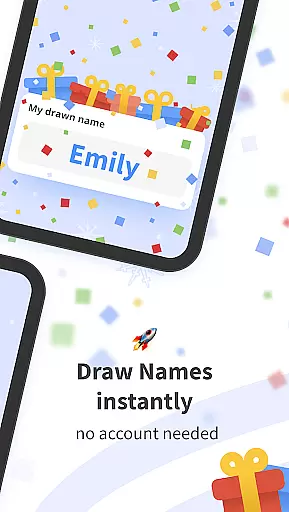

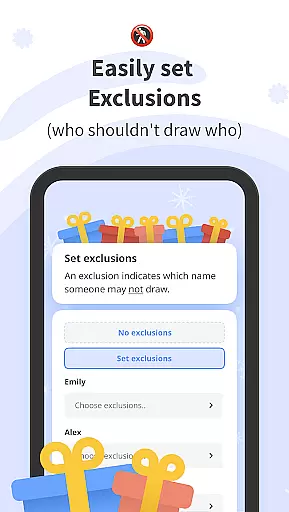
Drawnames is a versatile Secret Santa gift exchange organizer designed to simplify holiday and event planning. The app allows users to create groups, set exclusions, and manage wish lists without requiring an account. Its cross-device compatibility ensures participants can join from any mobile phone, tablet, or computer with ease.
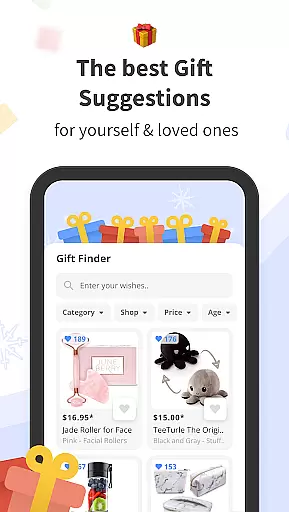
The app's key features include a simple three-step name-drawing process, personalized wish lists, and integration with popular messaging apps for seamless invitations. Additionally, drawnames provides gift inspiration and suggestions, making it suitable not only for Christmas but also for various occasions like birthdays, weddings, and baby showers.
With drawnames, users can efficiently organize multiple gift exchanges while enjoying the convenience of setting budgets, tracking important dates, and avoiding unwanted pairings. This makes the app an essential tool for anyone looking to streamline their festive planning and ensure a stress-free experience.
Drawnames offers a comprehensive suite of features tailored to enhance the gift exchange experience. One standout feature is its easy-to-use Secret Santa generator, which lets users set up exchanges in just three steps: creating a group, defining exclusions, and drawing names. This simplicity caters to groups of all sizes, ensuring that everyone can participate without complications.
Another notable aspect is the ability to create and share personalized wish lists. Participants can browse thousands of gift ideas within the app, adding selected items directly to their lists. The app supports integration with various messaging platforms, enabling users to invite others via email, WhatsApp, or text messages. Furthermore, its cross-device compatibility ensures that all members can access the event regardless of their device type.
For those managing multiple events, drawnames allows users to oversee several exchanges from one place, including different groups such as family, friends, or colleagues. With flexible options for any occasion and no need for account creation, this app stands out by offering both functionality and user-friendliness, making every gift exchange organized and enjoyable.
At the heart of drawnames lies its core functionality, designed to simplify and enhance the experience of organizing Secret Santa gift exchanges. This app ensures that every step, from creating a group to drawing names, is executed with precision and ease.
The effectiveness of drawnames is evident in its ability to handle exclusions, manage wish lists, and facilitate the seamless sharing of information across various messaging platforms. By allowing users to set specific parameters such as budget and exclusions, the app guarantees that each gift exchange is tailored to the unique dynamics of different groups.
Users benefit greatly from this meticulous attention to detail. The app's accurate name-drawing algorithm ensures fairness and surprise, while the comprehensive gift suggestion feature aids participants in selecting the perfect present. This results in a stress-free and enjoyable experience for everyone involved.
Ultimately, the value of drawnames is reflected in its capacity to transform what could be a complicated organizational task into a simple, enjoyable activity. Its reliable functionality not only meets but exceeds user expectations, making it an indispensable tool for anyone planning a gift exchange.
The interface of drawnames is crafted to offer a user-friendly experience, ensuring that even those who are not tech-savvy can navigate and utilize the app with ease. Simplicity and intuitiveness are at the forefront of its design philosophy, making it accessible to a wide audience.
Upon downloading drawnames, users are greeted with a straightforward setup process that requires no account creation. This immediate access to the app's full range of features underscores its commitment to reducing complexity. Every function, from adding participants to setting exclusions, is streamlined to provide a hassle-free experience.
This intuitive design extends to its cross-device compatibility, allowing users to engage with the app on any mobile phone, tablet, or computer with a web browser. Such flexibility ensures that all group members, regardless of their device preference, can participate without barriers.
By prioritizing clarity and ease of use, drawnames empowers users to focus on the joy of gift-giving rather than the intricacies of app navigation. This thoughtful approach to interface design enhances overall user satisfaction and engagement with the app.
User-friendly interface
No account required
Cross-device compatibility
Personalized wish lists
Gift inspiration included
Limited advanced features
No offline mode available
Occasional ads present
Requires internet connection
Basic design aesthetics

Head tracking for PC sim games such as MSFS 2024 or Elite:Dangerous. No headset!
 4.50
4.50
Enjoy smooth gameplay with Game Booster
4.90
App to pay for FUTO Keyboard
4.60
Smart and comfortable browsing experience.
3.80
Mirror your screen to Chromecast and Android TV - Super fast and simple
4.60
WiFi Signal Strength Meter help you detect WiFi Signal Strength in real time.
4.80
Planner and Tracker for Stardew Valley
4.60
The ultimate tool for network analysis, wifi scanning and problem detection.
4.90
Clean up large files and similar photos, fast and easy to use
4.40
Excellent scientific calculator with symbolic algebra, integrals, derivatives
4.80
The one-and-only remote control for PC, Mac, and Linux
4.70
NFC Tools can read and write NFC tags.
4.70
FV File Manager Pro, Fast and powerful file manager for Android
4.60
Just swipe the edge to do something!
4.40
Signal Strength, Mobile, Wifi, Speed Test, Bad Signals, Cellular, 5G, LTE, 4G
4.20
Screen Mirroring with sound for Samsung TV, LG TV, Sony TV, Smart TV and Browser
4.20
An open-source APK explorer for Android!
4.10
Introducing Smart Printer, your ultimate destination for printing solutions!
4.00
Safely recover deleted photos, videos, and files with a single easy tap.
3.70


User Reviews