
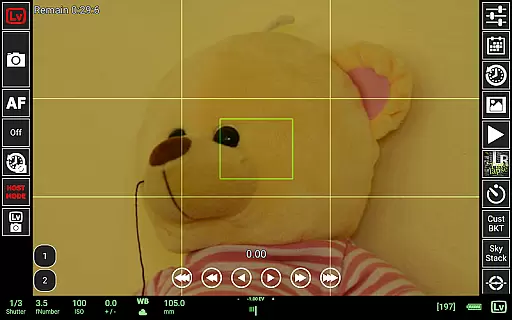
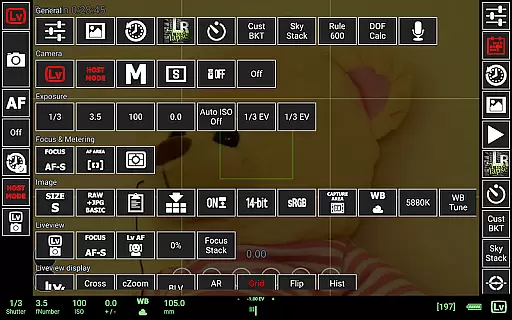
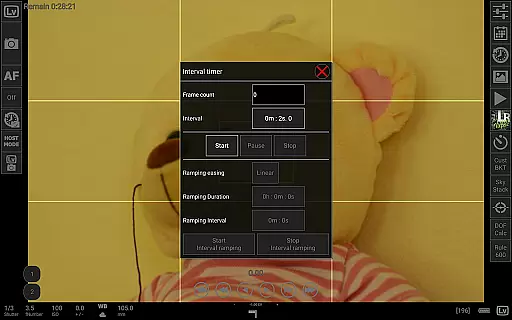
qDslrDashboard is a powerful photography application designed for DSLR and mirrorless camera enthusiasts. This app allows users to control Nikon, Canon, and Sony cameras remotely through their Android devices. By using a USB OTG adapter or wireless connection, photographers can manage multiple camera settings, capture images, and transfer files directly to their mobile device. The app supports advanced features such as synchronized shooting, live view with histogram analysis, and time-lapse creation, making it an essential tool for professional and amateur photographers alike.
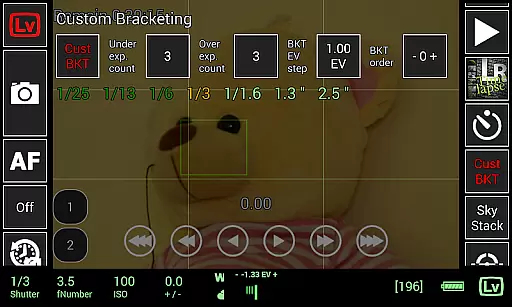
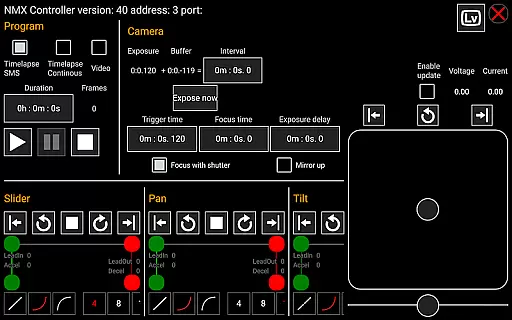
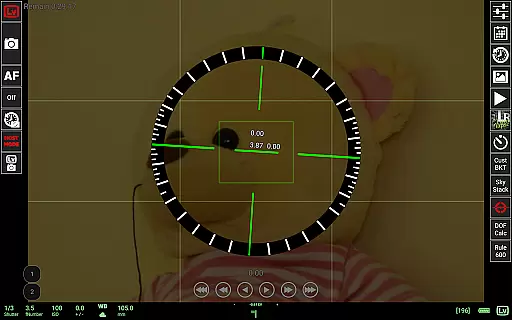
In addition to basic camera control, qDslrDashboard offers specialized tools like focus stacking, custom bracketing, and movie recording initiation. Its compatibility with portable wireless routers and motion controllers expands creative possibilities. Whether you're capturing astrophotography with the Rule600 calculator or managing complex time-lapse sequences, this app provides precise control over your photography workflow.
qDslrDashboard stands out with its comprehensive feature set tailored for advanced photography tasks. One of its key strengths is the ability to connect multiple cameras simultaneously, allowing synchronized captures that are crucial for HDR imaging and 3D photography. The app's live view functionality includes manual focus adjustment and histogram display, enabling photographers to achieve perfect exposure and sharpness without touching the camera.
Another notable feature is its support for various connection methods, including USB OTG, wireless routers, and Bluetooth LE for motion controllers. Users can browse and transfer RAW and JPEG files directly to their Android device, preview images, and even initiate movie recording on compatible models. Specialized tools like the DoF calculator, sky stacking helper, and LRTimelapse screen make this app indispensable for professionals seeking maximum creative control in their projects.
Real-time capture and preview functionality is essential for photographers who need precise control over their shots. qDslrDashboard offers a comprehensive solution that allows users to connect their Nikon, Canon DSLR, or Sony mirrorless camera via USB OTG adapter or wireless network.
The application enables remote capture with synchronized shooting across multiple cameras. This feature proves invaluable in scenarios where consistent timing is crucial, such as sports photography or creating 3D content. Additionally, the live view mode provides a real-time feed from the camera, ensuring accurate composition and focus.
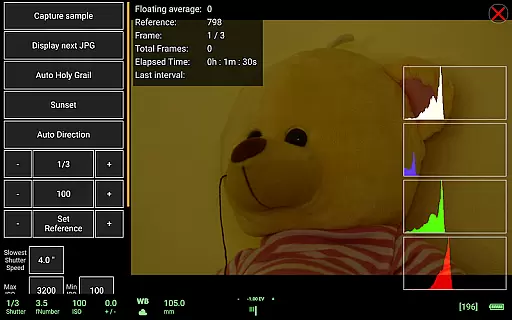
qDslrDashboard enhances the live view experience with tools like live view histogram and manual focus movement. These features empower photographers to fine-tune exposure and focus without physically touching the camera, reducing the risk of unwanted movement.
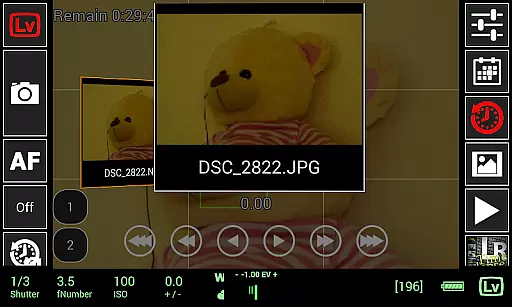
While qDslrDashboard does not focus on AI beauty enhancements typical in mobile photography apps, it excels in delivering natural and authentic image previews. The application supports both JPG and RAW formats, allowing photographers to preview images directly on their Android device with true-to-life color accuracy.
For those working with RAW files, qDslrDashboard provides advanced capabilities such as transferring images from camera to Android device while maintaining the highest quality standards. This ensures that every detail captured by professional-grade cameras is preserved during the transfer process.
The application's emphasis on natural enhancement extends to its live view functionality. Photographers can trust that what they see on their Android device's screen accurately represents the final image, including depth of field and exposure settings. This level of precision helps professionals make informed decisions before capturing each shot.
User-friendly interface
Wide camera compatibility
Advanced time-lapse options
Live view with histogram
Wireless control capability
Requires additional hardware
Complex for beginners
Limited iOS availability
Some features model-specific
Occasional connection issues

Photo editor: face & body editor, beauty cam, filters and quality enhancer.
 4.00
4.00
Photo Album Watch Face shows your favorite pictures as a Watchface.
1.90
Search, tag and rate your way to an organized image gallery
4.40
Take videos and pictures with the popular TikTok TIME WARP SCAN filter.
4.60
Future baby face generator: AI kids generator, kid face! What my baby look like?
4.40
AI Photo Editor with 100+ Filters, Effects! Remove BG, Retouch & Photo Enhancer.
4.80
RAW video capture with advanced controls
4.40
Try an anime version, cartoon yourself, and generate AI hug or aging videos!
3.70
Edit photos with the picture generator: PS2 & AI Clay filters, cartoon effects.
4.50
Collage your moments in one tap: 1000+ layouts, filters, stickers, and texts.
4.90
Photo prints, cards, & gifts at Walgreens. Easy ordering & fast local pickup !
4.80
Enhance, upscale, and transform your images — on your device, without limits
4.70
AI photo editor with hair editor, retouch tools, hair color changer & filters!
4.50
Turn your phone into a professional camera - full DSLR manual photography
4.30
Create AI Photos, Improve and restore quality of blurry, old or damaged pics.
4.20
Perfect photos with body shaping, BG changer and object remover.
3.70
GCamera allows all GCam features on all phone models! Better photos with GCamera
3.30
Raw Image Viewer. Gallery with support of raw images (.cr3, .cr2, .nef, .raf).
2.00
Add a dreamy vibe to your selfies and videos with soft style filters
4.0


User Reviews