
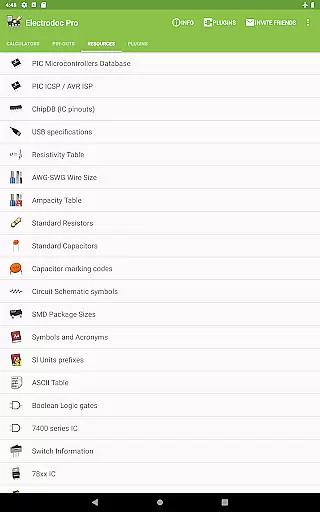
Electrodoc Pro is a comprehensive electronics toolkit designed for professionals, hobbyists, and students alike. This application serves as an essential resource by providing a wide array of calculators and reference materials crucial for electronics projects. With tools ranging from resistor color code decoding to complex circuit design aids, Electrodoc Pro ensures accuracy and efficiency in electronic work.
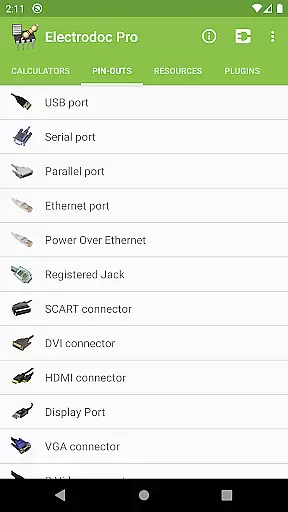
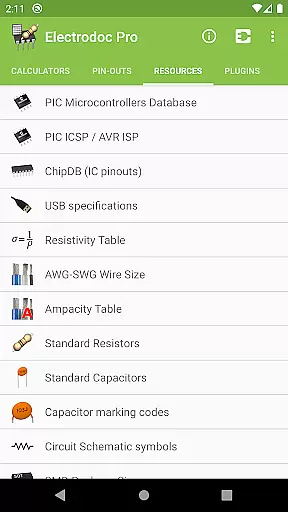
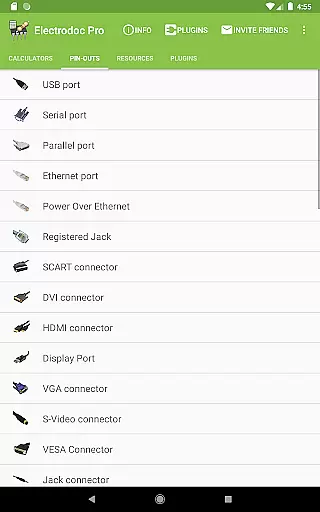
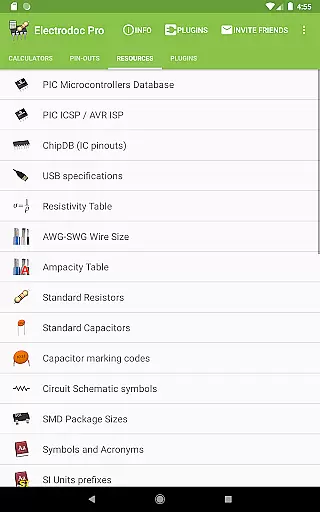
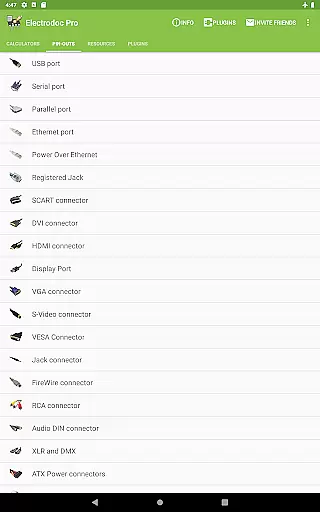
The app stands out with its inclusion of advanced features such as the NE555 calculator, inductor design tool, and a vast array of port pin-outs and resources like the PIC ICSP / AVR ISP. These functionalities cater to intricate project requirements, making it indispensable for anyone involved in electronics design or repair.
Whether you are designing a new PCB or troubleshooting an existing circuit, Electrodoc Pro offers practical solutions that streamline tasks. Its intuitive interface and reliable data make it a go-to application for enhancing productivity in both educational and professional settings.
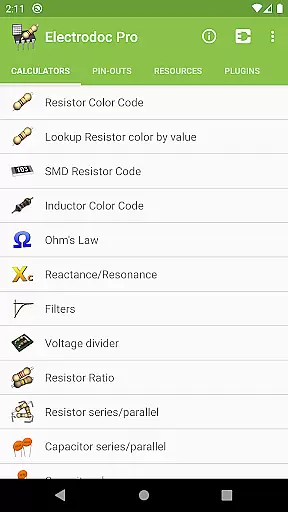
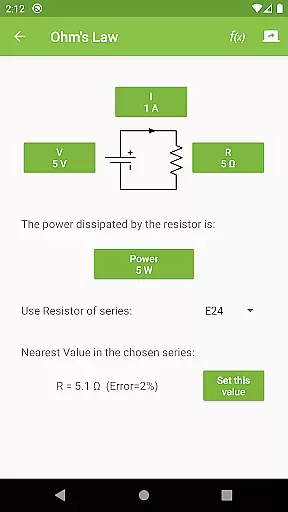
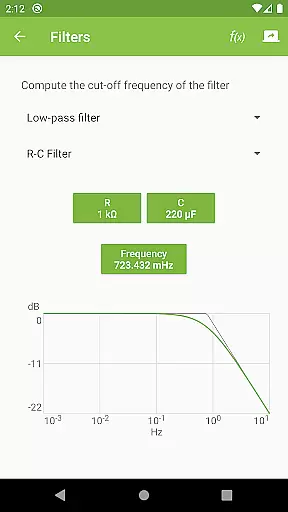
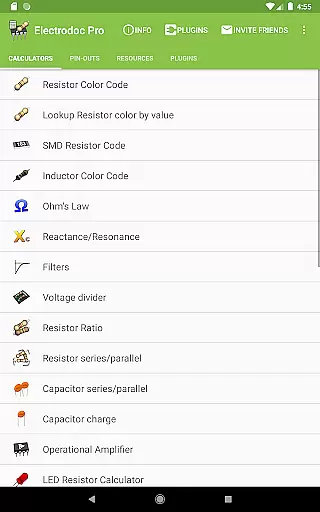
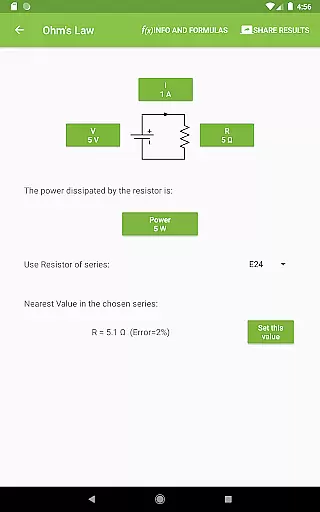
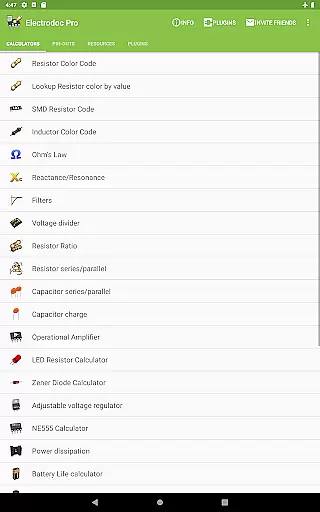
Electrodoc Pro boasts an extensive set of features tailored to meet the diverse needs of its users. One of the standout aspects is its detailed resistor and inductor color code decoders, alongside SMD resistor codes which are critical for component identification. The app also includes various calculators such as Ohm's Law, Reactance/Resonance, and voltage divider, empowering users to perform precise calculations on-the-go.
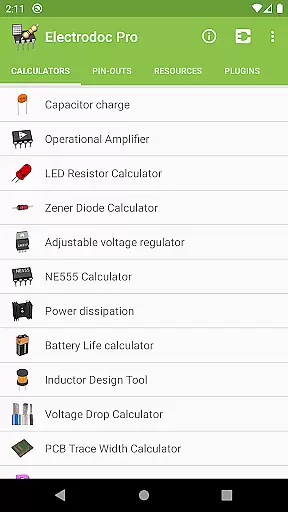
In addition to these, Electrodoc Pro provides specialized tools like the operational amplifier calculator, LED resistor calculator, and Zener diode calculator, which are instrumental for circuit design. The app further supports EIA resistor series across all relevant calculators, ensuring compatibility and precision. Moreover, the inclusion of resources such as USB specifications, AWG-SWG wire sizes, and standard resistors enhances its utility as a complete electronics reference guide.
Another remarkable feature is the support for plugins that extend the app’s functionality, including databases for PIC and AVR micro-controllers, simulators, and parts search capabilities. This adaptability makes Electrodoc Pro not just a static tool but a dynamic platform that evolves with user needs.
Electrodoc Pro stands out in the Tools category by offering precise and effective core functionalities that are essential for electronics enthusiasts and professionals. The app provides a comprehensive suite of calculators and references, including Resistor Color Code, Ohm's Law, and Reactance/Resonance calculators, ensuring accurate computations every time.
The application's design focuses on delivering reliable data for electronic components and circuits. With specialized tools such as the NE555 Calculator, Inductor Design Tool, and various series/parallel circuit calculations, users can perform complex electronic analyses with confidence. These features are backed by an extensive database, which enhances the precision of each calculation or reference lookup.
For engineers and hobbyists, Electrodoc Pro translates into significant benefits. It reduces the likelihood of errors in electronic designs and troubleshooting, thereby saving time and resources. The app's commitment to accuracy means that users can rely on it for both educational purposes and professional projects, making it an invaluable tool in their arsenal.
A hallmark of Electrodoc Pro is its straightforward and intuitive interface, which makes navigating through its vast array of tools a seamless experience. Upon opening the app, users are greeted with a well-organized layout that categorizes each tool and reference, allowing for quick access to desired functionalities without any learning curve.
The app excels in transforming complex electronic calculations into simple interactions. Each calculator or reference tool is designed with clarity in mind, presenting options and input fields in an uncluttered manner. This approach ensures that even those new to electronics can utilize the app's features without feeling overwhelmed by technical jargon or complicated interfaces.
Ultimately, this simplicity enhances user engagement and productivity. By minimizing the time spent on figuring out how to use the app, users can focus more on their actual work or learning. Electrodoc Pro's intuitive design thus not only simplifies tasks but also encourages more frequent and efficient use, solidifying its position as a leading tool in the Electronics domain.
User-friendly interface
Extensive electronics tools
Regular updates
No ads
Offline functionality
Premium version costly
Steep learning curve
Limited free version
Occasional bugs
Heavy on storage

 4.50
4.50
A powerful, easy-to-use flight computer on your phone or tablet!
3.80
Complete kernel toolbox with features to manage and tweak your rooted device
4.30
Use your phone as a webcam on your computer over WiFi or USB.
4.40
VESC Tool can monitor and configure VESC-compatible devices over BLE and Wifi
4.20
Best leveling tool for your Android device. Hang paintings like a pro.
4.90
Smart and comfortable browsing experience.
3.80
Screen Mirroring with sound for Samsung TV, LG TV, Sony TV, Smart TV and Browser
4.20
Enjoy a smooth mobile reading experience!
3.60
Extremely fast, secure, and protects your privacy
4.80
The Ultimate Flex Drivers Utility App - Convenient Tapping & Block Filters
4.70
Keep track of your Palia friendships, tasks, and inventory with Palia Notebook
4.60
Clean up large files and similar photos, fast and easy to use
4.40
pdf merge, word to pdf, jpg to pdf, edit pdf, convert to pdf and much more!
4.20
MS-DOS in your pocket. Play old DOS games anywhere you are ;)
4.10
1-Click close all background apps on Android TV
3.90
Family Locator, Share location, StayConnect with your family in real time
3.90
This app unlocks the Pro features of the Central for DayZ app
3.60
Transfer Files, APK from Phone to Watch & Install.
4.1


User Reviews