
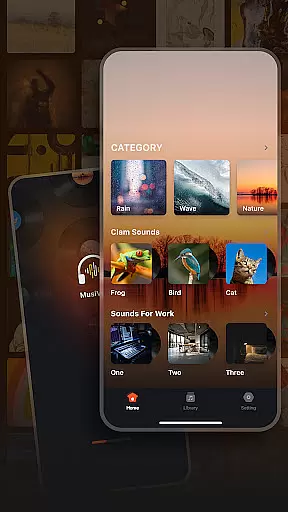
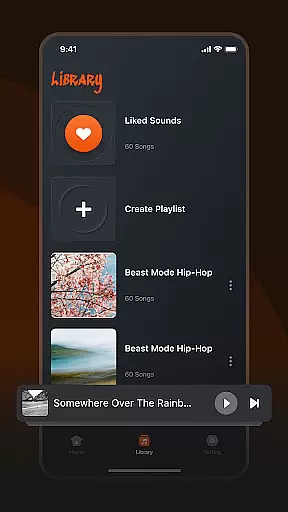
Musivibe is a feature-rich offline music player designed to enhance your listening experience. This application categorizes various sounds and songs, allowing users to enjoy music anytime, anywhere. With its powerful classification system, you can easily find the perfect soundtrack for any moment.
The app offers an intuitive user interface that makes organizing and playing music simple and enjoyable. Whether you need calming ocean waves or energizing beats for workouts, Musivibe provides a diverse range of sound categories to suit every mood and activity.
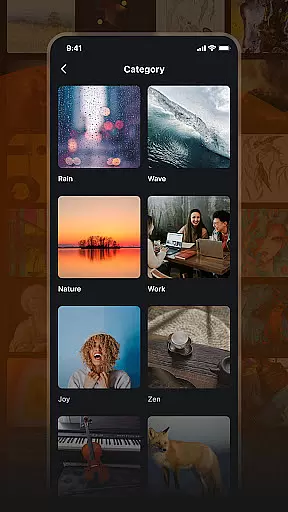
Musivibe stands out with its comprehensive feature set tailored for music enthusiasts. The app includes categorized sound playlists such as Rain, Ocean Waves, Nature, Work, Cheerful, Zen, Instruments, and Animals, providing users with curated audio experiences.
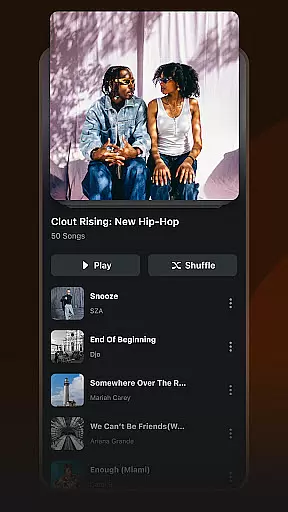
One of the key highlights is the ability to create and manage personalized playlists. Users can organize their favorite tracks, edit existing playlists, and even stream custom compilations. The app also supports sharing playlists with others, making it easy to spread the joy of music.
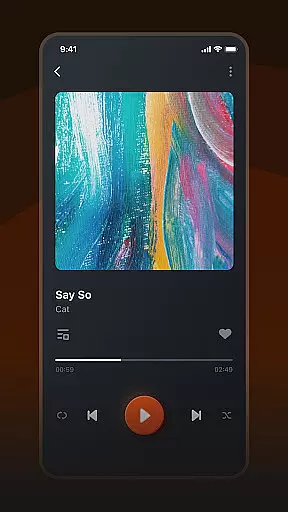
The user-friendly UI design ensures seamless navigation and control. Every feature is crafted to provide the best music listening experience, whether you're relaxing at home or on the go.
When it comes to music applications, the size and authenticity of the music library are crucial factors. Musivibe offers a vast collection of categorized sounds including Rain, Ocean Waves, Nature, Work, Cheerful, Zen, Instruments, and Animals. This extensive range ensures that users have access to a wide variety of audio experiences.
The application not only boasts an impressive library size but also guarantees the authenticity of its content. Each track is carefully curated to ensure copyright compliance, providing users with peace of mind while enjoying their favorite tunes. This dedication to legal integrity sets Musivibe apart from other music players.
Users benefit greatly from this combination of variety and authenticity. Whether you're looking for background sounds to enhance concentration or soothing melodies to relax, Musivibe's comprehensive library caters to all preferences. The assurance of legally obtained content further enhances the user experience.
Audio quality is a defining feature for any music player, and Musivibe excels in providing diverse options. The app supports various audio formats and bitrates, allowing users to customize their listening experience according to their preferences and device capabilities.
Musivibe's advanced audio processing technology ensures that every note and sound is delivered with crystal clarity. From the gentle patter of raindrops to the intricate notes of classical instruments, each audio element is preserved in its purest form. This attention to detail elevates the overall listening experience.
The ability to adjust audio settings empowers users to optimize sound quality based on their environment and equipment. Whether using high-end headphones or standard speakers, listeners can fine-tune parameters to achieve the best possible output. This flexibility makes Musivibe suitable for both casual listeners and audiophiles alike.
Intuitive UI design
Customizable playlists
Wide sound categories
Offline playback support
User-friendly experience
Limited social features
No lyrics display
Premium subscription required
Occasional bugs
Ads in free version

The Music Journey in Your Hands
 4.30
4.30
Walkout Song DJ is the most intuitive app to manage your sports music.
4.70
Ultimate Sonos Controller
4.70
The original SP-1200 experience on your iPad
4.20
Simple mp3 and mp4 player with advanced features.
3.40
Sheet music reader, piano & music note player. Play music score & learn to read.
3.90
Offline Tunes, Unlimited Vibes
3.90
Turn Every Moment into Music
3.60
Play your music offline without limits
4.80
Voice recorder - Audio recorder. Best recorder for recording
4.90
Let your Android device with the sound effects you want
4.50
Manage your Sonos system directly from your home-screen!
4.40
Network/Cloud Streaming, Visualization, Graphic Equalizer and Sound Effects.
4.20
A sleek, no-frills player designed for true music lovers.
4.20
PowerAudio is a powerful offline music player.
4.20
The ultimate media player for Android devices
3.90
The Skullcandy App Experience
3.20
MilkDrop for Android TV
3.00
Remove ads permanently from Music Visualizer
4.2


User Reviews