
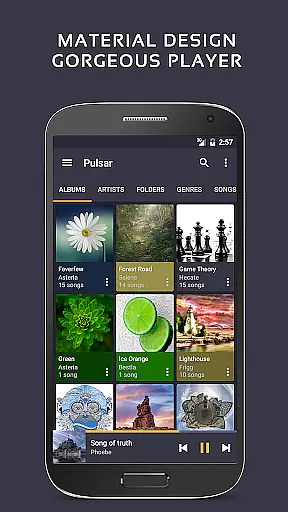
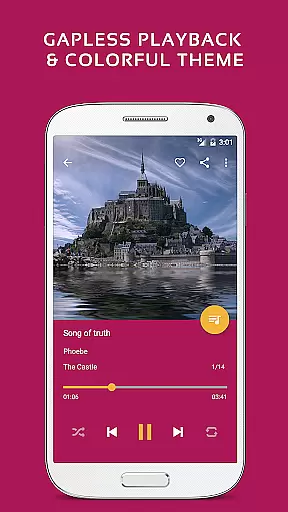
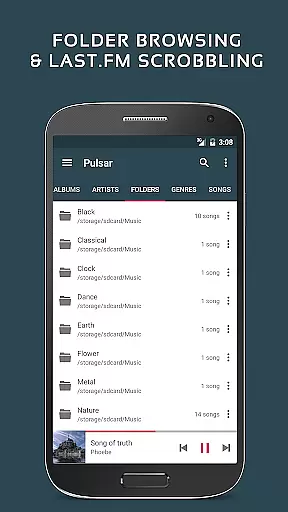
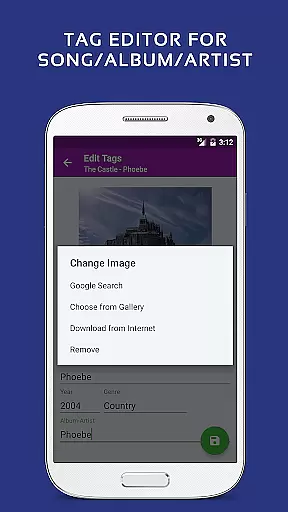
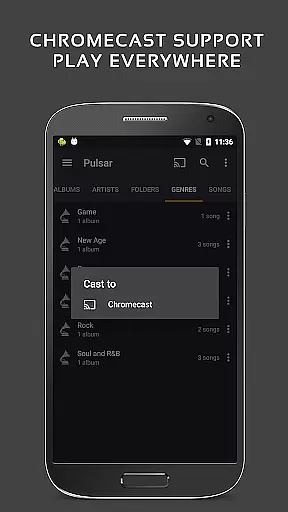
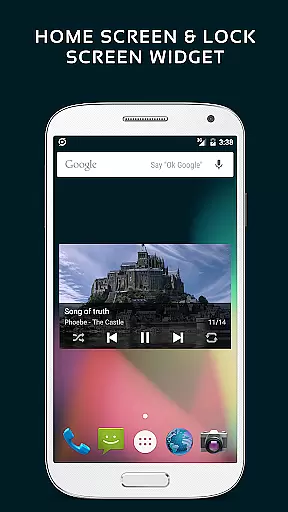
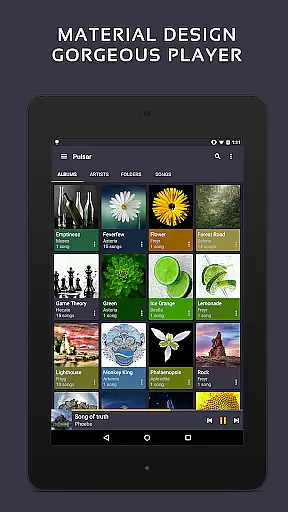
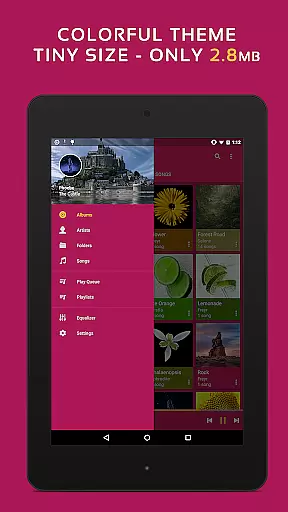
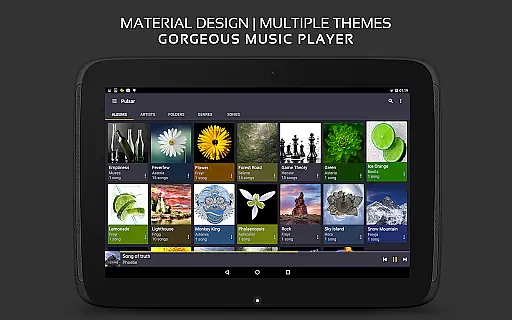
Pulsar Music Player Pro stands as a premium music application tailored for Android users who appreciate high-quality audio playback and an elegant user interface. This offline audio player integrates material design principles, offering a visually appealing experience without advertisements. With millions of downloads, Pulsar has become the ultimate choice for audiophiles seeking comprehensive music management.
The app supports essential features like gapless playback, crossfade, play speed adjustment, tag editing, and last.fm scrobbling. It also includes advanced functionalities such as Chromecast support, voice commands, Android Auto compatibility, and a built-in equalizer. Whether you're managing playlists or adjusting audio balance, Pulsar ensures a seamless experience for all your musical needs.
Pulsar Music Player Pro offers an extensive range of features designed to enhance your music listening experience. The app's user interface is meticulously crafted with material design guidelines, providing smooth animations and customizable themes. Users can manage their music libraries by album, artist, folder, or genre, while smart playlists help organize tracks based on play frequency and recency.
Advanced audio controls include gapless playback, crossfade support, and ReplayGain volume normalization. The built-in metadata tag editor allows for easy file management, while the lyrics display and music visualizer add an immersive touch. With support for Chromecast, Google voice commands, and Android Auto, Pulsar ensures that your music is accessible wherever you go. Additional features like sleep timers and sound balance adjustments further enhance its versatility.
Pulsar Music Player Pro boasts an extensive music library that supports a wide range of audio file formats including MP3, AAC, FLAC, OGG, and WAV. This ensures that users can enjoy their music collection without compatibility concerns.
The application places a high priority on copyright authenticity by providing tools for editing metadata tags directly within the app. Users can manage their music files with accurate information, ensuring proper attribution and organization of copyrighted materials.
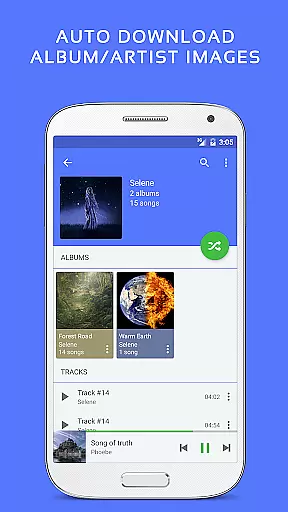
With features like automatic syncing of album and artist images, Pulsar enhances the user's library with authentic artwork. This not only enriches the visual experience but also supports artists by correctly displaying their work as intended.
By offering a complete suite of music management tools, Pulsar allows for a personalized and lawful music listening experience, giving users control over their digital audio assets while respecting intellectual property rights.
Pulsar Music Player Pro offers advanced audio quality options to satisfy even the most discerning audiophiles. With support for high-resolution audio formats and playback features such as gapless playback and ReplayGain, listeners can enjoy their music as the artists intended.
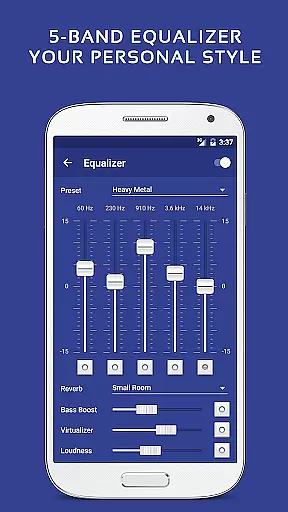
The built-in equalizer comes with 5 bands and 9 pre-built presets, allowing users to customize their sound experience. Additional sound effects like bass boost and reverb provide further refinement of audio output, catering to personal preferences and different genres of music.
For those who demand the best in audio fidelity, Pulsar includes play speed adjustment and crossfade support. These professional-grade features enable precise control over how tracks are played, enhancing the overall listening experience without compromising on quality.
Whether at home or on the go, Pulsar ensures that every note is delivered with clarity and precision, making it the ultimate choice for enjoying high-quality audio on Android devices.
Offline playback
No ads
Material design UI
Gapless playback
Equalizer presets
Paid version only
Occasional bugs
Limited formats
High system requirements
Complex settings

Time Guru will strengthen your internal sense of musical time via random muting.
 4.30
4.30
Background pads for your band
3.80
Permanently backup Now Playing. Maps, filters & listening stats.
4.00
Network/Cloud Streaming, Visualization, Graphic Equalizer and Sound Effects.
4.20
Next generation modular control surface
4.10
Record, Mix & Master with all n-Track effects, 64-bit audio and Stem Separation.
4.70
24,000 free audio books and no ads!
4.90
Super Sound Editor, Song Maker & Mixer, Vocal Remover, Voice Recorder & Changer!
4.60
Simple mp3 and mp4 player with advanced features.
3.40
Taal player that lets you sing any Indian & Western song with Tabla & Tanpura
4.60
Formerly known as Spotistats! View your top tracks, artists, albums and more!
4.40
Play KORG’s revolutionary touch-based instrument on a variety of devices.
4.40
The Music Journey in Your Hands
4.30
Advanced 10-Band Audio Graphic Equalizer Sound Booster Pro
4.30
Enjoy singing any song, no matter how high or low it is
4.30
Sing, record, and create music together — enhanced by smart voice tools.
4.00
The ultimate media player for Android devices
3.90
The Skullcandy App Experience
3.20
Make music anywhere. Turn your device into an instrument.
4.1


User Reviews