
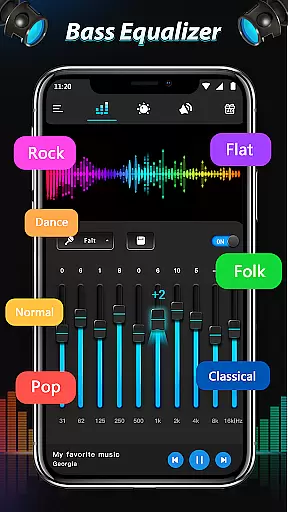
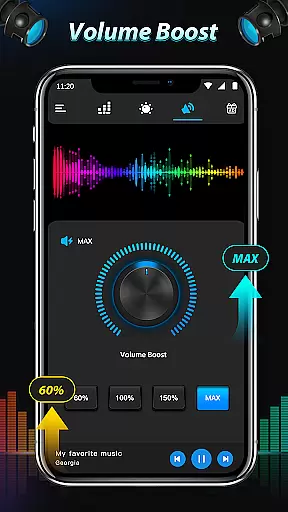
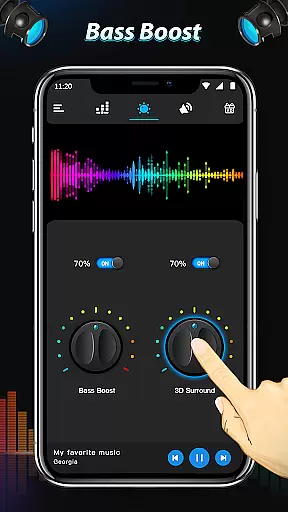
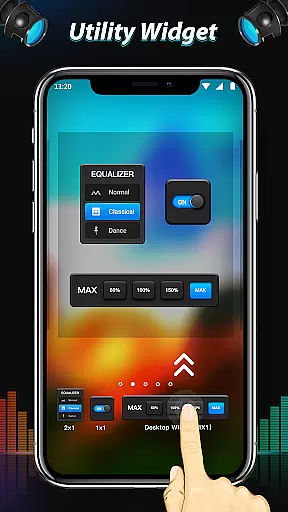
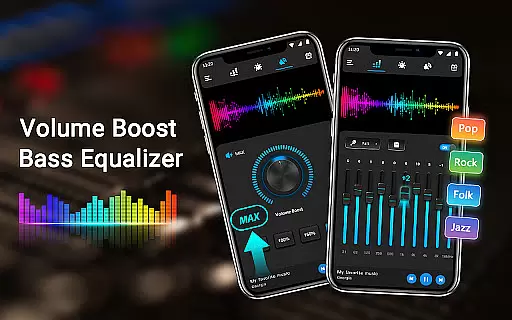
Equalizer & Bass Booster Pro is a premium audio enhancement application designed specifically for Android devices. This app revolutionizes your listening experience by offering a true global equalizer, bass boost, and surround sound features. Whether you're enjoying music, watching videos, or tuning into FM radio, this app ensures superior sound quality that makes your device sound better than ever before.
The app provides users with an intuitive interface featuring a volume slider, live stereo VU meter, five-band equalizer, and advanced audio effects like bass booster and virtualizer. These tools allow precise control over sound frequencies and levels, ensuring optimal audio output. With support for both headphones and external speakers, Equalizer & Bass Booster Pro delivers an immersive audio experience tailored to individual preferences.
Ideal for audiophiles and casual listeners alike, this app enhances every aspect of digital audio consumption on Android devices. By customizing sound settings, users can enjoy richer bass, clearer highs, and balanced mids, making it perfect for music enthusiasts who demand the best sound quality from their mobile devices.
Equalizer & Bass Booster Pro stands out with its comprehensive suite of audio enhancement tools. The app's signature feature is its five-band equalizer, allowing users to fine-tune specific frequency ranges for personalized sound profiles. With 22 built-in presets plus the ability to create and save custom settings, users can optimize audio for different genres and media types.
Beyond basic equalization, the app includes powerful bass boost and virtualizer effects that add depth and dimension to audio playback. The integrated media volume control and stereo VU meter provide real-time monitoring and adjustment capabilities. Unique features like notification bar controls and music playback management (play/stop, next/previous) enhance user convenience.
What sets this app apart is its universal compatibility with most music players, video players, and even FM radio applications. The simple installation process and background operation capability make it easy to use while consuming various forms of media. Whether adjusting audio for music or video content, users can achieve professional-grade sound enhancement with minimal effort.
Equalizer & Bass Booster Pro offers a unique approach to enhancing your music experience by providing powerful audio controls rather than a built-in music library. The app focuses on giving users the tools to optimize their existing music collection.
The application's five-band Equalizer, Bass Boost, and Virtualizer effects allow for detailed sound customization across all audio files stored on your device. This means you can personalize every track in your music library, regardless of its genre or origin.
While the app doesn't directly provide music content, it ensures complete authenticity by working seamlessly with your legally acquired audio files. The 22 Equalizer presets are designed to enhance different music genres while maintaining the original audio quality.
Users benefit from the ability to save custom presets, effectively creating a personalized optimization system for their entire music collection. This feature guarantees that each audio file receives the best possible treatment without compromising its original integrity.
The app provides multiple audio quality enhancement features that significantly improve the listening experience on Android devices. Its core functionality revolves around three main components: the five-band Equalizer, Bass Booster, and Virtualizer effects.
These features work together to create a more immersive sound environment. The Equalizer allows precise frequency adjustments, enabling users to fine-tune their audio output according to personal preferences or specific music requirements.
Bass Booster enhances low-frequency sounds, adding depth and richness to music playback. Meanwhile, the Virtualizer effect creates a wider soundstage, making audio feel more spacious and natural through headphones or speakers.
Advanced audio quality options include media volume control and stereo LED VU meter visualization. These professional-grade tools ensure users can achieve optimal sound balance and monitor audio levels in real-time, resulting in consistently high-quality audio performance across different media types.
Superior sound quality
User-friendly interface
Wide device compatibility
Customizable presets
Real-time adjustments
Premium price point
Advanced technical knowledge required
Higher battery consumption
Limited free version features
Occasional audio glitches

Time Trainer: accurate metronome w tools to help you develop your internal time!
 4.20
4.20
VB-AUDIO Software / VBAN-Receptor allows listening to any VBAN Streams
4.10
Save hundreds of dollars for a physical strobe tuner and instead use this app.
4.50
Your song collections with lyrics and chords on Android smartphones and tablets.
4.80
Unleash your creativity! Turn simple prompts into full fledged songs.
4.70
A sleek, no-frills player designed for true music lovers.
4.20
Offline Music Player & MP3 Player.Powerful equalizer, Lyrics, Themes, Tag Editor
4.80
Versatile MP3 recorder with auto-backup to Dropbox and Google Drive
4.10
Offline Tunes, Unlimited Vibes
3.90
Brian Eno and Peter Chilvers’ acclaimed music app Bloom, radically reinvented.
4.80
Most Advanced AI Song Generator and Music Creator. Rap, Pop, Rock, Gospel & more
4.70
Walkout Song DJ is the most intuitive app to manage your sports music.
4.70
Super Sound Editor, Song Maker & Mixer, Vocal Remover, Voice Recorder & Changer!
4.60
Offline Music Player&MP3 Player with themes, equalizer, lyrics, music play mode
4.60
A synth that really lets you shape your sounds!
4.50
Equalizer, Bass Booster and Volume Booster (Eq & Bass) improve sound quality
4.30
The original SP-1200 experience on your iPad
4.20
USB audio recording and playback finally possible on Android 3.1 or higher!
3.90
Remove ads permanently from Music Visualizer
4.1


User Reviews