
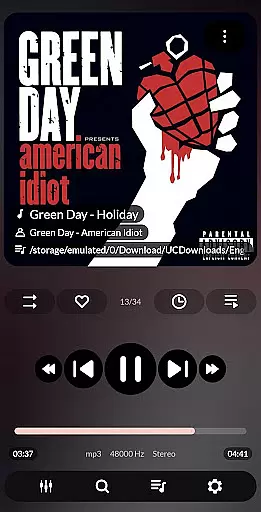


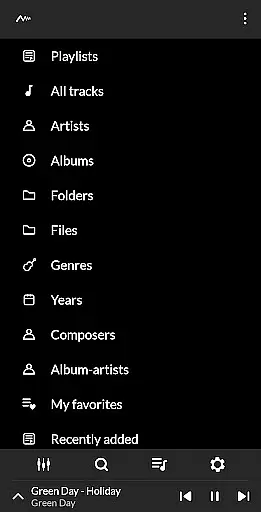
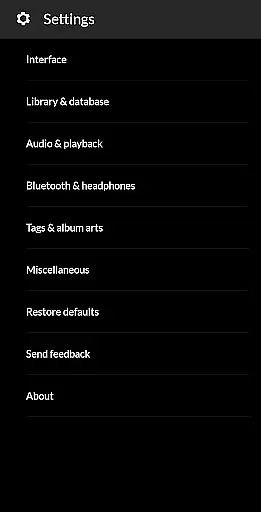
PowerAudio Plus Music Player is a feature-rich audio player designed to elevate your music listening experience. With its intuitive interface and advanced audio capabilities, the app supports all major audio formats including MP3, WAV, and AAC. Users can organize and browse their music library by albums, artists, playlists, or favorites, while enjoying high-quality sound enhanced by a powerful equalizer.
The app includes specialized tools such as BassBoost and Virtualizer, along with customizable presets for an immersive audio experience. Additional functionalities like sleep timer, custom queues, and multi-select options make it versatile for various listening preferences. Whether you're at home or on the go, PowerAudio Plus ensures seamless playback, even offering background play and auto-pause when headphones are disconnected.
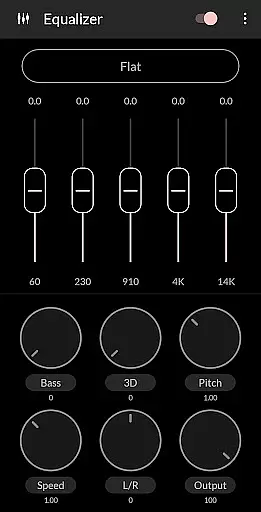
PowerAudio Plus Music Player stands out with its comprehensive set of features tailored for audiophiles and casual listeners alike. The app's equalizer offers multiple presets, allowing users to fine-tune audio output to their liking. Advanced options like BassBoost and Virtualizer enhance sound quality, while the ability to create custom presets ensures personalized listening experiences.
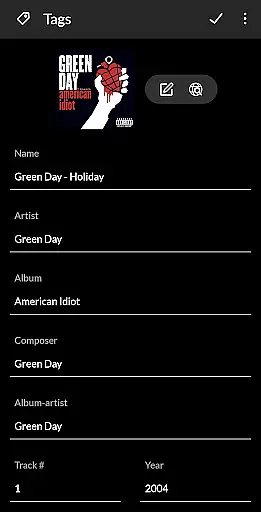
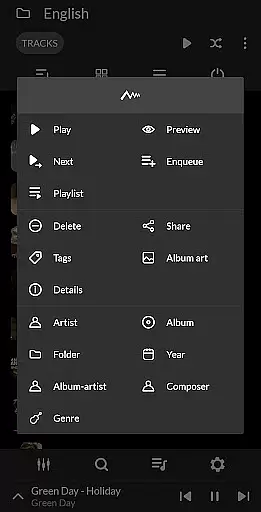
Beyond audio control, the app provides practical tools for music management. Users can create and edit playlists, sort tracks by name or date, and even delete unwanted songs directly from the interface. Features like the sleep timer, 'play next' option, and automatic headphone detection cater to user convenience. Additionally, the app allows sharing media files and setting phone ringtones, making it a versatile choice for managing your entire music library.
PowerAudio Plus Music Player offers an extensive music library that supports all major audio formats such as mp3, m4a, wav, aac, amr, and ogg. This ensures that users can enjoy a wide variety of music without worrying about format compatibility.
The application emphasizes copyright authenticity by providing features like setting phone ringtones and sharing media files, which encourage legal use of music. Users can be confident that their music experience is not only rich but also respects intellectual property rights.
With the ability to browse songs by albums, artists, or playlists, PowerAudio Plus makes organizing and accessing your music collection seamless. The app's support for creating custom playlists allows users to curate personalized music experiences.
Delivering best-in-class audio quality, PowerAudio Plus Music Player includes a powerful equalizer with BassBoost and Virtualizer. These features allow users to fine-tune their listening experience according to personal preferences or specific audio requirements.
Users can choose from a variety of music presets or create custom presets, ensuring optimal sound output tailored to individual tastes. This flexibility in adjusting audio settings elevates the overall quality of music playback.
In addition to superior audio controls, the player provides codec details such as bitrate, sample frequency, and channels. This transparency empowers audiophiles to make informed decisions about their music playback settings for the most immersive experience possible.
User-friendly interface
High-quality audio playback
Customizable equalizer settings
Supports extensive audio formats
Auto-pause on headphone disconnect
No built-in lyrics support
Limited visual themes
Occasional bugs in playlist management
Ads in free version
Requires storage permissions

 4.70
4.70
Formerly known as Spotistats! View your top tracks, artists, albums and more!
4.40
Offline and always ad-free - stream in the highest quality available.
4.10
Tune in to the greatest hits on UK Radio | The home of Capital, Smooth & Heart.
4.90
10-Band Audio Equalizer, Sound / Bass Booster for Spotify Users & Music Players
4.40
Visualize the guitar fretboard, master scales & play through changes like a pro!
4.50
Advanced 10-Band Audio Graphic Equalizer Sound Booster Pro
4.30
Next generation modular control surface
4.10
Voice recorder - Audio recorder. Best recorder for recording
4.90
Your song collections with lyrics and chords on Android smartphones and tablets.
4.80
Simple & Intuitive Metronome
4.70
Listen radio AM / FM Stations. Live AM / FM Radio App Station. Radio Com.
4.70
SqueezePlayer turns your Android phone or tablet into a SqueezeBox on its own!
4.60
Time Guru will strengthen your internal sense of musical time via random muting.
4.30
Time Trainer: accurate metronome w tools to help you develop your internal time!
4.20
VB-AUDIO Software / VBAN-Receptor allows listening to any VBAN Streams
4.10
Learn to play the piano using falling notes!
3.80
Slow music down without changing pitch.
3.70
The Skullcandy App Experience
3.20


User Reviews