
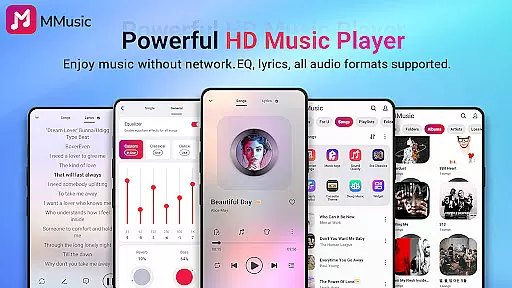
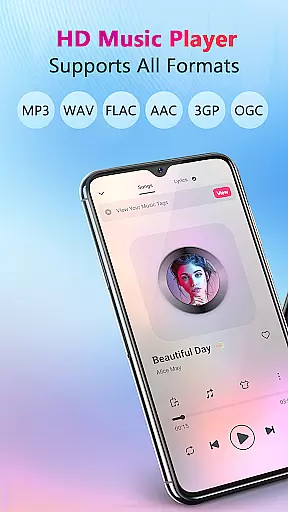

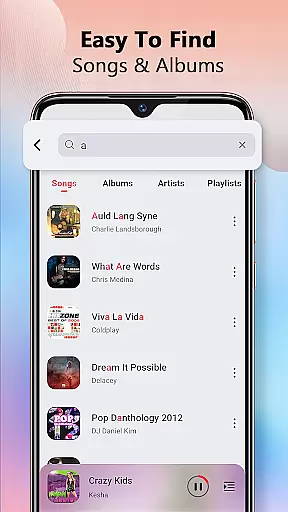
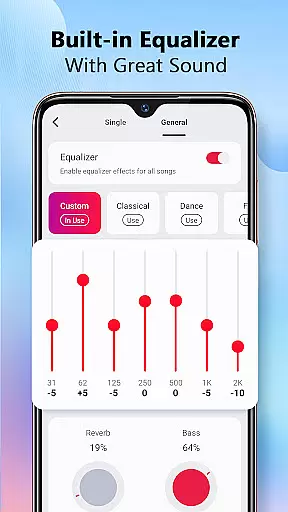

MMusic is a versatile offline music player for Android, offering high-definition sound quality and full format compatibility. This app supports MP3, FLAC, WAV, MIDI, AAC, APE, and more, ensuring every song sounds its best. With an advanced equalizer featuring presets for various music genres, users can customize their listening experience with bass boosts and reverb effects.
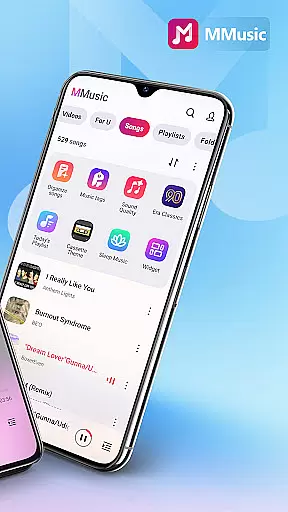
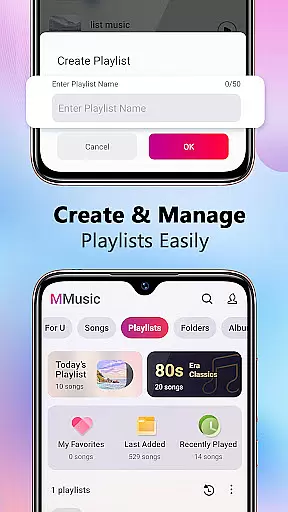
The app's user interface combines retro aesthetics with modern functionality, offering themes like tape and vinyl record styles. MMusic provides intelligent music management through automatic scanning and classification of audio files. Users can easily create playlists, search their music library, and enjoy features like lyrics display and background playback.
Perfect for audiophiles who value both style and substance, MMusic delivers an immersive music experience without requiring Wi-Fi. Whether commuting or traveling, you can enjoy your favorite tracks anytime, anywhere, with superior sound quality and intuitive controls.
MMusic stands out with its comprehensive feature set tailored for music enthusiasts. The app's powerful equalizer offers multiple presets including classical, rock, and dance, allowing users to fine-tune audio output to their preference. Advanced sound technologies ensure that whether you're listening to lossless FLAC files or streaming-quality MP3s, the audio remains crisp and clear.
User experience is at the core of MMusic's design. The app supports various playback options such as shuffle, loop, and repeat. It automatically organizes music libraries by artist, album, and folder, making navigation seamless. Smart playlists like Most Played and Recently Added help users discover their favorite tracks quickly.
Additional features include support for Bluetooth and wired headphones, background playback capability, and a stylish interface with customizable themes. These elements combine to create a music player that not only sounds great but also looks and feels modern and intuitive.
MMusic offers an extensive music library that supports all mainstream audio formats including MP3, FLAC, WAV, MIDI, AAC, APE, and more. This ensures full compatibility and allows every song to be presented in the best state possible.
The app's deep scan feature automatically refreshes and classifies your music library, making it easy to manage playlists, albums, and artists. With such comprehensive format support, MMusic truly achieves an unlimited music experience for its users.
Regarding copyright authenticity, MMusic respects user-loaded content and emphasizes the importance of legally obtained music. The app does not provide or distribute music files itself but focuses on giving users tools to enjoy their personal, legally acquired collections.
One of MMusic's standout features is its exceptional sound quality, thanks to advanced audio technology and a powerful equalizer. Every song is presented in high-definition sound, elevating the listening experience to new heights.
The built-in equalizer comes with amazing presets for various music genres like classical, dance, folk, and rock. Users can enhance their music with bass boosting, various reverb effects, and a music virtualizer, all tailored to individual preferences.
Additionally, MMusic supports high-quality audio playback through both Bluetooth and wired headphones, ensuring you get the best sound quality no matter your choice of listening device.
Full format support
Advanced equalizer
Intuitive UI
Offline playback
Smart playlists
Limited iOS support
No cloud sync
Heavy on storage
Occasional bugs
Ads in free version

Equalizer, Bass Booster and Volume Booster (Eq & Bass) improve sound quality
 4.30
4.30
The Music Journey in Your Hands
4.30
Taal player that lets you sing any Indian & Western song with Tabla & Tanpura
4.60
Most Advanced AI Song Generator and Music Creator. Rap, Pop, Rock, Gospel & more
4.70
Next generation modular control surface
4.10
Bass Booster & Volume Equalizer Pro improves your music and video sound quality
4.60
Turn your Android phone into a professional audio analyser with up to 120 bands.
4.00
Listen to offline music and sounds from all categories
4.70
Melody Beat: Great for travel, workouts, offline vibes, play your tunes anytime.
4.10
Listen to live FM radio stations, sports, music and news on global radios online
4.70
Ultimate Sonos Controller
4.70
Unleash your creativity! Turn simple prompts into full fledged songs.
4.70
Over 100 million tracks available for high quality streaming and download
4.60
The best music and audio player, with beautiful UI, music search and equalizer.
4.60
Fun & Easy Voice Changer – Record, Edit & Add Hilarious Effects!
4.50
Enjoy singing any song, no matter how high or low it is
4.30
Powerful 10-Band equalizer pro with sound booster improves Android audio quality
4.30
Smart piano keyboard, Classical to Pop, Real-time multiplayer connection!
4.20
Versatile MP3 recorder with auto-backup to Dropbox and Google Drive
4.10


User Reviews