
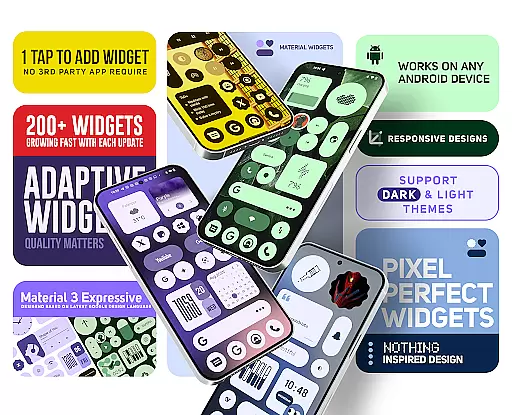
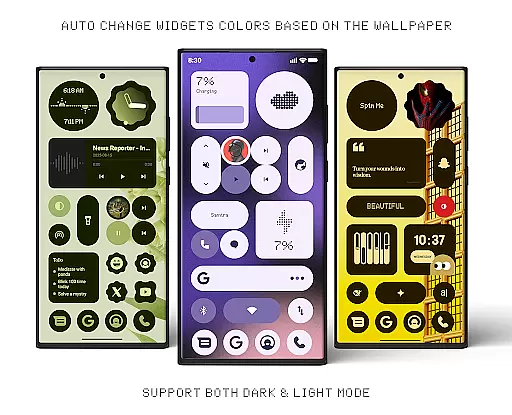
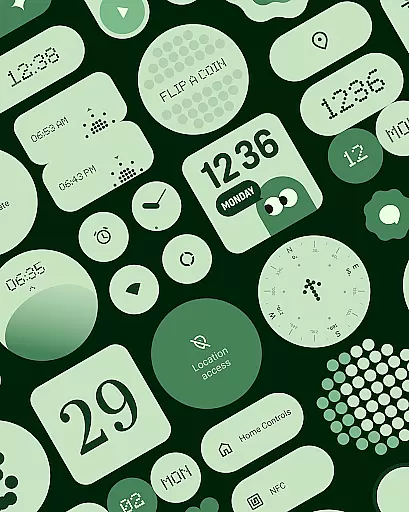
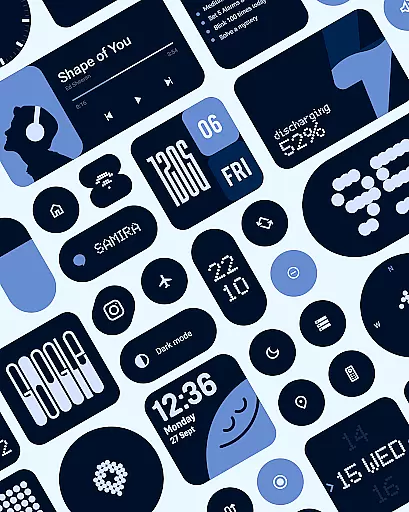
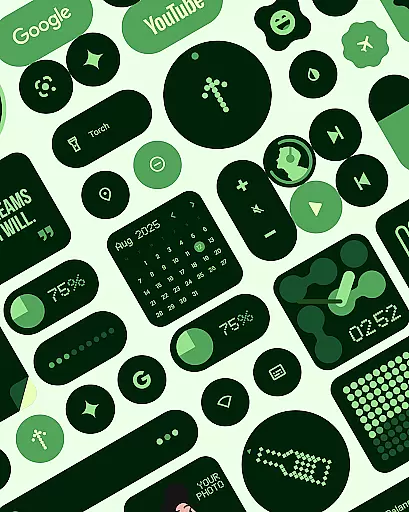
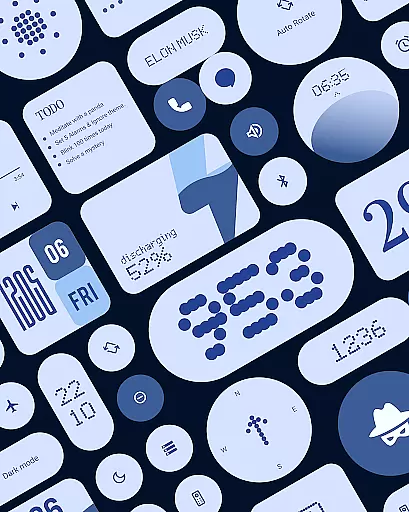
Material Widgets is a personalization app that brings Google's Material 3 design to your home screen. With over 200 widgets, it offers dynamic theming that adapts to your wallpaper and system colors, providing a fresh and unique look. The app supports both dark and light modes, ensuring a seamless experience.
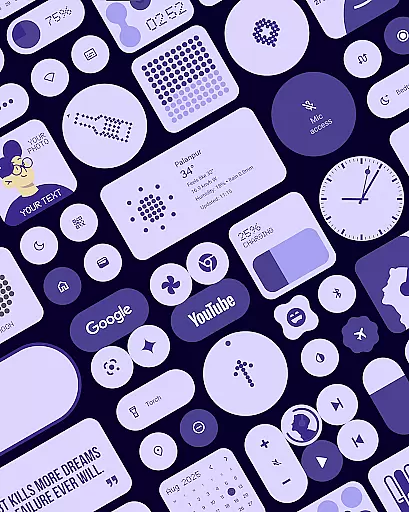
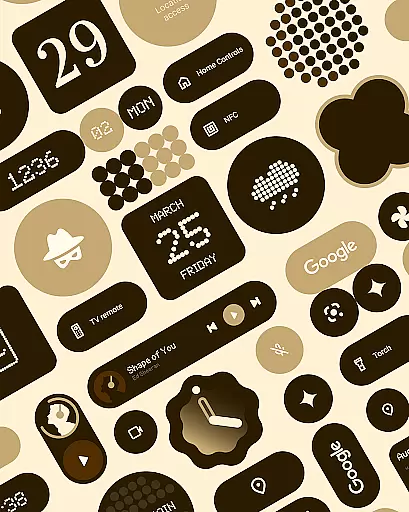
The widget collection includes clocks, calendars, weather indicators, and productivity tools, all designed with modern shapes and bold typography. These native widgets require no additional apps, making setup quick and easy. Users can resize and customize widgets for complete control over their home screen aesthetics.
One of the standout features of Material Widgets is its adherence to Google's Material 3 guidelines, offering an expressive design with vibrant colors and adaptive layouts. Each widget dynamically adjusts its appearance based on your wallpaper, creating a cohesive and personalized interface.
The app provides a diverse range of widgets including battery indicators, weather forecasts, and quick settings controls. These widgets are fully resizable, allowing users to create a customized layout that suits their preferences. Additionally, the inclusion of matching wallpapers enhances the overall visual appeal, completing the personalized experience.
Material Widgets offers an extensive range of customization options that allow users to tailor their home screens with over 200 widgets. These widgets include clocks, calendars, weather indicators, and productivity tools, all designed following Googleu2019s Material 3 guidelines.
The app provides resizable widgets that adapt seamlessly to different screen sizes and orientations. This flexibility ensures that whether you need a small clock widget or a full-screen calendar, the design integrity is maintained without any loss in quality or aesthetics.
Users can personalize not only the widget's functionality but also its appearance. The widgets dynamically adjust their colors based on your wallpaper, ensuring a cohesive look that feels fresh and unique to each user's personal style.
One of the standout features of Material Widgets is its exceptional theme compatibility. Every widget automatically adapts to both dark and light modes, providing a consistent experience regardless of your system settings.
This seamless integration extends beyond just color schemes; it includes modern shapes, bold typography, and dynamic theming elements that align perfectly with Googleu2019s Material You design philosophy. As a result, users enjoy an expressive interface where every element harmonizes beautifully with their chosen themes.
In addition to built-in themes, the app supports custom wallpapers which further enhance the visual appeal. With over 100 included wallpapers inspired by Material You, users have numerous options to create a personalized yet professional-looking home screen setup.
User-friendly interface
Dynamic color adaptation
Wide variety of widget types
No third-party app dependencies
Frequent updates with new widgets
Limited to Android devices
Some widgets may feel redundant
Design might not appeal to minimalists
Occasional performance lags
Advanced customization requires learning curve

A light in the dark, a unique style and an andless cutomization!
 4.30
4.30
Transform your phone with Launcher iOS 26 - Smooth & elegant iOS experience
4.50
Adult video chat, dating, making friends, random matching
4.20
Ultimate widget creator. Design custom widgets for a truly unique home screen!
3.90
Adaptive Dot Style IconPack with Light & Dark Theme.
3.70
Vibrant Adaptive Icons with Material You and Enhanced Monet Colors.
4.50
Design your screen with unique, vibrant clocks
3.80
HappyLighting is a Bluetooth lamp control software.
3.40
Your home screen, just the way you like it.
4.30
100+ Stylish Fonts, Emojis, Symbols keyboard for Instagram & TikTok!
4.80
Enjoy a variety of amazing live wallpapers and colorful EDGE lighting borders!
4.80
Vertically oriented rectangular icons
4.70
Nothing Icon pack with more than 3750+ highly crafted icons.
4.70
Classic analogue watch face. For wear os devices.
4.60
Bring adorable pets to life on your screen. Playful, interactive and full of fun
4.60
Crystal-clear, square icon provides a sleek and sophisticated visual upgrade
4.00
Create unique, fun emojis with Funny Emoji Maker! Unlimited creativity!
4.00
Your go to Weather App & Home Screen. Get your weather at a swipe of a finger!
3.80
Custom edge gestures for volume control, brightness, apps, and shortcuts.
4.3


User Reviews