Google Translate is a versatile translation tool that supports text translation between 108 languages. The app offers multiple translation methods including tap-to-translate, offline mode, and instant camera translation, making it an essential companion for travelers, students, and professionals.
With features like photo translation, real-time conversation mode, and handwriting recognition, the app ensures accurate translations in various contexts. Its cross-device syncing allows users to access their saved phrases across platforms, while the transcription feature enables near real-time translation of spoken language.
This application is particularly useful in multilingual environments, helping users overcome language barriers in both personal and professional settings. The comprehensive language support, including less common languages, makes it an indispensable tool for global communication.
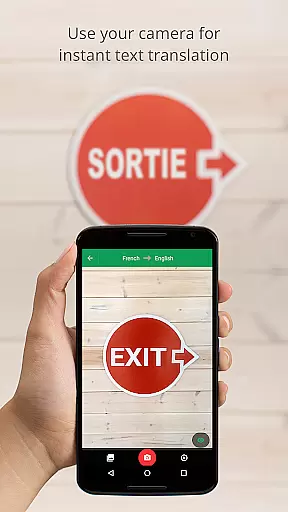
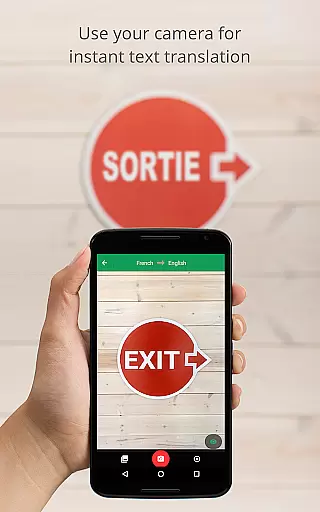
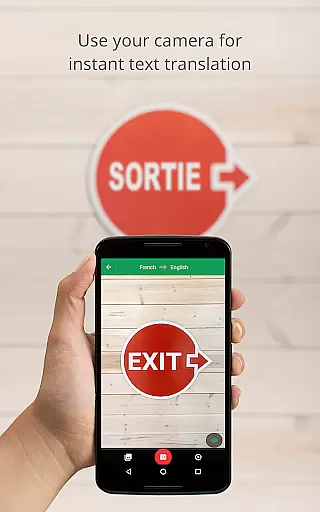
Google Translate stands out with its diverse translation capabilities. The app's instant camera translation supports 94 languages, allowing users to translate text from images in real time. The offline mode, available in 59 languages, ensures functionality even without internet connection.
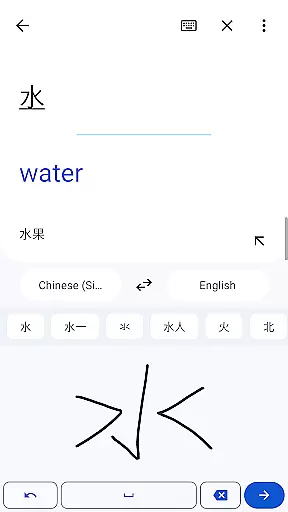
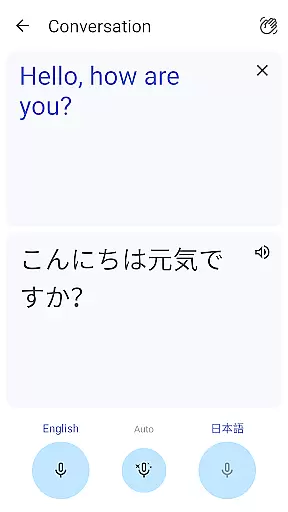
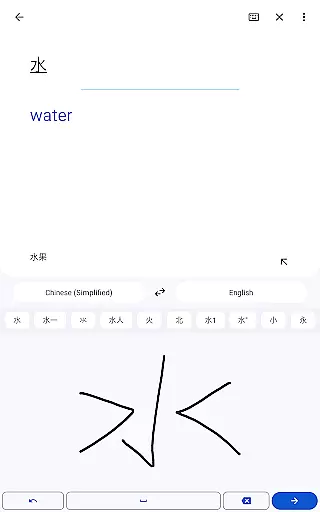
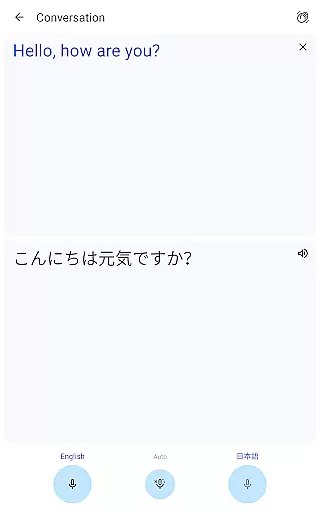
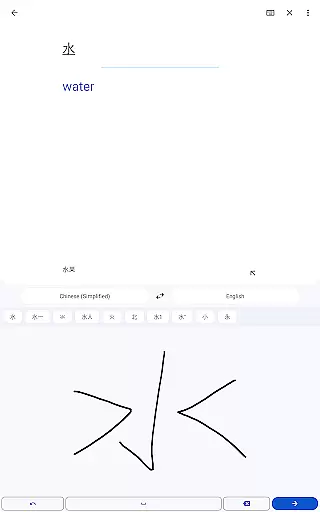
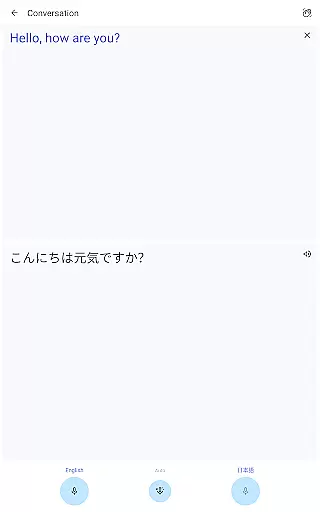
The conversation feature facilitates bilingual dialogues in 70 languages, while the handwriting recognition supports 96 languages. The phrasebook function lets users save frequently used translations, and the transcription feature provides continuous translation in 8 languages.
What sets Google Translate apart is its ability to handle complex translation scenarios with ease. From translating street signs abroad to facilitating international business meetings, the app delivers reliable performance across different use cases.
Google Translate's core functionality lies in its ability to deliver accurate translations across 108 languages. This is achieved through advanced machine learning algorithms that continuously improve based on user interactions and feedback.
The app offers multiple translation modes including text, voice, camera, and even handwriting recognition. Each mode is designed to provide precise translations while maintaining contextual relevance, ensuring users can communicate effectively regardless of the language barrier.
Offline translation support for 59 languages makes the app reliable even without an internet connection. The instant camera translation feature, available in 94 languages, allows users to get real-time translations by simply pointing their camera at text, making it invaluable for travelers and multilingual professionals.
With specialized features like bilingual conversation mode and transcription capabilities, Google Translate ensures seamless communication in both personal and professional settings. These features demonstrate the app's commitment to providing effective solutions for diverse translation needs.
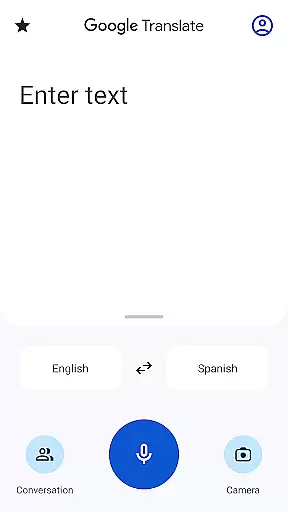
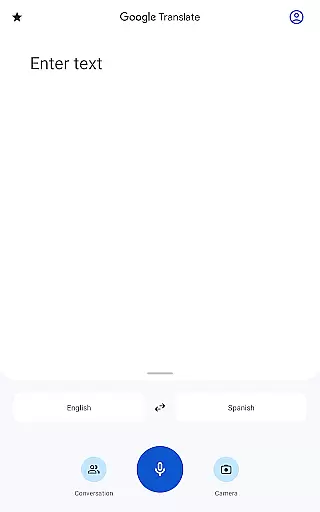
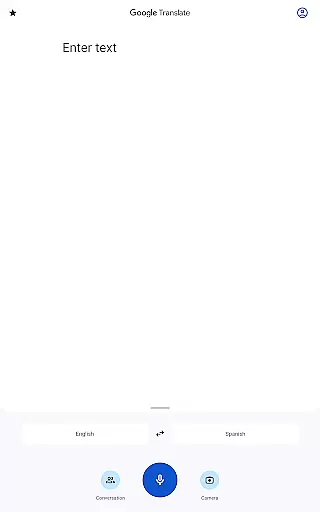
The interface of Google Translate is designed with simplicity and user-friendliness in mind. The clean layout ensures that even first-time users can navigate the app effortlessly, finding the specific translation tool they need within seconds.
Key features are strategically placed for easy access. For instance, the microphone icon for voice translation and the camera icon for visual translation are prominently displayed, allowing users to switch between modes without any learning curve.
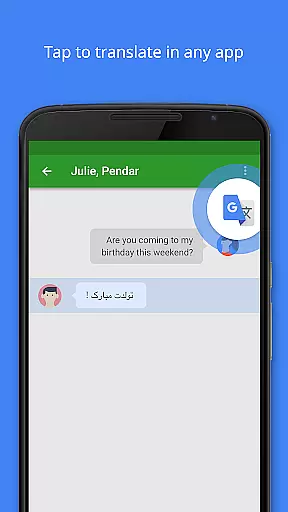
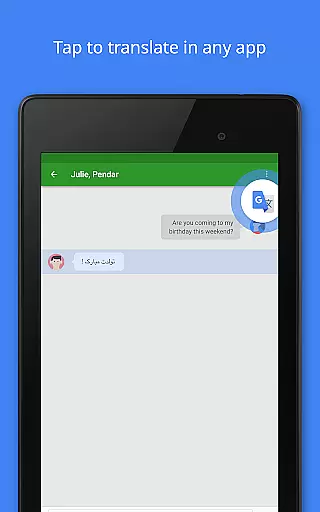
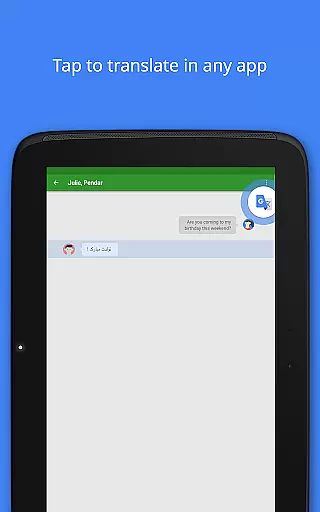
Tap to Translate functionality enables users to copy text from any app and instantly see the translation, streamlining the process of understanding foreign language content. This seamless integration with other applications enhances the overall user experience.
Despite offering complex translation capabilities, the app maintains an intuitive design throughout all its features. From phrasebook management to offline mode activation, every function is presented in a straightforward manner, making language translation accessible to users of all technical backgrounds.
Wide language support
Offline functionality
Real-time translation
Handwriting recognition
Cross-device syncing
Limited offline languages
Occasional accuracy issues
Requires storage space
Ads in free version
Complex UI for new users

ADB support Android 4.X-Android 13(Support wireless pair mode).No root required!
 4.70
4.70
PC precision for mobile gaming: dominate with keyboard and mouse!
4.30
Monitor car performance in real time and troubleshoot malfunctions.
4.80
Bedrock Together: Join any bedrock server on Xbox/PS
4.80
Connect wirelessly to your computer to watch movies, browse the web, play games
5.00
Button mapper, mouse toggle, sleep timer and a lot of another features
4.50
Creation, Learning, Entertainment & More — The All-in-One AI Search Engine
4.70
A clean app.
4.50
Enjoy a smooth mobile reading experience!
3.60
Best leveling tool for your Android device. Hang paintings like a pro.
4.90
FV File Manager Pro, Fast and powerful file manager for Android
4.60
Canon PRINT is a companion app for your Canon printer.
4.60
The Ultimate Bluetooth Keyboard & Mouse. Securely control your PC, Mac, and more
4.50
Screen Mirroring for Roku Sticks, Roku TCL TV and Roku Hisense TV
4.50
Just swipe the edge to do something!
4.40
Mirror your screen to Fire TV - Super fast and simple
4.40
Quickly & easily calculate the spacing of handrail balusters
4.20
A powerful, easy-to-use flight computer on your phone or tablet!
3.80
Safely recover deleted photos, videos, and files with a single easy tap.
3.70


User Reviews