
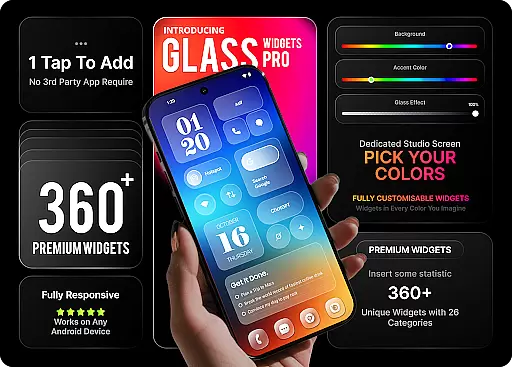
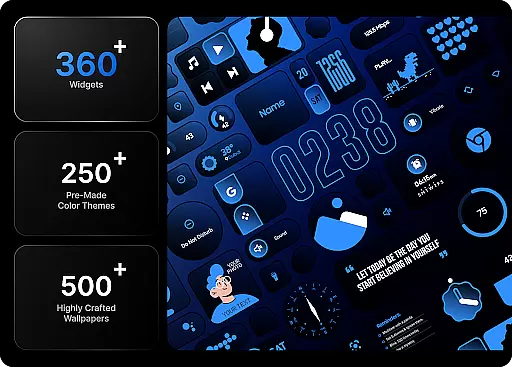
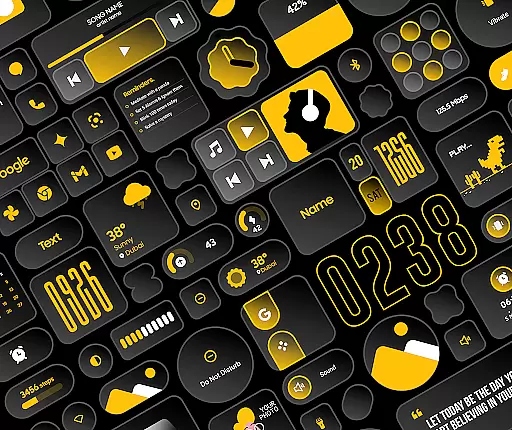
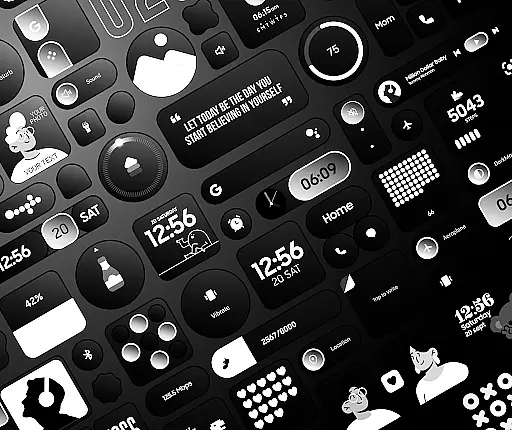
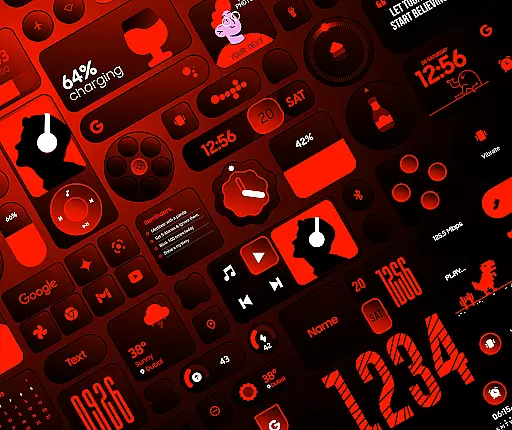
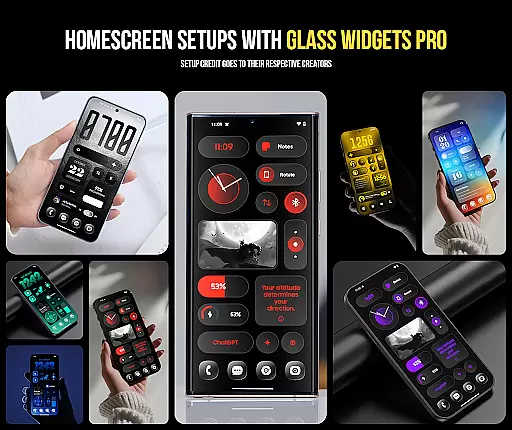
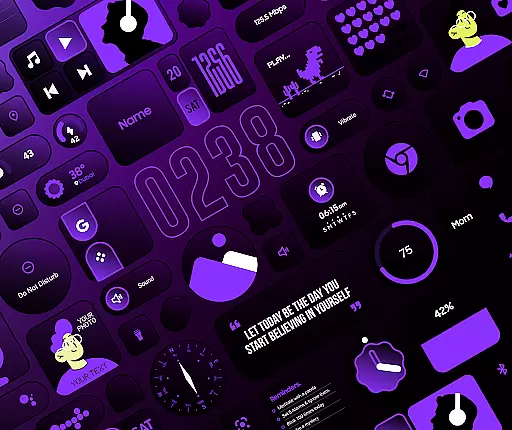
Glass Widgets Pro is a premium personalization app that transforms your smartphone's home screen with fully customizable widgets featuring stunning glass effects. This app offers over 360 unique widgets, 500 curated wallpapers, and 250 color templates, allowing users to create a modern, transparent aesthetic tailored to their preferences.
The app stands out through its native functionality, eliminating the need for additional widget-building apps like KWGT. With categories ranging from clock and weather widgets to productivity tools and photo displays, it provides comprehensive customization options for every aspect of your home screen. Whether you're looking to enhance utility or express individual style, Glass Widgets Pro delivers both form and function.
Perfect for users who want a personalized yet cohesive home screen design, this app ensures an impressive look while maintaining optimal usability. Its combination of beauty and practicality makes it ideal for anyone seeking to elevate their device’s appearance without sacrificing performance.
Glass Widgets Pro boasts an extensive range of features designed to offer unparalleled customization capabilities. The standout feature is the glass effect applied across all widgets, giving them a sleek, modern appearance that enhances any home screen layout. Users can adjust background colors, accent hues, and opacity levels to achieve a truly unique visual style.
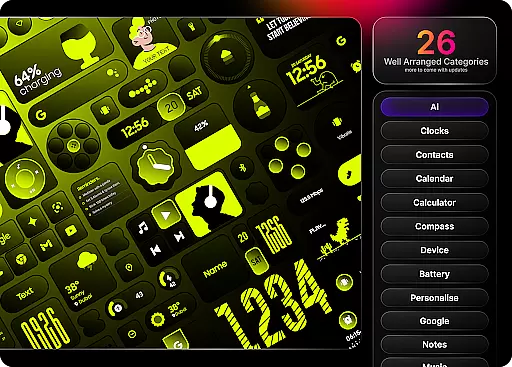
In addition to aesthetic controls, the app includes functional widgets spanning 27 categories such as clocks, weather updates, battery indicators, quick settings toggles, and productivity aids like to-do lists and reminders. Each widget type supports various styles—digital, analog, minimalist—and integrates seamlessly into daily workflows. Furthermore, the inclusion of 500+ matching wallpapers ensures that users can complete their setup with complementary visuals.
What sets Glass Widgets Pro apart is its ease of use combined with depth of options. Unlike other customization apps requiring third-party plugins, this app operates natively on your device. With intuitive controls and professionally designed templates, even beginners can achieve polished results effortlessly.
Customization is at the heart of Glass Widgets Pro, offering users an extensive array of options to personalize their home screens like never before. With over 360 premium widgets available, this application allows for a level of personal touch that caters to every user's unique style and preference.
The app provides more than 250 color templates, ensuring that whether you favor a minimalist design or something more vibrant and eye-catching, there's a template for you. Users can adjust background colors, accent colors, and even control the background glass opacity, crafting a look that resonates with their personal aesthetic.
Beyond colors, the widget categories span 27 distinct types, including clocks, weather, battery indicators, and productivity tools. This diversity ensures that functionality meets style, allowing users to not only express themselves visually but also enhance their device's utility.
By integrating seamlessly with the device, without the need for additional applications such as KWGT, Glass Widgets Pro stands out by simplifying the customization process. Users can instantly tap, add, and customize widgets, making their home screen not just personalized, but genuinely theirs.
Glass Widgets Pro excels in theme compatibility, ensuring that every widget not only looks great on its own but also complements the overall theme of your device. The inclusion of over 500 curated wallpapers means that users have a vast selection of backgrounds that are specifically designed to match the glass effect widgets.
This harmonious blend of widgets and wallpapers creates a cohesive look that enhances the visual appeal of any home screen. Whether you prefer sleek and modern designs or something more artistic and colorful, the app has a wallpaper to suit every taste and theme.
Moreover, the app's ability to work natively without requiring external apps ensures that themes are applied consistently across all widgets. This seamless integration guarantees that no matter which widget you choose, it will maintain the high-quality appearance and feel that complements your chosen theme.
With regular updates promising even more content, users can look forward to continuously expanding their customization options while maintaining exceptional theme compatibility, ensuring their devices always look impressive and perform optimally.
Extensive Customization
Stunning Glass Effects
User-Friendly Interface
No Extra Plugins Needed
Wide Range of Widgets
Premium Price Tag
Occasional Performance Lags
Limited Free Options
High Device Resource Use
Complex for Beginners

Vertically oriented rectangular icons
 4.70
4.70
Gun Chase - Let the chase begin.
4.80
Shimeji adds cute animated characters to your screen, lively and fun.
4.70
Want to make your phone more special than ever?
4.60
Customize your home screen with stunning themes, blur, widgets & icons.
4.60
Embrace the Night. Unleash the power of darkness with Raven Dark Icon Pack
4.60
Amazing letter fonts in your messages and social statuses
4.70
Fast SMS & group chat - use GIFs and emojis from your home screen launcher.
4.50
Cool custom fonts & keyboard themes! Symbols & font changer for Instagram
4.50
Enjoy a variety of amazing live wallpapers and colorful EDGE lighting borders!
4.80
A retro cartoon style watch face and a punch right in the face of the copyright
4.60
Customizable screen pets that play, climb, and keep you company.
4.50
Aesthetic Widgets, HD Wallpapers, Themes in Mico Widget for Home and Lock Screen
4.50 4.50
4.50
Fingerprint Lock Screen & Live Animations with 4K Wallpapers as Live Wallpaper
4.40
Transform your device in a game console
4.40
Unleash Your Creativity and Connect with Loved Ones with Lockscreen Drawing!
4.20
Crystal-clear, square icon provides a sleek and sophisticated visual upgrade
4.00
Custom edge gestures for volume control, brightness, apps, and shortcuts.
4.0


User Reviews