
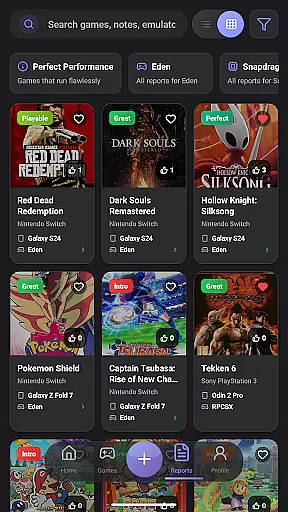
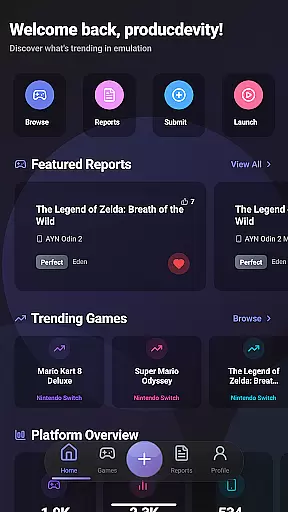
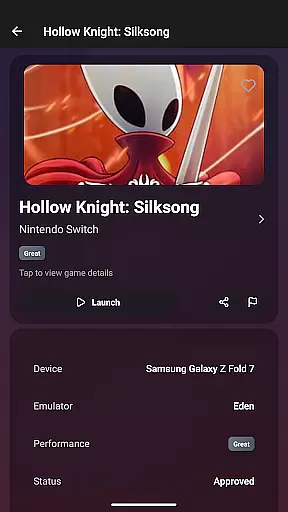
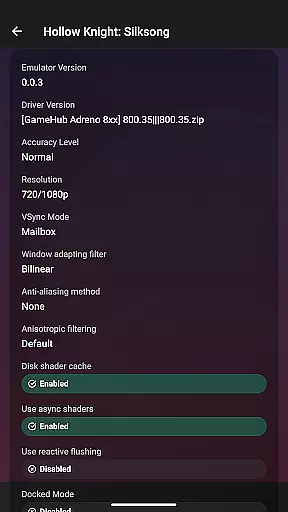
EmuReady Beta is a comprehensive emulation compatibility tool designed to help users discover the best gaming experience on their devices. The app provides detailed compatibility reports for various games, emulators, and devices, ensuring optimal performance without wasting time on trial and error.
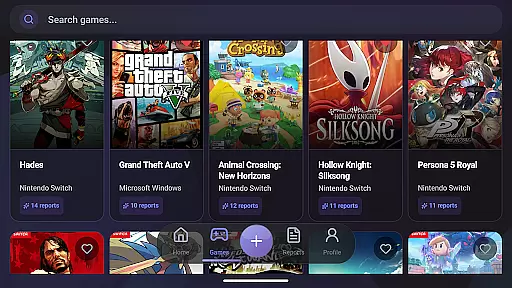
One of its core features is the extensive game compatibility database, allowing users to browse thousands of games and instantly see how they perform across different devices and emulators. Additionally, EmuReady offers community-driven reports, device-specific information, and multiple emulator support, making it easier than ever to find the perfect setup for your gaming needs.
Whether you're a retro gaming enthusiast or a seasoned pro, EmuReady Beta serves as an essential companion by providing valuable insights into game performance metrics, including FPS and playability ratings. This ensures that users can enjoy a seamless gaming experience tailored to their specific hardware.
EmuReady Beta stands out with its rich array of features designed to enhance the emulation experience. One of the key highlights is the game compatibility database, which contains thousands of entries detailing how different games perform on various devices and emulators. This feature saves users significant time by eliminating guesswork.
The app also incorporates community reports where real users share their experiences, offering performance ratings, custom settings, and helpful notes. These reports are complemented by device-specific information, ensuring that users receive tailored advice based on their exact device model. Furthermore, EmuReady supports multiple emulators, enabling users to compare performance across different systems like Nintendo Switch and 3DS.
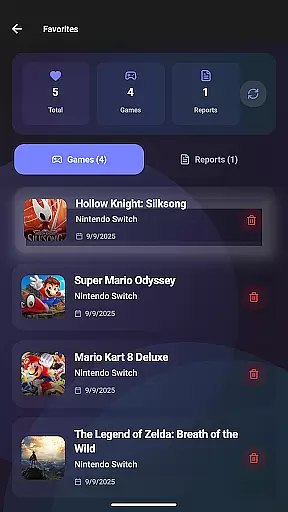
Additional features include smart filtering options, a vote and comment system, performance tracking, and a favorites list to keep track of interesting games. With dark mode for comfortable viewing, EmuReady Beta delivers a complete package for anyone looking to optimize their emulation setup efficiently.
EmuReady Beta focuses on providing accurate and effective core functionalities that cater to the needs of emulation enthusiasts. The app's Game Compatibility Database allows users to browse thousands of games, offering instant insights into how each game performs across different devices and emulators. This feature ensures that users can make informed decisions about which games are likely to run smoothly on their specific hardware.
The app supports its accuracy through community-driven reports. Real user experiences contribute to detailed compatibility reports, complete with performance ratings and custom settings. These reports are tailored to specific device models, ensuring that the information is relevant and reliable for each user's unique setup. By comparing performance across multiple emulators, EmuReady helps identify the best emulator for each game, enhancing the overall effectiveness of the emulation experience.
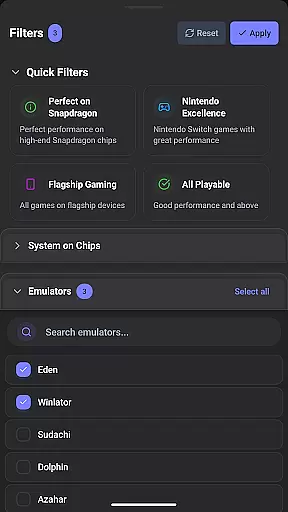
Smart filtering options further boost the app's utility by enabling users to filter reports based on various criteria such as device, emulator, and performance rating. This makes it easy to find exactly what you're looking for quickly. Additionally, the vote and comment system encourages community engagement, allowing users to upvote helpful reports and share their own experiences, thus continually improving the quality and reliability of the information provided.
Despite being in Beta, EmuReady Beta boasts a simple and intuitive interface designed to enhance user experience without overwhelming them with complexity. The app provides an easy-to-navigate platform where users can effortlessly search for games by title, system, or browse through an extensive catalog. This straightforward approach ensures that even newcomers to emulation can quickly get the hang of using the app effectively.
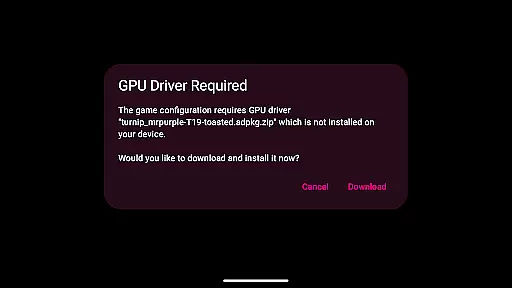
One of the standout features contributing to the app's intuitiveness is the one-press launch capability. Users can apply all necessary settings and start playing a game with just a single press, streamlining the entire process. This seamless integration of functionality not only saves time but also significantly reduces the learning curve associated with configuring games manually.
Furthermore, EmuReady offers a comfortable viewing experience with its Dark Mode, which includes automatic theme switching for day or night use. This attention to user comfort underscores the app's commitment to delivering an intuitive and user-friendly interface. Whether you're a seasoned pro or new to the world of emulation, EmuReady's design ensures that you can focus on enjoying your games rather than struggling with complicated settings.
User-friendly interface
Extensive game database
Community-driven reports
Device-specific guidance
Multiple emulator support
Beta version limitations
Occasional bugs
Limited emulator options
No direct download links
Dependent on user input

 4.50
4.50
PDF Reader - Document Viewer: Read, Manage & Organize Your Documents
3.10
Optimize your WiFi network, turn your phone into Wifi Analyzer
4.70
Undelete and recover your lost or deleted files with DiskDigger!
3.40
With videos, electrical calculators, and built-in ebook, Ugly’s has your answer.
4.50
The Ultimate Bluetooth Keyboard & Mouse. Securely control your PC, Mac, and more
4.50
Fast Video Downloader, Movie Downloader, Torrent Downloader & Adblock Browser
4.70
Play your X-Box games remotely in 1080p with any controller and zero latency
4.60
The Ultimate Flex Drivers Utility App - Convenient Tapping & Block Filters
4.70
Support Fossify apps with a warm thank you!
5.00
Bedrock Together: Join any bedrock server on Xbox/PS
4.80
Connect instantly to a fast, encrypted VPN with one tap
4.60
FV File Manager Pro, Fast and powerful file manager for Android
4.60
HD Video player and downloader for all formats, fast & smooth 4K video playback.
4.60
Planner and Tracker for Stardew Valley
4.60
Head tracking for PC sim games such as MSFS 2024 or Elite:Dangerous. No headset!
4.50
pdf merge, word to pdf, jpg to pdf, edit pdf, convert to pdf and much more!
4.20
Safely recover deleted photos, videos, and files with a single easy tap.
3.70
Transfer Files, APK from Phone to Watch & Install.
4.5


User Reviews