
Palia Notebook is a comprehensive companion app designed specifically for players of the video game Palia. This ad-free tool helps users efficiently manage their daily interactions with in-game villagers, including tracking chats, gifts, schedules, and locations. The app also enables players to monitor their inventory, create tasks, track processing items like preserves and seeds, and manage achievements offline.
One of the standout features of Palia Notebook is its ability to display real-time villager information such as current location and schedule updates that sync with game time. Additionally, it offers advanced search capabilities, allowing users to filter items by various criteria like location and time. This makes planning in-game activities more streamlined and efficient. Whether you're managing villager relationships or optimizing item processing for profit, this app provides valuable assistance to enhance your Palia gaming experience.
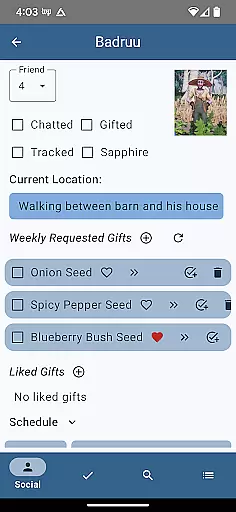
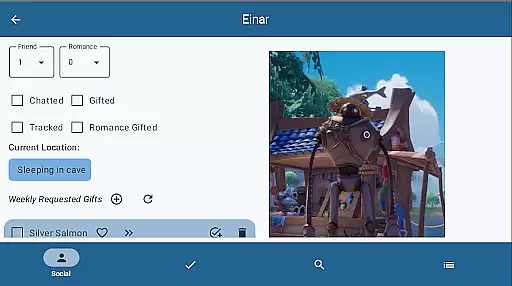
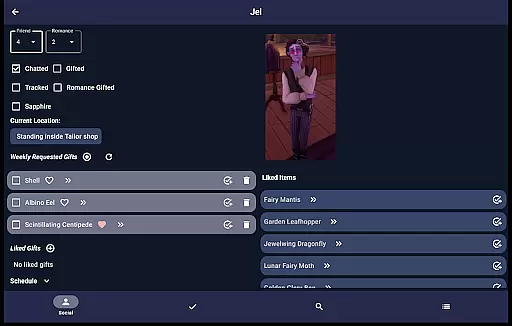
Palia Notebook offers an impressive range of features tailored to enhance the Palia gaming experience. The Villager screen allows players to track detailed interactions including chat status, gift-giving history, schedules, and preferences. These statuses automatically update based on the game's internal clock, ensuring accuracy without manual input.
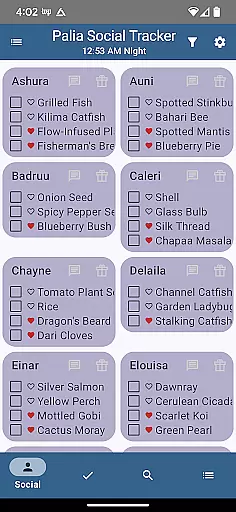
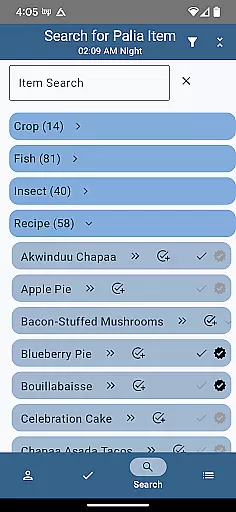
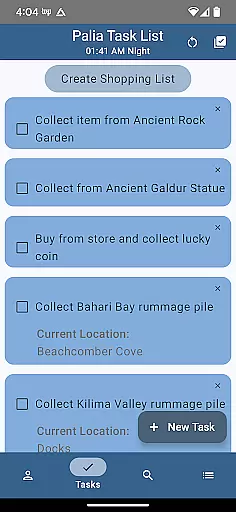
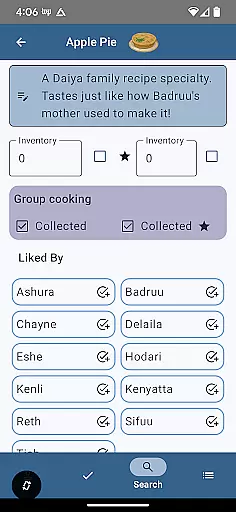
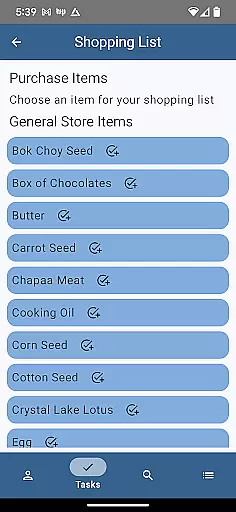
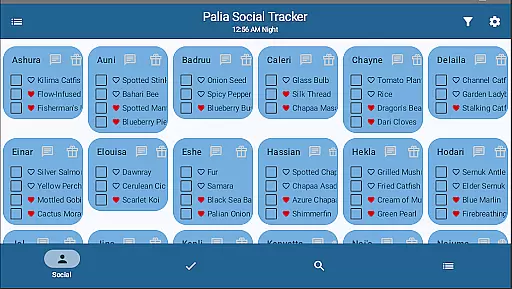
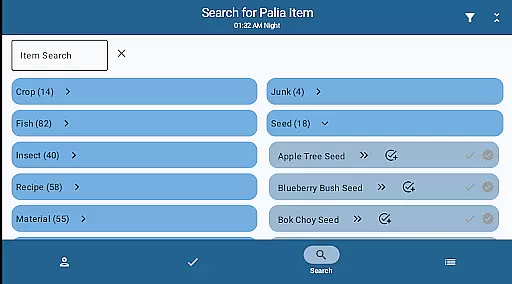
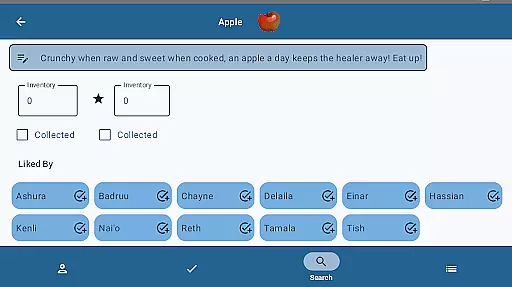
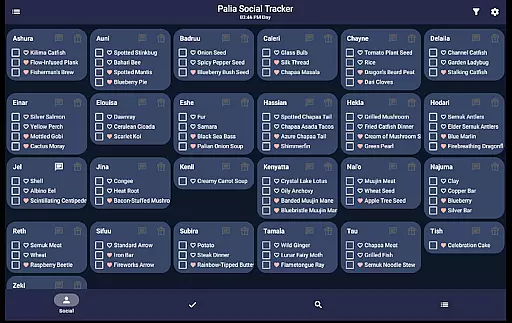
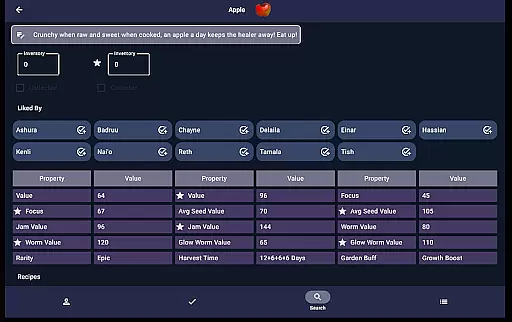
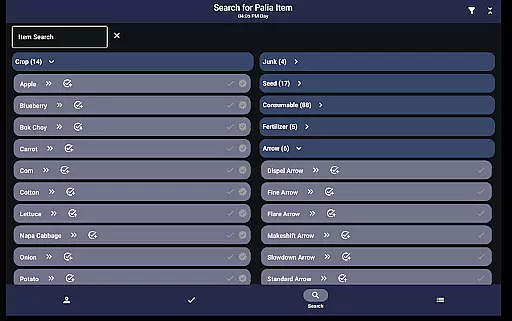
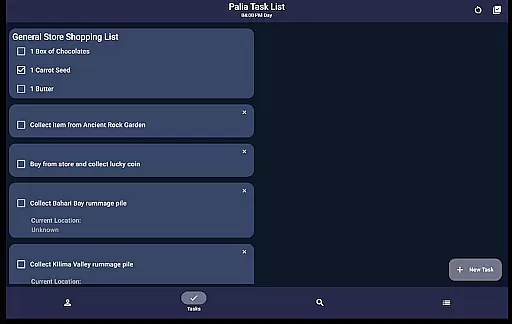
The app includes dedicated screens for Social Tracking, Task Management, and Item Cataloging. The Social Tracker lets users view all villagers at once, filtering those who need interaction. The Task Edit screen facilitates task creation and management, even linking multiple tasks together. Meanwhile, the Items screen displays comprehensive details about each item, including processing values for profit optimization. Lastly, the Search screen provides powerful filtering options by category, location, and time, making resource planning more efficient.
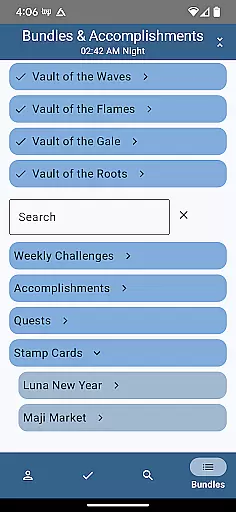
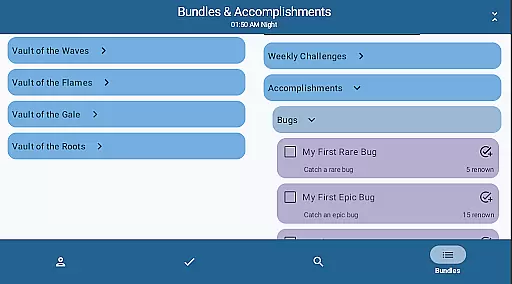
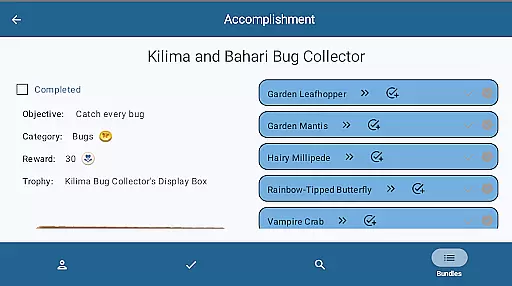
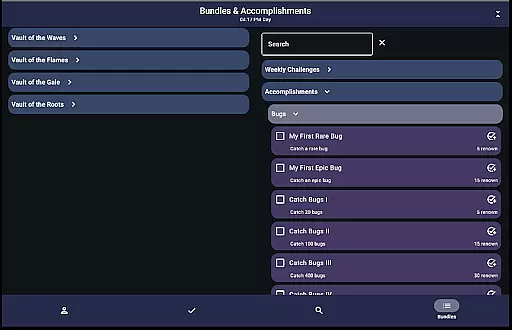
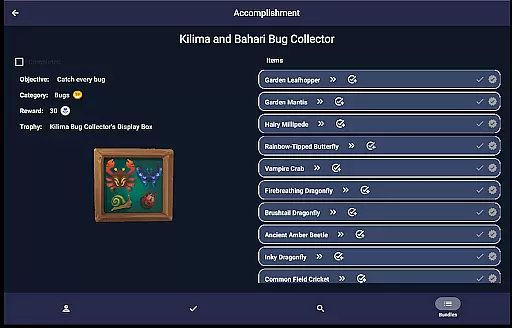
Additional features include bundle and accomplishment tracking, furniture set filtering, and real-time game time display. Each feature is designed to save time and improve gameplay efficiency, making Palia Notebook an indispensable tool for both casual and hardcore players.
Palia Notebook is designed to enhance your gaming experience by providing accurate tracking of villager interactions, inventory management, and task organization. The application ensures that every chat, gift, and schedule is precisely updated in real-time with the game time, allowing players to focus on enjoying Palia without manually keeping track of these details.
The app's functionality extends to its ability to track items through a comprehensive system that includes filtering by various parameters such as location and time. This feature helps players strategize their in-game activities efficiently, ensuring they maximize their resources and profits from item processing. With precise data on villager preferences and item properties, users can make informed decisions about gifting and trading within the game.
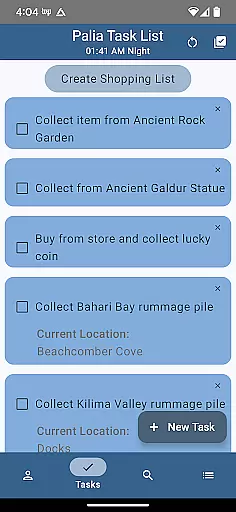
Additionally, the task management system in Palia Notebook allows for complex task dependencies and requirements, making it an effective tool for planning and executing in-game strategies. Players can create tasks that are intricately linked, ensuring a streamlined approach to achieving their gaming goals. This level of detail and interconnectivity highlights the app's commitment to accuracy and effectiveness.
The user interface of Palia Notebook is crafted to offer a seamless and intuitive experience. Each screen is designed with clarity in mind, presenting information in an organized manner that is easy to navigate. For instance, the Villager screen consolidates all essential details about each character, including their schedules and likes, into a single, easily accessible location.
In the Social Tracker screen, players can quickly view their interactions with all villagers at a glance. The ability to filter and search for specific items or villagers simplifies the process of managing relationships and resources. This thoughtful design reduces the cognitive load on users, allowing them to focus on strategic gameplay rather than information hunting.
Moreover, the Task Edit and Items screens provide straightforward controls for creating and managing tasks and inventory. By displaying relevant data such as item values and villager preferences, the app empowers users to make quick, informed decisions. This simplicity and intuitiveness in design ensure that players of all skill levels can utilize Palia Notebook effectively, enhancing their overall gaming experience.
User-friendly interface
Comprehensive villager tracking
Offline functionality
Real-time data syncing
Advanced search filters
Limited to Palia game
No iOS version available
Requires manual updates
Third-party developed
Some features still in development

 4.10
4.10
Easily install aab(Android App Bundle) files on your Android device with our app
4.80
A non-root local ADB shell client. READ BELOW!
3.40
Unleash gamepad precision for ultimate mobile gaming dominance.
3.90
Powerful collection of electronics tools and reference.A must for any enthusiast
4.90
Fast Video Downloader, Movie Downloader, Torrent Downloader & Adblock Browser
4.70
Game Booster, GFX Tool is now compatible with newer game update
4.50
Introducing Smart Printer, your ultimate destination for printing solutions!
4.00
Enhance your Beats
3.70
Best leveling tool for your Android device. Hang paintings like a pro.
4.90
Bedrock Together: Join any bedrock server on Xbox/PS
4.80
Remote Play with FSR upscaling, low latency & full controller support
4.80
Connect instantly to a fast, encrypted VPN with one tap
4.60
Mirror your screen to Chromecast and Android TV - Super fast and simple
4.60
Planner and Tracker for Stardew Valley
4.60
PC precision for mobile gaming: dominate with keyboard and mouse!
4.30
Remote for Roku, Fire TV, Samsung TV, LG TV, Android TV, Chromecast and VIZIO TV
4.20
Carry a FTP server in your pocket and avoid USB cables for file transfer
4.20
Create your own custom widget with endless possibilities
3.90


User Reviews