
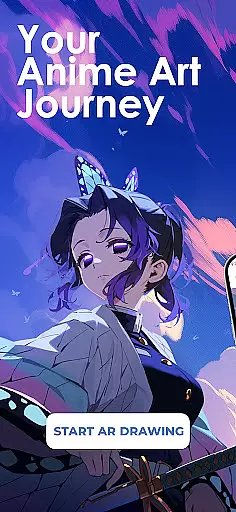
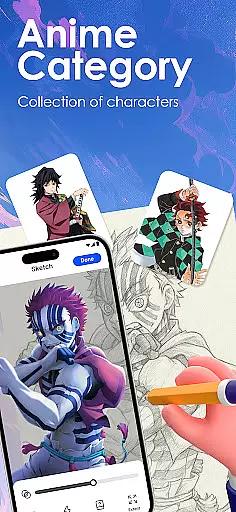
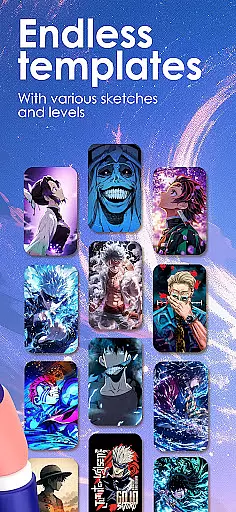
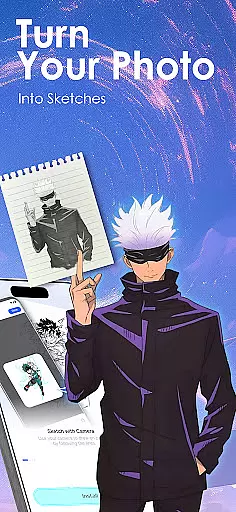
Draw Anime: AR Sketch & Trace is a revolutionary drawing application designed specifically for anime enthusiasts and artists. This app combines the power of augmented reality (AR) with traditional sketching techniques, allowing users to bring their anime ideas to life with ease. Whether you're a beginner or a professional artist, this tool offers an intuitive platform to draw, sketch, and trace anime characters with precision.
The app's standout feature is its AR Guidance technology, which projects clear outlines onto paper through your phone's camera. This allows users to confidently trace anything from anime characters to real-life objects. Additionally, Draw Anime provides a comprehensive library of templates covering various styles such as anime, manga, and chibi, catering to different skill levels. With guided tutorials and lessons tailored to individual progress, it creates a personalized learning experience that helps users improve their anatomy, proportions, and overall art techniques.
This app is particularly useful for those looking to develop their anime drawing skills while leveraging modern technology. By offering features like importing personal photos for tracing, adjustable opacity settings, and video recording of the drawing process, it ensures unlimited creative possibilities. The ability to share finished artwork with a community of like-minded creators adds another layer of value, making it an essential tool for anyone passionate about anime art.
Draw Anime: AR Sketch & Trace stands out with its innovative use of augmented reality to assist in the drawing process. One of its key features is the AR Guidance system, which uses your phone's camera to project outlines onto paper, enabling precise tracing of both preloaded templates and custom designs. This functionality is complemented by a vast and growing library of anime-specific content, including manga, chibi, and fanart templates, ensuring there's something for every style and skill level.
Beyond just tracing, the app offers structured learning paths for users. It breaks down complex pictures into simple sketch outlines, making it easier for beginners to follow along. Intermediate and expert users can access more advanced lessons that focus on improving specific aspects of anime art, such as anatomy and proportions. The app also includes detailed video tutorials that inspire creativity and provide step-by-step guidance through various drawing techniques.
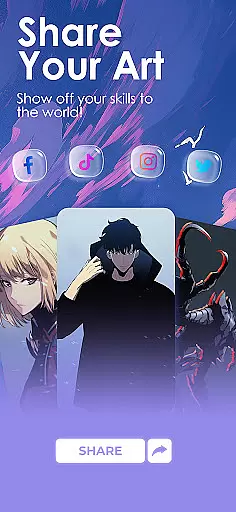
Additional notable features include the ability to import personal photos and convert them into traceable outlines, adjustable drawing settings like opacity and zoom, and a feature to record your drawing process. These tools not only enhance the user's creative freedom but also allow them to track their progress over time. Furthermore, the app fosters a sense of community by enabling users to share their artwork and progress videos, creating an environment where artists can learn from and inspire each other.
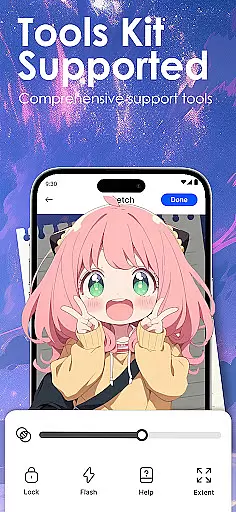
In the realm of digital artistry, having a comprehensive set of creative tools is paramount. Draw Anime: AR Sketch & Trace offers an extensive suite designed to cater to anime enthusiasts and artists alike.
This application leverages advanced Augmented Reality (AR) technology, providing users with the ability to trace through their camera, accessing outlines for confident sketching. The inclusion of a growing library featuring anime, manga, chibi, fanart, and trending templates ensures that creators have a vast array of styles at their fingertips.
Moreover, the app facilitates learning by converting complex images into simplified sketch outlines, suitable for tracing. With adjustable opacity, zoom features, and the option to record drawing processes, it empowers users to refine their skills effectively.
The completeness of these creative tools not only enhances the drawing experience but also significantly contributes to the user's artistic development, making Draw Anime: AR Sketch & Trace an indispensable asset for anyone looking to excel in anime art.
Flexibility in canvas and format options is crucial for artists seeking to express their creativity without constraints. Draw Anime: AR Sketch & Trace addresses this need by offering versatile solutions tailored to the modern artist.
Users can import personal photos and instantly transform them into traceable outlines, allowing for unparalleled customization of artwork. This feature supports a personalized learning journey, adapting to individual artistic styles and preferences.
In addition to importing images, the app provides various tutorial formats, including detailed video content specifically crafted for anime aficionados. These resources are invaluable for artists aiming to explore different techniques and mediums within the anime genre.
By prioritizing canvas and format flexibility, Draw Anime: AR Sketch & Trace ensures that artists can seamlessly integrate their unique visions into their work, fostering both innovation and mastery in their craft.
User-friendly interface
Extensive template library
Augmented reality guidance
Customizable drawing tools
Active creative community
Limited free content
Requires steady hand
In-app purchases needed
Occasional bugs
High storage usage

Pose and morph realistic male and female models! 3D poser app
 3.00
3.00
Floor Plan Creator lets you create, edit and share floor plans.
4.00
Sketch, plan, take notes and illustrate on an infinite canvas.
4.20
Trace, draw, and create art with AR - from memes to masterpieces!
4.30
Create stunning art with AI.
4.80
Draw Trace image sketch by, AR art projector app, Easy to trace any image.
4.50
800+ Drawing, Painting Lessons App to Practice, Sketch & Paint Art.
4.30
OneUI 8.5 icons ✨ Smooth, modern & based on the latest Play Store design ??
4.10
Inky runs Inkscape on Android devices and Chromebooks
2.90
Mobile pixel art editor. Simple. Fast. Portable.
4.80
Photo stitcher for automatically screenshot stitching into a long screenshot
4.70
Painting, drawing, & sketching
4.50
Kling AI is an image and video generation and editing studio powered by AI.
4.50
Text to Image, Image to Video & AI Chat
4.20
Digital Drawing: Draw & Paint
4.10
Resize photos and print photos in exact size with our powerful photo printer!
3.80
Your homescreen as an elegant glass with customized blur, lighting, and visuals.
3.70
Apply cartoon, caricature, and portrait effects to make your photos stand out!
3.60
A luxurious gold watch face for an elegant and refined look.
4.4


User Reviews