
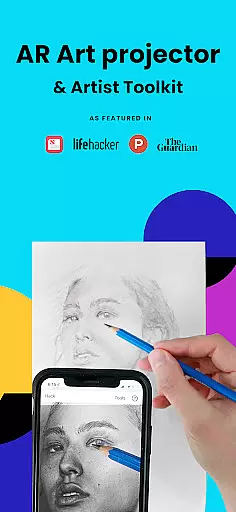
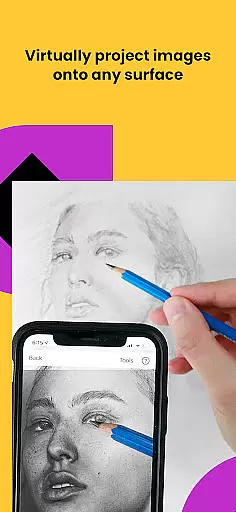
Da Vinci Eye's AR Art Projector is a revolutionary drawing and sketching tool that combines augmented reality technology with traditional art techniques. This app allows users to project any image onto their canvas, making it easier to trace, sketch, and create hyper-realistic drawings. With features like the unique strobe function for precision work, time-lapse recording of artwork progress, and color layer separation, artists can elevate their skills to new heights.
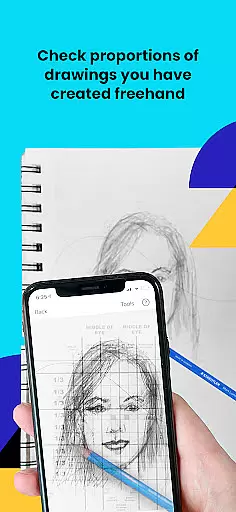
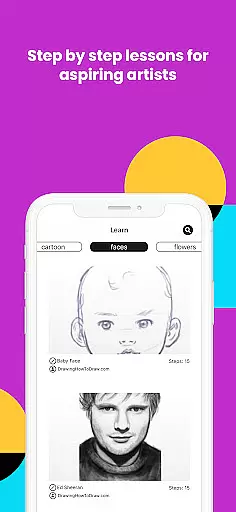
The app caters to artists of all levels, from hobbyists to professionals in various fields such as tattoo art, animation, and illustration. It offers video tutorials, step-by-step drawing lessons, and an engaged community platform for sharing artwork. Whether you're refining your portrait sketches or mastering light and shadow placement, Da Vinci Eye provides the tools necessary to improve accuracy and technique.
This versatile app works best on newer devices with high-quality cameras and processors. Users can choose between AR Tracing Mode for real-world anchoring of images or Classic Drawing Mode for traditional projection. By training the eye to recognize proportions and perfect strokes, this app ensures quicker learning and mastery of drawing skills.
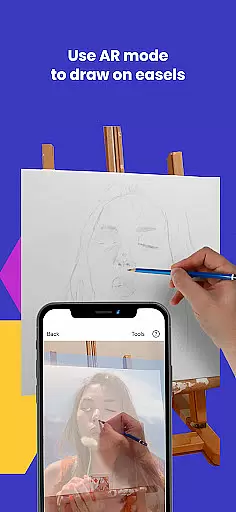
Da Vinci Eye stands out with its innovative features tailored for artists seeking precision and guidance. The app's AR Tracing Mode uses augmented reality to anchor images to real-world objects, allowing artists to move their canvas or device while maintaining alignment - a feature particularly useful when working on easels. For those preferring traditional methods, Classic Drawing Mode offers a simpler projection method akin to using an art projector or lightbox.
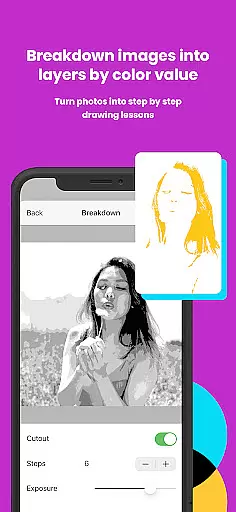
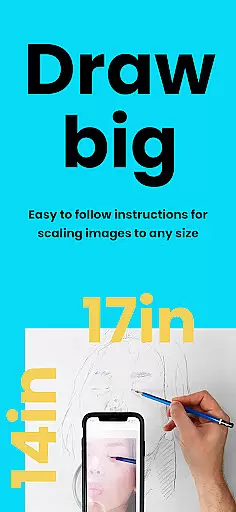
One of the key highlights is the ability to break down any image into step-by-step shading instructions, making it an invaluable learning tool. The inclusion of video tutorials and lessons based on a patent-pending method further enhances the educational aspect. Additionally, advanced functionalities like zooming in for micro-details and applying filters to simplify the drawing process ensure that every artist can customize their experience according to their skill level and preference.
Support is another strong suit of Da Vinci Eye, with insanely fast customer service ready to assist users. The app also fosters a community where creatives can share their artwork, providing inspiration and feedback. Compatible with both iOS and Android devices, this app bridges the gap between digital convenience and hands-on artistry.
For any digital art application, the comprehensiveness of its creative tools is paramount. AR Art Projector offers a wide array of features that cater to various artistic needs. The app provides users with the ability to create detailed drawings and sketches from photos, apply filters for easier drawing, and even break down images into step-by-step instructions.
The inclusion of a strobe feature allows for hyper-realistic drawings, while time-lapse recording captures the artist's process. With functionalities such as zooming in for micro-details and separating images into layers by color value, artists can achieve precision and depth in their work.
This extensive toolkit not only supports professional artists but also learners who can benefit from video tutorials and unique learning methods integrated within the app. By offering these comprehensive tools, AR Art Projector empowers users to master the art of drawing and sketching with confidence.
Flexibility in canvas and format options is essential for artists to express their creativity without constraints. AR Art Projector excels in this area by enabling artists to draw on any surface using AR technology. This means you're not limited to traditional canvases; instead, you can utilize various objects and spaces as your creative playground.
The app's support for both AR and Classic drawing modes adds another layer of versatility. In AR mode, images are anchored to real-world objects, allowing for dynamic movement of both the canvas and device without losing alignment. Meanwhile, Classic mode offers a more traditional approach akin to using an art projector or lightbox.
Such adaptability ensures that whether you're working on an easel, paper, or unconventional surfaces, AR Art Projector adjusts to your artistic style and environment, providing unparalleled flexibility for all types of projects.
User-friendly interface
Innovative AR features
Comprehensive learning tools
Vibrant artist community
Responsive customer support
Device compatibility issues
Subscription fees required
Learning curve involved
Limited offline functionality
Occasional performance lags

Draw anime & manga drawing, art with templates to create stunning picture!
 4.50
4.50
Apply cartoon, caricature, and portrait effects to make your photos stand out!
3.60
Android 14 style widgets and wallpapers app.
4.3
2D animation studio for Android tablets - unlimited layers, infinite timeline
4.70
Art of Combination Wear OS Watch faces (for Wear OS 5+ devices)
3.90
Share the joy of painting with ibis Paint! Drawing anime and manga art.
4.50
Create and Design Custom Logos in Seconds with AI-Powered Tools!
4.40
Kling AI is an image and video generation and editing studio powered by AI.
4.50
Draw, make movies & animate cartoons easily with our 2D animation maker app
4.40
Mobile pixel art editor. Simple. Fast. Portable.
4.80
Digital illustration drawing & painting pad app to paint Anime and Manga art
4.50
Video AI: Revolutionize Your Content Creation with Advanced Video Generation
4.50
Just trace a projected picture on paper and color! Draw & Paint with AR drawing
4.40
AI generated images & photos, turn your words into drawing, painting & pictures.
4.30
Custom Character Creator & PFP Maker!
4.20
Text to Image, Image to Video & AI Chat
4.20
OneUI 8.5 icons ✨ Smooth, modern & based on the latest Play Store design ??
4.10
Inky runs Inkscape on Android devices and Chromebooks
2.90
Premium version of Shimeji-ee app with no ads & no limit active shimeji
4.2


User Reviews