
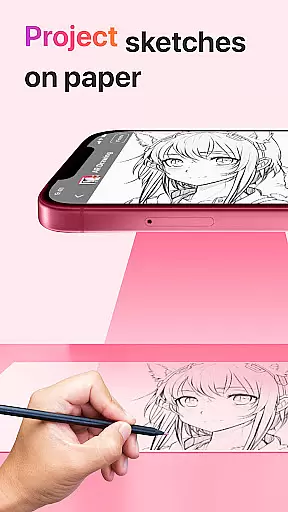
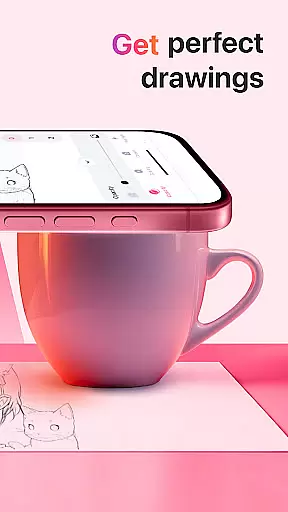
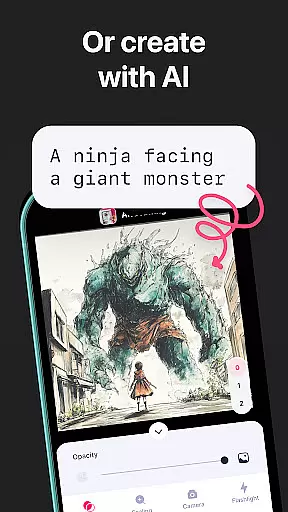
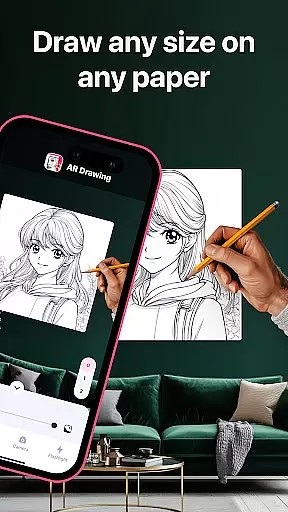
AR Drawing: Sketch & Paint is an innovative mobile application that leverages augmented reality technology to assist users in learning how to draw and create impressive artworks. The app projects images onto any surface, allowing users to trace and color them with ease. Whether you're a novice or an experienced artist, this app provides the tools necessary to explore your creativity and improve your drawing skills within days.
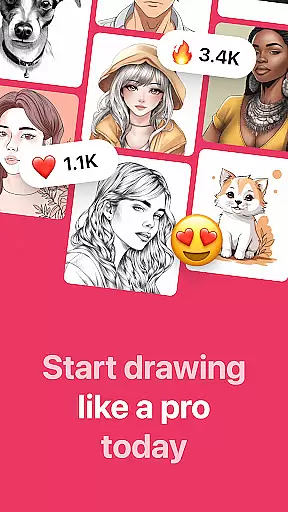
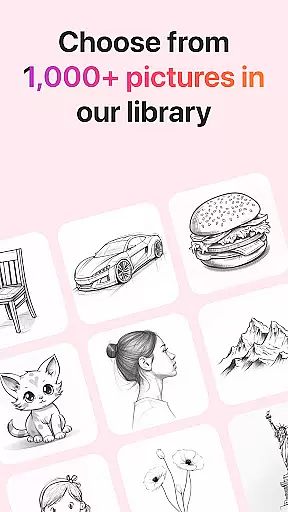
The app offers a variety of tracing templates including Animals, Cars, Nature, Food, Anime, and more. With features like a built-in flashlight, video recording of the drawing process, and a gallery to save your creations, AR Drawing ensures a comprehensive artistic experience. It's perfect for anyone looking to learn drawing techniques or simply unleash their creative potential on any surface.
AR Drawing stands out with its unique set of features tailored to enhance the drawing experience. One of the key functionalities is the ability to use your phone camera to project images onto paper or any surface, making it easy to trace and create detailed drawings. The app includes a diverse range of tracing templates covering various categories such as Animals, Cars, Nature, Food, and Anime, catering to different interests and skill levels.
In addition to its core drawing capabilities, the app offers several supplementary features. Users can record videos of their drawing and painting sessions, save their finished works in an in-app gallery, and even share their masterpieces with friends directly from the app. These features not only facilitate learning but also provide a platform for artists to showcase their work and progress over time.
AR Drawing: Sketch & Paint offers a comprehensive suite of creative tools that cater to both novice and experienced artists. The app provides various tracing templates, including Animals, Cars, Nature, Food, and Anime, which serve as a starting point for users who may not be confident in their drawing skills.
In addition to the extensive template library, the app includes a built-in flashlight feature, allowing users to draw in low-light conditions without any hassle. This ensures that the creative process is not interrupted by environmental constraints, thus enhancing user experience.
The ability to save drawings in a gallery within the app not only helps users to keep track of their artistic journey but also encourages them to refine their skills by reviewing past works. Moreover, the option to record videos of the drawing and painting process adds an educational aspect, enabling users to share tips and techniques with a community of like-minded individuals.
One of the standout features of AR Drawing: Sketch & Paint is its canvas and format flexibility, which empowers users to create art on any surface using augmented reality technology. This innovative approach breaks free from the traditional confines of paper and digital screens, offering an unrestricted creative space limited only by the user's imagination.
Whether you're sketching on a tabletop or painting on a wall, the app adapts to your chosen medium, providing a seamless drawing experience. This adaptability makes it an ideal tool for artists looking to explore new dimensions in their work or for those who prefer unconventional surfaces for their art projects.
Furthermore, the app facilitates sharing your finished artwork with friends, expanding the reach of your creations beyond the personal workspace. By combining this level of flexibility with the power of social sharing, AR Drawing: Sketch & Paint not only enhances individual creativity but also fosters a vibrant community where art can be exchanged and appreciated across different formats and platforms.
User-friendly interface
Variety of templates
Built-in flashlight
Video recording feature
Augmented reality support
Limited free templates
Subscription required
Occasional bugs
High storage usage
Ads in free version

Discover Cartoon Dream : Unleash Your Creativity with CuttingEdge AI
 4.50
4.50
The ultimate tool for creating animations
4.60
Sketch, plan, take notes and illustrate on an infinite canvas.
4.20
Digital illustration drawing & painting pad app to paint Anime and Manga art
4.50
AI Face Swap, Video Effects Editor, Realtime Morph, Funny Video FX,AI Filters
3.70
See Color, Paint Color
4.90
Nano Banana AI Image Generator, Anime Filter, AI Portrait, AI Photo Generator
4.30
Draw glowing spinners, relax, and spin your creative art
4.60
Art of Combination Wear OS Watch faces (for Wear OS 5+ devices)
3.90
Draw on screen: FP sDraw is a simple and lightweight drawing app
4.70
Image resizer to resize, crop, rotate, flip, change dpi photo or picture in bulk
4.60
Photo blender app to create overlay photos & double exposure.
4.40
Beauty Camera - Selfie Camera is the ultimate beauty camera and selfie app
4.30
Get creative and make art with your Sesame Friends!
4.00
Sketch and paint on your device with the feel and freedom of drawing on paper
4.00
Resize photos and print photos in exact size with our powerful photo printer!
3.80
Apply cartoon, caricature, and portrait effects to make your photos stand out!
3.60
Vidu is an AI video generator made for creators and aspiring makers.
3.30
Sketch, trace and master AR drawing with awesome anime art!
3.30


User Reviews