
ALDLdroid is a specialized diagnostic tool for OBD1 GM ECMs, allowing users to monitor and tune vehicle performance. Compatible with Android devices, it supports both 160 baud and 8192 baud protocols, making it versatile for various older GM vehicles. The app utilizes TunerPro ADX files for data logging, requiring users to have the correct file for their specific ECM.
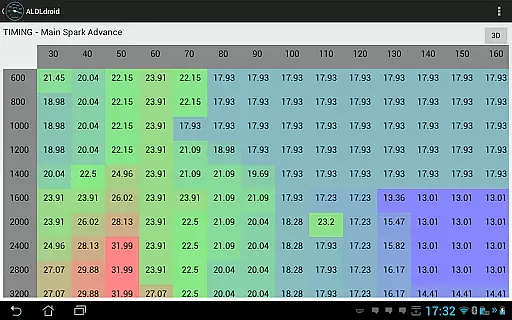
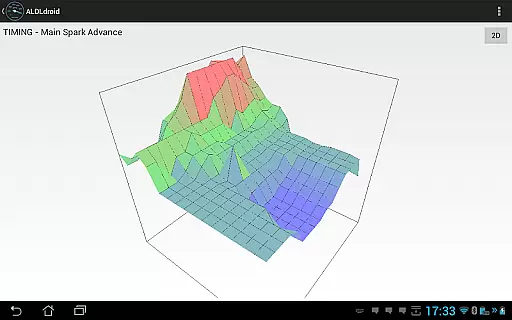
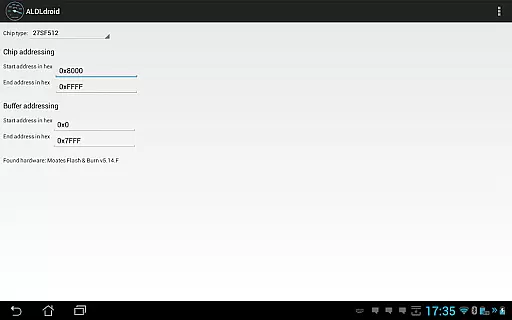
Beyond GM applications, ALDLdroid facilitates tuning for other vehicle brands when paired with appropriate XDF files. The app supports real-time tuning through Moates hardware and enables chip programming with Moates BURN devices. Connection methods include Bluetooth or USB, ensuring broad compatibility with different Android devices.
This application is invaluable for automotive enthusiasts seeking detailed insights into their vehicle's performance. With customizable dashboards, multiple log viewers, and support for various protocols, ALDLdroid empowers users to optimize engine parameters effectively.
ALDLdroid offers advanced vehicle diagnostics for OBD1 GM ECMs. The app supports both 160 baud and 8192 baud protocols, providing compatibility with a range of vehicles. Users can perform data logging using TunerPro ADX files, ensuring accurate monitoring of engine parameters.
The application extends beyond GM ECMs, supporting tuning for other brands like BMW, Ford, and Nissan with proper XDF files. Real-time tuning is possible with Moates hardware, while chip programming uses Moates BURN devices. Connection options include Bluetooth or USB, offering flexibility in device pairing.
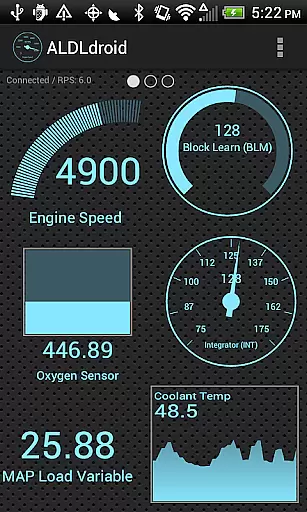
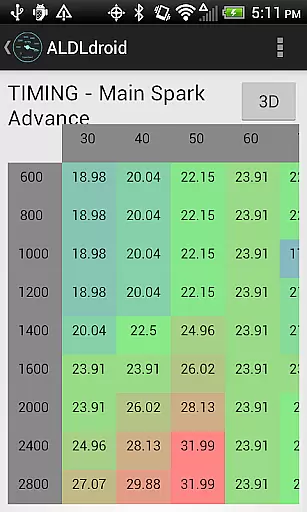
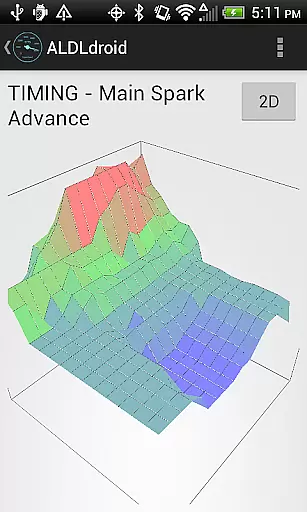
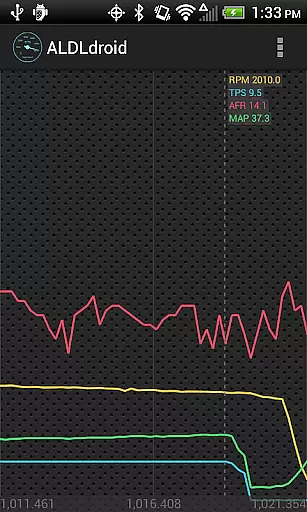
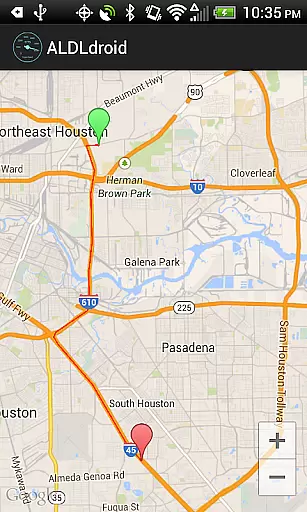
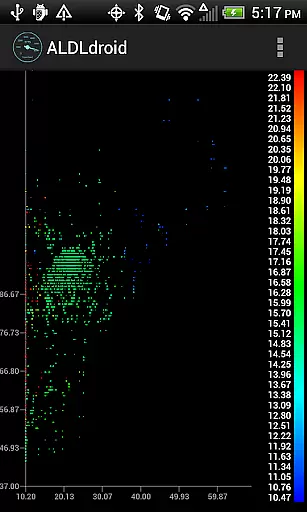
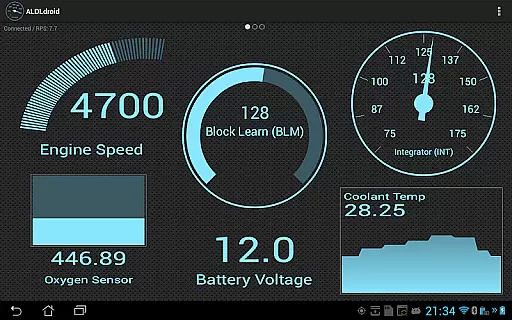
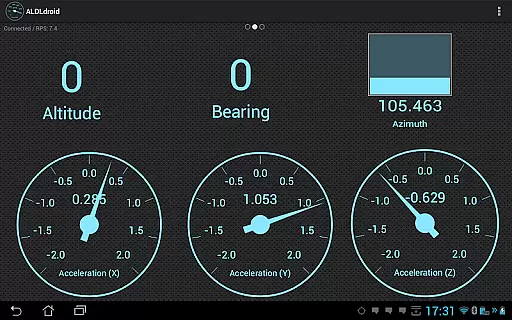
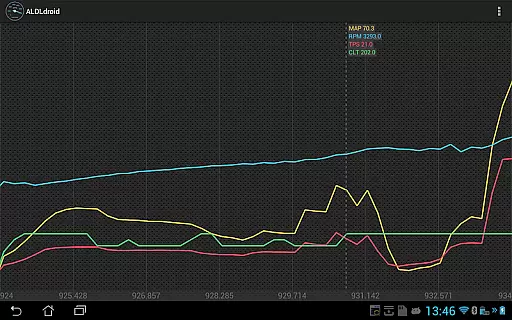
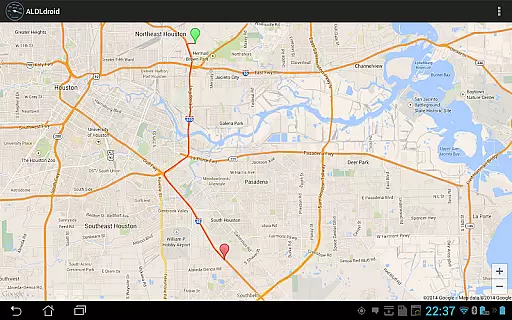
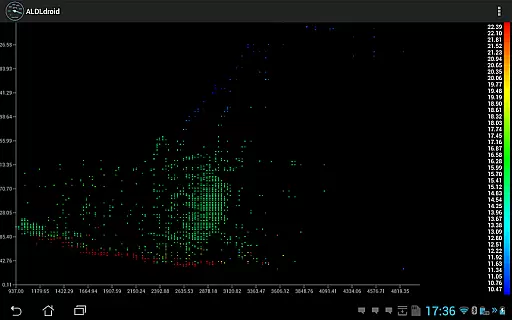
Dashboard customization allows users to tailor the interface with gauges, graphs, and alarms. Multiple log viewers enable detailed analysis of vehicle data, including scatter plots and GPS mapping. These features provide automotive enthusiasts with comprehensive tools for performance tuning and diagnostics.
ALDLdroid provides comprehensive access to detailed vehicle information by interfacing with OBD1 GM ECMs. The application supports both 160 baud and 8192 baud protocols, ensuring compatibility with a wide range of vehicles.
Through the use of TunerPro files (ADX), ALDLdroid enables accurate data logging tailored to your specific ECM. This allows users to monitor critical parameters and gain insights into their vehicle's performance metrics.
Beyond GM ECMs, the app extends its functionality to other car brands such as BMW, Ford, and Nissan, provided the appropriate XDF file is available. This versatility makes it an invaluable tool for mechanics and car enthusiasts alike.
The ability to customize dashboard indicators further enhances the user experience. By offering various display formats like gauges, bar graphs, and histograms, ALDLdroid ensures that vehicle data is presented in an easily digestible manner.
ALDLdroid maintains price transparency by clearly outlining the costs associated with its usage. Before purchasing, users are advised to ensure they have the necessary ADX or XDF files for their specific ECM, avoiding unexpected expenses.
The app itself is available for purchase on Google Play, with no hidden fees. Additional costs may arise from acquiring compatible hardware such as Bluetooth or USB (FTDI) adapters, which are essential for connecting to the ECM.
For those without existing ALDL adapters, options are provided for acquiring them at transparent prices. Users can choose between Bluetooth and USB versions, with links to purchase directly from trusted sources.
It is important to note that no refunds are available after the initial 15-minute window provided by Google Play. Therefore, potential buyers are encouraged to consult online communities and verify compatibility with their setup before making a purchase.
Advanced diagnostics
Wide protocol support
Real-time tuning
Customizable dashboard
Comprehensive log viewers
Limited to specific
Requires additional
Complex for beginners
No iOS compatibility
Technical knowledge

Easily notify car owners in urgent situations, safe, fast, multilingual.
 4.0
4.0
Monitor specific TOYOTA parameters by adding this plugin to Torque Pro.
2.00
Launcher for use in the car
4.40
Autolist - The Largest Selection of Local Used Cars and Trucks
4.50
Boost profits and hit your goals faster with GigU's amazing tools for gigworkers
4.00
BlueDriver® is a Premium Diagnostic OBD2 Scan Tool. www.BlueDriver.com
3.90
Automotive Electrical Wiring Diagrams
4.40
Find, search, and browse 40,000+ used cars, SUVs, and trucks.
4.50
Autotrader is your online solution for buying and selling new and used cars.
4.40
The ExtraMile App allows you to pay for fuel from the comfort of your car!
4.70
1M+ high-quality auto parts at your fingertips. Fitment guaranteed.
4.70
Ultimate OBD2 Car Scanner: Diagnostics, Service and Modification Tool
4.30
A full featured, real-time transit locator system
4.30
Realtime Charts is a plugin for the Torque Pro App (OBD 2 & Car)
4.20
By enthusiasts, for enthusiasts
4.00
Blink Charging Mobile app makes finding an EV charger an intuitive experience.
3.80
Read and delete OBD codes with any ELM327 OBD scanner. Coding functions included
3.40
Club Car Wash Mobile App—the fast lane to managing your wash membership.
3.30
Ferrari inspired analog & digital watch face with quick access and premium style
4.4


User Reviews