
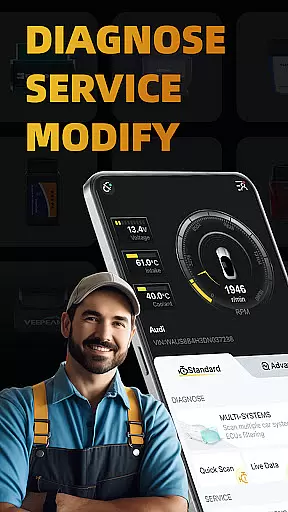
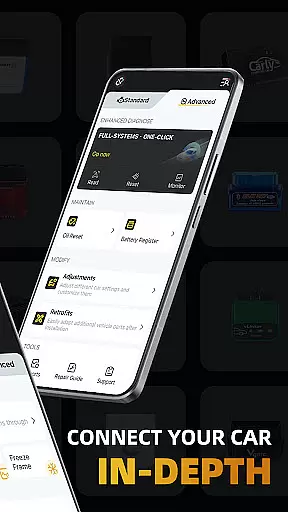
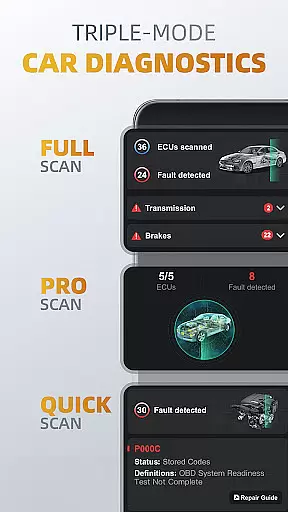
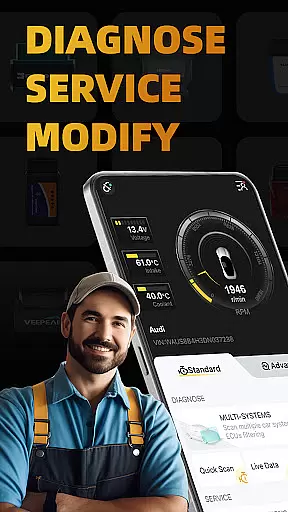
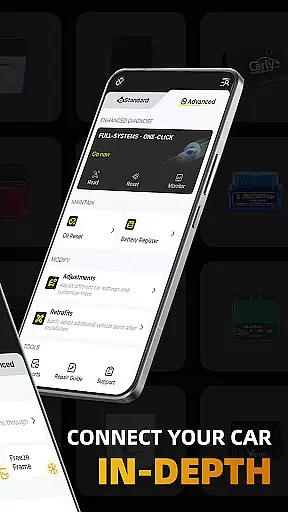
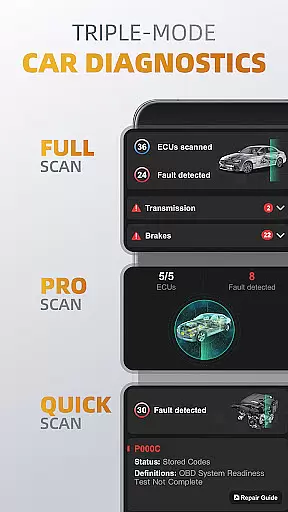
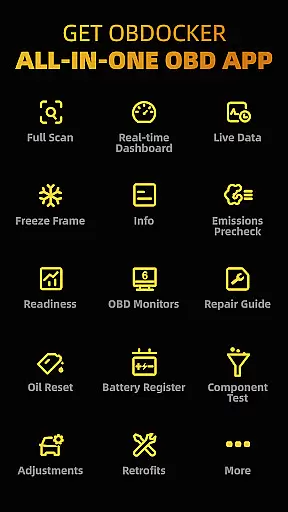
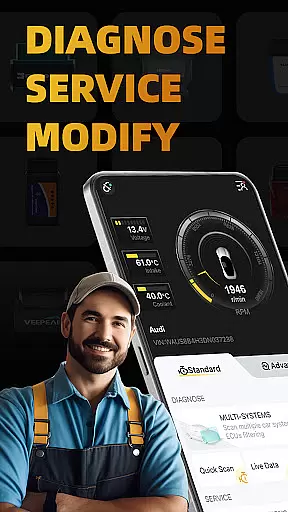
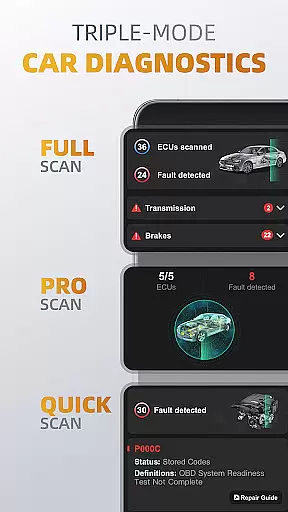
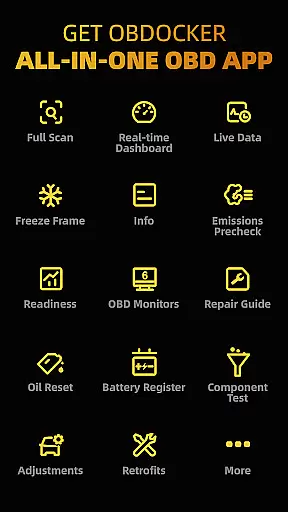
OBDocker is a professional OBD2 car scanner app designed for vehicle diagnostics and customization. It offers triple-mode diagnostics including full-systems, multi-systems, and quick scans, allowing users to efficiently identify and resolve issues across various vehicle systems.
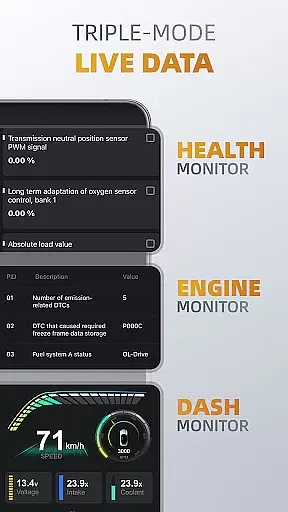
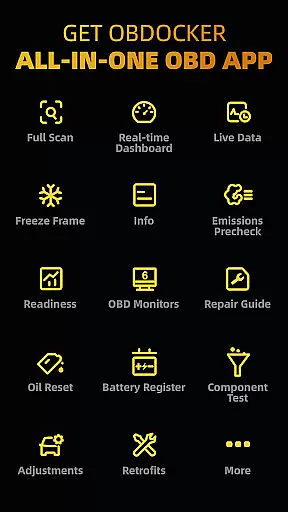
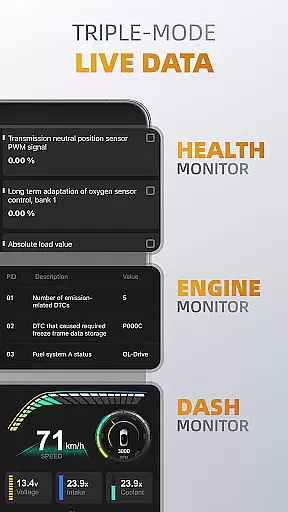
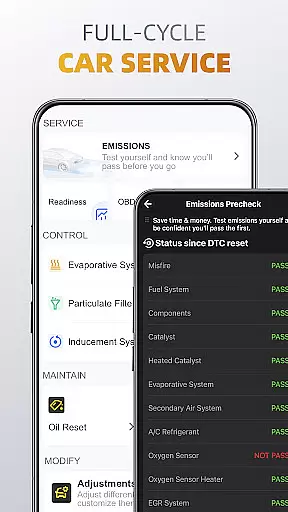
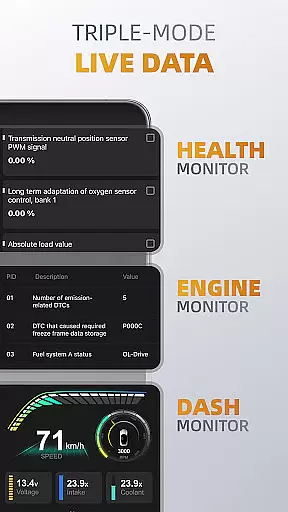
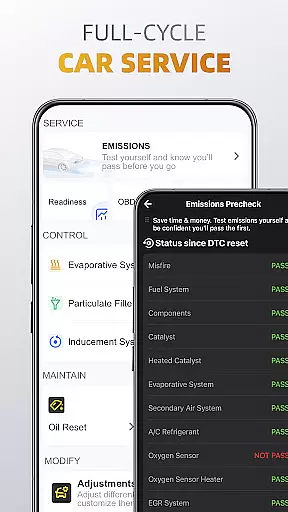
The app also provides triple-mode live data monitoring, giving real-time insights into system performance, engine metrics, and vehicle parameters. With additional features like emissions pre-check, oil reset, and battery registration, OBDocker supports comprehensive vehicle maintenance.
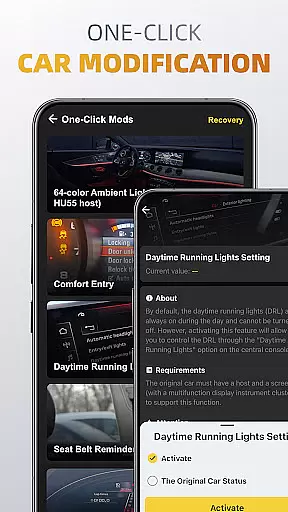
Compatible with a wide range of OBD adapters and vehicles, this app is suitable for both standard OBD2 diagnostics and advanced functionalities for specific car brands. Whether you're a DIY enthusiast or a professional mechanic, OBDocker streamlines vehicle service tasks while offering customization options.
OBDocker stands out with its robust feature set tailored for automotive diagnostics. The triple-mode diagnostics allow users to perform one-click full-system scans, target specific ECUs such as ABS or SRS, and quickly address engine fault codes. This versatility ensures thorough vehicle analysis.
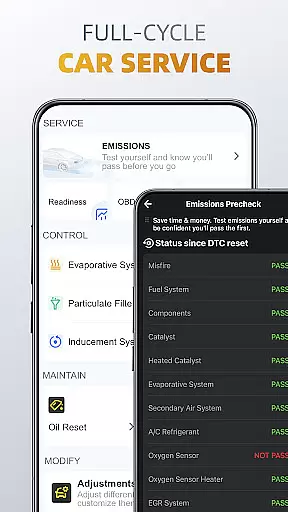
Live data monitoring is another key highlight, featuring health, engine, and dash monitors. These tools provide actionable insights by visualizing real-time vehicle metrics, helping users maintain optimal performance. The app also includes a full-cycle service suite with functions like EVAP leak tests, DPF reinitialization, and oil reset.
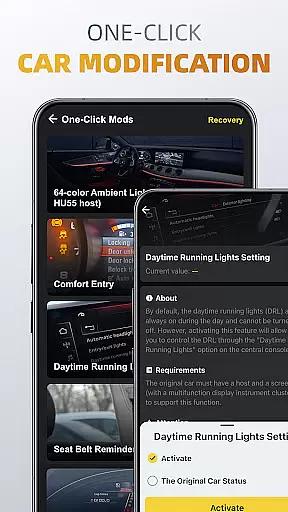
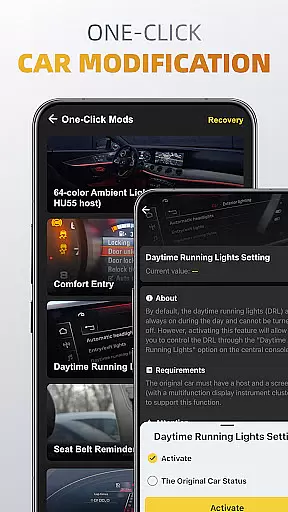
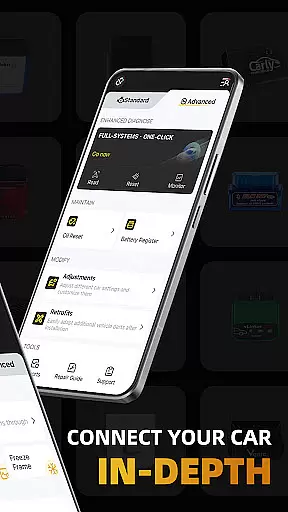
For customization enthusiasts, the one-click modification feature enables easy adjustments and retrofits. While compatible with various OBD adapters, premium adapters like Vlinker and OBDLink series are recommended for the best experience. Advanced mode extends support to popular brands, making it adaptable for different user needs.
Accessing detailed vehicle information is crucial for effective car maintenance and diagnostics. OBDocker provides comprehensive data across multiple systems, allowing users to understand their vehicle's condition in depth.
The app's triple-mode diagnostics feature enables users to perform full-system scans, multi-system checks through ECU filtering, and quick engine fault code readings. This ensures that every critical component, from the transmission management system (TMS) to the supplemental restraint system (SRS), is thoroughly examined.
With real-time parameter tracking in its triple-mode live data feature, users can monitor their vehicle's health, engine performance, and metrics visualization. This level of detail empowers car owners and mechanics to make informed decisions about necessary repairs or adjustments.
By offering such extensive diagnostic capabilities, OBDocker ensures that users have all the essential information needed to maintain optimal vehicle performance and address potential issues proactively.
Price transparency in automotive services helps users make informed financial decisions. OBDocker addresses this by providing clear information about its subscription plans and adapter compatibility.
The app offers a free trial period that gives users complete access to all features, allowing them to evaluate the service before committing financially. For extended use, customers can choose between Pro and Pro Max subscriptions, with pricing details readily available.
OBDocker maintains transparency in hardware requirements as well. It recommends high-performance adapters like Vlinker Series and OBDLink Series while clearly stating that low-cost alternatives may not deliver optimal results.
This approach to pricing and compatibility information ensures that users understand the true cost of using OBDocker, including both software and hardware requirements, enabling them to budget accordingly for their vehicle diagnostic needs.
User-friendly interface
Comprehensive diagnostics
Real-time data monitoring
Wide adapter compatibility
Advanced brand support
Premium features require subscription
Dependent on external OBD adapters
Limited functionality with low-end adapters
Advanced mode not universal
Steep learning curve for beginners

Attention! This is the theme for the Car Launcher app
 4.5
4.5
Practice the drills within MotoJitsu Master Riding Program Volume 1 & 2!
4.80
CVT diagnostics with ELM327 for Nissan-based vehicles
4.40
Control maps, media and messaging, with the Google Assistant while you drive
4.10
Get more out of your AAWireless adapter with this companion app | aawireless.io
4.80
Instantly redesign your car with AI. From sporty to futuristic, try it all.
4.50
Your Path to Driving Licensing Success Begins Here! Develop your driving skills.
4.40
Shop cars & see your financing
4.60
Your go-to app for car, truck & SUV parts, DIY tools, and expert repair help.
4.70
Play what you want through Android Auto
4.90
View your car’s service records and find out when maintenance is due.
4.70
Trip computer+car diagnostic tool with widest variety of features and dashboard!
4.70
DMV Test Pro offers all the updated FREE DMV tests online.
4.60
Launcher for use in the car
4.40
AI Powered - Automotive Mechanic Assistant
4.30
Blink Charging Mobile app makes finding an EV charger an intuitive experience.
3.80
The Smarter Way Forward
3.30
Monitor specific TOYOTA parameters by adding this plugin to Torque Pro.
2.00
Theme for Car Launcher
4.2


User Reviews