

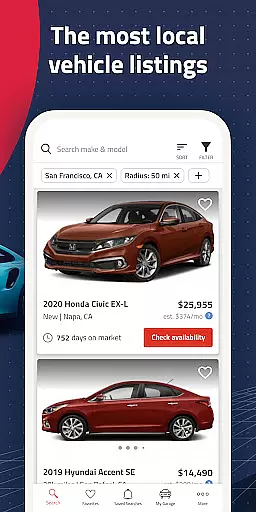
Autolist is a premier automotive marketplace app that simplifies the used car search process. With access to millions of listings from thousands of sources, it aggregates the largest selection of local cars, trucks, and SUVs in one platform. Whether you're looking for a specific make, model, or year, Autolist provides an extensive inventory that allows users to browse vehicles both nearby and nationwide.
The app's powerful tools make finding the perfect vehicle easy and efficient. Users can apply various filters such as price, year, color, and features to narrow down their choices. Additionally, Autolist offers valuable insights through its price history and Listimate value features, empowering buyers to negotiate fair prices. The ability to contact dealers or private sellers directly within the app streamlines communication, allowing users to check availability, request quotes, or schedule test drives seamlessly.
Autolist is not just about browsing; it's about staying informed and updated. Users can save searches and favorite vehicles to receive notifications on price drops and new inventory. This ensures that whether you're casually browsing or actively seeking your next vehicle, Autolist keeps you ahead in the car-buying journey.
Autolist stands out with its comprehensive suite of features designed to enhance the car-buying experience. One of its key strengths is the aggregation of millions of listings into a single, user-friendly interface. This vast database is sourced from thousands of platforms, ensuring users have access to the most extensive selection of used cars available.
The app's filtering capabilities are robust, allowing users to refine their search based on multiple criteria including price range, vehicle year, exterior and interior colors, and installed features. These filters help users quickly identify vehicles that meet their exact specifications. Furthermore, Autolist's price history and Listimate value tools provide critical data for making informed decisions. By analyzing past pricing trends and offering estimated values, these features guide users in negotiating the best possible deal.
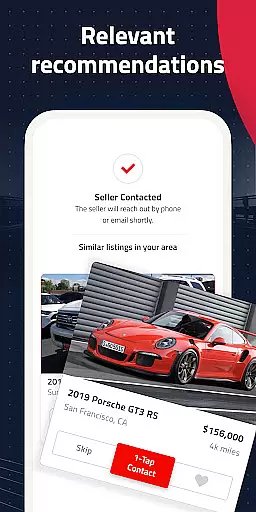
Another standout feature is the direct communication option with dealers and private sellers. Through the app, users can call, text, or email sellers to inquire about vehicle details, request price quotes, or arrange test drives. This seamless interaction enhances the buying process, making it more efficient and less time-consuming. Overall, Autolist's innovative features cater to both casual browsers and serious buyers, ensuring a smooth and informed car-buying experience.
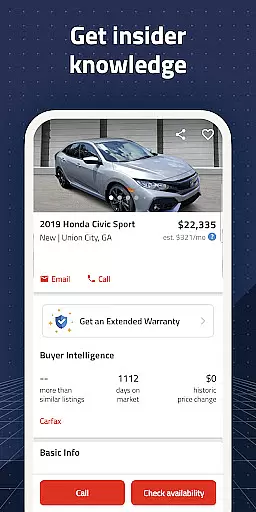
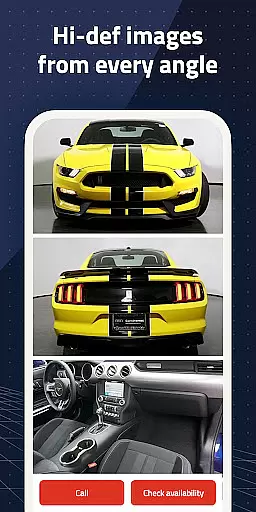
When searching for a used car, having access to comprehensive vehicle details is crucial for making an informed decision. Autolist provides extensive data on each listing, including specifications like mileage, engine type, transmission, and installed features.
The app aggregates information from thousands of sources, ensuring that users have the most up-to-date and accurate details about the vehicles they are interested in. This includes not only basic specifications but also specific features such as sunroofs, navigation systems, and safety equipment.
With Autolist's detailed vehicle information, buyers can easily compare different cars, understand their mechanical condition, and make better purchasing decisions. The availability of maintenance history and accident reports further enhances the reliability of the information provided.
This level of detail empowers users to shop with confidence, knowing exactly what they are getting before contacting dealers or private sellers. It significantly reduces the risk of unexpected issues and helps ensure a fair transaction for both parties involved.
Price transparency is essential in the car-buying process, and Autolist excels in providing clear pricing information. The app displays complete price histories for each vehicle, allowing users to track how the asking price has changed over time.
In addition to historical pricing, Autolist offers its Listimate value feature, which estimates the fair market value of listed vehicles. This tool uses advanced algorithms to analyze current market trends and comparable sales, giving buyers valuable insights into whether a particular car is priced fairly.
Users can also view price quotes directly within the app, streamlining the negotiation process. By having access to this transparent pricing information, buyers can approach negotiations with confidence, knowing they have accurate data to support their offers.
This commitment to price transparency not only helps buyers secure better deals but also builds trust between buyers and sellers, creating a more efficient and honest marketplace for used vehicles.
User-friendly interface
Extensive vehicle listings
Powerful search filters
Price history insights
Direct seller communication
Limited new car options
Occasional listing inaccuracies
Ads can be intrusive
Requires constant updates
Varied seller responsiveness

Easily notify car owners in urgent situations, safe, fast, multilingual.
 4.5
4.5
ODB2 based monitoring application for the Chevy Bolt (2017-2021)
4.00
OBD1 ECMs application. Data log or tune directly from your phone or tablet!
4.60
Practice the drills within MotoJitsu Master Riding Program Volume 1 & 2!
4.80
Listings of Tesla's with FSD - Included package
4.60
Discover new and used cars in Syria easily! Browse ads and connect with sellers.
3.70
Find, search, and browse 40,000+ used cars, SUVs, and trucks.
4.50
O'Reilly Pro will streamline your parts lookup and ordering process!
3.20
Marathon ARCO Rewards members earn rewards & apply the rewards for fuel savings!
4.80
Take Control of Your Car
4.80
View your car’s service records and find out when maintenance is due.
4.70
1M+ high-quality auto parts at your fingertips. Fitment guaranteed.
4.70
Digital Car Key/Launcher, Screen Mirror, Android Dashboard, Remote Wireless Link
4.40
Automotive Electrical Wiring Diagrams
4.40
Car Sounds Engine Sounds app welcomes Auto Lovers to feel Car Simulator Sound
4.20
Monitor your behind-the-wheel behavior to become a safer driver and save.
4.10
Available in select states.
4.00
Wonder how much horsepower and torque your car/truck makes? Look no further.
3.40
Better fuel to help keep you on the road
3.20


User Reviews