
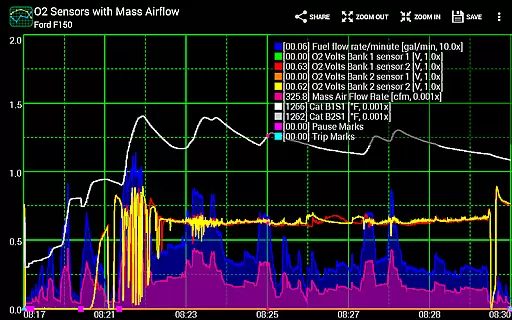
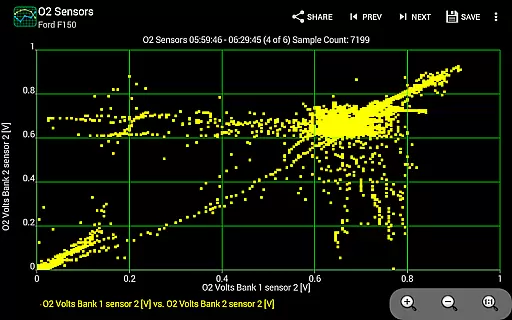
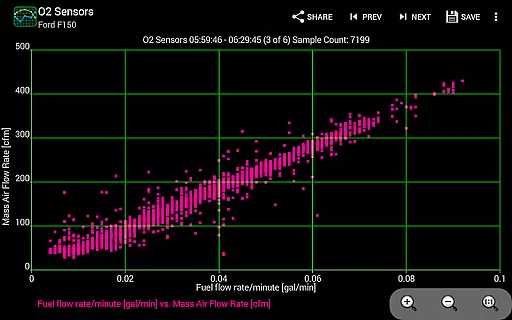
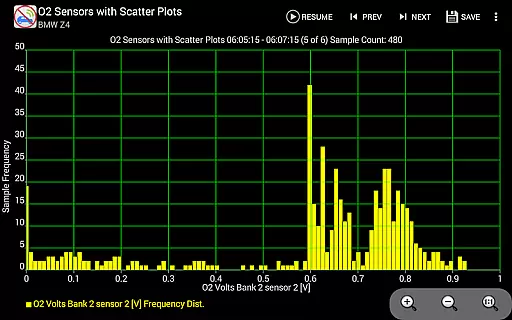
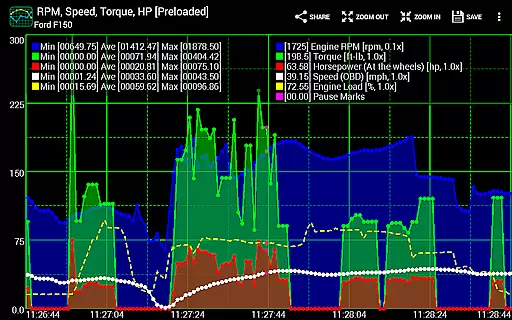
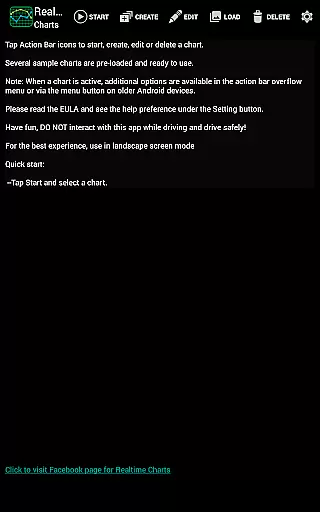
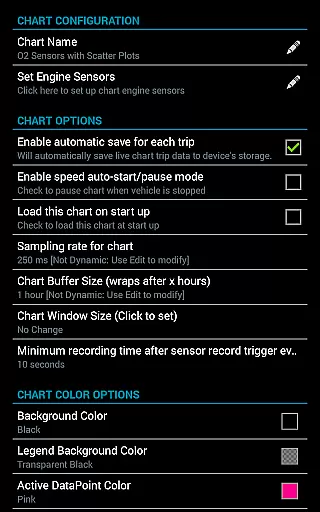
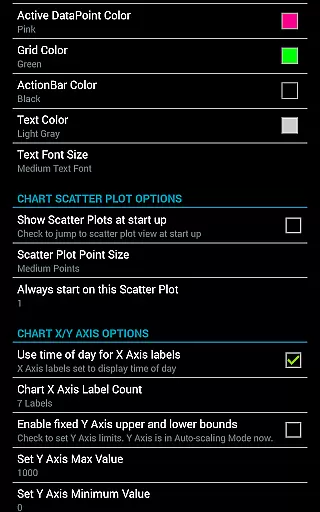
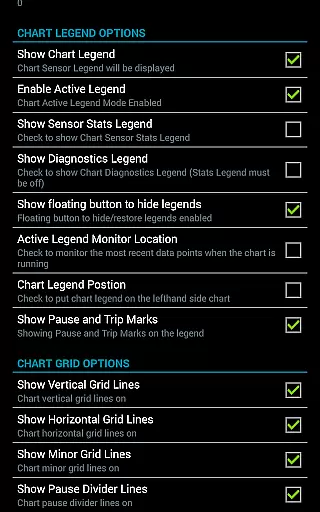
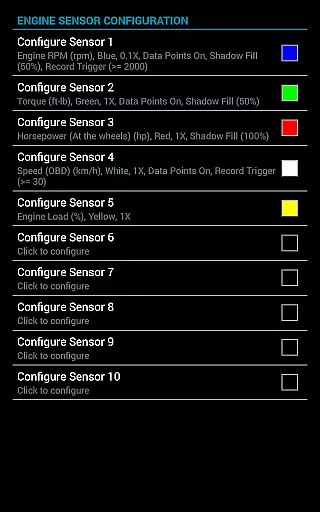
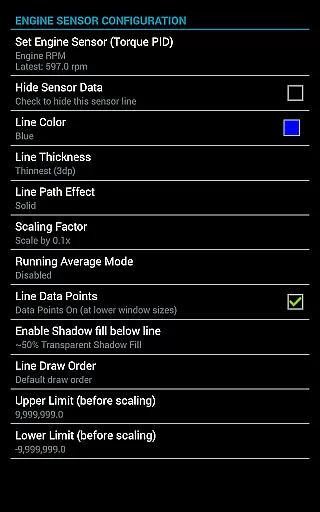
Realtime Charts for Torque Pro is a specialized plugin designed to enhance vehicle performance monitoring for automotive enthusiasts and professionals. This app allows users to graph up to 10 engine sensors simultaneously, providing in-depth analysis of vehicle metrics such as RPM, speed, and MPG on Android devices. With the ability to create custom charts and capture data based on specific sensor criteria, it offers both real-time monitoring and detailed post-analysis.
The application supports advanced features like scatter plot analysis, session recording, and auto-pause functionality when the vehicle is stationary. Users can also export data in Excel CSV format and share their chart configurations with others. Compatible with Android versions 2.3 and above, this tool requires an OBD2 adapter and the Torque Pro app to function effectively, making it ideal for those who want to tune, diagnose, or analyze their vehicle's performance accurately.
Realtime Charts for Torque Pro stands out with its robust feature set tailored for automotive diagnostics. The app enables real-time graphing of multiple engine parameters, including RPM, speed, and torque, while allowing users to customize sampling frequencies and chart attributes. Its support for scatter plot analysis provides deeper insights into engine performance trends, which can be reviewed later or shared via stunning screenshots optimized for social media platforms.
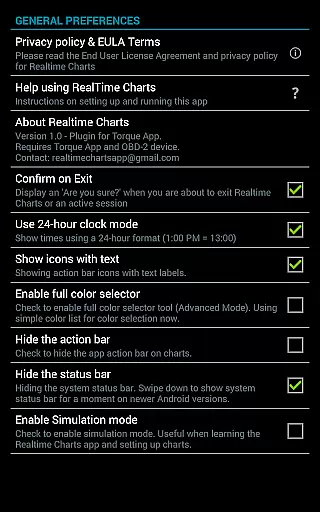
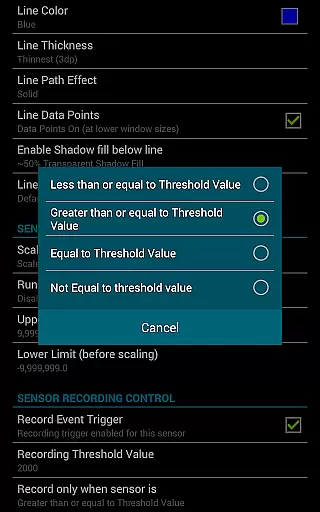
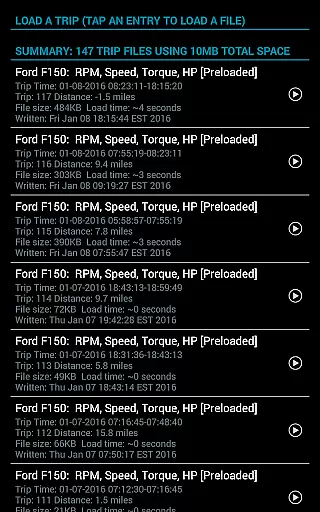
Additional functionalities include trigger-based data capturing, where users can define specific thresholds for sensor readings, and background recording that works seamlessly with other apps like Google Maps. The app also includes simulation mode for designing charts without needing an active ECU connection, automatic trip storage management, and dynamic scaling options for improved visualization. These capabilities ensure comprehensive monitoring and make it easier for users to optimize their vehicles' performance efficiently.
Realtime Charts for Torque Pro offers unparalleled access to detailed vehicle information by enabling users to monitor and graph up to 10 engine sensors in real-time. This includes critical data such as RPM, speed, MPG, horsepower, and torque, providing automotive enthusiasts with comprehensive insights into their vehicle's performance.
The app allows for the creation of custom charts, with the possibility to specify sensors, sampling frequency, chart colors, and series attributes. This level of customization ensures that users can tailor their monitoring experience to focus on the most relevant aspects of their vehicle's operation, thus optimizing both performance tuning and diagnostic processes.
With features like scatter plot analysis and dynamic scaling of series data points, users are equipped with professional-grade tools. These capabilities allow for an in-depth analysis of vehicle performance under various conditions, empowering users to make informed decisions regarding maintenance and modifications.
While Realtime Charts for Torque Pro itself does not directly deal with monetary transactions, it provides a transparent value proposition through its feature set. Users understand exactly what they are getting: a powerful plugin for the Torque Pro app that enhances vehicle diagnostics and performance analysis without hidden charges or subscription fees.
The app clearly outlines its requirements, specifying the need for a wireless OBD2 adapter and the Torque Pro app. This upfront communication about necessary components ensures there are no surprises for the user regarding additional costs or compatibility issues.
Furthermore, Realtime Charts offers extensive functionalities including real-time sensor monitoring, customizable chart creation, and data export options, all within a one-time purchase. The absence of in-app purchases or paywalls for core features reinforces the app's commitment to price transparency, delivering exceptional value to automotive hobbyists and professionals alike.
User-friendly interface
Customizable chart options
Real-time data analysis
Exportable CSV files
Background sensor recording
Requires separate OBD2 adapter
Dependent on Torque Pro app
Limited to Android devices
No iOS compatibility
Premium features may require payment

Easily notify car owners in urgent situations, safe, fast, multilingual.
 4.3
4.3
Theme for Car Launcher
4.5
Get your personalized financing options and shop for used cars today!
4.20
Club Car Wash Mobile App—the fast lane to managing your wash membership.
3.30
AI Powered - Automotive Mechanic Assistant
4.30
Available in select states.
4.00
Trip computer+car diagnostic tool with widest variety of features and dashboard!
4.70
Find Fast EV Chargers | Charge Your Vehicle at 1,100+ Fast Car Charging Stations
4.60
Autotrader is your online solution for buying and selling new and used cars.
4.40
View your car’s service records and find out when maintenance is due.
4.70
Your go-to app for car, truck & SUV parts, DIY tools, and expert repair help.
4.70
DMV Test Pro offers all the updated FREE DMV tests online.
4.60
Taximeter; the professional's choice
4.30
A full featured, real-time transit locator system
4.30
OBD diagnostics, Live Data, DPF regeneration for BMW
4.00
Simplify your drive
3.90
AlfaOBD software for Fiat Group cars native diagnostic
3.70
Mobile Phone Parking - So easy to park
3.70
Wonder how much horsepower and torque your car/truck makes? Look no further.
3.40


User Reviews