



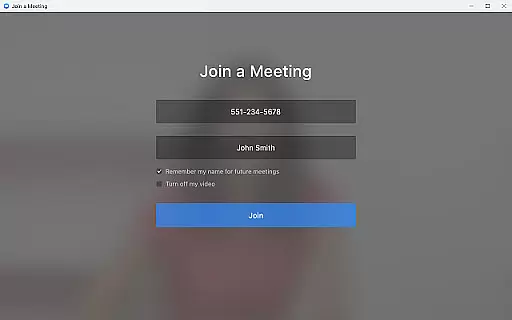

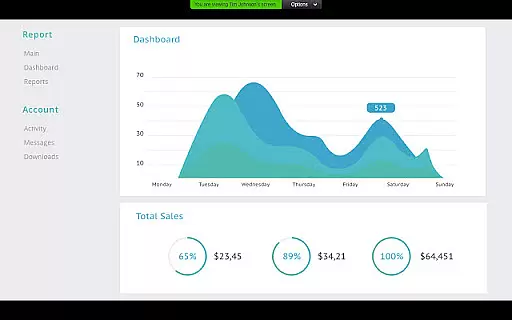
Zoom for Chromebook is a comprehensive business communication tool that combines team chat, video meetings, phone capabilities, and virtual whiteboard functionalities into a single web application. Designed specifically for Chromebook users, this app allows professionals to work seamlessly from anywhere. With features like one-tap meeting scheduling, AI-powered meeting summaries, and virtual backgrounds, Zoom ensures both productivity and professionalism in remote work environments.
The app supports various communication methods including public and private channels for team chats, SMS text messaging, and phone calls. Additionally, its automatic update feature guarantees users are always working with the latest version. For administrators, remote installation options provide centralized configuration and enhanced security measures. Whether you're managing internal teams or communicating with external partners, Zoom for Chromebook offers an optimized business communication experience tailored for modern work environments.
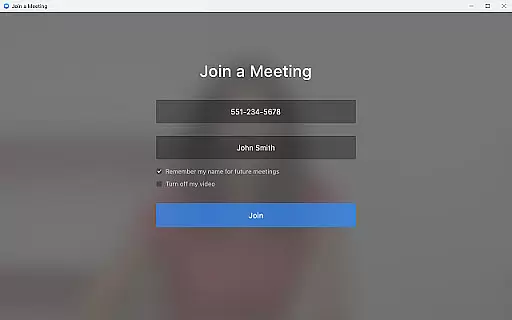
Zoom for Chromebook stands out with its rich feature set designed to enhance business communications. The app's core functionality includes seamless video conferencing where users can schedule or join meetings with just a single tap. Its integration with AI Companion provides automated meeting summaries, helping teams stay organized and informed. The unified communication platform supports both traditional phone calls and modern SMS text messaging, making it versatile for different communication needs.
One of the app's innovative features is the virtual whiteboard, allowing teams to brainstorm and collaborate visually in real-time. Users can also enhance their professional appearance during video calls by enabling virtual backgrounds. The app automatically updates to ensure optimal performance and security. For enterprise users, the remote installation option enables IT administrators to maintain centralized control over app deployment and configurations. These robust features make Zoom for Chromebook an essential tool for businesses seeking efficient and secure communication solutions.
Collaborative work features are essential for modern business applications, enabling teams to work together efficiently regardless of location. Zoom for Chromebook excels in this area by integrating multiple communication tools into a single platform.
The application allows users to schedule or join video meetings with a single tap, streamlining the collaboration process. Its team chat functionality supports communication in both public and private channels, ensuring that important discussions can happen securely and conveniently.
One standout feature is the virtual whiteboard, which provides a shared space for brainstorming sessions. This tool allows team members to visually collaborate on ideas in real-time, enhancing creative workflows and decision-making processes.
Additionally, the app's support for automated meeting summaries through AI Companion helps teams maintain productivity by providing concise post-meeting recaps. These features collectively create a robust collaborative environment that adapts to various business needs.
Effective task management is crucial for maintaining productivity in business environments. Zoom for Chromebook addresses this need by incorporating various organizational tools that help users manage their professional responsibilities.
The application enables users to schedule meetings and set up reminders, ensuring that important events are not missed. Its integration with phone and SMS functionalities allows for timely follow-ups and communications, keeping projects moving forward smoothly.
Through its chat system, users can create dedicated channels for specific tasks or projects, helping teams stay organized and focused. The ability to segment conversations by topic or project phase enhances overall task management efficiency.
Furthermore, the app's automatic update feature ensures that users always have access to the latest tools and security patches without manual intervention. This seamless maintenance approach allows professionals to concentrate on their core responsibilities rather than software management.
User-friendly interface
Comprehensive communication tools
AI-powered meeting summaries
Automatic app updates
Remote admin installation
Paid subscription required for advanced features
Limited AI availability in some regions
Chrome OS 91+ recommended
Some features may not work on older devices
Internet connection required

GoTo Mobile is a simple & secure calling, messaging & meetings solution
 4.80
4.80
Find flexible, hourly jobs hiring near you in restaurant, retail & hospitality!
4.00
Your employer must have UKG Ready software configured for Mobile.
4.60
viewing and sharing PDFs and other files—anytime, anywhere!
4.1
A secure, all-in-one team collaboration app
4.30
Use Generative Summary to understand your rental or insurance docs in seconds.
4.70
Grow your business and connect with more people with Meta Business Suite.
4.60
Access to Paylocity, empowering employees with information they need 24/7.
4.70
Collaborate seamlessly with Google Chat, part of Google Workspace
4.50
USPS Mobile®Access USPS.com’s most popular tools on-the-go.
4.70
Recover what matters — quickly and easily.
4.70
Earn money with the driver & delivery partner app for Uber, UberEats & Postmates
4.60
The app that lets you deliver with Amazon.
4.50
Measure distances, surfaces and draw plans in seconds with CamToPlan!
4.40
One marketplace. Hundreds of services. Unlimited possibilities. All on Fiverr.
4.40
Formerly Facebook Ads Manager. Manage and create ads on the go.
4.20
Get your benefits on-the-go.
3.80
Windows App allows you to connect to remote PCs and virtual apps.
3.70
Access All PDF Files
3.40


User Reviews