
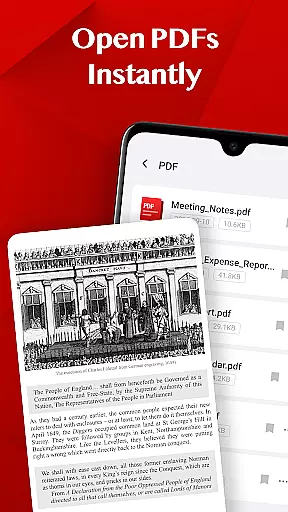
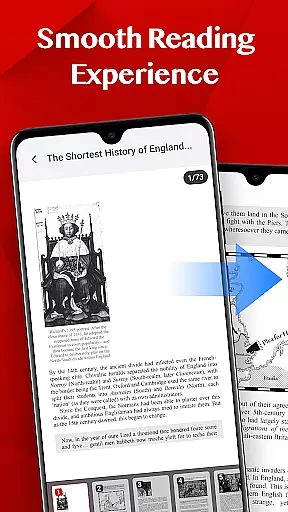
Turbo PDF is a streamlined PDF reader tailored for Android devices, offering both phone and tablet users an efficient way to manage their documents. With its lightweight design and intuitive interface, the app allows users to open PDF files instantly without any loading delays. The smooth scrolling and zooming features ensure a seamless reading experience, while the responsive layout makes navigation effortless.
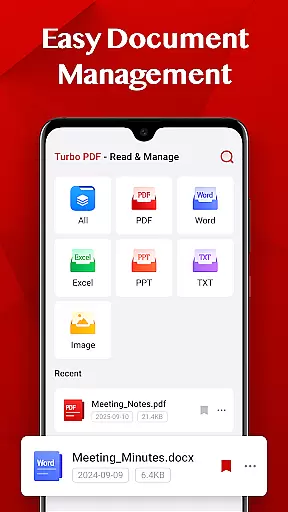
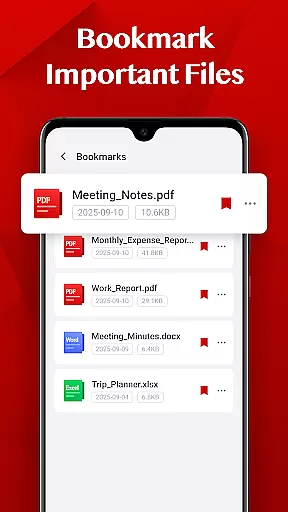
One of Turbo PDF's standout capabilities is its easy document management system. Users can effortlessly organize their PDF library by sharing or deleting files as needed. Additionally, the bookmark feature enables users to mark important documents for quick access later. These practical tools make Turbo PDF an ideal solution for professionals and students who need reliable document handling on the go.
The app also respects user privacy and security. For devices running Android 11 and above, Turbo PDF requests the MANAGE_EXTERNAL_STORAGE permission solely for accessing and managing PDF files stored on the device. This ensures that users can maintain full control over their documents while benefiting from the app's powerful organizational features.
Turbo PDF stands out with its comprehensive set of features designed to enhance the PDF reading and management experience. One of its core strengths is the ability to open PDF files instantly, eliminating frustrating load times. This feature is particularly beneficial for users who need quick access to important documents during meetings or while studying.
The app offers a smooth reading experience through fluid page scrolling and precise zoom controls. Its clean and responsive layout ensures that users can navigate between pages effortlessly, even with large documents. Additionally, Turbo PDF includes essential document management tools such as file sharing and deletion options, allowing users to keep their libraries well-organized. The bookmarking function adds another layer of convenience by enabling users to save frequently accessed files for instant retrieval.
For enhanced security, Turbo PDF implements the MANAGE_EXTERNAL_STORAGE permission on Android 11 and above. This permission is exclusively used for accessing and managing PDF files, ensuring that users' personal data remains protected. By combining these practical features with a focus on privacy, Turbo PDF delivers a complete solution for anyone seeking an efficient way to handle PDF documents on their mobile devices.
In today's interconnected work environments, collaborative work features are essential for seamless teamwork. Turbo PDF offers capabilities that support collaboration without compromising on simplicity and security.
With Turbo PDF, teams can share documents effortlessly. The application allows users to send PDFs directly from their device, ensuring that everyone has access to the necessary files. This feature is particularly useful in business settings where document sharing is frequent and crucial.
Moreover, the app provides an intuitive interface that makes it easy to manage shared documents. Users can organize their PDFs efficiently, keeping track of different versions and updates. This ensures that all team members are working with the most current information, enhancing overall productivity.
The ability to bookmark important files further augments the collaborative experience. Team members can quickly return to key documents, making meetings and collaborative sessions more efficient. With these features, Turbo PDF facilitates a cohesive and productive work environment.
Effective task management is vital for maintaining productivity and meeting deadlines. Turbo PDF incorporates features that assist users in managing their tasks efficiently while handling PDF documents.
The application enables users to organize their PDF files systematically. With options to easily share or delete files, individuals can maintain a clutter-free workspace. This systematic organization is crucial for task management as it reduces time spent searching for documents and increases focus on the tasks at hand.
Turbo PDF also supports quick access to frequently used documents through its bookmarking feature. By marking key documents, users can streamline their workflow and ensure that important files are always within reach. This functionality is particularly beneficial in fast-paced business environments where time is of the essence.
Additionally, the smooth reading experience provided by Turbo PDF enhances task management. Fluid scrolling, zooming, and responsive page navigation allow users to interact with their documents seamlessly. This ensures that task-related document reviews and edits are performed efficiently, contributing to overall task completion and success.
User-friendly interface
Fast PDF loading
Smooth navigation
Effective document organization
Secure permission handling
Limited advanced editing
No cloud integration
Basic annotation tools
Restricted file format support
Occasional performance lags

Formerly Facebook Ads Manager. Manage and create ads on the go.
 4.20
4.20
Manage work life on the go
4.50
Find the right fit, faster.
4.70
Get instant construction estimates: accurate home repair & material calculator.
4.70
All document reader, pdf viewer app, read docs & excel files
3.80
All your team communication in one place
4.70
Build a store in minutes with our full suite of AI tools. Start for free!
4.20
view, manage, and share every PDF file you have
3.60
From Gone to Back Again — In Just a Few Taps
4.50
USPS Mobile®Access USPS.com’s most popular tools on-the-go.
4.70
The MyWalmart App is available for all associates in stores.
4.70
Finance, Investing, Stocks, Trading and Stock news
4.60
ANDROID'S TOP MOBILE OFFICE - Word, Excel, PowerPoint and PDF at your fingertips
4.50
All Your Gig Work. One App.
4.30
A secure, all-in-one team collaboration app
4.30
VSD Viewer - Visio Drawings Viewer for Android Preview VSD, VDX, VSDX drawings
4.10
enjoy effortless PDF reading anytime, anywhere
3.90
Find part-time earning opportunities near you that pay within days.
3.20
Convert Your Lovable.dev Website into a Mobile App Instantly!
4.0


User Reviews