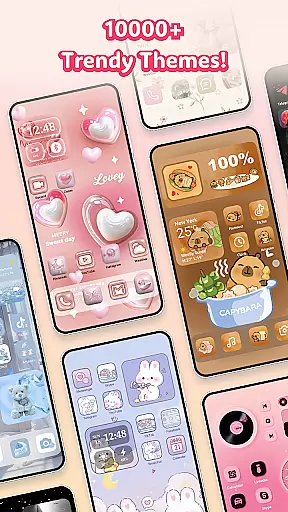
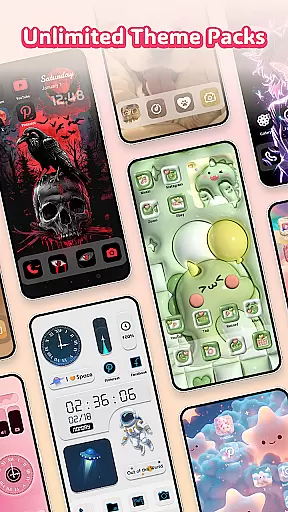
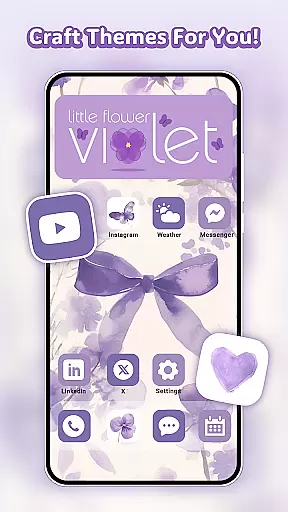
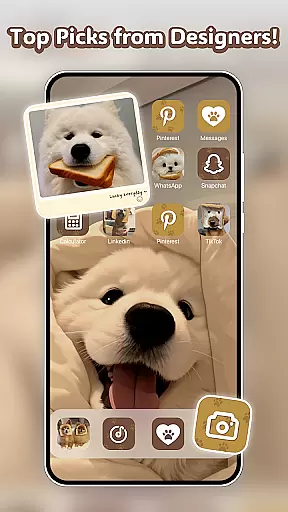
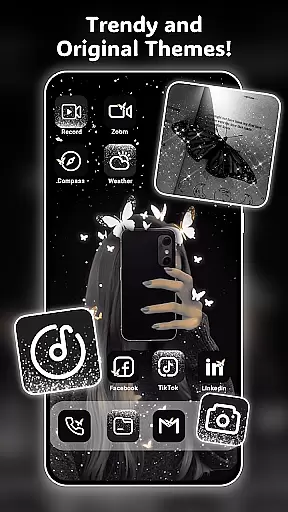
Themely - Icons & Widgets is a comprehensive personalization app designed specifically for Android users who want to customize their device's appearance. With over 10,000 live 3D themes, HD wallpapers, DIY widgets, and app icons, the app offers endless possibilities to make your home screen truly unique. Whether you're into cute, neon, sports, anime, or K-pop styles, Themely provides diverse options that cater to every taste.
The app stands out with its creative DIY features, allowing users to design custom widgets and icons using personal images and various style options. From live battery widgets to stylish stickers, each element can be tailored to reflect your personality. The intuitive one-click replacement system makes customization quick and easy, while regular updates ensure fresh content is always available.
Themely is particularly useful for users who want to express their individuality through their phone's interface. The app's extensive collection of aesthetic backgrounds and themed elements helps create visually stunning screens that are both functional and expressive. This makes it an ideal choice for those looking to transform their Android device into a personalized digital canvas.
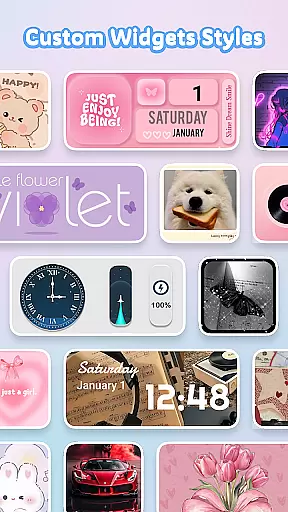
Themely - Icons & Widgets distinguishes itself through its rich feature set that goes beyond basic theming capabilities. The app offers over 1,000 customizable widgets, including live battery indicators, dynamic image effects, and functional components like calendars and weather displays. These widgets not only provide useful information but also serve as artistic elements on your home screen.
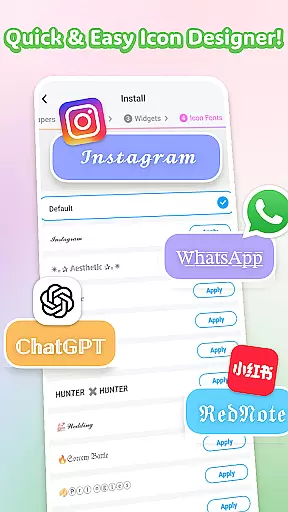
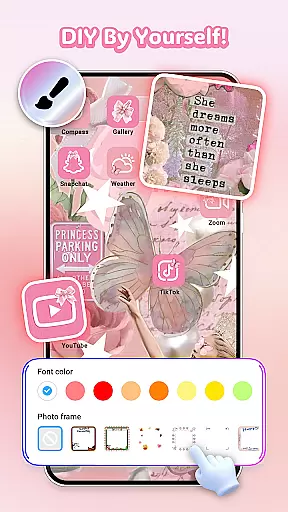
One of the app's most innovative aspects is its DIY icon creation tool. Users can modify social media icons with different fonts, colors, transparency levels, and background options. This level of customization extends to wallpapers as well, with a vast library of aesthetic HD images covering various themes from neon to seasonal designs. The app's ability to blend functionality with visual appeal sets it apart from other customization tools.
Themely's strength lies in its seamless integration of diverse customization elements. The app combines themes, widgets, icons, and wallpapers into a cohesive platform that allows for complete home screen transformation. With features like Accessibility Service permissions for advanced control center functions, and regular content updates, the app ensures users have everything they need to create a personalized mobile experience that reflects their unique style.
Themely offers an extensive range of customization options that allow users to personalize their Android devices like never before. With over 10,000 live 3D themes, HD wallpapers, and unique stickers, the app caters to diverse tastes including cute, neon, sports, anime, and K-pop styles.
The app provides more than 1,000 custom widgets, including live battery indicators, dynamic image effects, and functional widgets such as calendars, clocks, and weather displays. Users can even incorporate personal images from their gallery, making each widget a distinct reflection of their personality.
For those who love to fine-tune every detail, Themely allows for DIY icon creation. Users can choose from various icon styles, fonts, colors, and transparency levels, ensuring that every app icon on their home screen is a perfect match for their aesthetic preferences.
This vast array of customization choices empowers users to create a truly personalized device experience that reflects their individuality while offering practical utility through its feature-rich widgets and stylish designs.
Theme compatibility is at the heart of Themely's design philosophy, ensuring that all visual elements work seamlessly across different Android devices. The app supports a wide variety of themes, from puffy and cute styles to specialized designs like sports, anime, and K-pop, guaranteeing a consistent look and feel throughout the user's device.
Users can enjoy one-click theme application with options ranging from neon aesthetics to festive themes like Christmas and Halloween. This ease of use extends to wallpapers as well, where high-definition images provide crisp visuals without compromising performance or compatibility.
Moreover, Themely's commitment to compatibility means regular updates and new content releases, keeping the themes fresh and engaging while maintaining system stability. The app's designers prioritize creating assets that are optimized for various screen sizes and resolutions.
By focusing on both breadth and depth in theme offerings, Themely ensures that users can express themselves fully without worrying about technical limitations, resulting in a harmonious blend of form and function across all customized elements.
User-friendly interface
Extensive customization options
Regular content updates
Vibrant widget selection
DIY creative freedom
Requires storage space
Premium content costs
Some features need permissions
May affect device performance
Learning curve for beginners

Only for Wear OS devices!
 4.90
4.90
Personalize your phone with stunning HD and 4K wallpapers!
4.70
Try creating your own keyboard with "Keyboard theme for android" app now!
4.50
Customize glowing edges, wallpapers, and caller screen with EdgeAura.
3.50
Nothing Icon pack with more than 3750+ highly crafted icons.
4.70
Adaptive Dot Style IconPack with Light & Dark Theme.
3.70
350+ widgets with a premium glass-style finish, perfect for home & lock screens.
4.70
set a new experience for the Android mobile phone
4.20
Your home screen, just the way you like it.
3.80
One 8 icons glass color version
4.80
Gun Chase - Let the chase begin.
4.80
Customize your home screen with stunning themes, blur, widgets & icons.
4.60
Handcrafted pixel art icons, widgets & wallpapers
4.60
300+ widgets inspired by Material You and Material 3 expressive design.
4.60
Beautiful realistic hybrid watch face with numerous customization options.
4.50
Wear Os Watch Face - Seasonal - Animated Snow Effect - 9 Animals
4.20
Organize and manage your photos and videos effortlessly with Photo Gallery
4.20
More than 3000+ themes and 9000+ wallpapers for everybody!
4.10
Struggling to find apps? Use this app to locate and open any app on your phone!
2.20


User Reviews