

















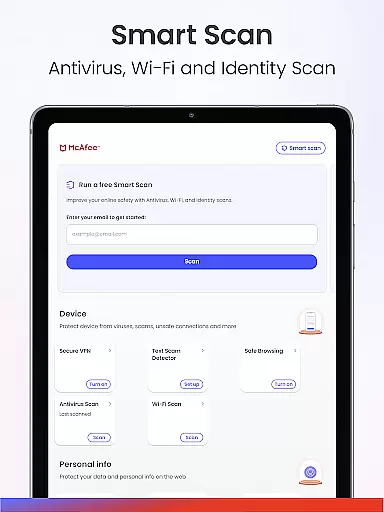

McAfee Security is a comprehensive cybersecurity app designed to protect users from various online threats. The app's core feature is its Scam Detector, which shields against deceptive texts, emails, and deepfake videos. Additionally, it offers advanced antivirus protection, a private VPN, identity theft monitoring, and real-time cybersecurity alerts. This all-in-one solution ensures users' data and devices are safeguarded from viruses, malware, spyware, and financial fraud.
Beyond basic security features, McAfee Security provides tools like transaction and credit monitoring, personal data cleanup, and social privacy management. These features help users maintain control over their online presence and financial safety. Whether browsing the web, checking emails, or using public Wi-Fi, this app ensures robust protection across multiple scenarios.
This app is ideal for individuals seeking peace of mind in their digital lives. By combining cutting-edge technology with user-friendly tools, McAfee Security empowers users to navigate the internet safely while protecting their sensitive information from scammers and hackers.
McAfee Security stands out due to its diverse range of innovative features tailored to modern cybersecurity needs. One of its key highlights is the Scam Detector, which includes text scam protection, email scam warnings, and deepfake video detection. These tools work together to prevent users from falling victim to phishing attempts and AI-generated scams.
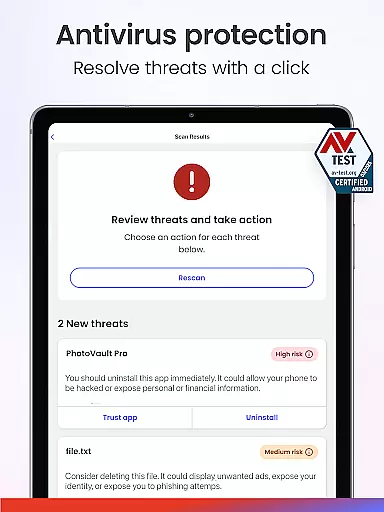
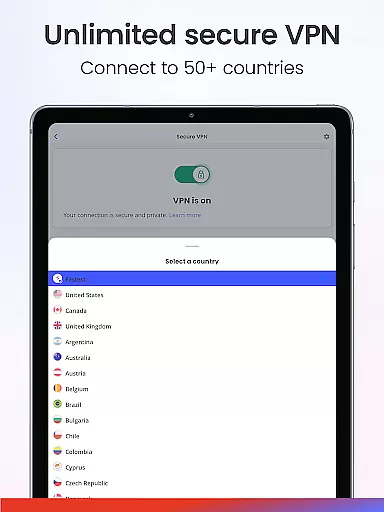
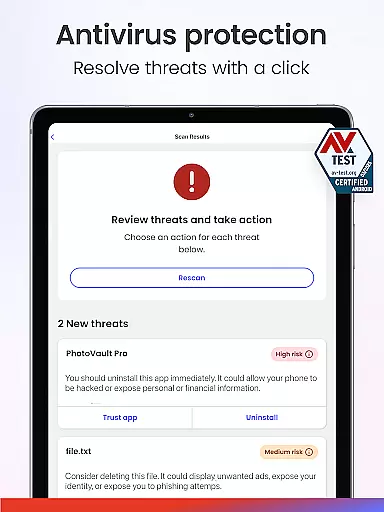
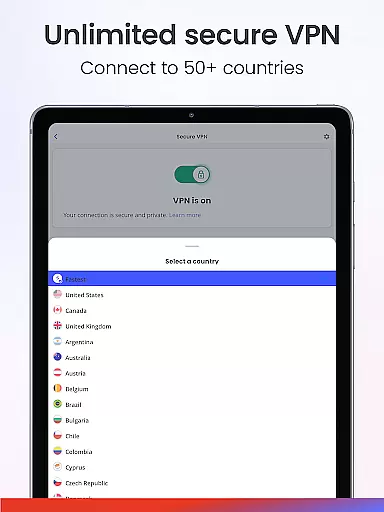
The app also excels in providing robust antivirus and malware protection. Its smart AI-powered scanning detects threats in real time, ensuring that personal files, apps, and downloads remain secure. Furthermore, the unlimited secure VPN feature not only hides users' IP addresses but also allows them to connect to different countries for enhanced privacy. This makes it an excellent choice for those who frequently use public Wi-Fi networks.
Additional standout features include 24/7 identity monitoring, transaction and credit monitoring, and personal data cleanup services. With these capabilities, McAfee Security goes beyond traditional antivirus solutions by offering holistic protection for both digital and financial assets.
In the realm of cybersecurity, McAfee Security stands out with its comprehensive suite designed to protect users from a myriad of online threats. The app's core functions are meticulously crafted to ensure maximum security while maintaining ease of use.
McAfee employs advanced AI protection that works in real-time to scan and detect potential threats. This smart technology forms the backbone of the antivirus and antimalware features, which have garnered awards for their efficacy. Users can trust that their personal files, apps, and downloads are shielded from viruses, malware, and spyware.
The practical benefit for users is significant; by having an all-in-one solution, they gain peace of mind knowing that their digital life is secured against unauthorized access and malicious attacks. Moreover, the automatic VPN feature not only ensures secure browsing but also masks the user's IP address, adding an extra layer of privacy.
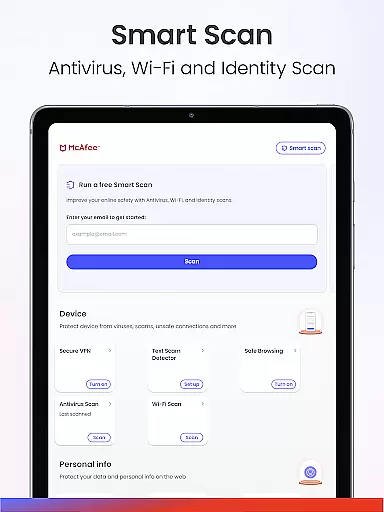
Ultimately, McAfee Security's dedication to precision and performance in its core functions translates into reliable protection for consumers. With identity theft monitoring, safe browsing tools, and WiFi security scans, users receive a robust defense system that adapts to the dynamic nature of cyber threats.
A user-friendly interface is crucial for security software, as it ensures that all users, regardless of technical expertise, can navigate and utilize the protective features effectively. McAfee Security excels in providing an intuitive experience that simplifies complex security operations.
The layout of McAfee Security is designed to guide users effortlessly through its various functionalities. From the moment the app is launched, users are met with a clean dashboard that highlights key security insights and actions. This straightforward presentation allows users to quickly understand their current security status and take necessary steps without confusion.
Moreover, the app consolidates multiple tools such as antivirus, VPN, identity protection, and scam detection into one cohesive platform. By doing so, it reduces the learning curve typically associated with cybersecurity suites and empowers users to manage their safety proactively.
The true value of McAfee's interface lies in its ability to make sophisticated security measures accessible. With clear options for scanning, monitoring, and protecting personal data, even those new to digital security can confidently safeguard their online presence using McAfee Security.
Comprehensive protection
Real-time threat detection
User-friendly interface
Multi-device support
Advanced scam prevention
Premium features locked
High subscription cost
Limited iOS functionality
Occasional performance lag
Complex setup process

1-Click close all background apps on Android TV
 3.90
3.90
Unit and currency converter with easy and simple UI.
4.80
Head tracking for PC sim games such as MSFS 2024 or Elite:Dangerous. No headset!
4.50
Use your phone as a webcam on your computer over WiFi or USB.
4.40
Unlock your Essential Key. Create custom shortcuts to your favorite apps!
4.3
HD Video player and downloader for all formats, fast & smooth 4K video playback.
4.60
An open-source APK explorer for Android!
4.10
Amateur Radio app for APRS: Track friends, exchange messages, get tactical info.
3.90
Automate everything from settings to photos, SMS to speech. ADC2 prize winner.
4.10
The ultimate tool for network analysis, wifi scanning and problem detection.
4.90
Excellent scientific calculator with symbolic algebra, integrals, derivatives
4.80
Creation, Learning, Entertainment & More — The All-in-One AI Search Engine
4.70
Button mapper, mouse toggle, sleep timer and a lot of another features
4.50
Carry a FTP server in your pocket and avoid USB cables for file transfer
4.20
A simple app to back up and restore SMS & MMS messages and call logs.
4.10
Safely recover deleted photos, videos, and files with a single easy tap.
3.70
A recovery soft,it features photo recovery, video recovery, file recovery.
3.40
card-reader app
2.20
Save any video in HD - paste the link, download fast and watch offline.
4.2


User Reviews