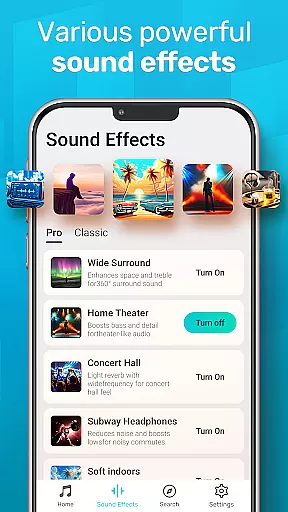
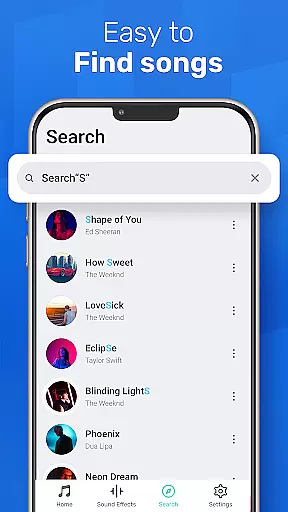
MusicGo is a versatile offline music player app that supports all major audio formats, making it an essential tool for music enthusiasts. With over 20 built-in equalizer presets and advanced audio technology, the app delivers outstanding sound quality tailored to individual preferences.
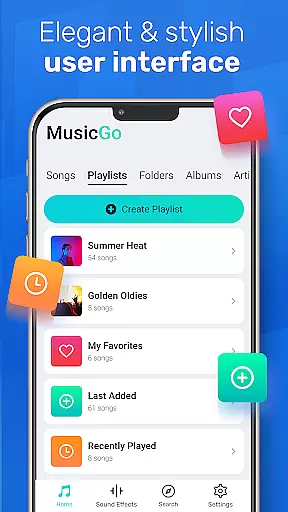
The user-friendly interface allows easy management of music files directly on your device. You can organize tracks by playlists, albums, or artists, and take advantage of smart auto playlists. The app's elegant design includes customizable color themes, ensuring both aesthetic appeal and functional convenience.
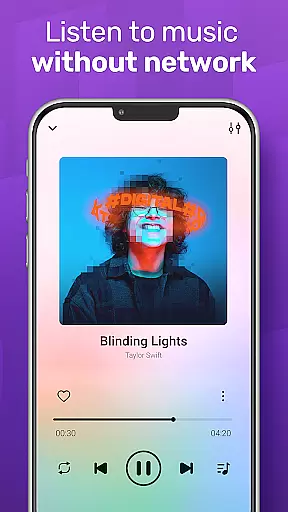
Whether you're commuting or relaxing at home, MusicGo provides uninterrupted music enjoyment without internet connection. Its compatibility with various audio formats and devices makes it a reliable choice for audiophiles who demand both quality and flexibility in their listening experience.
MusicGo stands out with its comprehensive feature set designed for optimal music experience. The app's powerful equalizer offers more than 20 presets, including specialized settings for different music genres. Users can enhance their audio with bass boost and reverb effects through simple controls.
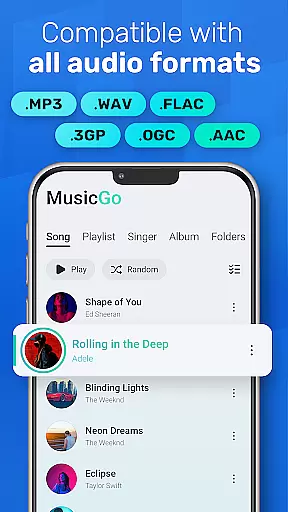
One of the key strengths is its universal format support, accommodating MP3, FLAC, WAV, MIDI, AAC, and APE files. The deep scanning capability automatically refreshes and organizes your music library, while smart playlists help categorize tracks based on listening patterns.
Additional features include background playback, Bluetooth and wired headphone compatibility, and various playback options like shuffle, loop, and repeat. The intuitive interface combines functionality with aesthetics, offering multiple color themes and player designs that adapt to users' personal styles.
MusicGo offers an extensive music library that supports all major audio formats including MP3, FLAC, WAV, MIDI, AAC, and APE. This ensures users have access to a wide variety of music options without worrying about format compatibility.
The app's deep scanning feature automatically refreshes the music library, allowing users to manage their files efficiently. With support for various playlists categorized by albums, artists, and smart auto playlists like Featured, Most Played, and Recently Played, MusicGo provides a rich and diverse music experience.
While MusicGo focuses on delivering a versatile music experience, it also emphasizes copyright authenticity. By supporting offline audio files that users own, it ensures that listeners can enjoy their legally acquired music collection with peace of mind.
One of MusicGo's standout features is its outstanding sound quality, enhanced by over 20 built-in equalizer presets. These include options for classical, dance, folk, and rock genres, allowing users to customize their listening experience according to personal preferences.
The equalizer provides bass boosts and reverb effects with just a single tap, ensuring that every song sounds as vibrant or as mellow as desired. This level of customization makes MusicGo a top choice for audiophiles who demand precision in their audio playback.
In addition to its powerful equalizer, MusicGo supports high-quality audio formats such as FLAC and WAV. This guarantees that users experience their music in the best possible fidelity, making every listening session a delightful auditory journey.
Extensive format support
Powerful equalizer options
User-friendly interface
Offline playback capability
Customizable themes
Limited online streaming
No cloud integration
Basic sharing options
Occasional bugs
Ads in free version

Your HD audio recorder on the go for music, meetings, ambience, animal sounds…
 4.30
4.30
Make music anywhere. Turn your device into an instrument.
4.1
The Music Journey in Your Hands
4.30
Learn to play the piano using falling notes!
3.80
Listen radio AM / FM Stations. Live AM / FM Radio App Station. Radio Com.
4.70
Offline Music Player&MP3 Player with themes, equalizer, lyrics, music play mode
4.60
Master Salsa Rhythm quickly and with a lot of fun!
4.30
Reverse your voice & songs instantly! Fun singing challenge with cool effects.
4.60
Be a true music maker: create beats, mix and make music like a real DJ!
4.30
Tune in to the greatest hits on UK Radio | The home of Capital, Smooth & Heart.
4.90
Full-featured, High-Quality Groovebox Workstation, perfect for Live Performance!
4.80
JBL PartyBox APP works with 110/310/710/120/320/520/Encore/Encore 2/Encore Ess 2
4.80
Over 100 million tracks available for high quality streaming and download
4.60
A synth that really lets you shape your sounds!
4.50
Network/Cloud Streaming, Visualization, Graphic Equalizer and Sound Effects.
4.20
The alternative folder based music player.
4.20
Permanently backup Now Playing. Maps, filters & listening stats.
4.00
Control your MIDI USB or Bluetooth devices in app and avoid some trampling
3.30
Simply convert wav to mp3. Clear. Reliable. Safe.
4.0


User Reviews