
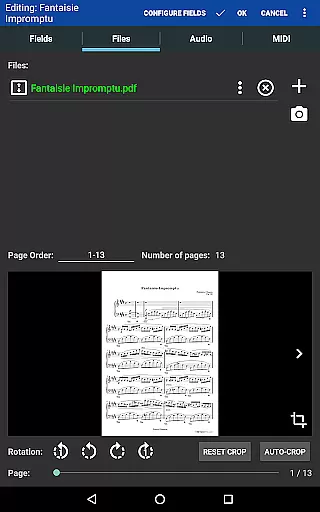
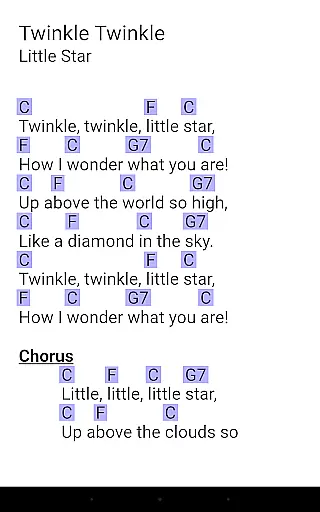
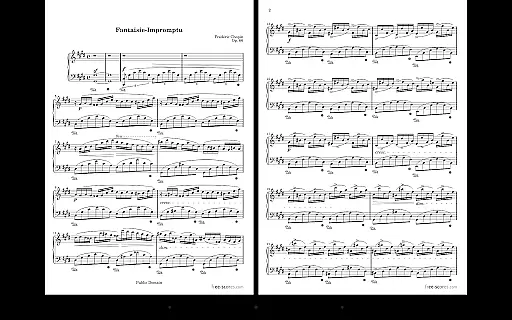
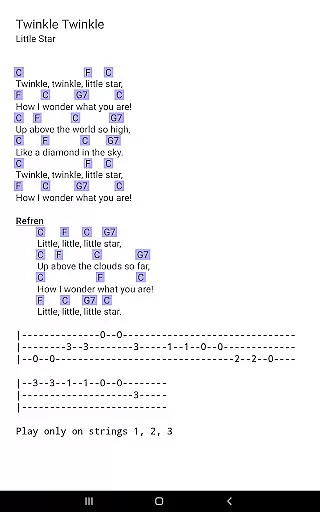
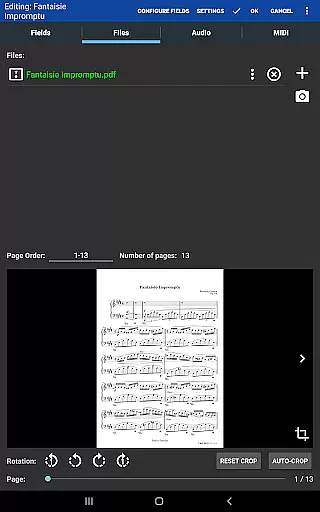
MobileSheets is a premier sheet music viewer designed specifically for Android tablets, offering musicians an efficient and versatile solution for managing and accessing their music library. The application eliminates the need for physical sheet music by providing instant access to any score within its digital library. With support for multiple file types including PDFs, images, and chord pro files, MobileSheets ensures compatibility with a wide range of musical scores.
Beyond basic viewing, MobileSheets boasts an array of advanced features tailored to enhance the musician's experience. These include hands-free page turning via Bluetooth or USB devices, automatic scrolling, and even face gesture controls. Additionally, users can annotate their scores, utilize a built-in metronome, and create bookmarks for quick navigation. The app also supports MIDI communication and allows for chord transposition in compatible files, making it an indispensable tool for practice and performance.
Designed for tablets 7" and larger, MobileSheets offers powerful library management capabilities, enabling musicians to organize their scores using metadata fields and custom categories. Its companion PC application simplifies song creation and editing, further streamlining the user's workflow. Whether preparing for a concert or practicing daily, MobileSheets provides the freedom and flexibility that modern musicians need.
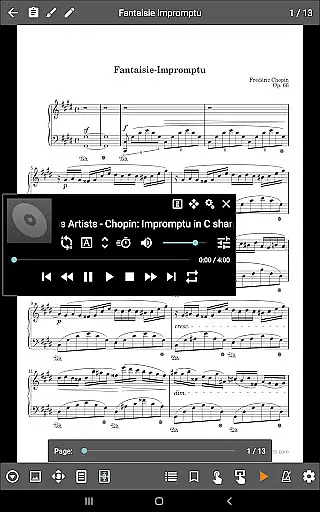
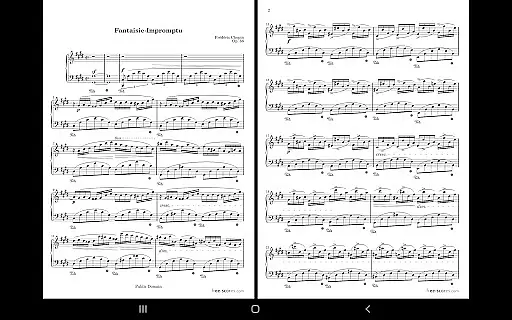
MobileSheets distinguishes itself through a comprehensive suite of features designed to meet the diverse needs of musicians. One standout capability is its multiple operational modes, which include side-by-side pages, half-page turns, and vertically scrolling pages. This flexibility ensures optimal viewing regardless of the musical piece's layout or complexity. Furthermore, the app's support for hands-free page turning via Bluetooth pedals or facial gestures enhances usability during performances.
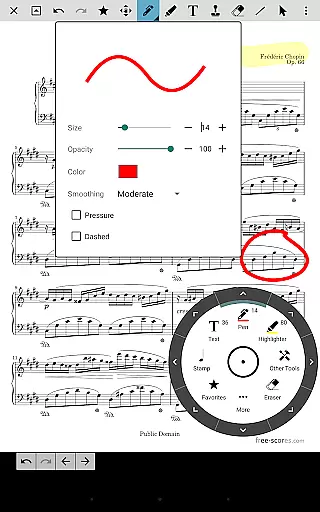
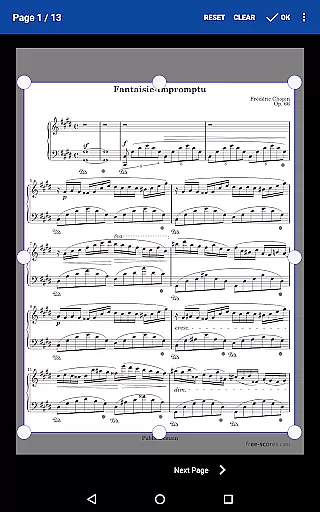
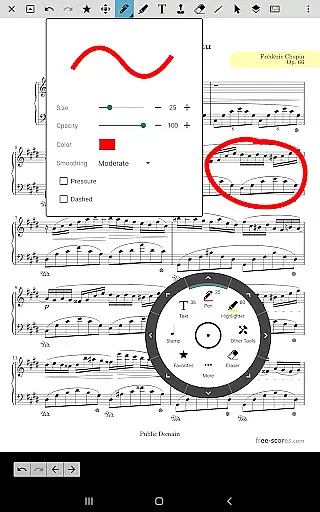
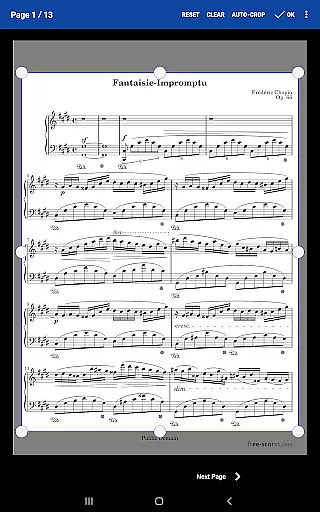
The annotation tools within MobileSheets are particularly robust, allowing users to mark up their scores with freeform drawing, shapes, text, and stamps. A custom audio player with A-B looping functionality complements these tools by enabling precise practice sessions. Users can also customize page orders, eliminating unnecessary pages or repeating sections as needed. Bookmarks and link points facilitate seamless navigation through complex scores, while smart buttons offer configurable actions directly on the score interface.
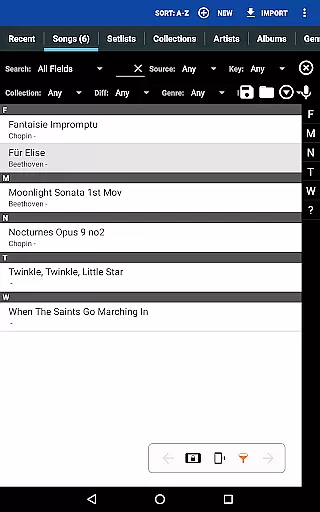
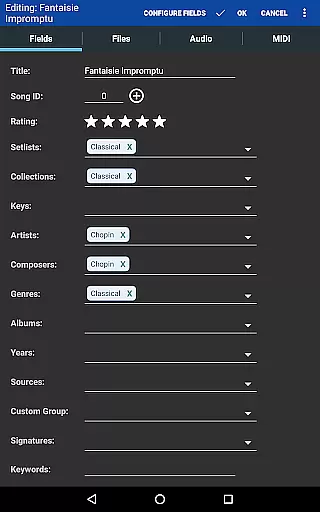
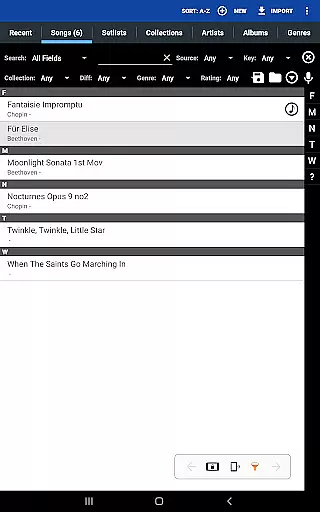
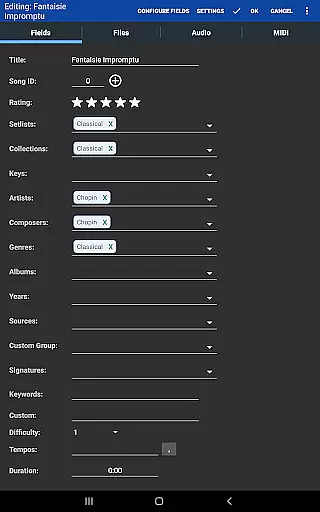
Library management is another area where MobileSheets excels. It supports extensive metadata fields, empowering users to categorize and retrieve their music efficiently. Setlists and collections help organize songs for specific performances or practice routines. Moreover, the app's ability to communicate with MIDI devices over USB opens up possibilities for integrating MobileSheets into broader musical setups. These features collectively make MobileSheets a powerful ally for musicians seeking to optimize their practice and performance workflows.
MobileSheets offers an extensive music library management system that supports a wide range of file types including PDFs, images, text files, and chord pro files. This versatility allows musicians to digitize their entire music collection, making it accessible from a single platform.
The application ensures copyright authenticity by enabling users to import only legally acquired sheet music. It does not provide or distribute any copyrighted material itself, thus respecting intellectual property rights while offering tools for personal music library organization.
With features like importing CSV index files to break up large PDF songbooks and support for MIDI devices over USB, MobileSheets empowers musicians to manage complex libraries with ease. These capabilities ensure that all content within the app is authentic and properly organized.
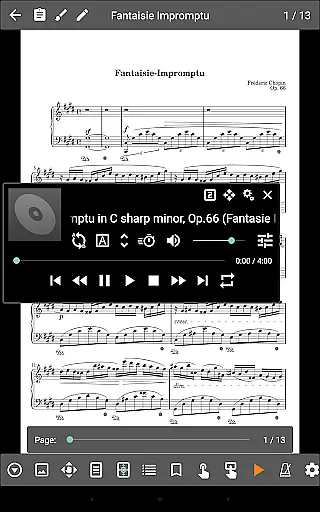
While MobileSheets primarily focuses on sheet music management, it also includes a custom audio player designed specifically for musicians. This player supports multiple audio quality options and playback modes, including A-B looping, which is essential for practice sessions.
The audio player handles various file formats and offers different size options for the playback interface. This flexibility enables users to adjust the audio experience according to their preferences and device capabilities.
Although the application cannot play back PDFs or images, its specialized audio features provide musicians with professional-grade tools for their practice routines. The combination of visual score display and high-quality audio playback creates an integrated learning environment.
User-friendly interface
Extensive file compatibility
Advanced annotation tools
Hands-free operation options
Powerful library organization
No built-in playback for PDFs
Companion app not included
Limited smartphone support
Occasional device compatibility issues
Requires manual data setup

SqueezePlayer turns your Android phone or tablet into a SqueezeBox on its own!
 4.60
4.60
Turn your phone into a musical instrument from the future!
3.90
Make music anywhere. Turn your device into an instrument.
4.2
Save hundreds of dollars for a physical strobe tuner and instead use this app.
4.50
Advanced 10-Band Audio Graphic Equalizer Sound Booster Pro
4.30
A sleek, no-frills player designed for true music lovers.
4.20
Play KORG’s revolutionary touch-based instrument on a variety of devices.
4.40
The iconic iOS metronome app is now on Android.
3.70
Sing, record, and create music together — enhanced by smart voice tools.
4.00
Tune in to the greatest hits on UK Radio | The home of Capital, Smooth & Heart.
4.90
Your song collections with lyrics and chords on Android smartphones and tablets.
4.80
Play your hearts out on TouchTunes jukeboxes & connect with fellow music lovers.
4.80
Walkout Song DJ is the most intuitive app to manage your sports music.
4.70
Simple & Intuitive Metronome
4.70
Taal player that lets you sing any Indian & Western song with Tabla & Tanpura
4.60
Recording studio w/ 10k beats, pro vocal FX and a network of 20M rappers & fans!
4.60
Time Guru will strengthen your internal sense of musical time via random muting.
4.30
The alternative folder based music player.
4.20
VB-AUDIO Software / VBAN-Receptor allows listening to any VBAN Streams
4.10


User Reviews