

Goblin Tools is a productivity app designed to simplify everyday tasks through a collection of small, intuitive tools. It offers solutions for task management, text rewording, mood sensing, and more. These features are especially helpful for neurodivergent individuals facing challenges like ADHD or autism.
The app provides practical utilities such as breaking tasks into smaller steps, estimating activity durations, and even creating recipes from available ingredients. With its clever design, Goblin Tools helps users manage their daily lives with greater ease and efficiency.
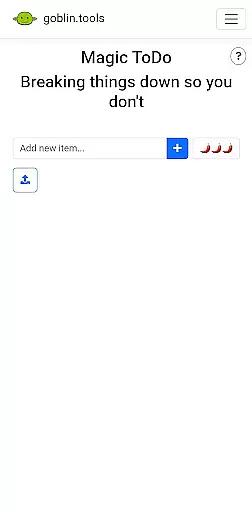
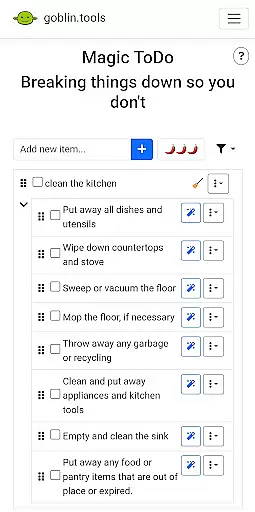
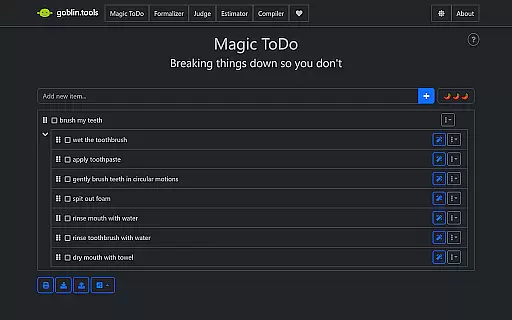
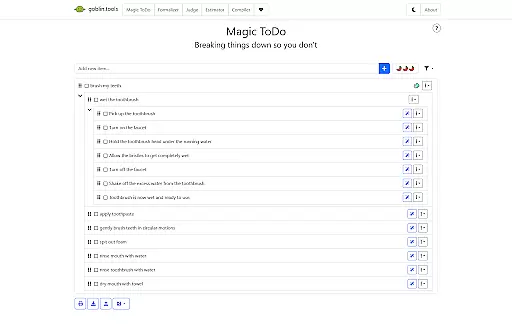
Goblin Tools stands out with its diverse range of innovative features tailored to assist with various productivity needs. The Magic ToDo function allows users to divide complex tasks into manageable steps, while Formalizer helps adjust the tone of written communication.
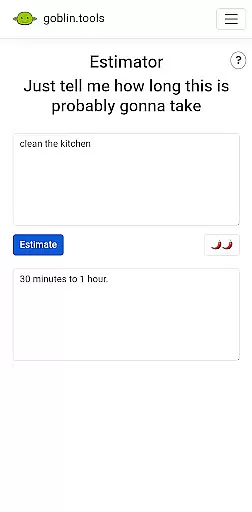
Other notable features include Judge, which analyzes the emotion behind messages, and Professor, which simplifies complex information. Consultant aids in decision-making, Estimator predicts time requirements, Compiler organizes thoughts into actions, and Chef generates recipes from on-hand ingredients.
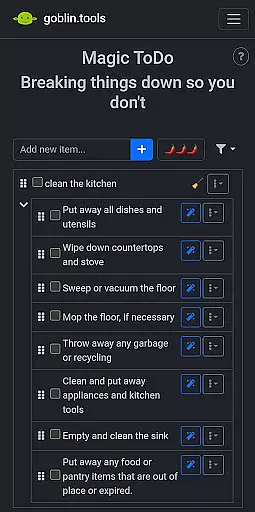
Goblin Tools excels in simplifying complex tasks through its innovative Magic ToDo feature. This functionality allows users to break down overwhelming responsibilities into manageable steps, promoting productivity without the stress.
The app's approach to task management is especially beneficial for neurodivergent individuals. It provides a structured yet flexible system that can be tailored to various cognitive needs, ensuring that everyone can organize their workload effectively.
What sets this tool apart is its integration with other practical features like Compiler and Consultant. Users can transform chaotic thoughts into clear action plans while receiving guidance on decision-making, creating a comprehensive productivity solution.
These combined capabilities make Goblin Tools particularly valuable for those dealing with ADHD, executive dysfunction, or other cognitive challenges. The app helps maintain focus and momentum while reducing the anxiety often associated with large or complex tasks.
While Goblin Tools operates primarily as a standalone application, its reliability across different usage scenarios ensures consistent performance. The app maintains its functionality without requiring complex synchronization mechanisms, making it accessible and dependable for all users.
The developers have focused on creating a stable environment where each tool works independently yet contributes to a cohesive user experience. This approach eliminates potential synchronization issues that could arise from cross-device usage, providing peace of mind for users who switch between devices.
Although the app doesn't emphasize traditional cloud-based synchronization, its robust design ensures that users can rely on consistent performance regardless of their device. This reliability is crucial for maintaining productivity throughout the day.
The app's stability extends to its regular updates and maintenance, which guarantee that all features remain functional across different platforms. This commitment to quality makes Goblin Tools a trustworthy companion for managing daily challenges efficiently.
User-friendly interface
Innovative task breakdown
Supports neurodivergent needs
Ad-free experience
Versatile toolset
Limited advanced options
No offline functionality
Requires learning curve
Few customization settings
Dependent on internet

Create study competitions, track your hours, and stay consistent with friends
 4.4
4.4
Smart PDF reader & editor to view, organize and manage PDF documents easily.
3.70
A lightweight JSON & XML files creator, editor and viewer (Premium Version)
4.40
IP Camera Viewer - Android TV : RTSP Surveillance camera viewer for Android TV
4.2
Simple and reliable communication between inmates, friends and family
3.20
Create and edit presentations with Google Slides, part of Google Workspace.
4.00
Intelligent AI Assistant
4.10
Browse and view your photos and videos from the phone with photo & video hide.
4.10
Put a lock on your cloud: Take the security of your data into your own hands
3.70
Seamlessly integrate data and reports to build your presentation to impress
4.80
Android Wallet Password Manager
4.80
Use powerful, industry-leading AI tools to generate visual charts from any data
4.80
This small app MUST BE INSTALLED after purchase, else license won't work
4.40
All in One PDF Reader: Manage, Read and Edit your Documents
4.20
Easily read and manage all your PDF files
4.10
Customizable calendar widget for seamless event sync, planning & scheduling.
4.00
Auto-shutoff Alarm with Sunrise, Sunset & Fixed Options.
3.50
ID.me Authenticator is a simple and free Two Factor Authentication solution
3.50
Ads Free App! Editor, Hide File, Copy, Move, Delete and Rename.. all facility av
1.70


User Reviews