
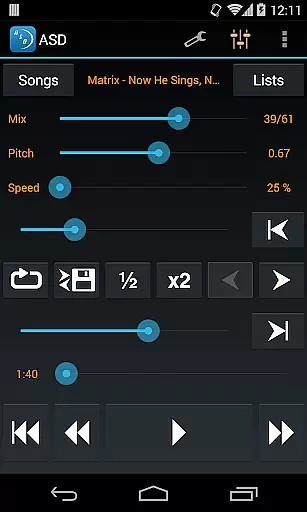
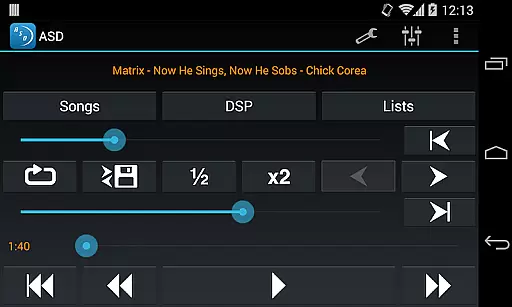
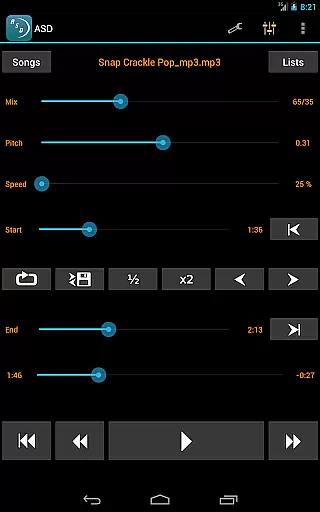
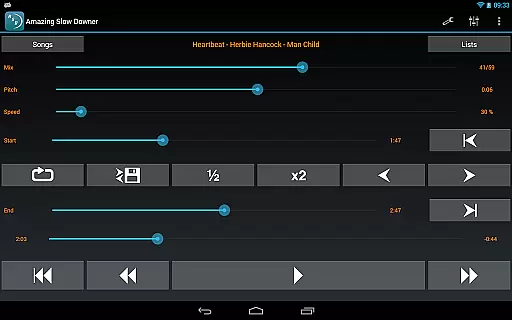
Amazing Slow Downer is a powerful tool for musicians, transcribers, and dancers who want to learn new songs or techniques. It allows users to slow down music playback without changing the pitch, making it easier to practice and master difficult sections.
The app supports speed adjustments between 25% (1/4 of original speed) and 200% (double speed). Users can repeat any section of the music at full speed or adjust the tempo as needed. Additionally, Amazing Slow Downer enables seamless looping and tuning adjustments, providing an ideal environment for skill improvement.
With outstanding sound quality and intuitive controls, this application is perfect for anyone looking to enhance their musical abilities or enjoy a more customized listening experience.
One of the standout features of Amazing Slow Downer is its ability to change the playback speed of music without altering the pitch. This functionality allows musicians to practice at slower tempos before gradually increasing the speed as they become more comfortable with the material.
In addition to speed control, the app offers seamless loop creation by simply touching 'Set' buttons during playback. This feature is particularly useful for repetitive practice sessions. The app also provides exceptional sound quality, ensuring that even at reduced speeds, the audio remains clear and distortion-free.
Furthermore, Amazing Slow Downer supports tuning adjustments, making it versatile for various musical contexts. Whether you're learning a new piece or refining your technique, this app delivers professional-grade tools right to your device.
When evaluating a music application like Amazing Slow Downer, the size and authenticity of its music library are crucial factors. This app allows musicians to import their own music files, ensuring that users have access to a vast array of tracks without legal concerns. The ability to manipulate playback speed and pitch while maintaining original audio quality is one of its standout features.
The app doesn't rely on third-party streaming services for its core functionality, which means users can work with their personal music collections. This approach ensures full copyright compliance, as users are only slowing down or altering music they already own. The recent changes in Spotify's policies further highlight the importance of this self-contained approach.
Amazing Slow Downer stands out by offering tools that enhance practice sessions without requiring an extensive built-in library. Musicians can focus on improving their skills using their preferred tracks, knowing they're working within legal boundaries. This makes the app particularly valuable for transcription work and detailed musical study.
Audio quality remains paramount when manipulating music for practice or performance purposes. Amazing Slow Downer excels in this area by maintaining exceptional sound fidelity even at extreme speed adjustments. Users can modify playback between 25% and 200% of the original speed without experiencing pitch distortion or significant quality loss.
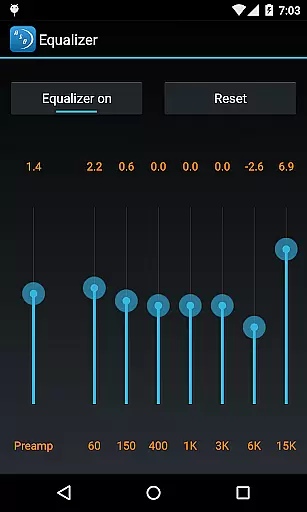
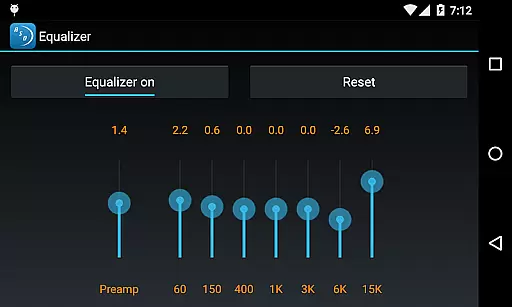
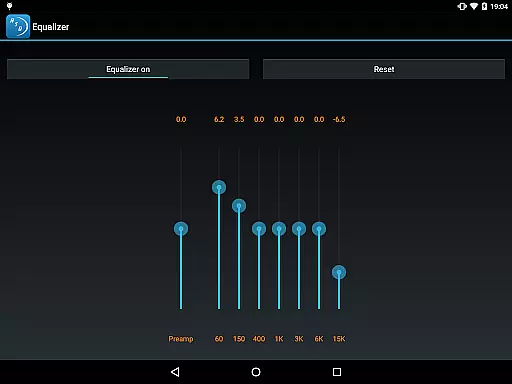
The application provides various options for audio manipulation beyond simple speed changes. Musicians can adjust tuning and musical keys while preserving the integrity of the original recording. This flexibility proves invaluable during practice sessions or when learning complex musical pieces.
Furthermore, the app supports seamless looping functionality, allowing users to focus on specific sections of a track. This feature, combined with the high-quality audio processing, creates an optimal environment for musical improvement. The outstanding sound quality remains consistent across all playback speeds, making it an essential tool for musicians and dancers alike.
User-friendly interface
High-quality audio processing
Seamless loop functionality
Pitch preservation at all speeds
Versatile speed adjustment options
No official Spotify support
Limited free version features
Occasional compatibility issues
Higher cost compared to alternatives
Steep learning curve for beginners

Tune in to the greatest hits on UK Radio | The home of Capital, Smooth & Heart.
 4.90
4.90
Gorgeous UI, Powerful music Search and Equalizer, the great choice for you!
4.70
More downloads than any other metronome. Includes drum machine & tempo trainer.
4.80
Super Sound Editor, Song Maker & Mixer, Vocal Remover, Voice Recorder & Changer!
4.60
A sleek, no-frills player designed for true music lovers.
4.20
Listen radio AM / FM Stations. Live AM / FM Radio App Station. Radio Com.
4.70
The official Sonos app
4.10
The iconic iOS metronome app is now on Android.
3.70
Responsive piano with great sounds, graphics, and songs
4.80
AI Music Maker: Generate And Compose AI Tunes & AI Songs & AI Music & AI Melody!
4.60
DJ Music Mixer Pro is a real DJ controllers and DJ Music Studio to remix DJ.
4.40
Advanced 10-Band Audio Graphic Equalizer Sound Booster Pro
4.30
Learn and play 2M+ music tabs & chords on guitar, ukulele, bass, and more
4.30
Time Trainer: accurate metronome w tools to help you develop your internal time!
4.20
No wifi music app. Mp3 offline. Tuner radio, young radio music. Music downloader
4.20
PowerAudio is a powerful offline music player.
4.20
Sheet music reader, piano & music note player. Play music score & learn to read.
3.90
The Cubase remote control app
3.60
Control your MIDI USB or Bluetooth devices in app and avoid some trampling
3.30


User Reviews