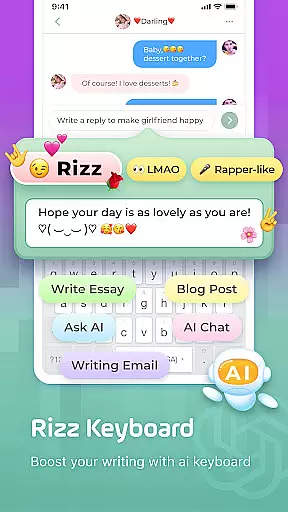
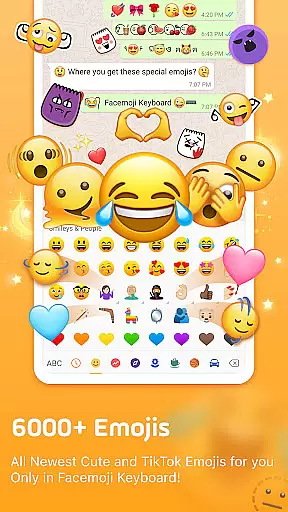
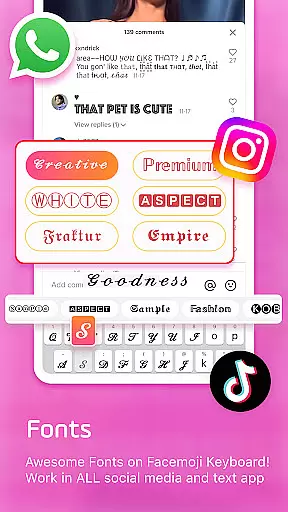
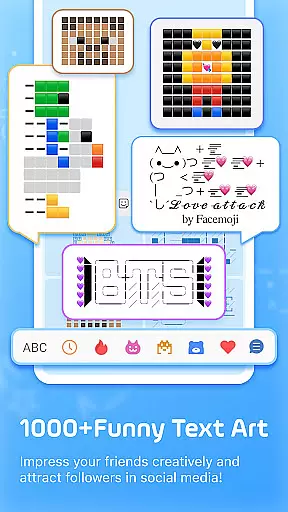
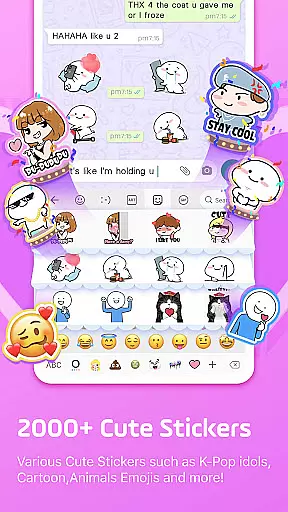
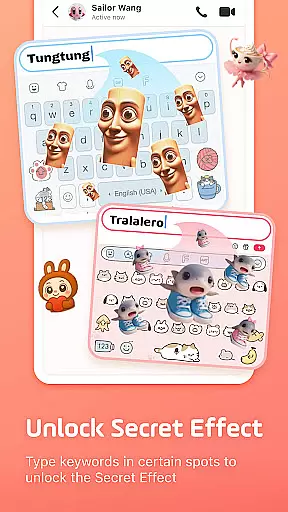
Facemoji AI Emoji Keyboard is a versatile personalization tool that transforms your mobile typing experience. This AI-powered keyboard offers over 6000 emojis, custom emoji creation, and unique features like the Genmoji-style Emoji Maker. Users can design personalized emojis, create custom stickers based on their face, and access special TikTok emojis not found in other keyboards.
The app provides extensive customization options including 1500+ fancy keyboard themes, cool fonts, and DIY wallpapers. With support for GIFs, WhatsApp stickers, and bilingual typing in 100+ languages, it caters to diverse communication needs. Its smart prediction system and fast typing features make messaging more efficient while maintaining privacy and security standards.
Ideal for social media enthusiasts and creative professionals, Facemoji enhances digital conversations with its vast emoji library and unique customization features. The app's ability to generate personalized content and its exclusive K-Pop integrations make it particularly valuable for users seeking distinctive and engaging communication tools.
Facemoji AI Emoji Keyboard distinguishes itself through innovative features that enhance user interaction. The Genmoji-style Emoji Maker allows users to create personalized animated GIFs and stickers using AI technology. This feature goes beyond basic emoji functionality by enabling users to generate look-alike stickers based on their facial features, similar to Memojis, but with greater customization possibilities.
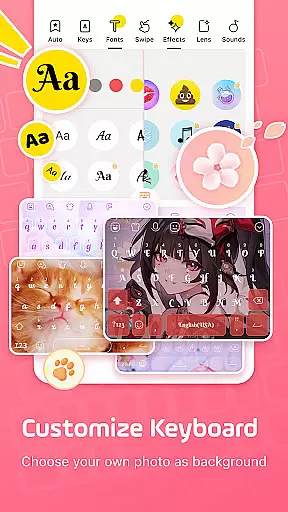
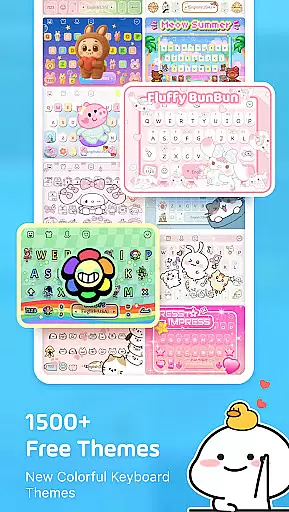
The app's extensive theme collection includes 1500+ free stylish themes ranging from Japanese anime to K-Pop idols, with new additions weekly. Its smart typing system incorporates swipe functionality, autocorrect, and predictive text features. The DIY Avatar Sticker generator and custom keyboard creator provide unparalleled personalization options, allowing users to modify button layouts, colors, fonts, and even typing sounds.
Unique to Facemoji are its specialized game keyboards for popular titles like Among Us and Roblox, plus exclusive K-Pop content integrations. The built-in translator supporting 100+ languages and the comprehensive clipboard system further enhance its utility. These features collectively create a highly customizable and functional keyboard experience that adapts to various user preferences and communication styles.
Facemoji AI Emoji Keyboard offers an extensive range of customization options that cater to diverse user preferences. With over 1500 stylish themes, users can personalize their keyboard experience with themes ranging from Japanese anime to K-Pop idols, ensuring a unique and visually appealing interface.
The app allows for DIY customization, enabling users to design their keyboard wallpapers using personal photos or pictures. This feature extends to customizing buttons, colors, fonts, tapping effects, and sounds, providing a highly personalized typing environment. Users can even replicate popular aesthetics such as BTS lightsticks or instrument sounds like piano and guitar.
Moreover, Facemoji supports the creation of personalized emojis and stickers through its Genmoji-style Emoji Maker. This tool lets users generate look-alike stickers based on their face or create custom emoji characters and animated GIFs, which can be shared across various platforms including TikTok, WhatsApp, and Facebook.
This vast array of customization not only enhances aesthetic pleasure but also improves user engagement by allowing individuals to express their personality through their keyboard setup. The ability to share these customizations with friends further enriches the social aspect of the application.
Theme compatibility is a standout feature of Facemoji AI Emoji Keyboard, ensuring that all custom themes are fully functional across different devices and operating systems. Users can seamlessly apply any of the 1500+ available themes without worrying about formatting issues or visual inconsistencies.
The app's themes are designed to maintain high visual standards and performance. Whether itu2019s Neon, LED, RGB themes, or those featuring cute animals and popular icons like Ironman and Unicorn, each theme undergoes rigorous testing to ensure it looks great and functions smoothly on all supported platforms.
Facemoji also regularly updates its theme library, adding new themes weekly to keep the content fresh and engaging. This commitment to continuous improvement ensures that users always have access to the latest design trends and can enjoy a dynamic keyboard experience.
By prioritizing theme compatibility, Facemoji guarantees that users can switch between themes effortlessly, enjoying a consistent and visually pleasing interface regardless of their device specifications. This reliability enhances user satisfaction and encourages prolonged app usage.
Extensive emoji library
Advanced customization
AI-powered features
Smart typing system
Privacy-focused design
Premium features locked
Occasional lag
Large storage space
Complex interface
Limited offline use

Customizable flower power digital watch face for Wear OS watches.
 4.00
4.00
Ninja Turtles Cowabunga SE watch face for Wear OS
4.50
Adult video chat, dating, making friends, random matching
4.20
Personalize your phone with stunning HD and 4K wallpapers!
4.70
Customizable screen pets that play, climb, and keep you company.
4.50
Run multiple accounts of the same app on a single device
4.10
Your go to Weather App & Home Screen. Get your weather at a swipe of a finger!
3.80
Crystal-clear, square icon provides a sleek and sophisticated visual upgrade
4.00
Handcrafted pixel art icons, widgets & wallpapers
4.60
Only for Wear OS devices!
4.90
Enjoy a variety of amazing live wallpapers and colorful EDGE lighting borders!
4.80
300+ Stunning and well-designed widgets inspired by NOTHING.
4.70
Stunningly Different look with Line Icons and Neon Colors
4.60
Over 28,000 high quality icons to bring color & homogeneity to your phone.
4.60 4.50
4.50
Transform your device in a game console
4.40
Magic fluids wallpaper 4D: Relax with stunning fluid simulation wallpaper app
4.20
Create unique, fun emojis with Funny Emoji Maker! Unlimited creativity!
4.00
HappyLighting is a Bluetooth lamp control software.
3.40


User Reviews