
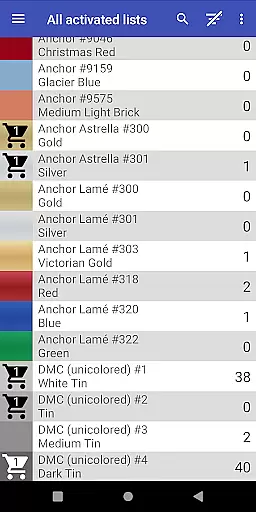
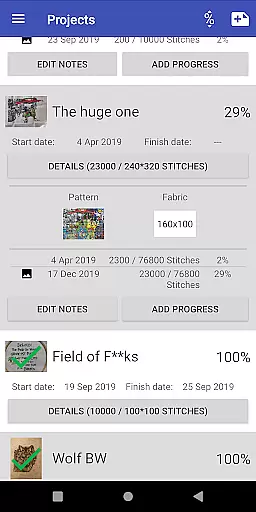
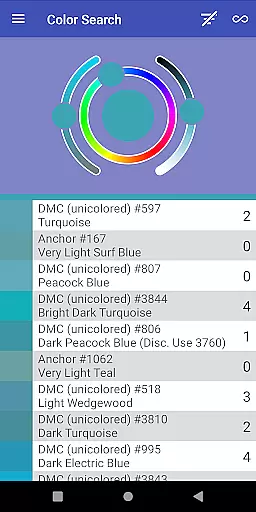
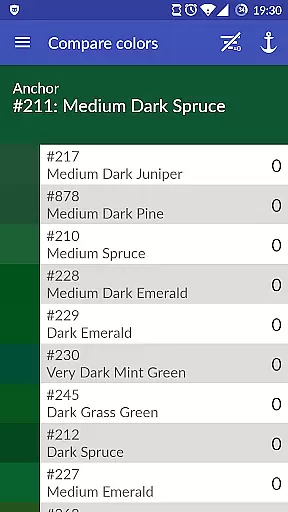
Cross Stitch Thread Organizer is a comprehensive tool designed for cross-stitch enthusiasts, providing an efficient way to manage thread collections on the go. With support for approximately 160 thread vendors, users can easily navigate through extensive lists of threads, fabrics, and patterns.
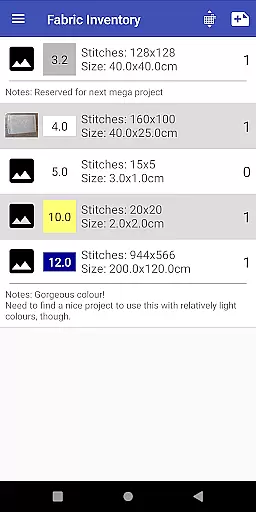
The app allows users to track inventory, search for specific colors, and calculate project sizes. Its intuitive interface and robust features make it an indispensable companion for both amateur and professional stitchers, ensuring all necessary information is readily accessible.
This Art & Design app stands out with its detailed thread management system. Users can save thread quantities, add items to a shopping list, and search for color matches or substitutes. The app supports various thread types including cotton, silk, and metallic.
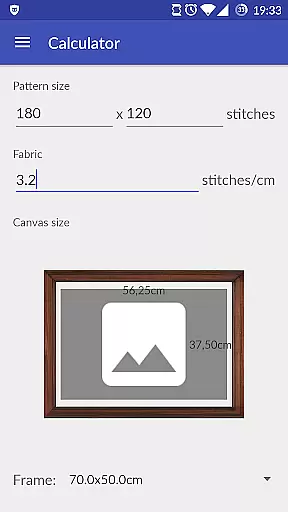
Additional features include project progress tracking, fabric management, and frame size calculations. The custom lists functionality enables users to add missing vendors, while the app's optimization ensures smooth performance without ads or unnecessary bloat.
Creative tools are essential for any design application, and Cross Stitch Thread Organizer excels in this area. The app provides a comprehensive suite of features tailored to cross-stitch enthusiasts.
With support for over 160 thread vendors including DMC, Anchor, and Madeira, the app offers an extensive range of color options. Users can search for threads by specific colors, manage fabrics and patterns, and even calculate the final size of their projects.
The inclusion of different thread types such as cotton, silk, and metallic ensures that users have everything they need at their fingertips. This variety empowers artists to bring their creative visions to life without limitations.
Additionally, the custom lists feature allows users to add missing vendors, ensuring that all preferred materials are available within the app. This flexibility enhances the overall user experience, making it an indispensable tool for both amateur and professional cross-stitchers.
Flexibility in canvas and format options is crucial for accommodating various artistic needs, and Cross Stitch Thread Organizer delivers on this front. The app supports a wide array of formats, allowing users to work with ease.
Users can track the daily progress of their projects, assign required threads, and choose from a list of standard frame sizes to match their finished pieces. This adaptability ensures that every project fits perfectly into its intended display.
The app's ability to handle different types of threadsu2014such as variegated colors, color variations, and effectsu2014adds another layer of versatility. Artists can experiment with diverse textures and finishes, knowing that the app will support their choices.
Moreover, the appu2019s optimization for performance and lack of ads contribute to a seamless user experience. By focusing solely on functionality, Cross Stitch Thread Organizer provides a clutter-free environment where creativity can flourish without distractions.
User-friendly navigation
Extensive vendor support
Customizable thread lists
Ad-free experience
Robust project management
Limited to cross-stitch craft
No built-in community features
Premium features may require payment
Occasional bugs reported
Learning curve for beginners

Premium version of Shimeji-ee app with no ads & no limit active shimeji
 4.3
4.3
Customizable Outlined Fonts. Watch Face Format. Battery friendly Digital Clock.
4.20
Text to Image, Image to Video & AI Chat
4.20
Make your phone cooler and have a fantastic experience
4.80
Castle is social media for creating and playing games!
4.60
AR Anime Drawing: How to draw anime with AR drawing & sketching apps!
4.00
Sketch and paint on your device with the feel and freedom of drawing on paper
4.00
Multiplayer Drawing game, Coloring, Painting・Sketch, Handwriting・Paint, draw
4.30
Unleash your inner artist! Sketchar: AR Drawing for Limitless Creativity
4.40
Passport size photo maker, create ID photo and visa photo in seconds
4.80
The ultimate tool for creating animations
4.60
Digital, Abstract, Classic - all types of color wheels in one app!
4.60
Share the joy of painting with ibis Paint! Drawing anime and manga art.
4.50
800+ Drawing, Painting Lessons App to Practice, Sketch & Paint Art.
4.30
Turning simple sketches into captivating tales filled with life and motion
3.90
Create cute cat emojis & PFPs! Fun, custom avatars for cat lovers.
3.70
Experience next-gen icons with a modern liquid glass look.
3.60
Meet the magic aı 3d photo generator and smart AI video generator app.
3.20
Art of Combination Wear OS Watch faces
4.0


User Reviews