
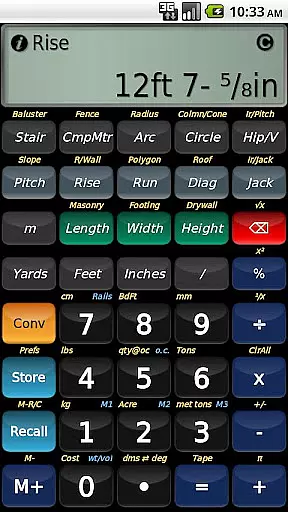
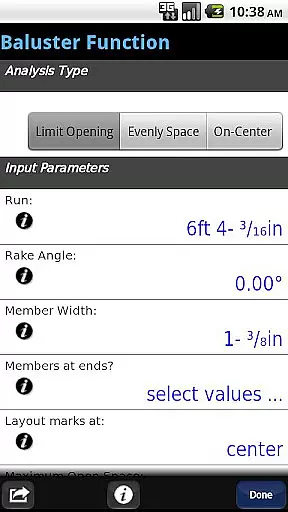
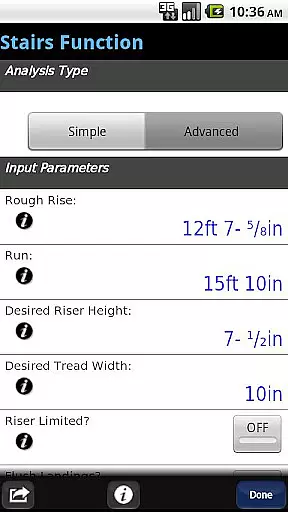
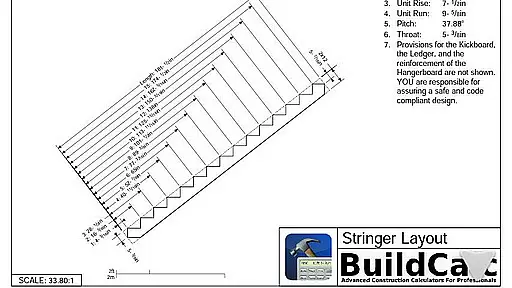
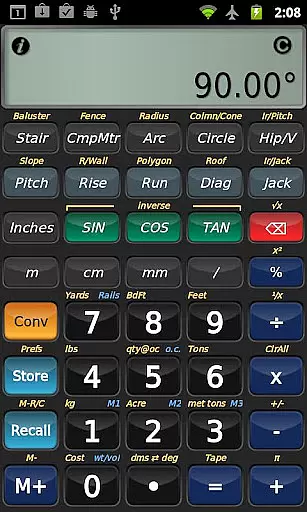
BuildCalc is a comprehensive construction calculator app designed to provide more functionality and accurate answers while reducing complexity and hassle. The app offers advanced tools for construction professionals, including an Advanced Baluster Function for railing layouts, a Stair function with dimensioned drawings, and a Fence Function for material estimation. These features are complemented by interactive functions that update results automatically when inputs change, ensuring precision and saving time.
In addition to its specialized functions, BuildCalc allows users to customize various parameters such as brick, block, or tile sizes for masonry work, drywall sheet dimensions, and shingle sizes. This flexibility ensures that users can tailor the app to their specific needs. With capabilities like Full Daylight Visibility Mode and emulation of Construction Master® Pro functionalities, BuildCalc stands out as a versatile tool for both on-site and office use, streamlining tasks and enhancing productivity in the construction industry.
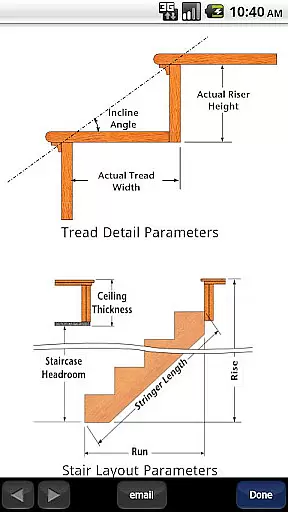
BuildCalc distinguishes itself through a variety of innovative features tailored for construction professionals. One standout feature is the Advanced Stair function, which not only provides detailed stair layouts but also generates dimensioned drawings of the Stringer, Stringer Installation, and Finished Staircase. Users can conveniently email these drawings as PDFs directly from the app, facilitating easy sharing and printing. Additionally, the app's interactive functions, such as those for Stair, Baluster, Compound Miter, Diagonal, and Hip/Valley calculations, allow users to modify input values effortlessly, with results updating automatically without the need for complex button sequences.
Another significant advantage of BuildCalc is its ability to store custom sizes for materials, enabling quick recall and reducing the mental effort required for calculations. The app also includes unique functionalities like Sheathing Angles, Purlin Angles, Gable Area, Backing Angles, and Plan Angles, which are not commonly found in other construction calculators. Furthermore, BuildCalc simplifies complex calculations with its 'Room Mode' for Drywall and Masonry, allowing users to calculate requirements for walls, ceilings, and floors with minimal input. These features collectively ensure that BuildCalc delivers precise results efficiently, making it an indispensable tool for modern construction projects.
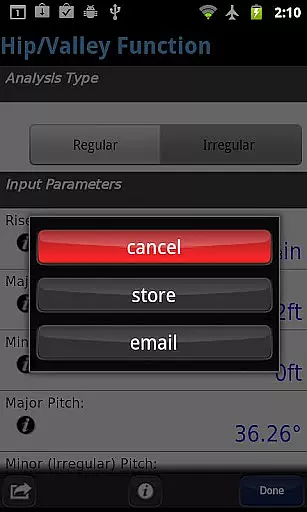
In the realm of construction and design, collaboration is key. BuildCalc excels in providing features that enhance team productivity and accuracy. The app offers interactive functions such as Stair, Baluster, and Compound Miter which allow teams to adjust inputs like Run or switch between Regular and Irregular Hip Roof analysis effortlessly.
These modifications are updated automatically, ensuring that all team members are on the same page without the need to memorize specific key sequences. This seamless interaction fosters a collaborative environment where precision and efficiency go hand-in-hand.
Moreover, the ability to save results from all advanced functions means that teams can recall complete results at their convenience. This eliminates the cumbersome process of jotting down calculations and ensures that every member has access to the latest data, enhancing overall project coherence.
Effective task management is crucial in the construction industry, and BuildCalc addresses this with its intuitive interface and comprehensive functionalities. The app simplifies complex calculations by offering all results in list form with just one or two key taps, significantly reducing the time spent on obtaining essential measurements.
BuildCalc's innovative approach extends to its Full Daylight Visibility Mode and advanced functions like the Baluster and Stair layouts. These tools provide dimensioned drawings and the option to email a PDF, streamlining task management by integrating planning and sharing capabilities within the app.
Additionally, features like Drywall and Masonry 'Room Mode' minimize guesswork by calculating requirements for walls and ceilings with minimal input. By removing the complexity associated with traditional calculators, BuildCalc empowers users to focus on execution rather than computation, thereby improving overall task efficiency.
User-friendly interface
Advanced calculation tools
Customizable material sizes
Interactive input updates
Comprehensive drawing outputs
May have a learning curve
Not ideal for simple tasks
Requires internet for some features
Premium price point
Limited offline support

AI-powered document scanner with auto enhance for perfect PDFs.
 4.60
4.60
Completed Course Lectures on how to use IBM Maximo in Maintenance issues
4.0
Ask Accio anything about business. Alibaba-backed, built by experts, not just AI
4.60
TurboScan turns your phone into a full-featured PDF document scanner.
4.80
Find the right fit, faster.
4.70
We are a dynamic team of creatives people of design, marketing, web & apps
3.00
Find part-time earning opportunities near you that pay within days.
3.20
Shop, deliver, and earn with the Spark Driver™ App
4.10
Ship, Track, Find a Location or Get a Quote with UPS. Anytime. Anywhere.
4.60
Use Generative Summary to understand your rental or insurance docs in seconds.
4.70
We help people get jobs
4.70
Chat, meet, and collaborate to achieve more together, all in one place on Teams
4.60
Drive and earn extra money
4.50
The revolutionary flexible staffing platform
4.40
A secure, all-in-one team collaboration app
4.30
Deliver and earn money
4.30
Find flexible, hourly jobs hiring near you in restaurant, retail & hospitality!
4.00
enjoy effortless PDF reading anytime, anywhere
3.90
Windows App allows you to connect to remote PCs and virtual apps.
3.70


User Reviews