
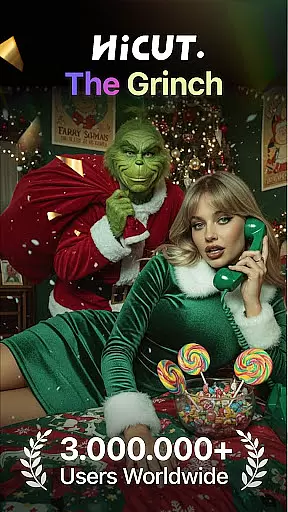
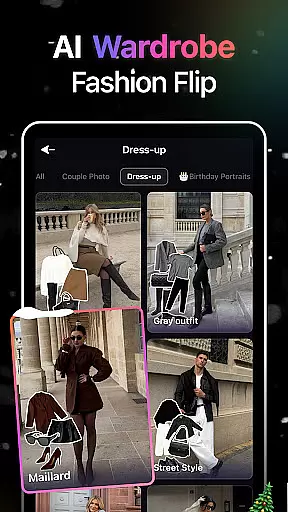
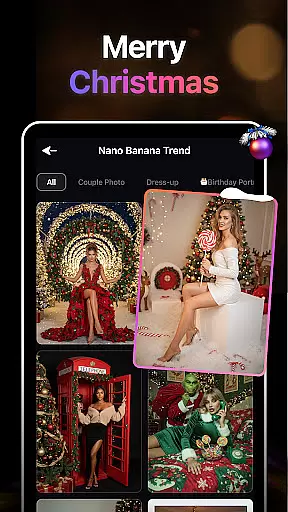
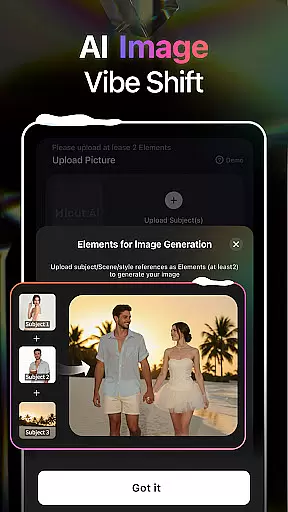
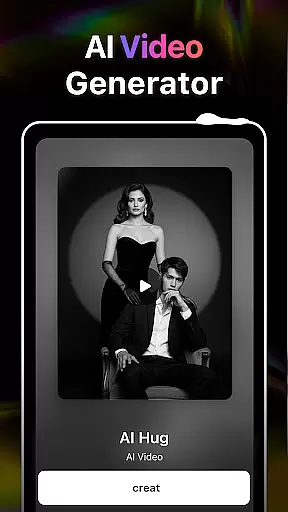
HiCut is an innovative AI-powered photo editing and video creation application designed for creative enthusiasts. The app's core functionality lies in its ability to transform ordinary photos into stunning anime, comic, or game-inspired visuals using advanced AI filters. Additionally, HiCut offers a unique AI Hugging Video feature that allows users to create realistic virtual hugs by uploading two single-person photos. This combination of artistic tools and emotional connection makes the app ideal for those seeking personalized avatars, memorable content, or even a way to reconnect with loved ones who are no longer present.
The app also includes a variety of specialized features such as Anime Photo Editor, Cartoon Filters, and Game Character Maker, each offering hundreds of customizable styles. Whether you're looking to explore anime aesthetics, superhero-like cartoon effects, or retro gaming visuals, HiCut provides all the necessary tools to unleash your creativity. Its cutting-edge technology ensures high-quality results while maintaining ease of use, making it accessible for both beginners and professionals in the Art & Design space.
HiCut stands out with its diverse range of AI-driven features tailored for artistic expression. One of its most notable innovations is the AI Hugging Video technology, which uses sophisticated algorithms to generate lifelike virtual hugs from uploaded photos. This feature not only showcases technical excellence but also adds an emotional dimension to digital interactions, allowing users to transcend physical boundaries and preserve cherished memories.
In addition to this, HiCut offers powerful photo editing capabilities through its Anime Photo Editor, Cartoon Filters, and Game Character Maker. Each tool comes equipped with hundreds of style options, enabling users to experiment with different aesthetics like anime, comic books, cyberpunk, pixel art, and more. These features empower creators to produce unique visual content that aligns with their personal preferences or professional needs. Furthermore, the app's intuitive interface ensures seamless navigation, allowing users to focus on their creative process without any technical hindrances.
In the realm of digital creativity, having a comprehensive suite of tools is paramount. AI Video Generator-HiCut rises to the occasion by offering an extensive array of features that cater to photo editing and video creation aficionados. The application boasts AI filters, video style conversion, and the unique AI hugging video technology, which collectively ensure that whether you're looking to craft innovative content or forge personalized avatars, your creative vision can be fully realized.
HiCut's capabilities extend from transforming still images into animated works of art in styles such as anime, comic, game characters, and sketches, to generating virtual hugs that transcend the barriers of time and space. This versatility empowers users not only to experiment with different artistic expressions but also to create emotionally resonant content that connects with audiences on a deeper level.
The true value of HiCut lies in its ability to democratize access to sophisticated creative processes. By leveraging cutting-edge AI technology, it provides creators of all skill levels with the means to produce professional-grade work without needing years of specialized training. As a result, users can focus on unleashing their imagination while leaving the technical heavy lifting to HiCut's robust platform.
Flexibility in canvas and format options is essential for creators who demand precision and adaptability in their projects. AI Video Generator-HiCut addresses this need by providing a dynamic environment where dimensions and resolutions are customizable to fit any project requirement. Whether you're designing for social media platforms with specific aspect ratios or creating high-definition videos for large displays, HiCut accommodates these diverse needs effortlessly.
Moreover, HiCut supports various input formats allowing seamless integration into existing workflows. Users can upload photos without worrying about compatibility issues, knowing that their original quality will be preserved throughout the editing process. This ensures that final outputs retain clarity and impact regardless of how they'll be utilized or shared.
By prioritizing canvas and format flexibility, AI Video Generator-HiCut enables artists and designers to push boundaries without feeling constrained by technical limitations. It's this freedom that allows for truly innovative creationsu2014where ideas take center stage over tool constraintsu2014and empowers users to bring their visions to life exactly as intended.
User-friendly interface
Wide range of styles
Emotionally engaging features
High-quality output
Versatile design options
Limited free features
Subscription costs
Occasional glitches
Learning curve
Resource-intensive

Create stylish invitation cards using templates for weddings, birthdays & RSVP.
 4.20
4.20
Text to Image, Image to Video & AI Chat
4.20
Draw glowing spinners, relax, and spin your creative art
4.60
Novices can also easily complete diamond painting masters
4.70
Get creative and make art with your Sesame Friends!
4.00
A luxurious gold watch face for an elegant and refined look.
4.5
Your homescreen as an elegant glass with customized blur, lighting, and visuals.
3.70
Inky runs Inkscape on Android devices and Chromebooks
2.90
Everything you need to create hand drawn animation, anywhere you go!
4.40
Make your phone cooler and have a fantastic experience
4.80
Draw, fidget, and spin glow art! Relax and express your creativity with a finger
4.60
AI Tattoo Generator: Create Tattoo Designs & Get Ideas! Ink & Stencil Maker
4.50
Stylish letters, Stylish Keyboard, Symbols, Emojis, Cool nickname
4.40
Custom Character Creator & PFP Maker!
4.20
Design your dream room with AI. Get decor ideas & plan home interiors
3.90
Turning simple sketches into captivating tales filled with life and motion
3.90
AI Art Generator transforms your words into AI generated art & paintings.
3.70
Create cute cat emojis & PFPs! Fun, custom avatars for cat lovers.
3.70
Apply cartoon, caricature, and portrait effects to make your photos stand out!
3.60


User Reviews