
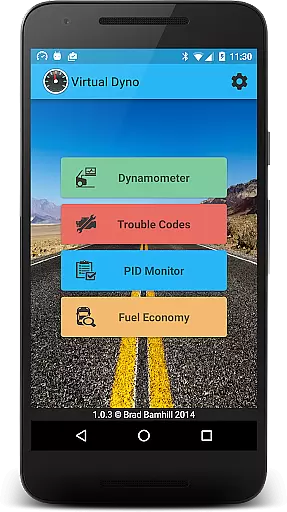
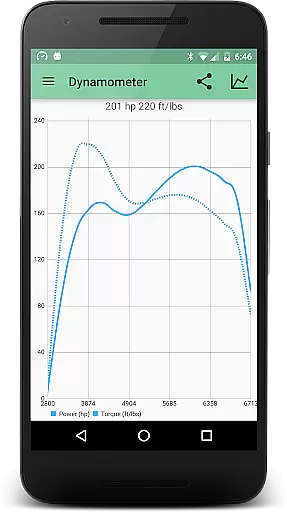
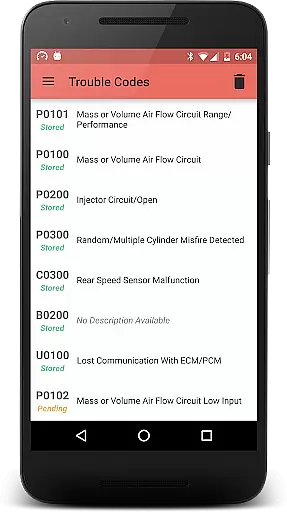
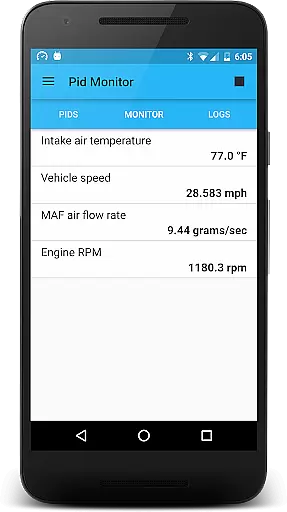
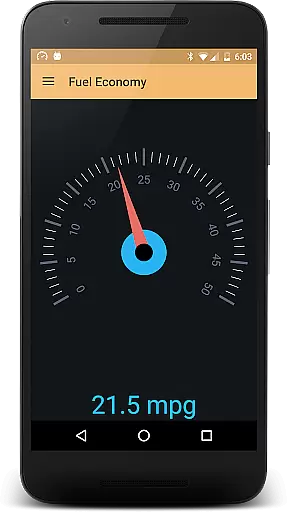
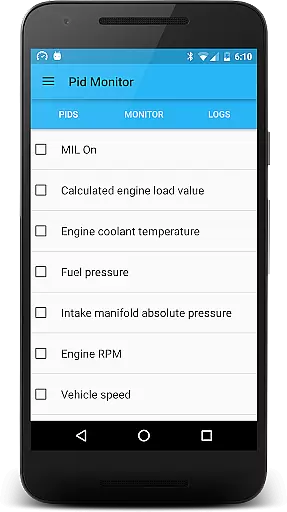
Virtual Dyno Mobile is a powerful automotive diagnostic tool designed for car enthusiasts and mechanics alike. This mobile application brings the reliability and accuracy of desktop-grade vehicle diagnostics to your smartphone or tablet. By connecting an ELM-327 Bluetooth adapter, users can monitor essential engine parameters, generate dyno graphs, and analyze trouble codes.
The app supports real-time monitoring of various PIDs (Parameter IDs) including RPM, engine load, timing, and air temperatures. It also allows users to create detailed dyno graphs, compare overlays, and share performance data effortlessly. Whether you're tuning your vehicle for optimal performance or diagnosing potential issues, Virtual Dyno Mobile provides the tools you need in a portable format.
Virtual Dyno Mobile offers a comprehensive set of features tailored for automotive diagnostics. The app enables real-time monitoring of critical engine parameters such as RPM, engine load, timing advance, and intake air temperature. These metrics are crucial for understanding engine performance and identifying areas for improvement.
In addition to parameter monitoring, the app includes advanced graphing capabilities. Users can generate dyno graphs to visualize power and torque curves, compare multiple runs for performance analysis, and even share these graphs with others. The ability to reset and analyze trouble codes further enhances its diagnostic utility, making it an indispensable tool for any vehicle owner or mechanic.
Virtual Dyno Mobile provides comprehensive vehicle data monitoring through its advanced OBD II Bluetooth connectivity. The application allows users to track essential parameters such as RPM, engine load, timing, and air temperatures.
By utilizing an ELM-327 Bluetooth adapter, the app ensures accurate readings of various performance indicators. This level of detail empowers car enthusiasts and professionals to make informed decisions regarding vehicle maintenance and performance tuning.
The ability to monitor these metrics in real-time enhances the user's understanding of their vehicle's operational status. With Virtual Dyno Mobile, users gain insights into potential issues before they become serious problems, ultimately saving time and money.
While Virtual Dyno Mobile itself is a powerful diagnostic tool, it maintains price transparency by clearly stating the need for an ELM-327 Bluetooth adapter. Users can purchase this accessory from a provided link, ensuring there are no hidden costs or surprises.
The app's description openly communicates its requirement for additional hardware, allowing users to prepare accordingly. This approach fosters trust between the application and its user base, as all prerequisites are clearly outlined.
Furthermore, by offering detailed information about necessary purchases, Virtual Dyno Mobile enables users to budget effectively for their automotive diagnostic needs. This commitment to openness helps build a loyal user community that appreciates straightforward pricing models.
User-friendly interface
Real-time PID monitoring
Dyno graph generation
Trouble code analysis
Data sharing options
Requires ELM-327 adapter
Limited to compatible devices
No offline functionality
Premium features may cost extra
Occasional connectivity issues

Theme for Car Launcher
 4.5
4.5
Theme for Car Launcher
4.3
Boost profits and hit your goals faster with GigU's amazing tools for gigworkers
4.00
By enthusiasts, for enthusiasts
4.00
Take state-specific DMV permit tests and ace the exam.
3.90
DMV practice test 2025: Driver License permit test & written test for all states
4.70
Your go-to app for car, truck & SUV parts, DIY tools, and expert repair help.
4.70
O'Reilly Pro will streamline your parts lookup and ordering process!
3.20
Easy connect & control your cars from afar. Remote Lock & unlock car and carplay
4.60
Play what you want through Android Auto
4.90
Quick and easy car diagnostics to get you the right fix.
4.70
Autolist - The Largest Selection of Local Used Cars and Trucks
4.50
Instantly redesign your car with AI. From sporty to futuristic, try it all.
4.50
Find, search, and browse 40,000+ used cars, SUVs, and trucks.
4.50
Ultimate OBD2 Car Scanner: Diagnostics, Service and Modification Tool
4.30
OBD2 car scanner and diagnostics: read Check Engine, DTC, economy....
4.30
AI Powered - Automotive Mechanic Assistant
4.30
AlfaOBD software for Fiat Group cars native diagnostic
3.70
Ferrari inspired analog & digital watch face with quick access and premium style
4.4


User Reviews