
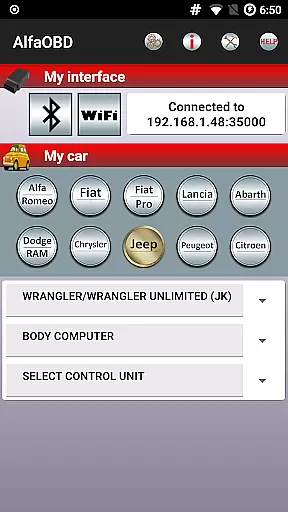
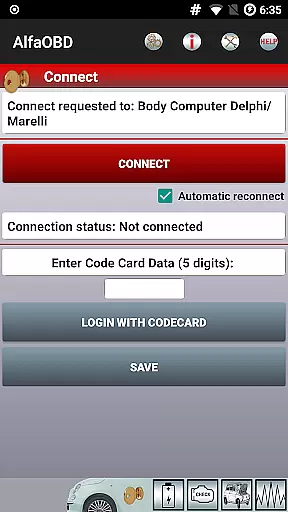
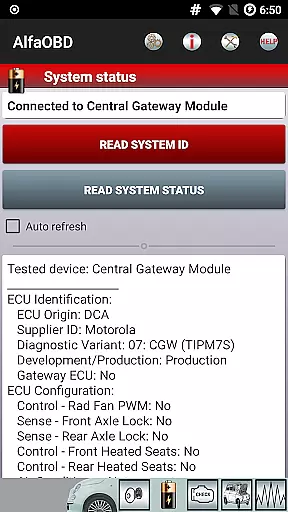
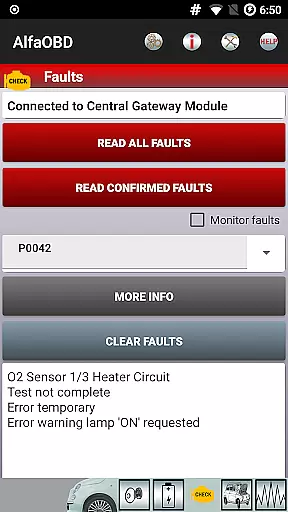
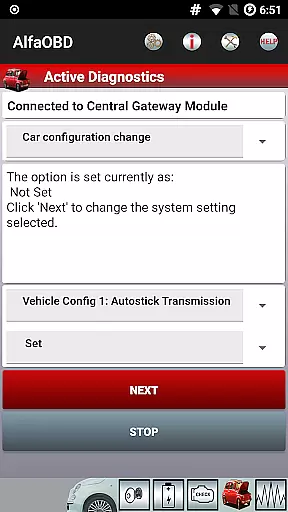
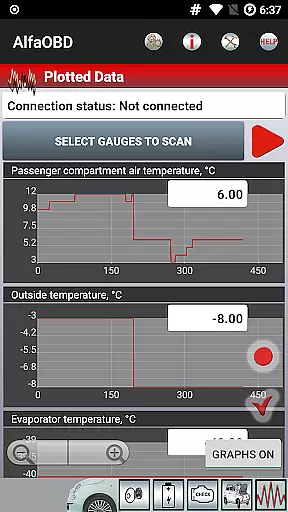
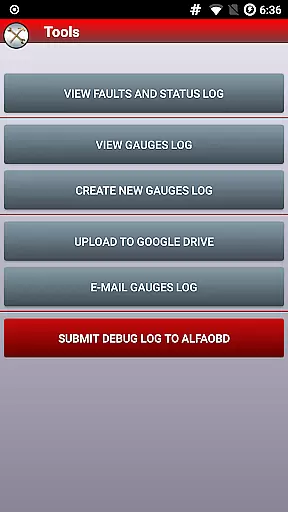
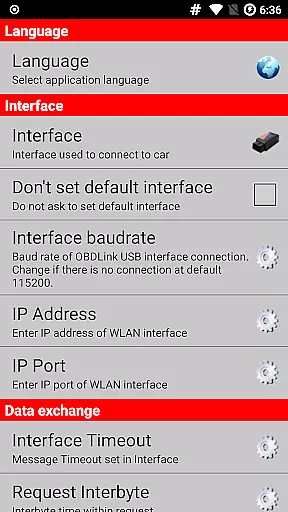
AlfaOBD is a comprehensive diagnostic tool tailored for vehicles produced by Stellantis, including brands like Alfa-Romeo, Fiat, and Jeep. This application offers car owners access to professional-level diagnostic features typically reserved for commercial scanners.
With functionalities ranging from monitoring dynamic parameters of various electronic control units to performing dealer-level diagnostic procedures, AlfaOBD empowers users with the ability to read system statuses, clear fault codes, and even program electronic keys. Its native support for ECUs found in Fiat group cars sets it apart from generic OBDII tools.
Whether you're looking to troubleshoot issues or optimize vehicle performance, AlfaOBD provides an invaluable resource for automotive enthusiasts and professionals alike.
AlfaOBD stands out with its extensive feature set designed for deep vehicle diagnostics. The app natively supports Electronic Control Units (ECUs) used in Fiat group vehicles, offering capabilities beyond basic OBDII functions.
Users can monitor real-time data from engine, gearbox, ABS, and climate control ECUs, presented graphically for easy interpretation. It also allows reading static data such as ECU identification and system status, alongside clearing fault codes and performing active diagnostics.
Advanced features include configuration procedures for multiple vehicle systems and programming options for electronic keys and RF remote controls, making AlfaOBD a versatile tool for both DIY mechanics and professional technicians.
Accessing detailed vehicle information is crucial for effective diagnostics and maintenance. AlfaOBD provides comprehensive data on various electronic control units (ECUs) used in Stellantis vehicles, including Alfa-Romeo, Fiat, Lancia, and others. This native support allows users to monitor dynamic parameters of essential systems such as engine, gearbox, ABS, and climate control.
The application goes beyond basic OBDII support by offering specialized monitoring features. Users can view real-time data through graphical plots, read static information like ECU identification, system status, and fault codes. Each data point comes with probable causes and environmental context, ensuring a thorough understanding of the vehicle's condition.
With AlfaOBD, technicians and car owners can clear fault codes, perform active diagnostics, and execute configuration procedures for multiple ECUs. This level of detail empowers users to address issues accurately, whether they're related to engine performance, transmission behavior, or safety systems like airbags and ABS.
Price transparency in automotive diagnostic tools ensures users understand the costs involved before committing to a purchase. AlfaOBD offers its advanced diagnostic capabilities at a clear price point, visible on its Google Play store listing. This straightforward approach helps users plan their investment in diagnostic solutions without hidden fees or unexpected charges.
In addition to the app's pricing, AlfaOBD maintains transparency regarding compatible OBD interfaces. The official website lists all supported devices, allowing users to make informed decisions about additional hardware purchases. This openness prevents costly mistakes and ensures seamless integration between the app and diagnostic interface.
For vehicles with security gateway modules (SGM), AlfaOBD clearly communicates the need for SGW bypass solutions. The application provides specific guidance on required features for these accessories, particularly for newer Fiat models. This policy of full disclosure enables users to budget appropriately for complete diagnostic access.
User-friendly interface
Comprehensive diagnostic tools
Supports multiple languages
Professional-level features
Wide range of compatible vehicles
Requires compatible OBD interface
Limited to specific vehicle brands
Security gateway module may block access
Interface compatibility issues
Complex for beginners

Theme for Car Launcher
 4.3
4.3
Attention! This is the theme for the Car Launcher app
4.2
Autolist - The Largest Selection of Local Used Cars and Trucks
4.50
Simplify your drive
3.90
BlueDriver® is a Premium Diagnostic OBD2 Scan Tool. www.BlueDriver.com
3.90
The ExtraMile App allows you to pay for fuel from the comfort of your car!
4.70
Trip computer+car diagnostic tool with widest variety of features and dashboard!
4.70
Find, search, and browse 40,000+ used cars, SUVs, and trucks.
4.50
Browse millions of cars, track vehicle listings or sell your car today
4.70
MySubaru: Download. Connect. Love.
4.70
Quick and easy car diagnostics to get you the right fix.
4.70
Instantly redesign your car with AI. From sporty to futuristic, try it all.
4.50
CVT diagnostics with ELM327 for Nissan-based vehicles
4.40
Launcher for use in the car
4.40
Digital Car Key/Launcher, Screen Mirror, Android Dashboard, Remote Wireless Link
4.40
Your Path to Driving Licensing Success Begins Here! Develop your driving skills.
4.40
Realtime Charts is a plugin for the Torque Pro App (OBD 2 & Car)
4.20
Available in select states.
4.00
Ferrari inspired analog & digital watch face with quick access and premium style
4.3


User Reviews