

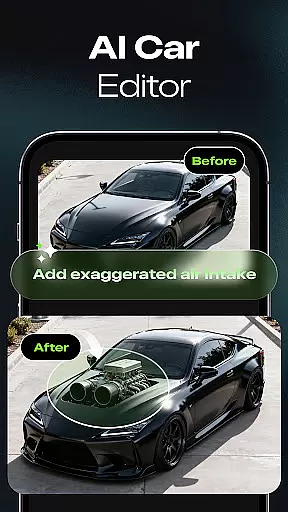

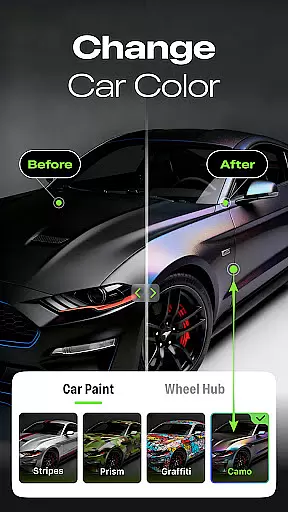
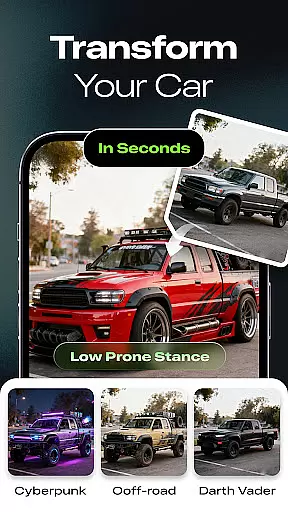
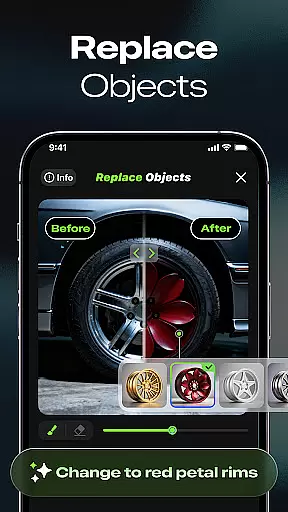
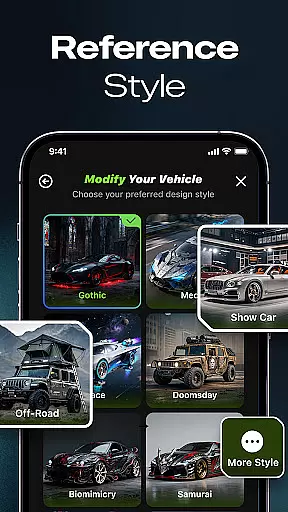
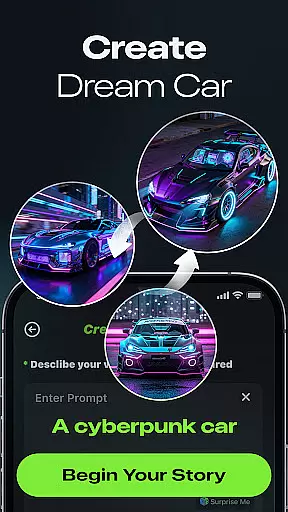
Car Editor & Al Car Designer is an innovative application that allows users to transform their car customization ideas into reality through advanced AI technology. The app provides a comprehensive suite of tools for designing and modifying cars digitally, making it ideal for automotive enthusiasts, designers, and modification shops.
With features like the AI Car Design Generator, users can upload photos of their vehicles and receive stunning modification concepts ranging from sporty to retro styles. The app also includes Smart Detail Editing, enabling users to make precise changes to colors, lights, accessories, or textures with seamless blending. Additionally, the One-Tap Style Transformation feature offers various style options such as cyberpunk, racing, off-road, or minimalist designs.
This app is perfect for those planning real-life upgrades or simply experimenting with creative concepts, providing endless inspiration and highly realistic results without requiring any design skills.
Car Editor & Al Car Designer stands out with its powerful AI-driven features tailored for car customization. The AI Car Design Generator uses sophisticated algorithms to create unique modification concepts based on uploaded car photos, offering diverse styles from futuristic to luxury designs.
The Smart Detail Editing tool allows users to mark specific areas and instantly replace elements like colors, lights, or accessories. This feature ensures that all modifications blend seamlessly with the original car image. Furthermore, the One-Tap Style Transformation provides a wide array of preset styles, enabling users to visualize different aesthetics while maintaining the car's structural integrity.
Additional benefits include unlimited creative exploration, where users can save, compare, and share their favorite designs. Subscription users enjoy enhanced features such as multi-image generation, unlimited image creation, ad removal, and access to exclusive content like paid styles and video generation.
Car Studio offers an innovative approach to exploring detailed vehicle modifications through its AI-powered platform. This feature allows users to upload images of their vehicles and receive highly realistic modification concepts, ranging from sporty enhancements to luxury upgrades.
The app's smart detail editing tool enables precise customization by letting users tap or mark specific areas for changes. Whether it's altering colors, upgrading lights, or adding accessories, the AI seamlessly integrates these modifications into the original car image, providing a true-to-life representation of potential upgrades.
Users benefit from having access to comprehensive modification options without needing professional design skills. The application maintains the vehicle's structural integrity while presenting various customization possibilities, making it an invaluable tool for both hobbyists and professional modification shops.
Car Studio implements a clear and straightforward subscription model that ensures complete price transparency for its users. Free users can initiate single-image generation tasks, while subscribers gain access to advanced features including multi-image generation capabilities.
The subscription plan removes all advertisements from the application and provides unlimited generation privileges due to the high operational costs associated with the AI model. Additional premium benefits include exclusive styles and video generation features, all clearly outlined in the subscription details.
This transparent pricing structure allows users to make informed decisions about their usage of Car Studio. By understanding exactly what they are paying for, customers can choose the service level that best suits their needs, whether they are casual users or professional designers requiring extensive modification tools.
User-friendly interface
Highly realistic results
Versatile style options
Seamless editing experience
Inspiring creative platform
Paid subscription required
Limited free features
Advanced tools may overwhelm beginners
Occasional processing delays
Dependent on internet connection

On the CarShield app, you can view contracts, make payments, & request roadside.
 4.40
4.40
Theme for Car Launcher
4.5
* This app needs an adapter cable and a certain OBD2 adapter to work *
4.20
Play what you want through Android Auto
4.90
Club Car Wash Mobile App—the fast lane to managing your wash membership.
3.30
Car Values, Research and More
4.80
The ExtraMile App allows you to pay for fuel from the comfort of your car!
4.70
Instant diesel savings. No credit checks or fees. Nationwide growing network.
4.40
Take state-specific DMV permit tests and ace the exam.
3.90
The Texaco App allows you to pay for fuel from the comfort of your car!
4.80
Lexus app currently supports 2010 or newer vehicles (2018 or newer for Hawaii).
4.80
7-Day Returns on All Cars
4.80
DMV practice test 2025: Driver License permit test & written test for all states
4.70
MySubaru: Download. Connect. Love.
4.70
Listings of Tesla's with FSD - Included package
4.60
A smarter way to park and reserve your spot ahead of time.
4.40
myAudi offers users services and Audi connect services for Audi drivers
4.10
Discover new and used cars in Syria easily! Browse ads and connect with sellers.
3.70
Ferrari inspired analog & digital watch face with quick access and premium style
4.4


User Reviews